

Blog and Articles

The "No Tax on Tips" Rule: How The One Big Beautiful Act Changes Your 2026 W-2 Reporting for Restaurants and Retail Stores

.png)
.webp)

5 min read
Imagine losing a sale because your system couldn’t process a digital payment. Or spending hours manually tracking inventory when you could automate it in seconds. That’s the difference between a traditional cash register and a modern POS (Point of Sale) system.
For some, cash registers bring a sense of familiarity—perhaps from watching a family member use one in their store. For others, it’s the simplicity of how to use a cash register. A cash register completes basic transactions, so why fix what isn’t broken?
But as businesses grow, new challenges emerge. Inventory starts getting harder to track. Reports need to be manually compiled. Customers start expecting faster, more convenient payment options. At this point, many business owners begin to wonder about POS system vs cash registers.
This guide isn’t about dismissing cash registers. They've served businesses well for decades. Instead, we’ll explore what both options offer and where they fall short. Let’s explore how a POS system can add value beyond just processing transactions.
POS System vs Cash Register: Understanding the Basics
To determine which is better in the 'cash register vs. POS' debate, let's start with the basics.

A traditional cash register primarily serves one function: handling transactions. It allows businesses to:
- Ring up sales
- Store cash securely
- Print receipts
- Track daily sales (manually)
Cash registers have been the backbone of retail and hospitality for decades. They’re simple and affordable. How does a cash register work? Just scan items, enter discounts, select payment methods, and ensure accurate cash handling and receipt printing.
But despite their reliability, they come with limitations. There’s no inventory tracking, no automated reports, and no way to analyze sales trends. If your business handles high transaction volumes or a diverse inventory, a traditional cash register may no longer be sufficient.

However, a POS system does everything a traditional cash register does — and more.
- Inventory Management
- Sales Reports & Analytics
- Customer Management
- Multi-Payment Options
- Employee Management
POS technology makes it easier to scale operations, manage tasks, and improve customer experience.
What Does a Cash Register Not Do for You?

Here are the possible pain points of your business without a POS system:
- You won’t know when stock is running low until you check manually.
- Cash registers usually support only cash or card payments, requiring a separate terminal.
- You’ll need to manually track sales trends and generate reports.
- Cash registers don’t store customer data or help with promotional ideas.
If your business is growing, these limitations can start slowing you down.
What Can a Cloud-Based POS System Do for You?

A cloud-based POS system offers powerful features that can transform business operations. Here’s how:
Smarter Inventory Management
- Tracks stock levels in real-time
- Syncs inventory across multiple locations or online/offline stores

For instance, a clothing boutique can use a POS system to track best-selling sizes and colors, ensuring timely restocking.
Better Sales Insights & Business Analytics
- Detailed sales reports on best-selling items, slow-moving inventory, and peak hours
- Helps predict customer buying patterns to optimize stock
- Handles refunds, returns, and chargebacks

Let’s say you own a coffee shop. A POS system can show you which drinks sell the most in the morning versus the evening. Accordingly, you can further come up with marketing ideas.
Faster, More Secure Transactions
- Accepts multiple payment methods, like cash, credit/debit cards, QR codes, and digital wallets
- Minimizes manual errors in pricing and checkout
- Provides encryption and role-based access for employees

For example, in a quick service restaurant, a restaurant POS system allows customers to tip electronically and pay seamlessly—resulting in higher satisfaction and faster table turnover.
Enhanced Customer Experience
- Faster checkout with barcode scanning and quick payment options
- Offer combo deals using menu management features, loyalty programs, and personalized offers
- Provide digital receipts for convenience
- Helps businesses get better customer reviews and drive more traffic

For example, if you run a salon, you can send appointment reminders, offer discounts to repeat customers, and suggest services based on past visits with the help of your POS reports.
Improved Employee & Business Efficiency
- Tracks employee performance with sales metrics
- Manages payrolls and commissions
- Organizes shift schedules and staff access levels
- Automates tip pooling and sharing (ideal for QSRs, salons, and service-based businesses)

Addressing Common Concerns About Switching to a POS System
Switching from a traditional cash register to a POS system for small businesses feels like a big step. Let's tackle the most common worries.
Cost Factor – Is It Worth It?
Are POS systems really worth the investment? While a POS system requires a higher initial investment than a cash register, it pays for itself over time. The true cost of POS systems is justified as they let you:
- Reduce the clutter as you have everything from sales to staff organized at one place
- Prevent overstocking or running out of items by optimizing stock management
- Boost sales with loyalty programs and personalized promotions
- Save time by automating reporting, payroll, and analytics
- Access your cloud-based systems from anywhere to easily manage a small business remotely
So, if you spend 5-6 hours per week manually tracking sales and updating inventory, a small business POS system can automate this, freeing up time for business growth.
Still worried about the cost? Look for POS providers with affordable monthly plans instead of high upfront costs.
Learning Curve – Will It Be Hard to Use?
“I'm used to my cash register—will a POS system be too complicated?”
Is this what you’re thinking? Well, modern POS systems for small businesses are designed to be user-friendly. They have intuitive touchscreens and easy navigation. As easy as using a smartphone!
Many POS providers offer free training and customer support to ensure a smooth transition. When upgrading from a cash register to a POS system, you can train staff about must-knows and hacks to operate POS systems efficiently within a few hours rather than weeks.
Consider a POS system with an affordable trial plan to test its usability before committing. OneHubPOS lets you find this out at just $1!
Internet Dependency – What If the Connection Drops?
What if you’re using a POS system and your internet goes down? Will your business stop? The answer is NO, but only if your cloud-based POS system has an offline mode. In an offline mode:
- Transactions still process even without the internet.
- Point of sale data syncs automatically once the connection is restored.
- Card payments continue to happen, ensuring uninterrupted service.
So, even if you’re in an area with unstable internet, you can continue selling products without disruptions.
7 Signs Your Business Needs a POS System
Not sure if it's the right time to switch? If you relate to any of these situations, it might be time to upgrade. The following table sums up “POS vs cash register”.

Is It Time to Upgrade?
The verdict for “POS system vs cash register”: A POS system isn’t just a replacement for a cash register. It’s a growth tool.
- It helps businesses operate smarter, faster, and more efficiently.
- It enhances customer experience and increases sales opportunities.
- It saves time by automating reports, inventory tracking, and employee management.
If your business is facing challenges with manual processes, limited payment options, or lack of insights, upgrading to a POS system can be a game-changer.
Don't let outdated systems hold your business back. Upgrade to OneHubPOS today—Schedule your demo now and experience the difference.


5 min read
Managing a liquor store is more complex than a typical retail business. With strict regulations, fluctuating prices, and constant inventory tracking, precision is key.
That’s why having a dedicated POS (Point-of-Sale) system is essential. But not just any POS will do. You need one that caters to your store’s unique needs.
This blog explores why liquor stores need a specialized POS system and the must-have liquor store POS system features for 2025 to ensure smooth operations, regulatory compliance, and profitability.
Why Liquor Stores Need a Specialized POS System
Liquor stores face challenges that go beyond scanning barcodes and processing payments. Unlike general retail businesses, liquor stores deal with:
Age Restrictions

Selling alcohol to minors isn’t just bad for business—it’s illegal. According to the National Minimum Drinking Age Act, all US states and territories must have a minimum purchase age of 21 to avoid losing 10% of their federal transportation funds. In fact, some states forbid those who aren't of legal drinking age from even entering liquor stores at all.
Regulatory Compliance
Liquor sales must comply with complex state and local laws, including taxation and reporting requirements. A POS system should automate tax calculations, generate reports, and track sales for audit readiness.
High-Risk Inventory

Alcohol is both valuable and highly regulated, making theft prevention and inventory tracking crucial. Without strong inventory management, businesses risk shrinkage, loss, and compliance violations.
Diverse Pricing & Taxation
Federal excise duties vary based on drink type: 13 cents per 1.5-ounce shot of liquor, 4 cents per 5-ounce glass of wine, and 5 cents per 12-ounce beer bottle or can.
Limited Supplier Control
Unlike general retailers, liquor store owners can’t just choose any supplier. They must work with state-mandated or licensed distributors, limiting procurement flexibility. The stores need streamlined vendor management, supplier order tracking, and compliance with purchasing regulations.
Seasonal Demand Shifts

Alcohol sales fluctuate based on the seasonal trends, holidays, and major events. Liquor stores need a smart system for advanced forecasting to help them stock up before peak seasons and avoid overstocking during slower months.
Cash & Card Preferences
Many liquor stores handle a significant portion of cash transactions, which increases security risks and reconciliation errors. Liquor stores need strong cash management features, fraud detection, and smooth payment processing to avoid discrepancies.
14 Features Every Liquor Store POS System Must Have in 2025

A great liquor store POS helps you stay compliant, manage inventory, and increase revenue. So, before buying a POS system for liquor system, make sure it has these features:
1. Advanced Age Verification

Nobody wants to deal with hefty fines or legal trouble for selling alcohol to minors. That’s why an age verification system is a must-have in your liquor store POS. A great system will:
- Prompt your cashiers to check IDs before completing a sale
- Support the scanning of a driver's license, a US passport, a military ID, or any other ID issued by a state or the federal government for quick verification
- Automatically log verification records for compliance audits
2. Automated Compliance & Tax Management
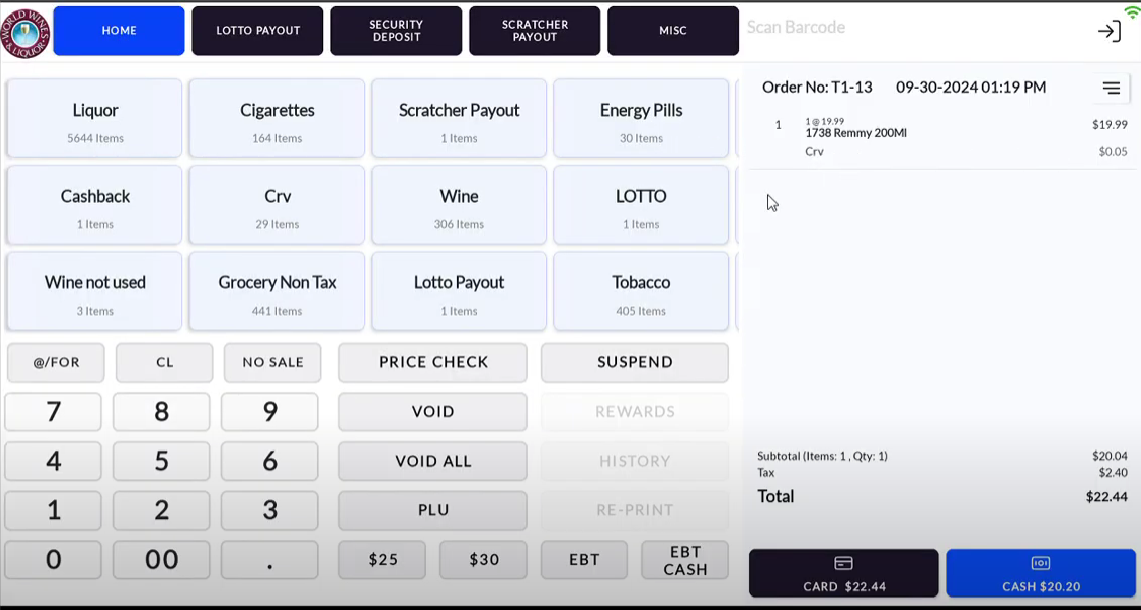
Liquor stores operate under strict regulations. In the US, taxes vary based on alcohol type and location. A manual mistake in tax calculations can lead to an audit nightmare. A POS with automated tax mapping saves hours of manual calculations every month. Look for features like:
- Automatic tax calculations based on state and local laws
- Manage different tax rates for beer, wine, and spirits
- Pre-set volume restrictions to prevent overselling
- Easy POS report generation for regulatory compliance, including:
- Sales summaries
- Age verification logs
- Tax calculations
- Inventory records
- Voided transactions
- Vendor purchases
3. Smart Inventory Management

Liquor stores stock thousands of products, from craft beers to premium whiskeys. So, if you’re constantly out of best-sellers like tequila or whiskey, you’re losing repeat customers. A POS system simplifies inventory tracking with:
- Real-time stock level updates to prevent understocking, including:
- Current inventory counts
- Low-stock alerts
- Automatic reorder suggestions
- Sales trends
- Expiration tracking
- Multi-location sync
- Case and bottle tracking, since liquor is often sold in multiple units
Since wines and craft beers have a limited shelf life, smart inventory tracking helps ensure older stock is sold first, reducing waste.
4. Multi-Tier Pricing & Promotions

Not all liquor is priced the same way. Plus, some customers buy in bulk. Your chosen liquor store POS system should:
- Apply discounts in advance for holiday events
- Automatically create combo deals during happy hours or special promotions. For example, 'Whiskey Weekend' deal offering 10% off when customers buy two premium bottles together can attract more traffic and boost sales.
- Allow for bulk pricing or wholesale rates
- Offer time-sensitive and dynamic pricing for limited-time deals
- Track discount performance to optimize your promotional ideas for the store
5. Vendor & Purchase Order Management

Liquor store owners have limited supplier choices. So, managing vendor relationships is important. A top-tier liquor store POS system will:
- Keep track of supplier invoices and past orders
- Automatically generate purchase orders when stock runs low
- Provide detailed vendor reports to track order history
So, if a supplier is consistently late, your POS should flag it so you can switch vendors before running out of stock.
6. Sales & Trend Analytics

Understanding what sells and what doesn’t can help manage your inventory and improve profits. A good liquor store POS system should:
- Offer real-time analytics reports on best-selling products
- Predict seasonal demand shifts to help you stock up
For example, if your POS shows flavored rum sales declining, you can adjust orders and shift focus to trending products like ready-to-drink cocktails. Moreover, holiday sales data from last year can help you stock up on champagne before New Year’s Eve rush.
7. Secure Payment Processing & Cash Management

Liquor stores handle various payment methods, including cash, credit, and digital transactions. A POS system should ensure secure and efficient processing by:
- Supporting EMV chip, contactless, and QR code payments
- Tracking cash flow and preventing register discrepancies, including:
- Missing cash
- Mismatched sales totals
- Incorrect refunds
- Unrecorded discounts
- Duplicate transactions
- Automating cash drawer reconciliation at the end of shifts
8. Employee Management & Theft Prevention

Employee theft is a real concern for liquor stores. After all, alcohol is a high-theft product. A liquor store POS system should proactively prevent theft by offering:
- Role-based access control to restrict permissions
- Audit logs that show who accessed the system and when, preventing unauthorized voids or refunds
- Alerts for suspicious activities, such as excessive discounts or voided sales
9. Customer Loyalty & Rewards Programs

Loyal customers deserve perks! A liquor store POS system should:
- Offer customizable loyalty programs to reward repeat buyers
- Track customer preferences to suggest relevant products
A liquor store POS system with purchase history tracking lets you send personalized deals on a customer’s favorite whiskey. You can offer a ‘Whiskey Lover’s Club’ where customers earn a free bottle after 10 purchases. This keeps them coming back.
10. Cloud-Based Access & Multi-Store Integration

Do you own multiple stores? Or want to monitor sales remotely? Well, in either case, cloud-based access is a lifesaver. If you manage multiple locations, cloud-based POS ensures all stores stay synced without manual updates. Your POS should:
- Sync sales and inventory across multiple locations
- Provide real-time access to analytics reports from any device
- Offer automatic cloud backups to prevent data loss in case of system failures or cyberattacks
11. Fast & User-Friendly Checkout

Customers want to grab their drinks and go. A long checkout line can drive customers to competitors. So, your POS should ensure a quick checkout with:
- A sleek, easy-to-use touchscreen interface so that customers can order and pay quickly
- Barcode scanning and product lookups for faster transactions
- Integrated card processing to speed up payments
12. Mobile POS for Curbside & Delivery Sales

Online orders and curbside pickups on the rise. A POS that syncs with Uber Eats or DoorDash expands your reach. So, a POS should support:
- Mobile checkout for easy payments outside the store
- Integration with online ordering platforms to increase your revenue dramatically
- Real-time syncing of online and in-store sales
13. Integration with Accounting Software

Manually inputting sales data wastes hours. A liquor store POS should make bookkeeping easier by:
- Syncing with QuickBooks or other accounting software
- Automating expense tracking and financial reporting
- Simplifying payroll management for employees
14. Scalability for Future Growth

If you open a second location, your POS should scale seamlessly without buying a whole new system. Your POS should grow with your business by:
- Supporting additional stores at multiple locations
- Offering customizable add-ons and integrations
- Handling increased sales volume without lag
Look for liquor store POS systems with optional features like e-commerce integration so you can grow without switching platforms.
Upgrade Your Liquor Store with OneHubPOS
A liquor store POS system is a critical business asset that ensures compliance, accuracy, and efficiency. So, make sure your POS system ticks all these boxes. After all, a great POS doesn’t just keep the cash register ringing—it keeps your business succeeding.
Managing a liquor store is tough. But your POS system shouldn't be. With OneHubPOS, you get:
- Smart inventory tracking
- Automated compliance & tax management
- Lightning-fast checkout
- Secure payments & theft prevention
Ready to transform your liquor store’s efficiency? Book a demo today and experience how OneHubPOS can streamline operations, boost security, and maximize profits!
.webp)

5 min read
Ever had a guest stare at the menu puzzled? Or someone who just asks, “What’s good here?” without giving much to work with? That’s when you have to step in and make menu suggestions!
A good menu suggestion helps guests decide, enhancing their dining experience and building trust. Ultimately, it can increase your revenue. A well-thought-out suggestion can turn a first-time visitor into a regular.
So, how do you make spot-on menu suggestions? Here’s a complete guide.
What Is Menu Recommendation and Why Does It Matter?

Some guests know exactly what they want. But some need a little nudge in the right direction. That’s where they need a good recommendation. Menu suggestions might seem like just listing the best-selling dishes, but you have to help guests find something they’ll genuinely enjoy. It’s a mix of understanding their preferences, considering the occasion like holidays, and sometimes even adding your personal favorites.

Here’s why it matters:
- When guests love what they order, they leave satisfied and trust your judgment.
- A great recommendation can lead to a bigger bill. But it feels natural, not pushy.
- When guests feel like you really care about their experience, they’re more likely to come back.
- Your guests might leave positive restaurant reviews, make your recommended dish popular, and attract more customers.
10 Ways to Recommend Dishes
When you recommend menu suggestions, you create great moments for your restaurant guests. Here’s how you can suggest dishes to your guests:
1. Get a Curated Recommendation List by Your Executive Chef

Ask your executive chef to curate 8 to 12 dishes that highlight the strengths of your quick service restaurant while ensuring smooth restaurant operations. Here’s how to create the perfect recommendation list to make it easier for restaurant staff to guide guests confidently:
- Select dishes that are high quality, cost-effective, and popular.
- Exclude items with fluctuating ingredient costs or complicated preparation.
- Have a mix of appetizers, mains, and desserts for well-rounded suggestions.
- Ensure every server tastes these dishes so they can describe them with confidence.
A restaurant POS system’s menu management features can help customize your QSR menu in real-time. As a result, your staff can always recommend available and profitable dishes. It also improves POS analytics. So, you’ll know what’s working!
2. Recommend What You Personally Love

Guests can tell when menu suggestions are genuine! So, do not “recite” the menu. Instead, suggest dishes you personally love. Passion sells. So, if you’re excited about a dish, your guests are likely to be too.
Here’s how to do it right:
- Regular menu tastings allow you to describe flavors and textures accurately
- Avoid generic phrases like “everything is good.” Instead, explain why a dish is great.
- Mention key ingredients, textures, and what makes the dish special.
You can say:
- “I absolutely love the truffle risotto. The earthy truffle with creamy parmesan is just perfect.”
- “The spinach and ricotta cannelloni is my go-to. It’s rich, cheesy, and baked to perfection.”
- “I always recommend the pesto gnocchi: light, fluffy potato dumplings in a fresh basil sauce. So comforting!”
3. Highlight Unique or Comforting Dishes

Some guests love bold, exciting flavors. But some just want a cozy, familiar meal. Your job is to guide them to a dish that feels just right.
- Unique dishes stand out because of their flavors, ingredients, or cooking techniques, such as saffron-infused risotto or truffle mushroom pasta.
- Comforting dishes bring warmth and nostalgia, such as a creamy tomato basil soup with garlic bread or a classic vegetable lasagna.
Here’s how to talk about such dishes:
- “Our wild mushroom risotto is creamy, rich, and packed with deep, earthy flavors.”
- “If you love homestyle flavors, the stuffed bell peppers with quinoa and feta are a must-try!”
4. Ask About Preferences

Not all guests will immediately know what they want. A little prompting can go a long way in helping them decide. Just ask the right questions:
- “Do you prefer vegetarian, vegan, or something with cheese?”
This helps determine dietary preferences and restrictions.
- “Are you in the mood for something hearty or light?”
This determines portion size and meal type (comforting vs. refreshing).
- “Do you enjoy creamy or tangy flavors more?”
This helps suggest sauces or dressings.
- “Do you have any allergies or ingredients you don’t like?”
This prevents offering something they can’t eat.
- “Are you craving something spicy or mild?”
This narrows down dishes based on spice tolerance.
- “Would you like something classic or a little adventurous?”
This helps tailor suggestions to their comfort level.
- “How do you feel about mushrooms, olives, or tofu?”
This checks for specific ingredient preferences.
What if your guests are still unsure? Just rule out what they don’t want to make choosing easier!
5. Do Not Be Pushy to Sell Costly Items

If guests sense you're only recommending high-priced dishes, it can come across as insincere. They might hesitate to trust your suggestions. Instead, focus on dishes that deliver great taste and value. Consequently, guests can enjoy their meal and return for more.
At the same time, don’t hesitate to suggest mid-range options that enhance the dining experience without significantly raising the bill. Offer mix-and-match options or small upgrades so that guests can customize their meal without feeling like they're being upsold. Here’s how:
- “The pesto pasta is a fantastic choice. But if you're in the mood for something extra special, the truffle version is a great upgrade!”
- “You might enjoy our seasonal tasting platter. It lets you try a little bit of everything at a great value.”
6. Suggest Three Entree Options

Too many choices can overwhelm guests, so offer three well-balanced entrée options to simplify their decision. Provide variety: one light, one hearty, and one unique. For example:
- Grilled Portobello Mushroom Steak – Smoky, juicy, and served with garlic butter mash
- Pesto Gnocchi – Pillowy potato gnocchi in a creamy basil pesto sauce
- Mediterranean Stuffed Peppers – Peppers filled with quinoa, olives, and feta, baked to perfection
Here’s what you can say:
- “Here are three dishes that never get sent back…”
- “Our best-selling entrées are…”
You can also create, manage, and suggest a combo deal using your QSR POS for added value.
7. Offer Alternatives If Needed

Not every guest will say yes when you first recommend a dish. And that’s okay! Do not leave them hanging. Have a backup plan. Choose alternatives based on:
- Similar flavors or textures
- Dietary preferences
- Cooking style
Here are phrases you can use:
- “If you’re not into risotto, the truffle pasta is just as creamy and delicious!”
- “No worries! How about the stuffed bell peppers instead?”
- “If you prefer something lighter, the quinoa salad is a great pick.”
8. Always Use Dish Names & Descriptions

Want to make the dish sound irresistible? Don’t just mention the dish name. Instead, describe it using mouthwatering words. Bring out the flavors, textures, and ingredients. This way, you can turn things around and ensure the guest leaves happy.
Here are three ways to do it right:
- “The spinach and ricotta ravioli, handmade pasta filled with creamy ricotta, served in a light basil tomato sauce that’s both fresh and comforting.”
- “Our truffle mushroom risotto, rich, creamy Arborio rice slow-cooked to perfection, infused with earthy truffle oil, and topped with parmesan shavings.”
- “For dessert, don’t miss our classic tiramisu, layers of espresso-soaked ladyfingers, velvety mascarpone cream, and a dusting of cocoa for the perfect sweet finish.”
9. Remember Returning Customers & Their Preferences

Ever had a guest light up because you remembered their last order? This small gesture makes a big impact. If a customer loved the pumpkin risotto last time, you could say, “You really enjoyed the pumpkin risotto. Would you like to try our butternut squash ravioli today? It has that same rich, comforting flavor!”
A restaurant POS system manages and tracks customer orders without manual errors. The next time a regular walks in, you can quickly check their favorite dishes and make personalized menu suggestions.
10. Suggest Similar Dishes When a Guest’s Request Isn’t Available

Guests get disappointed when their favorite dish isn’t available. But you can make a thoughtful suggestion to turn things around. Don’t just say, “We don’t have that.” Here's how to offer a similar alternative with enthusiasm. Here’s how:
- “Unfortunately, we’re out of that today. But you might love our stuffed bell peppers. It has a similar hearty and flavorful filling!”
- “We’re out of that dish. But the chef recommends our herbed risotto. It has a wonderful depth of flavor.”
- “That’s a fantastic choice! It’s unavailable today. But the roasted vegetable lasagna is another guest favorite.”
This way, you can turn things around, deal with the customer, and make them happy.
But honestly, wouldn’t it be even better to avoid the situation altogether? A reliable handheld POS system tracks inventory in real-time, ensuring you always know what’s available.
Conclusion
At the end of the day, when you recommend menu dishes, you want to enhance the guest experience, not just sell food. Whether it’s suggesting a chef’s signature dish, offering personal favorites, or guiding guests based on their preferences, there’s no single right way to do it. The best approach? A combination of these methods tailored to each guest.
Want to make menu suggestions easier? OneHubPOS can help! With detailed menu insights, customer preferences, and sales data at your fingertips, you can recommend menu dishes in an effortlessly informed way. To know more, book a demo today!
.webp)
5 min read
Long queues, impatient customers tapping their cards, and staff juggling handwritten orders—does this describe your business’s busy hours? A single wrong entry can result in a messed-up order and a complicated refund process. A frustrated customer is likely never to return. Meanwhile, you might not have any idea how much stock you just lost to errors.
Does this sound stressful? A reliable POS system keeps everything organized. It manages payments, inventory, reporting, and customer experience. But how do you find a POS system that fits your business perfectly?
This guide explores key factors to help you choose the right POS system and use it effectively. Let’s get started!
Downloadable Checklist :✅ POS System Buying Checklist
How Does a POS System Work?

A POS (Point of Sale) system helps businesses process sales, accept payments, manage inventory, and track customer data. This allows for smoother operations, increased efficiency, and an improved customer experience. Plus, POS reports give you real-time insights into customer preferences, seasonal trends, and sales performance.
At its core, a POS system consists of three main parts:
- Hardware includes the touchscreen, barcode scanner, receipt printer, and payment terminal. Some systems also have self-ordering kiosks, kitchen display systems, and mobile POS devices.
- The POS software manages transactions and tracks sales. It also integrates with accounting software, inventory management, and other tools.
- Many modern POS systems store data in the cloud. So, business owners can access reports and POS analytics from anywhere.
Here’s a step-by-step breakdown of how a POS system works:
- A customer selects items they wish to purchase.
- The cashier scans the items or takes the order using the POS system.
- The system calculates the total price, including taxes and discounts.
- The customer chooses a payment method, like cash, card, and mobile payment.
- The POS system processes the payment. Then, it prints or emails a receipt.
- The transaction details are stored for future reporting and inventory management.
This complete interaction a customer has at the point of sale is called a POS experience. So, what exactly is a POS experience? A smooth POS experience involves faster checkouts, fewer errors, and a better customer experience. As a result, it can significantly boost your revenue.
6 Factors to Consider Before You Buy a POS System
Do you have a clunky or outdated system? Or don't have a POS system at all? Then, long lines, frustrated customers, and even lost sales might be a common sight for your business. So, here are the key aspects to think of when choosing the best POS system for your business.
1. Pricing & Fees
Some POS systems charge a flat monthly fee. Others take a percentage of each transaction. Before committing, ask the following questions:
- What’s the total cost?
- Does the total cost include all: hardware, software, and payment processing fees?
- Are there hidden charges for certain transactions?
- Do pricing plans scale as your business grows?
- Does the provider require a long-term contract, and if so, are there cancellation fees?
- Are there month-to-month options for payment?
You might be offered an all-in-one pricing. But some POS providers charge separately or extra for:
- Software
- Hardware
- Refunds
- Returns
- Chargebacks
- Third-party payment processing
Always read the fine print before committing so that you're aware of the true cost of your POS system.
2. Hardware Compatibility & Setup
Not all POS systems require brand-new hardware. Some work with existing devices. This can save you money. Ask the following questions:
- Can I use my current Android or iPad hardware?
- Do I need proprietary hardware (which can be costly)?
- How easy is the setup?
- Is there assistance for installation and integration?
Many modern POS systems support iPads, Android tablets, and even smartphones. However, POS systems that require exclusive terminals and accessories can add to the overall cost. So, you should opt for a system that supports:
- Barcode scanners
- Receipt printers
- Cash drawers
Thinking about switching to a softPOS solution? Some providers, like OneHubPOS, allow you to use your existing Android hardware. So, no need for expensive new equipment!
3. Payment Processing Options
Your POS system should support multiple payment methods to match customer preferences. Ask the following questions:
- What payment processors are supported?
- What are the transaction fees for credit cards, debit cards, digital wallets, and EMV dips?
- Can customers pay using contactless methods, like swipe- or tap-to-pay and QR codes?
- How quickly do funds get deposited into my account?
- What are the transaction fees?
- Is E-invoicing allowed?
4. Features & Functionality
Rather than just processing guest payments, a great all-in-one POS system manages everything, from sales to staff, for better results. Consider features like:
- Inventory Management – Tracks stock levels and alerts you when items run low
- Menu Management – Allows customizing QSR menus according to seasonal promotions and dynamic pricing
- CRM & Loyalty Programs – Stores customer information and offers rewards to repeat buyers
- Sales Reporting & Analytics – Provides insights into sales trends and business performance
- Online Ordering/Mobile Ordering & Delivery Integration – Essential for Quick Service Restaurants (QSRs) and retail businesses, like convenience stores and specialty stores
- Employee Management – Tracks staff performance, work hours, shift scheduling, and payroll
- Tip Pooling & Sharing – Records the amount of tips earned per employee per shift for each day
Irrespective of your business type, look for real-time stock tracking and low-stock alerts to prevent shortages. Your chosen system should also have easy-to-read reports to help you track revenue, peak hours, and best-selling items.
If you have multiple employees, choose a POS with clock-in/clock-out features and role-based permissions to manage staff efficiently.
Complying with federal, state, and local laws, look for age verification features if your convenience, specialty, or liquor stores sell the following prohibited items:
- Alcohol
- Tobacco & vape products
- Legal cannabis-derived or THC (Tetrahydrocannabinol)-derived products
- Lottery tickets
- Spray paint & graffiti materials
- Energy drinks & supplements
- Sharp objects, like box cutters and knives
- Mature or adult-rated video games
- Adult magazines & DVDs
- Fireworks
- CBD (Cannabidiol) products
- Nitrous Oxide (Whippets)
- E-cigarette liquid & accessories
QSRs, food trucks, pizzerias, and cloud kitchens should look for a restaurant POS system that integrates with DoorDash, Uber Eats, and Grubhub.
5. Customer Support & Reliability
Tech issues can disrupt your business. So, good support is a must. Ask the following questions:
- What type of support is available (phone, email, and/or live chat)?
- What is the average response time?
- Is support available 24/7?
- How frequently is the software updated?
- Do software updates happen automatically or have to be installed manually?
- What happens if the system goes offline?
Avoid systems that only offer email support as they're likely to have long response times.
Having 24/7 support is more crucial for liquor stores, late-night bistros, food trucks, or similar businesses that operate outside standard business hours to ensure you’re never stuck if something goes wrong.
6. Scalability & Customization
Your small business will evolve. So, your POS system should grow with you. Ask the following questions:
- Can the POS system handle multiple locations if I expand?
- Does it support third-party integrations like accounting or delivery services?
- Are customization options available to fit my business needs?
If you plan to open more retail stores or QSRs at multiple locations, choose a cloud-based POS that supports multiple outlets under one dashboard.
How to Use a POS System
Here’s how to get started with using a retail POS system:
- To set up the POS system, install the software on your POS hardware. Or, use your existing device if compatible. Connect printers, scanners, and card readers if needed.
- Upload your inventory, set up menu pricing, and organize items by categories.
- Teach employees how to process sales, create and manage combo deals, apply discounts, and handle returns or refunds.
- When a customer checks out, scan or enter the items. Then, take payment and issue a receipt.
- Use the dashboard to monitor reports and POS analytics regularly. This helps track sales trends, manage stock levels, and improve business operations.
The more familiar you and your team are with the must-knows and hacks to operate POS systems efficiently, the smoother your business operations will be.
Get the Right POS System & Simplify Your Business Today
Choosing the right POS system helps you run your business smoothly, keep customers happy, and boost profits. Focus on pricing, hardware, payments, features, and growth. Pick a system that works for you now and can grow with your business in the future. A user-friendly, feature-packed POS system saves you time. It also decreases manual errors and improves your customer experience.
Looking for a fast, reliable, and affordable POS system? OneHubPOS offers smooth payments, inventory tracking, and powerful analytics. No long-term contracts. No hidden fees. Book a demo now!


5 min read
85% of food retailers say theft and fraud are the most serious challenges hurting their business. These are not just occasional shoplifters sneaking a candy bar into their pockets. Grocery store theft has evolved into organized retail crime and self-checkout scams.
So, what can you do? The good news is that there is a way to be proactive and equipped with the right tools to reduce grocery store theft and protect your profits. Let’s discuss more in this blog.
Top 3 Reasons For Your Grocery Store Theft

Grocery store theft refers to any unauthorized taking of goods or money from the store. It happens in different ways, from customers shoplifting to employees manipulating transactions.
1. Shoplifting
Shoplifting means stealing items from a store while posing as a customer. Here are a few ways shoplifters do it:
- Ticket Switching – Swapping barcodes to pay less for an item.
- Concealment – Hiding items in bags, strollers, or under clothing.
- Distraction Theft – A group works together; one distracts employees while the others steal.
- Self-Checkout Fraud – Scanning a cheap item but bagging a pricey one.
- Package Tampering – Removing items from boxes and leaving empty packaging behind.
2. Employee Theft
As disappointing as it may sound, your staff might be a bigger threat than shoplifters. Employee theft often happens over time. It leads to major losses. Common methods include:
- Sweet hearting – Giving discounts or free items to friends and family.
- Voiding Transactions – Employees cancel legitimate sales and pocket the cash.
- Stockroom Theft – Stealing inventory before it even reaches the shelves.
- Time Theft – Clocking in for absent coworkers or taking extra-long breaks.
3. Shrinkage from Errors and Fraud
Not all losses are due to outright theft. Sometimes, manual errors or fraud contribute to shrinkage:
- Administrative Mistakes – Wrongly recorded shipments or inventory miscounts.
- Vendor Fraud – Suppliers shorting deliveries while charging full price.
- Markdown Mismanagement – Discounting or discarding items without proper records.
6 Ways to Prevent Theft in Your Grocery Store
Theft is the most commonly faced challenge for grocers, as per FMI – The Food Industry Association’s annual comprehensive research analysis, “The Food Retailing Industry Speaks 2024” report. So, to help you navigate grocery store theft prevention, we suggest a mix of technology, store layout improvements, and employee training, as below.
1. Use Smart Store Layout and Signage

Your store’s design can either encourage or discourage theft. Thoughtful layout choices and strategic signage can make a huge difference. Here are some tips to decrease grocery store theft through careful store design:
Leave No Blind Spot
There should be no blind spots. So, arrange aisles and shelving to make every part of the store visible to staff or cameras. Place mirrors and make open spaces to remove hiding places.
Position Security Cameras, Right
- at entry points
- at exit points
- near self-checkouts
- in high-theft areas
Say it Loud, with Signage
Display clear anti-theft signs. But instead of aggressive messaging like "Shoplifters Will Be Prosecuted," go for a more customer-friendly approach:
- "For your security, this store is under 24-hour surveillance."
- "We appreciate your honest business."

These small changes can indeed prevent theft. But what's great is that your honest customers won't feel uncomfortable.
2. Invest in a Strong Surveillance System

You can't ignore setting up security cameras and other surveillance tools to identify and prevent grocery store theft. After all, your staff cannot be present everywhere all the time.
Some of the best security cameras suitable for your grocery stores are as follows:
- Dome cameras are great for general surveillance. They offer a wide-angle view and are difficult to tamper with.
- Basic indoor dome cameras (1080p): $30 - $150
- Outdoor, vandal-resistant dome cameras (4K): $100 - $400+
- High-end professional dome cameras: $400 and up.
- Bullet cameras are perfect for monitoring entrances and exits. They offer high-resolution footage.
- Entry-level bullet cameras (1080p): $25 - $100
- Higher-resolution bullet cameras (4K, with advanced night vision): $80 - $300+
- Professional-grade bullet cameras: $300 and up.
- AI-powered cameras use motion detection and facial recognition to identify suspicious behavior and alert staff in real-time.
- AI-powered cameras with basic motion detection: $100 - $300
- Cameras with advanced facial recognition and object detection: $200 - $500+
- Specialized AI cameras for business use: $500 and up.
- Pan-tilt-zoom (PTZ) cameras can zoom in and track movements. They're ideal for monitoring self-checkout areas.
- Consumer-grade PTZ cameras: $150 - $400
- Professional PTZ cameras with high zoom and tracking capabilities: $400 - $1,000+
- High-end industrial PTZ cameras can cost several thousands of dollars.

Electronic Article Surveillance tags
On top of that, use Electronic Article Surveillance (EAS) tags. You can attach them to high-value items. They'll trigger an alarm if someone tries to walk out without paying. Retailers worldwide use high-quality anti-theft tags from popular companies like Checkpoint Systems and Sensor Matic.
3. Train Employees to Recognize Theft

Your employees are your first line of defense against theft. But just asking them to "stay alert" isn’t enough. Train them on specific signs of suspicious behavior.
- Wearing oversized clothing in warm weather (to hide stolen items)
- Entering the store with large empty bags or backpacks
- Working in groups to create distractions
- Spending excessive time in one area without making selections
- Frequently looking around for staff instead of at products

Here’s how your employees can prevent grocery store theft without profiling customers or creating awkward confrontations:
- Greet every customer. A simple “Welcome to our store!” makes shoplifters feel noticed.
- Engage with suspicious customers. Ask, “Can I help you find something?” This interrupts their plans and signals that the staff is watching.
- Stay visible. Employees walking the store, instead of being stuck behind the counter, make theft more difficult.
Apart from this, training employees with must-knows & hacks your staff need to operate POS systems helps them detect theft early.
Your POS reports track best-selling items, helping you identify discrepancies between sales and inventory. If a product sells out faster than recorded transactions, it may signal theft. These analytics also detect suspicious patterns, such as:
- excessive refunds
- voided transactions
- unusual discounts
Monitoring these insights can help your staff take proactive steps to reduce losses and improve security.
4. Strengthen Employee Policies

58% of retailers in small businesses have had to deal with employee theft. To prevent internal fraud, establish clear policies and use technology to monitor transactions. Here’s how to reduce employee theft:
- Make manager approval mandatory for voided transactions. Why? Because employees are responsible for handling refunds or discounts. But a few might exploit this opportunity to steal.
- Conduct surprise inventory audits. Unannounced stock checks prevent internal theft and mismanagement.
- Through anonymous reporting, create a system where your employees can report theft concerns without fear of retaliation.

An advanced all-in-one POS system can manage everything, from sales to staff. So, when it tracks employee transactions and discounts, you can identify suspicious activity before it becomes a major loss. Plus, biometric login prevents “buddy punching,” where employees clock in for absent coworkers.
5. Secure High-Risk Products
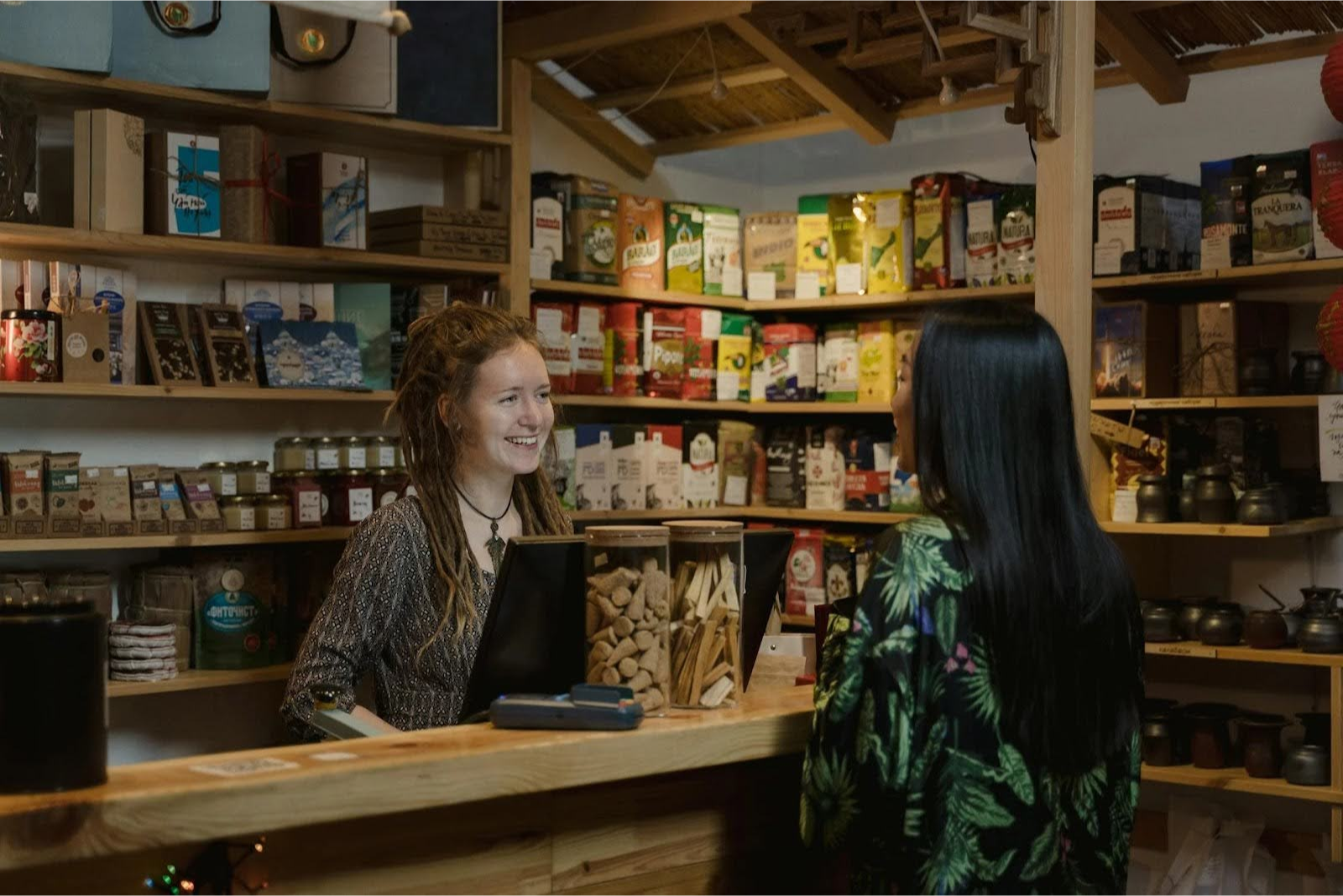
Some products are more prone to theft due to their high resale value. Here’s how to protect them:
- Keep high-theft items near the checkout. For example, expensive products like alcohol, baby formula, and cosmetics should be close to cashiers. This makes it harder for shoplifters to slip them into their bags unnoticed.
- Lock up premium products, like liquor, razor blades, and baby formula, in locked cases or behind checkout counters.
- Place electronic devices and beauty products on locked peg security hooks. Make sure only employees can release them.
- Restrict self-checkout for high-theft items. Make cashier assistance mandatory for your customers to buy expensive items.

Moreover, after you set up employee roles and permissions for barcode scanning and weigh-scale integration, your retail POS system can ensure customers can't swap price tags or misrepresent items at checkout.
6. Improve Self-Checkout Security

Self-checkout lanes are especially susceptible to "skip scanning.” How? Well, some customers can purposefully avoid scanning specific items. So, these lanes frequently depend largely on the customer's honesty and little oversight. Self-checkout accounts for 3.5% of sales lost to theft.
Grabango’s checkout-free technology uses computer vision to eliminate shrink. Automated systems don't lie, don't steal, and don't discriminate.
— Will Glaser, Grabango Founder and CEO
Here are some ways to prevent grocery store self-checkout theft:
- AI-powered weight sensors – If an item is scanned but not placed in the bagging area, the system flags it.
- Random employee audits – Staff should spot-check customers to prevent fraudulent scanning.
- Limit high-theft items at self-checkout – Some products should only be purchased through a cashier.
7. Develop a Response Plan for Theft Incidents

Even with the best precautions, grocery store theft can still happen. Having a clear response plan ensures your staff knows how to deal with customers and what to do in case of an incident.
- Train your employees to stay calm. Confrontation can escalate situations unnecessarily. Instead, your staff should report the incident to a manager.
- Use non-confrontational de-escalation phrases. For example, instead of accusing a customer, your staff can say:
- “It looks like this item didn’t scan properly. Let me help you with that.”
- “Did you need help at the register?”
- Call security or law enforcement when necessary. If theft is confirmed, your employees should know how to discreetly alert security or call the authorities.
Stop Store Thefts from Draining Your Profits With OneHubPOS
Theft is a sad reality for grocery store owners. But it doesn’t have to drain your profits. Optimizing your store layout, training your employees, using advanced surveillance, and integrating a powerful POS system can help you minimize losses and create a safer shopping environment.
Want to reduce grocery store theft and improve efficiency? Book a demo with OneHubPOS today and see how analytics, employee login tracking, barcode scanning, and more can help you stay ahead of theft and fraud!
.webp)
5 min read
What is Dynamic Pricing in Restaurants?

You’ve probably seen menus at seafood restaurants where prices change based on the market price. That’s because food cost fluctuates due to supply, demand, and seasonality of ingredients. This is a basic form of market-based pricing, where external factors influence pricing decisions.
Dynamic pricing adjusts menu prices in real time based on demand, location, or customer behavior. So, you can apply dynamic pricing to items that customers are willing to order and pay a premium price for, at a given time.
With minimum wage hikes, restaurant surge pricing can balance rising labor costs with consumer expectations. Instead of increasing menu prices, they can strategically adjust pricing to remain profitable without losing customers.
Dynamic Pricing Examples
Surge pricing is directly linked to increases in demand. In periods of high demand, the scarce goods are more valuable, and companies can increase their prices.
– Arnd Vomberg, Professor, Digital Marketing and Marketing Transformation, University of Mannheim Business School, Germany
How Restaurants are Using Dynamic Pricing
- Time-Based Pricing → Higher prices during peak hours, lower prices during off-peak hours.
- Seasonal Pricing → Seafood restaurants adjust prices based on supply fluctuations.
- Delivery App Pricing → Uber Eats and DoorDash charge dynamic fees based on demand and location.
- Happy Hours & Promotions → Dunkin’s "Happy Hour" and Taco Bell’s "Happier Hour" use discounts during slow hours.
All-in-one POS systems help automate these pricing adjustments. They track demand fluctuations and update prices accordingly.
Benefits of Dynamic Pricing
Here are some benefits that surge pricing restaurants reap:
- Adjusting prices maximizes revenue during peak hours and attracts more customers during slow periods.
- Lower prices can drive traffic when business is slow.
- Dynamic pricing can be tailored for repeat customers or high-value orders.
- POS analytics help fine-tune pricing based on trends, weather, or local holiday events.
- Dynamic pricing allows restaurants to compete strategically with nearby businesses.
- Discounting perishable items near expiry in the inventory encourages sales instead of wastage.
- Restaurants can adjust pricing for online orders to drive digital revenue.
5 Smart Pricing Strategies Examples of Surge Pricing Restaurants
63% of consumers are willing to pay a small fee to offset costs. But only 21% accept increases above 3%. This shows that food & beverage pricing strategies with small, calculated adjustments work better than drastic price hikes for surge pricing restaurants. Here’s how:
Time-Based Pricing

Bartaco, in the Eastern US, raised “to-go” prices by 5-10% during weekend peak hours. Then, it lowered them on slow weekdays. Consequently, it saw a 4-6% increase in revenue per month through app-based sales.
This way, many brands are now adopting time-based pricing to charge higher prices during peak demand. A restaurant POS system automates price changes based on real-time demand. No need for manual updates.
Location-Based Pricing
Restaurants grouping multiple locations based on shared characteristics see 85% efficiency gains. So, restaurants adjust prices based on their specific location. This regional pricing strategy works similarly to segmented pricing.
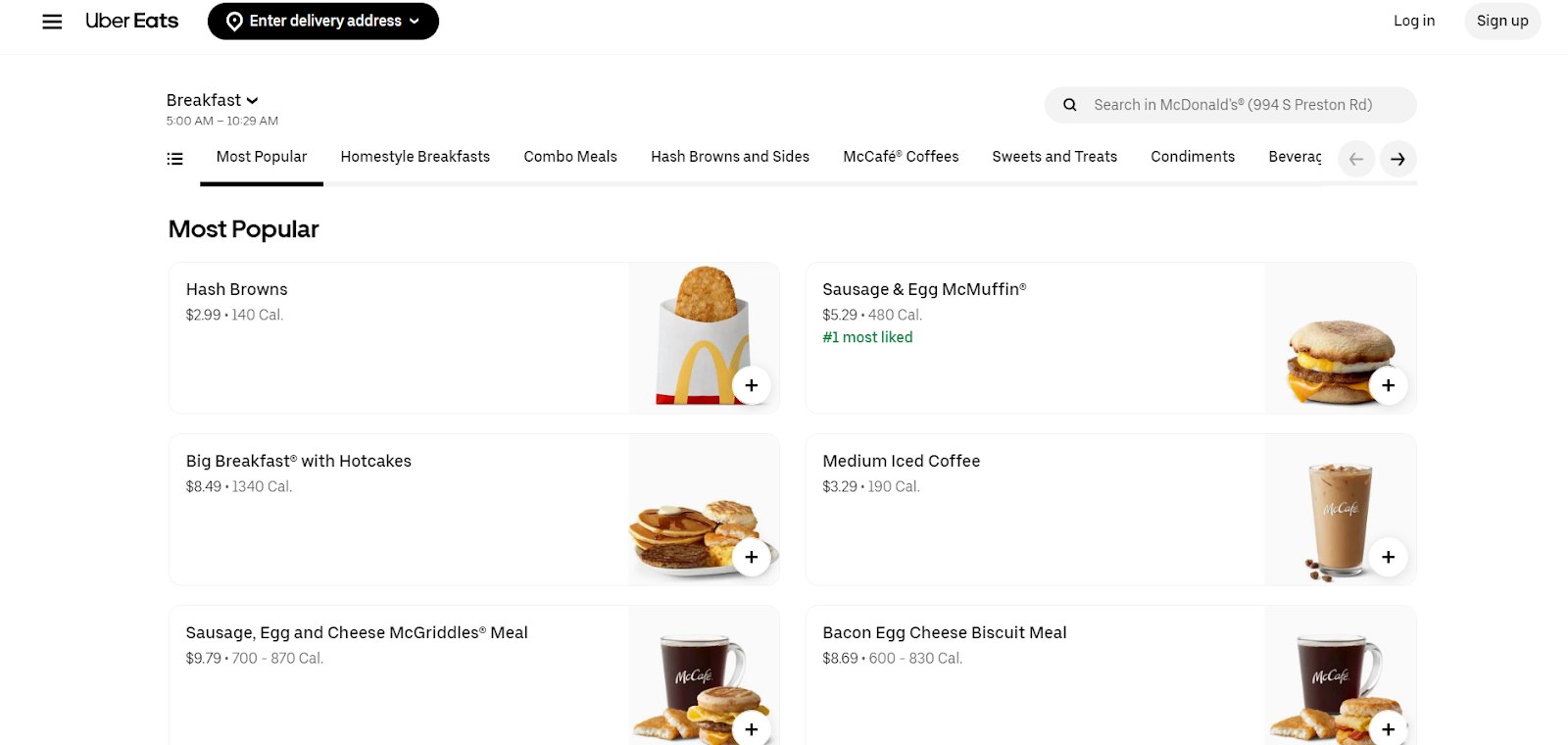
McDonald’s menu for 994 S, Preston Road, Celina, a rural town in the US

McDonald’s menu for 160 Broadway, New York City
For example, McDonald’s charges different prices for the same menu item in New York City compared to rural towns. POS reporting can show bestsellers by region. Accordingly, you can tweak your menus and increase revenue dramatically.
Demand-Based Pricing

Puesto in La Jolla, California, raised prices by 8% during peak hours but lowered them by 20% during slow hours. The result was a 12% sales boost! The demand-based pricing model adjusts prices based on real-time demand. Similarly, Taco Bell’s "Happier Hour" and Dunkin’s Happy Hour offer deep discounts during off-peak times.
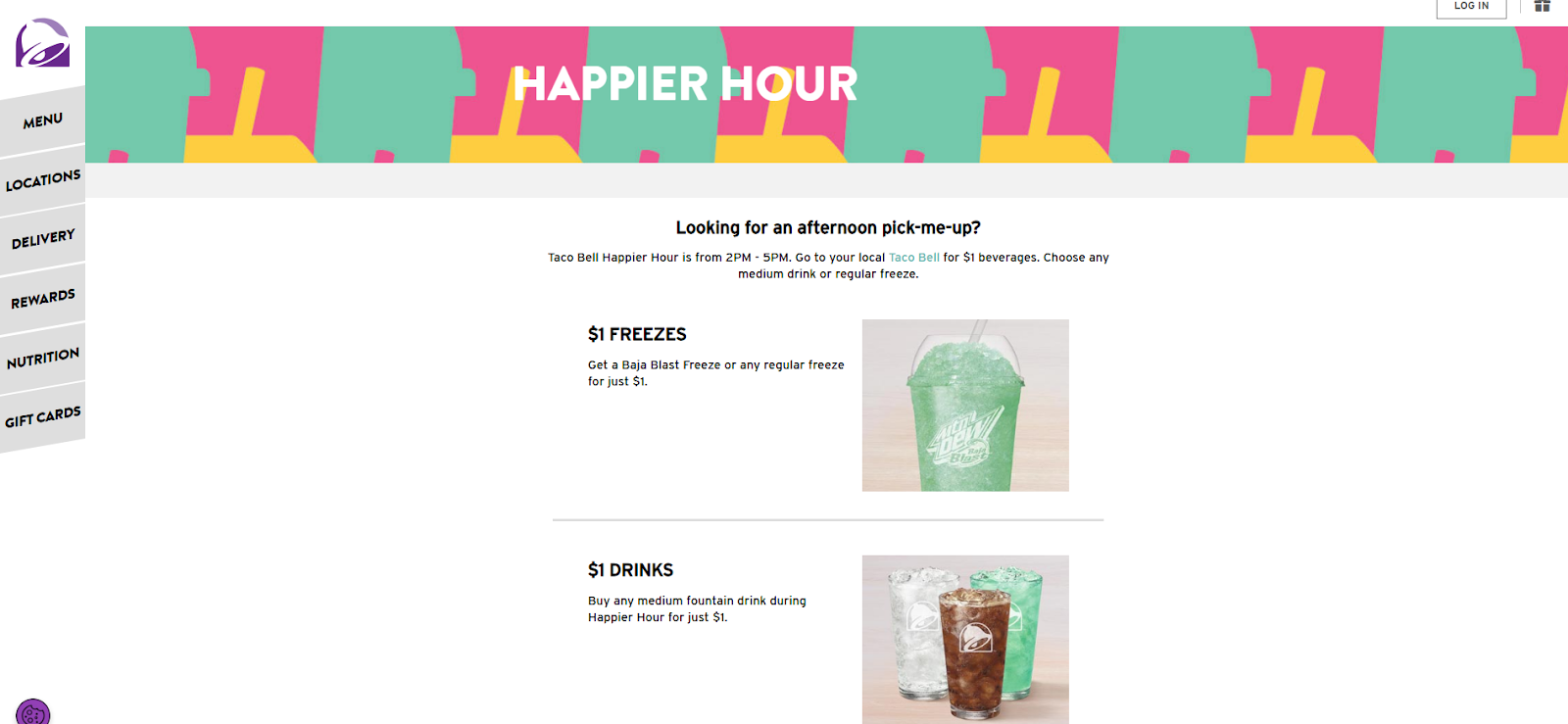

On the same lines, quick service restaurants near sports stadiums often increase prices on game nights. Or, they use geo-fencing promotions to offer deals when customers are nearby.
Premium Pricing Strategies
Premium pricing aligns with value-based pricing. Customers are less price-sensitive when they feel valued. Adding premium elements, like truffle sauce on fries or cheese in sandwiches, helps justify price increases while making the dining experience better.
Shake Shack introduced white truffle burgers and fries at a premium price, leveraging luxury ingredients to justify the cost. This taps into value-based pricing while attracting customers willing to splurge.

Menu pricing can also differ based on occasion. Customers may want an affordable meal during a quick office lunch. But they may be more open to higher pricing for a family-friendly experience at the same quick service restaurant chain near home.
Custom Pricing for Loyalty & Subscription Customers
This approach overlaps with personalized pricing and bundle pricing on combo deals. After all, it offers tailored pricing for regular customers. For example, Panera’s Unlimited Sip Club is a subscription-based model where customers pay a monthly fee for unlimited drinks.
Discounts for frequent diners and premium menu pricing for one-time customers encourage repeat visits. POS systems track loyalty data and automate personalized discounts.
Leveraging Technology for Smarter Pricing Adjustments
Whether it’s adjusting prices based on demand, optimizing for peak hours, or introducing personalized pricing, technology makes it all seamless. Here’s how you can make the most of it:
Smart POS Systems with Automated Pricing
A handheld POS system can automate menu management with real-time price adjustments. For example, if a particular dish is selling out quickly, the system can increase its price while lowering prices for slower-moving items.
Digital Menu Boards for Smooth Updates
Traditional menu boards limit flexibility. Digital menu boards allow restaurants to change pricing easily. No hassle of reprinting menus! Wendy’s, for instance, is investing $20 million in digital menu boards to experiment with AI-powered pricing in 2025.
QR Code Menus for Instant Price Adjustments
Physical menus become outdated quickly with fluctuating costs. QR code menus allow restaurants to update prices instantly without added printing costs. They also provide room for personalized offers, such as special pricing for repeat customers.
Generate More Revenue With Dynamic Pricing
Dynamic pricing is no longer just for airlines and ride-sharing apps. Restaurants are now adopting it to stay competitive and profitable. To make dynamic pricing work, you should:
- Automate pricing updates using a POS system.
- Use restaurant analytics to track sales trends and customer responses.
- Integrate pricing with digital menus and delivery apps.
- Adjust staffing levels based on demand fluctuations.
OneHubPOS makes it easy to integrate automated pricing adjustments into your restaurant’s workflow. Stay ahead of market changes. Maximize profits. Keep customers happy. Do it all with a single POS system. Schedule a demo today!
%20(1).webp)
5 min read
Think downtime is bad for business? Think again! This "slow period" is actually a power move for boosting efficiency, refining operations, and gearing up for massive success. Instead of worrying about the lull, use this time strategically. What you do now can pay off later.

This blog explores smart ways for restaurants, retail stores, and liquor stores to make downtime work in their favor.
Making the Most of Downtime to Boost Growth and Efficiency
For your quick-service restaurants, retail stores, or liquor stores, downtime might not be just a break. You can make it a chance to get ahead. Whether it’s improving workflows, refreshing marketing strategies, or upgrading systems, using this time wisely can lead to:
- Better efficiency
- Stronger customer engagement
- Increased revenue

Downtime is a rare chance to focus on improvements without the pressure of daily operations:
- With fewer customer demands, you can experiment, reorganize, and test new ideas with minimal risk.
- The slower pace allows for in-depth training, strategic planning, and system upgrades that might otherwise disrupt workflow.
- It’s also the perfect time to analyze data, refine processes, and implement changes smoothly, ensuring better efficiency and readiness for peak periods.
However, before making changes, start by reviewing your POS reports. OneHubPOS gives you real-time insights into sales trends, inventory levels, and customer behavior. By analyzing this data, you can:
🔹 Identify slow-moving products and adjust promotions accordingly
🔹 Spot peak sales periods and optimize staffing schedules
🔹 Track customer preferences to refine marketing strategies
17 Business Growth Strategies to Capitalize Downtime
Don't just sit idle during slow periods. Optimize. Innovate. Plan ahead. Here are 17 strategies that will help you turn downtime into an advantage for your business.
6 Ways to Make Downtime More Effective for Restaurants
1. Take Control of Your Inventory

Check what’s moving fast and what’s collecting dust:
- Implement a FIFO (First In, First Out) system to decrease waste.
- Keep a close eye on seasonal trends to not overstock items that won’t sell.
- Adjust according to the real-time updates on inventory levels from your restaurant POS system to improve profitability.
2. Refresh Your Menu with Smart Updates

QSR menus evolve with the seasons, customer preferences, and food trends. Use downtime to analyze sales data, customer feedback, restaurant reviews, and ingredient costs. After that:
- Identify dishes that aren’t selling. Consider replacing them with more profitable, in-demand options.
- Test new recipes. Offer limited-time specials to gauge interest.
- Create your menu to focus on crowd-pleasers while reducing complexity in the kitchen.
A menu management system can provide real-time sales analytics reports. So, you can decide what to keep, tweak, or drop.
3. Create Engaging Content to Stay on Customers’ Radar
Connect with your audience online is one of the most practical customer engagement strategies for downtime. People love behind-the-scenes insights. So, why not film a quick kitchen tour, recipe tutorial, or chef Q&A session?

Shake Shack’s blog page

Starbuck’s how-to guides
Is video not your thing? Then, start a blog with cooking tips, industry trends, or quick service restaurant stories. This helps boost your SEO. So, your restaurant in a certain city, say Chicago, will be easily discovered by people when they search for "restaurants in Chicago".
4. Reorganize Your Kitchen for Maximum Efficiency

A slow day is the perfect time to optimize your kitchen layout and storage:
- Arrange stations logically. Keep prep areas close to cooking stations. Store high-use ingredients within easy reach.
- Remove unnecessary tools to declutter workspaces. Invest in a Kitchen Display System (KDS) for faster service and no miscommunication.
- Label and organize pantry items so chefs can grab what they need quickly.
- Train staff on a mise en place system to organize workflow.
5. Deep Clean and Elevate Hygiene Standards

Hygienic eating places follow regulations and ensure a safe, welcoming dining experience. To deep clean, make sure to:
- Scrub floors.
- Degrease kitchen hoods.
- Sanitize food prep surfaces.
- Clean out refrigerators and freezers.
- Steam-clean dining areas.
- Wipe down high-touch points like door handles, menus, and self-ordering kiosks.
Moreover, check the following to prevent costly breakdowns later:
- Are ovens heating evenly?
- Are grease traps cleaned?
- Is the refrigeration system maintaining the right temperature?
- Do slicers and grills need maintenance?
6. Launch a Targeted Marketing Campaign

With a well-planned campaign, re-engage customers and attract new ones:
- Run a social media contest, partner with local influencers.
- Offer exclusive discounts to boost visibility.
- Send personalized emails with promotions based on past orders.
- Introduce a loyalty program to reward repeat customers and encourage visits.
For precise targeting, use your all-in-one POS system’s customer data analytics reports to segment audiences and tailor offers that resonate.
6 Ways to Make Downtime More Effective for Retail Stores
1. Revamp Your Window Displays to Attract More Customers

Your storefront is the first thing people see. Make it count! Update your window displays:
- Showcase new arrivals, seasonal specials, or limited-time promotions.
- Use bold colors, eye-catching props, and strategic lighting to grab attention.
- Arrange products in a way that tells a story, like a themed floral display or a trending fashion setup.
- Rotate displays regularly to keep things fresh and entice repeat visitors.
2. Refresh Your Online Store for a Better Shopping Experience

Your online store is just as important as your physical one. Use downtime to:
- Update product listings with clearer descriptions, high-quality images, smooth product filters, and accurate inventory levels.
- Make customer service on point with chatbots, detailed FAQ pages, or self-service portals.
- Make website navigation smooth for customers so that they browse and check out easily.
- Add new services, like click-and-collect options, payment options like mobile pay or QR-based checkout, and personalized recommendations based on past purchases.
3. Enhance the In-Store Ambiance with Music & Themes

The right atmosphere can turn casual shoppers into loyal customers:
- Specialty stores can play upbeat or relaxing tunes depending on your brand. Update décor for seasonal or trending themes.
- Convenience stores can keep music light and neutral to create a relaxed shopping experience.
- Adjust lighting to highlight products and create a warm, inviting space.
- Experiment with scent marketing. For example, fresh bakery scents work for specialty stores, while light, soothing notes suit an aroma store.
4. Train Your Team for Better Efficiency & Service

A well-trained team means quick service and happier customers. Use downtime to:
- Train staff on must-knows and hacks your staff need to operate POS systems efficiently.
- Improve their skills on dealing with customers, like handling complaints or upselling.
- Introduce staffing tools to optimize shift scheduling during a rush.
5. Plan Targeted Promotions to Boost Sales

Smart promotional ideas bring in the right customers:
- Retail stores can offer limited-time discounts on slow-moving items or create bundled deals.
- Convenience stores can promote grab-and-go combos deals or BOGO offers on essentials.
- Use your retail POS system to track customer preferences and send personalized offers via email or SMS.
- Advertise promotions in-store and online for maximum reach.
6. Upgrade Your Business Skills

I look for the latest marketing courses to update my skillset and remain part of the relevant movement. Downtime is also a great time to read, write and share all things marketing with your LinkedIn network.
– Brittany White, Apple Growth Partners
Slow periods are the best time to sharpen your skills. You should:
- Take online courses from Coursera, Udemy, and LinkedIn Learning on business strategy and marketing.
- Learn new software like accounting tools, CRM systems, or advanced softPOS features.
5 Ways to Make Downtime More Effective for Liquor Stores
1. Check Expiration Dates & Optimize Shelf Placement

You don't want your customer to grab a bottle of wine, only to find out it’s been sitting there for years past its prime. This would lead to returns and refunds.
Use slow hours to check expiration dates. Rotate stock. FIFO is the golden rule so that customers always get fresh products.
While you’re at it, rethink your shelf placement:
- Are your bestsellers easy to spot?
- Are high-margin items getting enough visibility?
Small changes, like placing premium liquors at eye level, can make a big difference in sales.
2. Create Product Cheat Sheets for Staff

Not every employee is a liquor expert. But customers expect recommendations! Help your team out: create product cheat sheets with quick details on:
- Popular brands
- Flavor profiles
- Food pairings
Keep them short, engaging, and easy to reference.
3. Engage With Your Community

Make your liquor stores part of the local scene:
- Partner with nearby bars or restaurants for cross-promotions, like discounts for customers who bring in a receipt.
- If permitted, host small tasting events to introduce people to new brands.
- Even just chatting with local event planners can lead to bulk orders.
4. Carry Out Licensing & Compliance Checks

Staying on top of liquor laws is non-negotiable. So, during downtime, you can:
- Review licenses.
- Check if staff certifications are up to date.
- Double-check ID verification policies.
An mPOS system with built-in age verification decreases the risk of human error when checking IDs. Surprise inspections happen. Being prepared means no panic, no fines.
5. Introduce New Services or Payment Solutions

Give your liquor store a competitive edge with:
- Contactless payment solutions like mobile pay, QR code payments, and swipe- or tap-to-pay systems for faster transactions
- Self-ordering kiosks or online ordering (if regulations allow) to reduce wait times
- Subscription services, like a monthly curated product box of rare wines or a VIP membership with exclusive discounts and early access to limited edition whisky
Turn Slow Periods into Big Wins
Make downtime a chance to work smarter and position your business for long-term success. Even small improvements, like streamlining operations, enhancing customer experiences, or leveling up marketing efforts, you make now will pay off later.
Looking to turn your downtime into your biggest advantage? OneHubPOS can help you stay ahead with smarter inventory management, smooth transactions, and data-driven insights. Book a demo today!

5 min read
Let's be honest, how many times have you heard a customer complain about their POS system? Too complicated. Too slow. Looks like it's from the 90s. We've heard it all. Outdated POS systems are a major pain point for businesses, hindering efficiency, frustrating employees, and ultimately impacting your bottom line. It’s time for legacy systems to upgrade to meet current needs and trends, making them convenient for end users—not just POS providers.
At OneHubPOS, we've always believed in simplifying POS. We understand that technology should empower businesses, not complicate them. That's the driving force behind V2. We listened to your feedback, analysed market trends, and poured our hearts into creating a POS experience that's not just functional, but truly delightful. This isn't just an upgrade; it's a complete reimagining of what a POS system can be. That's why we're thrilled to announce the launch of OneHubPOS V2 – a complete facelift designed to revolutionize the way businesses operate.
The Problem with Legacy POS Systems (and Why It Matters to YOU)
Think about the last time you saw a cashier struggling with a clunky POS interface. Legacy POS systems are often plagued by outdated interfaces, complex workflows, a lack of customization, and rigid IT architecture. These issues translate directly into lost revenue, increased errors, a poor customer experience, and sky-high training costs. And for our partners, it means a harder sell and potentially dissatisfied customers.

OneHubPOS V2: A Breath of Fresh Air (and a Powerful Selling Point)
OneHubPOS V2 is different. It's designed with a modern, intuitive interface that's so easy to use, your customers will wonder how they ever managed with anything else. Streamlined workflows mean faster transactions, happier customers, and more efficient employees. And because we understand that every business is unique, V2 offers customizable options to tailor the system to specific needs. Plus, the open architecture ensures seamless integration with other business tools, eliminating data silos and maximizing efficiency.
Imagine this: Your customers can train their staff in a fraction of the time, leading to faster onboarding and reduced labor costs. They can process transactions quickly and accurately, minimizing errors and improving customer satisfaction. And they can access insightful data and reports, empowering them to make informed decisions and grow their business. For our partners, this translates to an easier sell, happier customers, and increased revenue.

Beyond the Facelift: A Foundation for Growth
While the UI/UX refresh is a major highlight, OneHubPOS V2 also boasts a range of powerful features, including enhanced reporting, robust mobile POS capabilities, and seamless integrations. These features, combined with the intuitive interface, create a complete POS solution that empowers businesses to thrive in today's competitive market.
%20(1).webp)
Key Features Implemented
- Domain-Based Dashboards: Dashboards are now organized by domain (e.g., Business, Product, Employee).
- Modular Reports: Reports are categorized by module within each domain.
- User Management: User accounts and roles are managed in Keycloak, enforcing unique passwords and preventing username edits.
- Enhanced Menu Management: New menu, product group, and product creation, editing, and deletion functionalities are implemented. This includes:
- Bulk product creation across multiple locations.
- POS, Kiosk, and KDS enabling/disabling at both the product group and product levels.
- EBT toggle management at the product group level.
- Promotional pricing and weight options at the product level.
- Brand creation and product mapping.
- Modifier group integration at the product level.
- Super Admin Login: The Super Admin must log in initially at the start of the business day.
- Subsequent User Logins: After the Super Admin login, other users can log in for POS or clocking in using a 4-digit PIN.
- Clock In/Out Functionality: A clock in/out feature is available under "Misc" within the POS system, allowing users to record their time without logging out.
A Partner-Centric Approach: Your Success is Our Success
We deeply value our partners and recognise that your success is intrinsically linked to ours. OneHubPOS is designed to not only meet the needs of your customers but also make your job easier. With its intuitive design, powerful features like bring your own payment processor, seamless integrations, and attractive discounts, V2 is a game-changer that will help you attract new customers, retain existing ones, and grow your business revenue with us. We're committed to providing you with the resources and support you need to successfully transition to new-age POS and leverage its full potential.
Ready to Experience the Difference?
OneHubPOS V2 is more than just a facelift; it's a strategic investment in the future of your business and the businesses you serve. It's time to ditch the clutter, embrace the future of POS, and experience the OneHubPOS difference. Book a demo today to learn more. We're confident that OneHubPOS will revolutionise the way you think about POS.

5 min read
A customer walks in, ready to buy. But the product they want is out of stock.
Your employees look busy, but are they being productive?
Meanwhile, your storage room is packed with items no one’s touched in months.
And is that big promo you ran last week a win or a waste?
If this sounds familiar, your retail operations need a serious reality check.
These are signs of inventory mismanagement, unpredictable sales, and inefficient staff scheduling. The good news? Your POS system holds the answers, if you know where to look.
A modern retail POS system collects valuable data on sales, inventory, customers, and employee performance. However, this data only benefits your business if used correctly. It can help you make smarter decisions, increase profits, and improve store operations. This blog explores how retail stores can use POS reporting features to improve their store’s performance.
The Power of POS Reporting

Correctly using the data from your all-in-one POS system can help you optimize your store's operations. Let’s explore the key data types it collects and why they matter.
Types of Data Collected by a POS System
- Sales Data – Tracks trends in daily, weekly, and monthly sales.
- Inventory Data – Monitors stock levels, fast-moving products, and slow sellers.
- Customer Data – Provides insights into customer preferences and purchasing behavior.
- Employee Performance Data – Evaluates staff efficiency, sales contributions, and productivity.
Why POS Reporting Matters
- Real-Time Insights – Access up-to-the-minute data on sales, stock, and customer behavior
- Better Decision-Making – Use data to make informed choices about pricing, promotions, and stocking
- Increased Efficiency – Decrease inventory waste, optimize staffing, and manage operations
Without POS analytics reports, you’re left guessing. This leads to stock shortages, overstocked shelves, lost sales, and unoptimized labor costs.
6 Key POS Reporting Features and Their Benefits
Your retail POS reports show what’s working and what needs improvement. Here’s how to use key reporting analytics to make better decisions:
1. Top-Selling Items Report

This report highlights your best-selling products by quantity and revenue, as well as seasonal trends and peak-performing items.
How to Use It
- Ensure these items are always in stock to prevent missed sales.
- Promote best-sellers through upselling and discounts.
- Use sales data to forecast future inventory purchases.
For example, if your liquor store notices that a craft beer brand sells out every Friday evening, you can stock more for the weekend. You can also introduce a "Weekend Beer Bundle" promotion to increase your revenue.
2. Bottom-Selling Items Report

This report identifies slow-selling products, those with long shelf times, and dead stock occupying valuable space.
How to Use It
- Bundle slow sellers with popular items to increase sales.
- Consider running clearance sales to remove dead stock.
- Reevaluate marketing tips, placement strategies, or pricing techniques for these products.
For example, your convenience store has protein bars that aren’t selling. So, instead of letting them expire, you bundle them with popular energy drinks for a "Gym Pack Deal" to make more sales.
3. Inventory Turnover Report

This report shows how fast stock is moving in and out of your store and overstocked or understocked items.
How to Use It
- Optimize stock levels to avoid over-purchasing slow-moving products.
- Prioritize reordering fast-moving items before they run out.
- Decrease storage costs by eliminating excess stock.
For example, your specialty store sees that organic snacks sell fast. But imported chocolates sit on shelves. You then adjust orders to increase organic snack stock. You also decrease chocolate purchases to not waste storage space.
4. Sales by Category Report

This report shows revenue generated by different product categories, like beverages, snacks, electronics, and more.
How to Use It
- Allocate more shelf space to high-performing categories.
- Develop targeted promotions to increase category sales.
- Remove underperforming categories or change pricing strategies.
For example, your liquor store finds that premium whiskey sales are rising. But budget vodka sales are dropping. So, you introduce a whiskey tasting event to further drive high-end sales.
5. Customer Insights Report

This report shows customer purchase patterns, preferences, and loyalty trends and the ratio of loyal customers vs. one-time buyers.
How to Use It
- Create personalized promotions based on purchasing behavior.
- Offer loyalty programs for repeat customers.
- Use data to cross-sell complementary products.
For example, your store sees that morning coffee buyers also buy pastries. So, you introduce a combo deal like “Coffee + Pastry Combo” to increase profitability.
6. Daily/Weekly/Yearly Sales Reports

This report shows sales patterns across different times of the day, week, or month.
How to Use It
- Schedule staff shifts during peak hours to improve efficiency.
- Run promotions during slow periods to increase traffic.
- Adjust store hours if needed.
For example, your store finds that Sunday afternoons are slow. Then, you introduce a "Sunday Happy Hour" promotion with discounts to boost foot traffic.
How to Read POS Reports Effectively
Many store owners get overwhelmed by data, misinterpret trends, and fail to take meaningful action. However, knowing how to read and interpret these reports effectively can make the difference between a struggling small business and a successful one.
1. Breaking Down the POS Cloud Dashboard

Your POS cloud dashboard provides key business metrics at a glance. So, relying on a quick overview might be tempting. But a deeper dive into reports helps with accurate decision-making.
How to Set Up Your Dashboard for Success
Do not clutter your dashboard with too many widgets. Rather, focus on the reports that directly impact profitability, such as:
- Total Sales – Revenue trends over different periods
- Best and Worst-Selling Products – Helps in inventory planning
- Stock Levels – To prevent overstocking or understocking
- Profit Margins – Shows which products bring in the most profit
- Employee Sales Performance – Helps in staff evaluation and training
More data isn’t always better. Too many reports can cause 'paralysis by analysis,' so focus on reports that drive actionable decisions.
2. Understanding Key POS Report Metrics
A. Sales Trends – Don’t Just Look at Numbers, Look for Patterns
- Compare different periods—a sudden sales spike may be seasonal and not indicate long-term success.
- Do not look at total sales. Instead, see which product categories are driving revenue.
Common Mistake
Do not rely only on total revenue. A store might see higher revenue. But if it’s coming from low-margin products, profits could still be suffering.
B. Inventory Reports – Spot Stock Issues Before They Cost You

- Monitor turnover rates: restock fast sellers regularly and discount or bundle slow-moving items.
- Significant differences between expected and actual stock levels may signal theft or mismanagement.
- Look at sell-through rates. They tell you how much of your stock is actually selling. This helps you decide what to reorder.
Common Mistake
Do not overorder based on a short-term sales spike. If a product sold well last week, don’t assume demand will stay the same without checking longer-term trends.
C. Customer Insights – Use Buying Habits to Increase Sales
- Identify loyal customers and offer exclusive deals.
- See which products are often bought together to improve upselling.
- Segment customers by spending patterns. High-spenders might be willing to pay more for premium versions of popular items.
Common Mistake
Do not focus only on total customers instead of retention. A store with 1,000 new customers but a low retention rate might need a loyalty program to keep them coming back.
D. Employee Performance Reports – Identify Strengths and Weaknesses
- Reward top performers. Provide training to struggling employees.
- Compare sales vs. hours worked. Are employees maximizing their shifts or just clocking in hours?
- Frequent voided transactions or discounts might indicate errors or fraud.
Common Mistake
Do not blame employees for low sales without considering store traffic. If a shift has low sales, it could be due to low foot traffic rather than an employee’s performance.
3. Avoiding Common POS Data Pitfalls
Even experienced store owners can make mistakes when interpreting POS data. Here are some of the biggest errors to watch out for:
A. Misreading Trends
- Compare multiple time frames. If a product’s sales doubled last month, check if the same thing happened during the same period last year.
- Cross-check with external factors. A liquor store might see a jump in sales due to a local festival, but that doesn’t mean the trend will continue.
Common Mistake
Seeing a one-week sales spike, do not assume the product is a long-term best-seller.
B. Over-Reliance on Averages
- Look at peak vs. off-peak sales separately. A product might sell well on weekends but not during the week.
- Break down data by customer type: high spenders vs. bargain shoppers.
Common Mistake
A product’s average daily sales may look stable. But sales might be wildly different on weekends vs. weekdays.
C. Ignoring External Influences
- Consider holidays, competitor promotions, and economic factors before adjusting pricing.
- Check local events. A music festival nearby might temporarily boost alcohol sales.
Common Mistake
Blaming employees for low sales when the real issue is bad weather reducing foot traffic.
Wrapping Up
Understanding and utilizing POS reporting features helps retail store owners make smarter, data-backed decisions and increase profitability.
- Keep best-sellers in stock and eliminate slow movers.
- Use customer insights to drive loyalty programs and personalized marketing.
- Optimize staff scheduling based on peak sales times.
Want to take control of your store’s operations? Book a demo with OneHubPOS today and see how advanced reporting features can boost sales and efficiency!