

Blog and Articles


The "No Tax on Tips" Rule: How The One Big Beautiful Act Changes Your 2026 W-2 Reporting for Restaurants and Retail Stores

.png)
5 min read
It’s mid-December. The streets are freezing, the shopping malls are chaotic, and your customers are exhausted. They aren't looking for a three-course meal; they are looking for a micro-escape. They want 15 minutes of warmth, a sugar hit, and a reason to smile.
For cafes, the holiday season is the ultimate playing field. While restaurants fight for expensive dinner reservations, cafes thrive on the "Lipstick Effect"—the economic theory that consumers still buy affordable luxuries even when money is tight. A $6.00 Gingerbread Latte is that affordable luxury.
If your menu still looks the same in December as it did in July, you are leaving thousands of dollars on the table. The "Golden Quarter" belongs to the coffee shops that embrace the festive spirit. But throwing a candy cane in a cup isn't enough. You need a strategy that balances speed, aesthetics, and nostalgia.
Here are the top 10 Christmas menu ideas specifically curated for cafes, coffee shops, and bakeries, designed to drive foot traffic and skyrocket your average ticket size.
Interesting Read: Should you keep your restaurant open on Christmas Day and Christmas Eve?
Category 1: Liquid Profits (High-Margin Signature Drinks)
In a cafe, liquids are your financial backbone. Holiday drinks are the easiest way to upsell. They require zero kitchen prep time, just a well-trained barista and the right syrups.
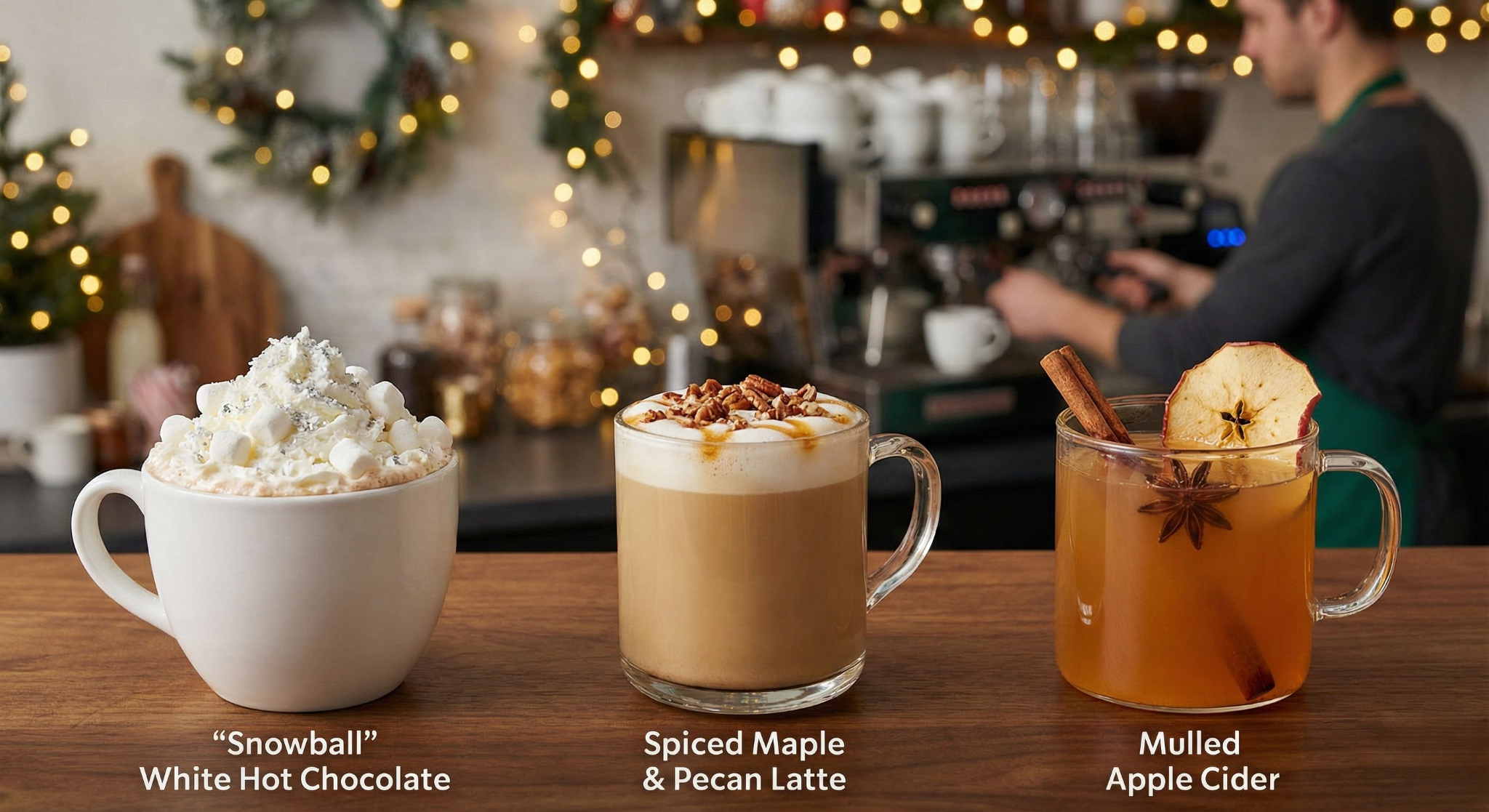
1. The "Snowball" White Hot Chocolate
Classic hot cocoa is fine, but white chocolate feels rarer and more indulgent—perfect for the holidays.
- The Concept: High-quality white chocolate sauce steamed with milk (or oat milk for a creamy vegan option), topped with a mountain of whipped cream, mini marshmallows, and a dusting of edible silver glitter or coconut flakes to mimic snow.
- Why It Wins: It is visually striking. The "all white" aesthetic stands out on Instagram feeds dominated by red and green. It appeals heavily to non-coffee drinkers and children, making your cafe a destination for families shopping nearby.
- Barista Tip: Pre-rim your takeout cups with vanilla frosting and coconut shavings for speed during the rush.
2. The Spiced Maple & Pecan Latte
Move over, Pumpkin Spice. By December, customers are ready for deeper, nuttier flavors.
- The Concept: A double shot of espresso, maple syrup (real maple, not flavored corn syrup, makes a huge marketing difference), and a dash of pecan bitters or syrup. Finish with a sprinkle of roasted pecan crumb on the foam.
- Why It Wins: It feels sophisticated. While gingerbread and peppermint are fun, maple and pecan appeal to the adult palate looking for a "comfort" coffee that isn't sickly sweet. It pairs exceptionally well with pastries, encouraging food attachment.
3. Mulled Apple Cider (The Coffee Alternative)
Not everyone wants caffeine at 4 PM. A warm, fruit-based option is essential for the late-afternoon crowd.
- The Concept: Unfiltered apple juice simmered (or steamed to order via the wand) with cinnamon sticks, star anise, and orange peel. Serve it with a dehydrated apple slice garnish.
- Why It Wins: The aroma. Steaming apple cider releases a scent that fills the entire cafe, acting as olfactory marketing to anyone who walks through the door. It’s also gluten-free and dairy-free by default, making it a safe haven for customers with dietary restrictions.
Category 2: The Pastry Case (Impulse Buys)
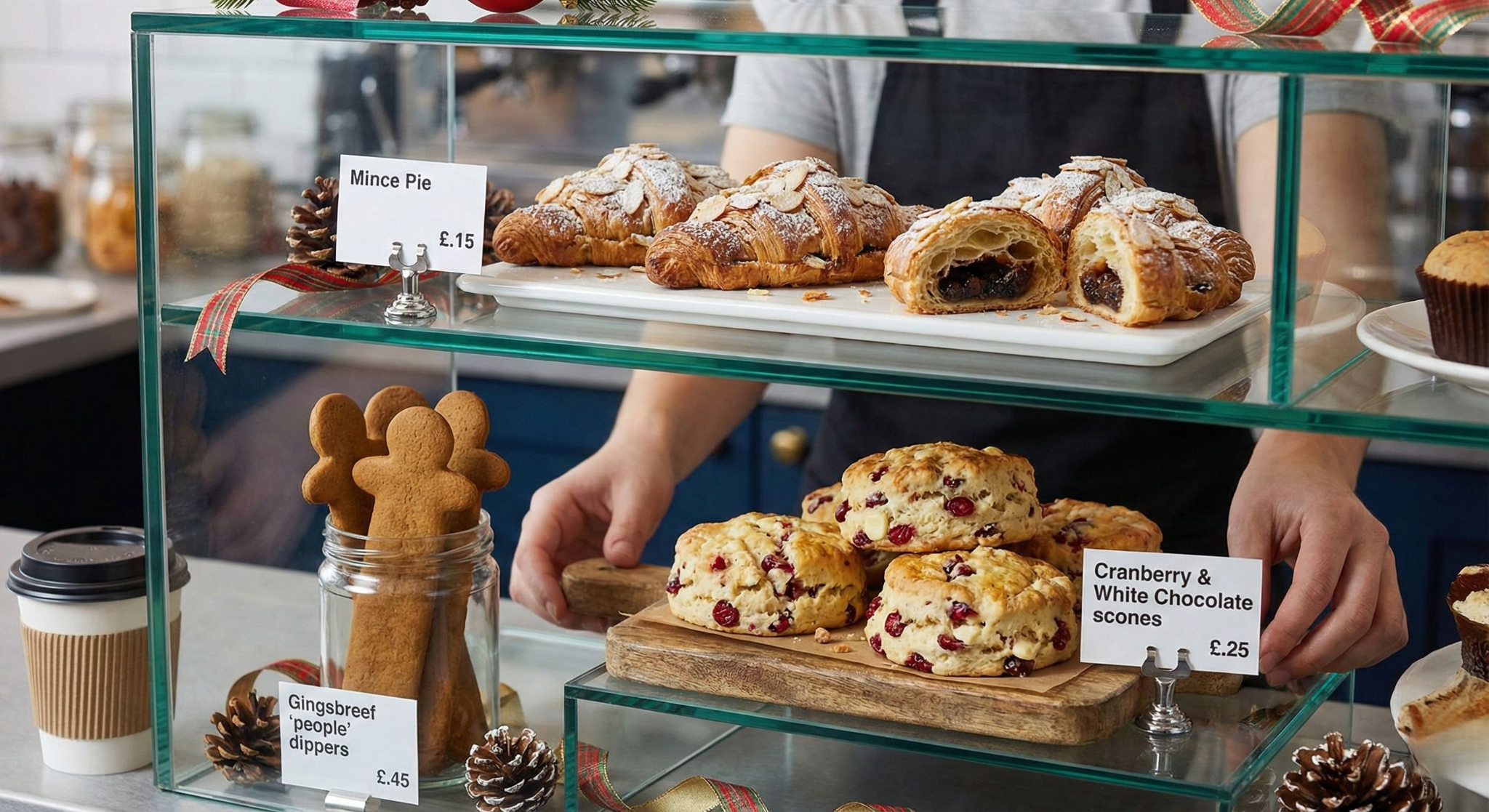
Your display cabinet is your silent salesperson. These Christmas menu ideas are designed to be grabbed impulsively while waiting for coffee.
4. The "Mince Pie" Croissant
Fusion pastries are trending globally. This takes a polarizing British classic (the mince pie) and wraps it in a universally loved vessel (the croissant).
- The Concept: A standard butter croissant filled with spiced fruit mincemeat (raisins, currents, nutmeg, cinnamon) and topped with flaked almonds and a dusting of icing sugar.
- Why It Wins: It solves the "dry pastry" problem. The mincemeat keeps the croissant moist from the inside out. It allows you to charge a premium price ($5-$7) for a standard item by adding a low-cost filling.
5. Cranberry & White Chocolate Scones
Scones are a high-margin item with low food costs. Dressing them up for Christmas is a no-brainer.
- The Concept: A fluffy vanilla scone packed with dried cranberries and white chocolate chunks. The key here is the visual contrast—the bright red berries against the white dough.
- Why It Wins: They look festive without artificial coloring. They are durable (they hold up well in the display case all day) and they encourage the purchase of a hot drink to "dunk" them in.
6. Gingerbread "People" Dippers
Cookies are standard, but the shape matters for cafes.
- The Concept: Instead of wide, round cookies, bake long, rectangular gingerbread fingers or tall, thin gingerbread men specifically designed to be dipped into a takeaway coffee cup.
- Why It Wins: It creates a "pairing ritual." You can sell these as a combo deal: "Get a Latte + Dipper for $8." It engages the customer and makes the coffee break feel like an activity.
Category 3: Savory Lunch & Brunch (The midday fuel)
Cafe food needs to be fast. You don't have the luxury of 20-minute ticket times. These ideas utilize ingredients you likely already have, remixed for the season.
7. The "Boxing Day" Toastie (The Ultimate Leftover Sandwich)
This is arguably the most searched-for cafe item in December. If you don't have a version of this, you are losing lunch trade.
- The Concept: Thick-cut sourdough bread, sliced turkey (deli style or roast), a layer of stuffing (sausage or vegetarian), cranberry sauce, and—crucially—brie or camembert. Pressed in the panini press until the cheese is molten.
- Why It Wins: It hits every comfort trigger. It’s savory, sweet, crunchy, and gooey. It’s easy for line cooks to prep in the morning (mise en place) and fire in 3 minutes during service.
8. Roasted Butternut Squash & Sage Soup (Sippable)
Soup is often an afterthought in cafes, but in winter, it’s a primary revenue driver if packaged correctly.
- The Concept: A smooth, creamy roasted squash soup with hints of nutmeg and fried sage. Crucially: Serve this in a coffee cup.
- Why It Wins: "Sippable soup" is a massive trend for busy workers who don't have time to sit with a spoon. It allows customers to walk out with a "lunch latte" (soup) in one hand and a coffee in the other. It’s high margin and can be made in bulk batches that last 2-3 days.
9. Eggnog French Toast (Brunch Special)
If your cafe does plated brunch, this is your December hero dish.
- The Concept: Thick brioche bread soaked in a custard made of eggs, cream, nutmeg, and a splash of rum extract (or real rum if licensed). Top with pomegranate seeds for a pop of color and tartness to cut the richness.
- Why It Wins: It uses stale brioche (reducing waste). It commands a high price point. It smells incredible when cooking.
Category 4: The Gifting Angle (Retail)
Cafes aren't just eateries; they are retail spaces.
10. "Take the Holiday Home" DIY Kits
While not a menu item to eat in, this is a menu item to buy.
- The Concept: Pre-packaged boxes containing 6 of your unbaked frozen cookies, a small tub of icing, and sprinkles. Or, a bag of your house espresso beans paired with a small bottle of the gingerbread syrup you use behind the bar.
- Why It Wins: It solves a problem for your customer ("I need a small gift for a teacher/coworker"). It increases your average transaction value significantly without clogging up your kitchen or seating area.
3 Rules for Executing These Christmas Menu Ideas
Implementing these ideas requires a shift in operations. Here is how to make sure these christmas menu ideas translate into actual profit.
1. The "Limited Time Only" Scarcity
Don't let these items drag on into January. Put a hard stop date on them (e.g., December 26th). Scarcity drives urgency. Use signage that says "Here for the Holidays" or "December Exclusive."
2. Smell Marketing is Real
In a cafe, the nose buys before the eyes.
- If you are baking the gingerbread cookies, bake them at 8:00 AM and 11:30 AM (peak traffic times).
- If you are serving the Mulled Cider, keep a small pot simmering near the POS (Point of Sale) so the scent wafts toward customers as they order.
3. Speed of Service Engineering
A complex menu item that slows down your coffee line will kill your morning rush.
- Syrups: Batch mix your spices into the syrups in the morning, so the barista isn't measuring cinnamon powder for every single latte.
- Toasties: Pre-assemble all sandwiches before 11:00 AM. The lunch rush should only involve placing items in the press, not slicing cheese.
Conclusion: Making the Season Bright (and Profitable)
The difference between a good December and a record-breaking December often comes down to your menu. Customers are emotionally ready to spend; they just need an excuse.
By adopting these Christmas menu ideas, you are giving them that excuse. You are transforming your cafe from a place to get caffeine into a destination for holiday cheer. Whether it’s the comfort of a Brie and Cranberry toastie or the indulgence of a Snowball Hot Chocolate, these items tell your customers that you are celebrating with them.
So, update your chalkboard, train your baristas on the new pours, and get ready to serve up the holidays.
![Top 8 Cities to Start a Food Truck in 2026 [A Research-Driven Guide for the Next Generation of Mobile Food Entrepreneurs]](https://cdn.prod.website-files.com/653392c432e997a1c5316037/69363e1e379ea1f1899852a1_Best%20Food%20Truck%20US%20Cities%20in%202026.jpg)
![Top 8 Cities to Start a Food Truck in 2026 [A Research-Driven Guide for the Next Generation of Mobile Food Entrepreneurs]](https://cdn.prod.website-files.com/653392c432e997a1c5316037/654b7f7452c824060cc509d4_sahana_1.webp)
5 min read
The U.S. food-truck industry is entering its most opportunity-rich decade yet. Operators aren’t just slinging tacos and burgers — they’re building brands, testing restaurant concepts, and growing multi-truck “micro-chains” with loyal followings and strong unit economics.
In 2026, the winners will be the trucks that choose cities strategically, not emotionally.
Why? Because your city determines your:
- Regulatory friction (permits, restrictions, enforcement)
- Customer density (tourists, office workers, students, nightlife)
- Operating days (weather + foot traffic patterns)
- Competition level (ecosystem maturity)
- Scalability (ability to run more than one truck or daily shifts)
Based on nationwide data, local permitting requirements, operator experiences, and macro-industry analysis, here are the Top 8 Cities to Start a Food Truck in 2026, each backed with operational reasoning.
How We Evaluate a Food-Truck Market
We score cities based on five weighted criteria:
- Permit Burden & Regulatory Predictability
- Demand Density & Revenue Drivers
- Weather & Year-Round Operating Days
- Competition & Ecosystem Maturity
- Scalability & Growth Potential
A great food-truck city is not just “friendly” — it must be high-demand, navigable, and profitable.
Let’s break down the top performers for 2026.
1. Portland, Oregon — The Gold Standard of Food-Truck Cities
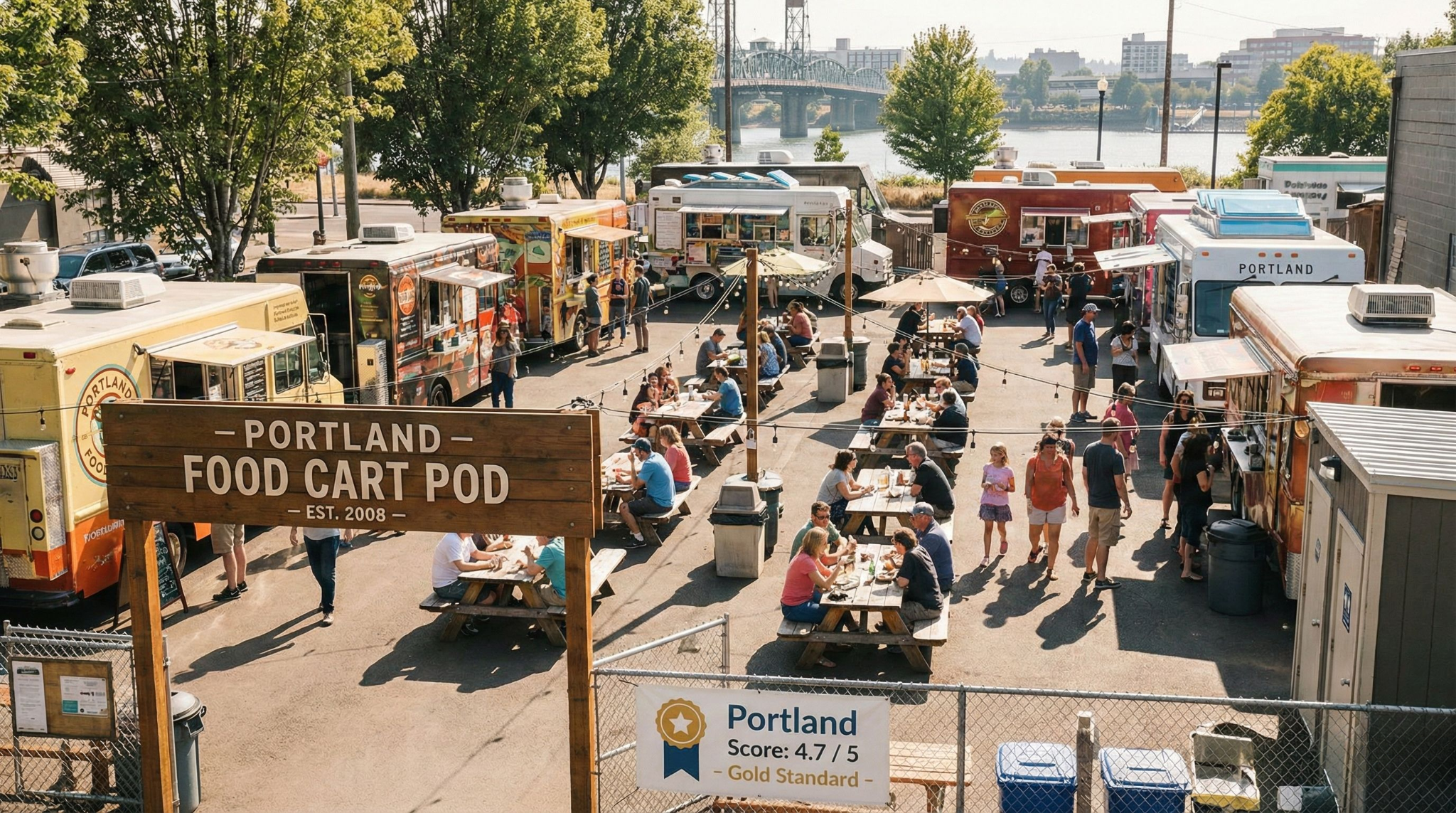
Score: 4.7 / 5
Portland remains the most structurally advantageous city for food trucks. The “food cart pod” model (clusters of trucks on private lots) is unmatched anywhere else in the U.S. This model:
- Reduces zoning headaches
- Provides shared amenities (power, water, restrooms)
- Guarantees daily foot traffic
- Makes newcomer entry far easier
Permits are straightforward, health inspections are predictable, and food carts are part of Portland’s cultural identity.
Best For:
Operators building multi-cart brands, niche cuisine concepts, or trucks wanting reliable daily volume.
2. Denver, Colorado — The High-Growth, Low-Drama Market
Score: 4.3 / 5
Denver is the perfect mix of:
- Growing population + affluent millennials
- Strong lunch and weekend demand
- Balanced, clear permitting
- Flexible vending spaces (breweries, markets, office districts)
Unlike the coasts, Denver keeps its regulatory load reasonable and its commissary/inspection processes manageable. Trucks offering healthier, premium, or ingredient-forward menus thrive here.
Best For:
Concepts that want stability, a health-conscious customer base, and operator-friendly permit processes.
3. Orlando, Florida — High Tourism + High Food-Truck Volume
Score: 4.1 / 5
Orlando has one of the highest food-truck counts per capita and one of the most active event ecosystems in the country:
- Theme parks
- Conferences
- Conventions
- Festivals
- Tourism corridors
- Breweries and nightlife
What makes Orlando strong is not just tourism — it’s the year-round operating days and the city’s willingness to support mobile vendors as part of its hospitality engine.
Best For:
Operators comfortable with events, catering, families, and multi-location weekly rotations.
4. Austin, Texas — High Upside, High Competition
Score: 4.3 / 5
Austin is the food truck capital of the U.S. by cultural reputation and density.
But Austin is not “easy.”
It is competitive, crowded, and demanding, but equally high reward:
- SXSW
- ACL
- UT campus
- Tech offices
- Rainey Street / East Austin
- Massive weekend markets
- Brewery parks
- Late-night scenes
Permits are reasonable and predictable, and private food truck parks simplify operations. However, execution must be top-tier.
Best For:
Founders who are confident in their branding, operations, speed, and consistency.
5. Philadelphia, Pennsylvania — High Earnings, High Paperwork
Score: 3.7 / 5
Philadelphia is deceptively strong for food trucks despite:
- Higher permit costs
- Strict parking and zoning rules
- A multi-layered compliance structure
Why? Because the demand density is massive:
- Universities (Drexel, UPenn, Temple)
- Hospitals
- Office corridors
- Tourism
- Sports complexes
Food trucks in Philly can earn extremely well if they navigate the permit maze. It’s a city where discipline = profitability.
Best For:
Operators who want big-city volume and can stay organized through a more complex compliance landscape.
6. San Diego, California — High Foot Traffic, High Compliance Load
Score: 3.6 / 5
San Diego offers a rare trio:
- Incredible weather
- Constant tourism
- Beach + brewery culture
Demand is consistent throughout the year, especially near:
- Pacific Beach
- Gaslamp Quarter
- Balboa Park
- La Jolla
- Mission Bay
- Military bases
But California’s statewide rules mean:
- Mandatory commissary requirements
- Multi-stage health permitting
- Parking + zoning restrictions
It’s a high-opportunity market — but paperwork-heavy.
Best For:
Operators capable of managing compliance while tapping into outdoor coastal crowds.
7. New Orleans, Louisiana — Festival-Driven, Weather-Volatile
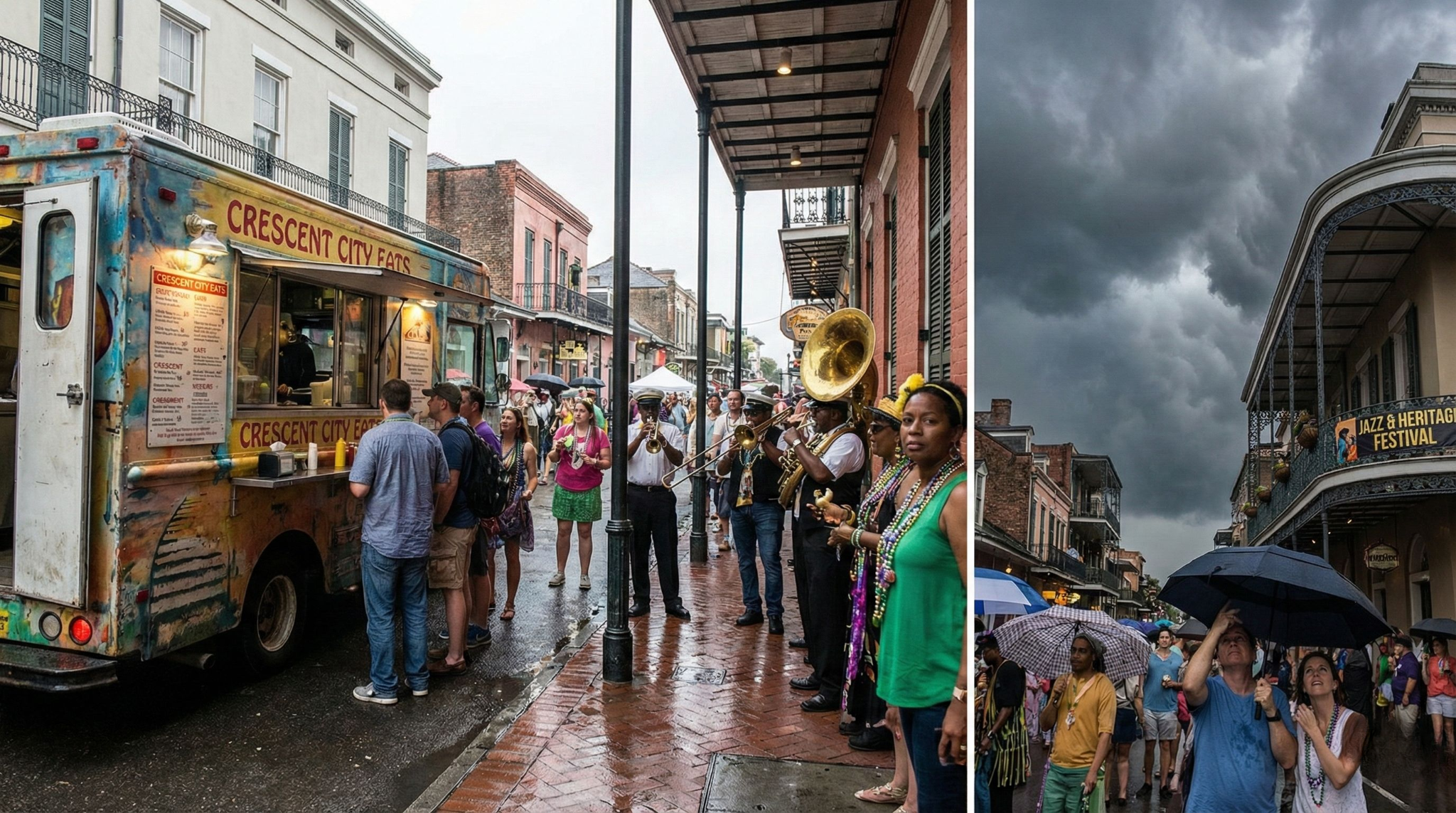
Score: 3.5 / 5
New Orleans is unique. Revenue is not evenly distributed — it’s concentrated in massive spikes:
- Mardi Gras
- Jazz Fest
- Essence Fest
- Saints games
- French Quarter events
Trucks that align with the festival calendar can earn extraordinary revenue. Between major events, steady business is possible but requires venue partnerships.
Weather is the wildcard: heat, humidity, sudden storms, and hurricane patterns make consistency a challenge.
Best For:
Operators who excel at logistics, festival planning, and high-volume service windows.
8. Indianapolis, Indiana — Underrated, Low-Cost, Growing
Score: 3.8 / 5
Indy is rarely hyped on social media — but the numbers tell a different story.
Its strengths include:
- Low operating and permit costs
- Healthy event + office + suburban demand
- A growing downtown
- Less competition than coastal metros
- Easy compliance processes
This is a city where operators can enter cheaply, validate their concept, and expand into a multi-city Midwest route (Indy → Louisville → Cincinnati → Columbus).
Best For:
First-time operators or trucks expanding into a stable, scalable Midwest region.
2026 Food-Truck Friendliness Table (All 8 Cities)
Where the Food-Truck Industry Is Heading (2026–2030)
The next five years will reshape the food-truck landscape far more than the last fifteen. This is no longer a novelty-driven segment — it’s becoming a national, multi-billion-dollar mobile restaurant category with real operational standards, investor attention, and technology adoption.
Here’s what the next era will look like:
1. Expansion of Food-Truck Parks & Pods — Especially in Mid-Sized Cities
Cities like Columbus, Charlotte, Nashville, Tampa, and Phoenix are already developing Portland-style pods with shared utilities, curated vendor mixes, and consistent foot traffic. By 2030, food-truck parks will become anchor assets in suburban and mixed-use developments — not just “empty lot” pop-ups.
2. Surge in Digital Ordering at Breweries, Markets & Events
The brewery + food-truck partnership model is exploding. Combined with QR ordering, line-busting handhelds, and mobile kiosks, ordering will shift from slow walk-up windows to distributed, frictionless digital flows. This directly increases throughput and ticket size — which means operators who adopt ordering tech will win more brewery and venue contracts.
3. Intensifying Competition in Tourism-Heavy Markets
Cities like Austin, Orlando, San Diego, and New Orleans will see a flood of new trucks chasing tourism spikes. The winners won’t be “the newest”; they will be the trucks with better branding, better ops, and better customer flow design. These markets are shifting from “creative concepts win” to “creative concepts that execute flawlessly win.”
4. Rising Labor Costs → Operational Efficiency Becomes a Survival Metric
Labor shortages and rising wages will force food-truck operators to rethink workflows. Trucks running with 2–3 staff will need POS-driven speed, automated upsells, faster prep stations, and optimized menu engineering. In this environment, technology becomes a productivity multiplier, not a luxury.
5. Weather Volatility Will Force Equipment & Tech Upgrades
Heat waves, sudden storms, unpredictable festival weather, and extreme humidity will push operators toward rugged hardware, better offline reliability, and more flexible service models. Trucks that can’t handle weather disruptions will lose prime events — or worse, lose inventory.
6. Multi-Truck Micro-Fleets Will Become the New Norm
The era of the “single truck operator” is fading. The most profitable businesses will be two-to-five truck micro-fleets that rotate between pods, breweries, events, corporate catering, and festivals. This requires back-office control, menu standardization, multi-location analytics, and a POS that can scale without breaking.
The Bottom Line
The next generation of food-truck winners will operate less like hobbyists and more like mobile fast-casual brands.
Execution — not concept — becomes the differentiator.
- Marketing that builds loyal followings
- Operations designed for peak efficiency
- Ordering tech that eliminates friction
- Prep workflows that support higher volume
- Menu engineering that protects margin

5 min read
Everything is bigger in Texas, and that certainly includes the holiday spirit. But down here, Christmas doesn't always look like a scene from a snowy movie. It looks like 70-degree patio weather, smells like smoked brisket, and sounds like George Strait on the radio.
For Texas restaurant owners, the holiday season is the most critical time of the year. But with every eatery from El Paso to Beaumont fighting for attention, a generic "Holiday Special" just won't cut it. To get more customers and bigger orders, you need to tap into the unique culture of the Lone Star State.
Interesting Read: Planning to Keep Your Restaurant Open this Christmas? Here's What You Need to Know
If you’re looking to fill your reservation book this December, ditch the boring corporate playbook. Here are 10 Christmas marketing ideas tailored specifically for Texas restaurants.
See Also: Holiday Rush Survival Guide: 9 Simple Steps to Using Your POS to Make More Money
1. Host a "Cowboy Santa" Photo Event
Skip the traditional red velvet suit. In Texas, Santa wears boots, Wrangler jeans, a Stetson, and a bolo tie.
Hosting a brunch or dinner with "Cowboy Santa" is a magnet for families searching for "unique Christmas events near me." It provides a shareable photo opportunity that differentiates you from the mall Santa.
- The Setup: Create a rustic backdrop with hay bales, a decorated longhorn skull, and plenty of twinkle lights.
- Marketing Tip: Require reservations for photo slots. This ensures that families commit to a full meal, boosting your table turnover.
2. Create "Tex-Mas" Menu Specials
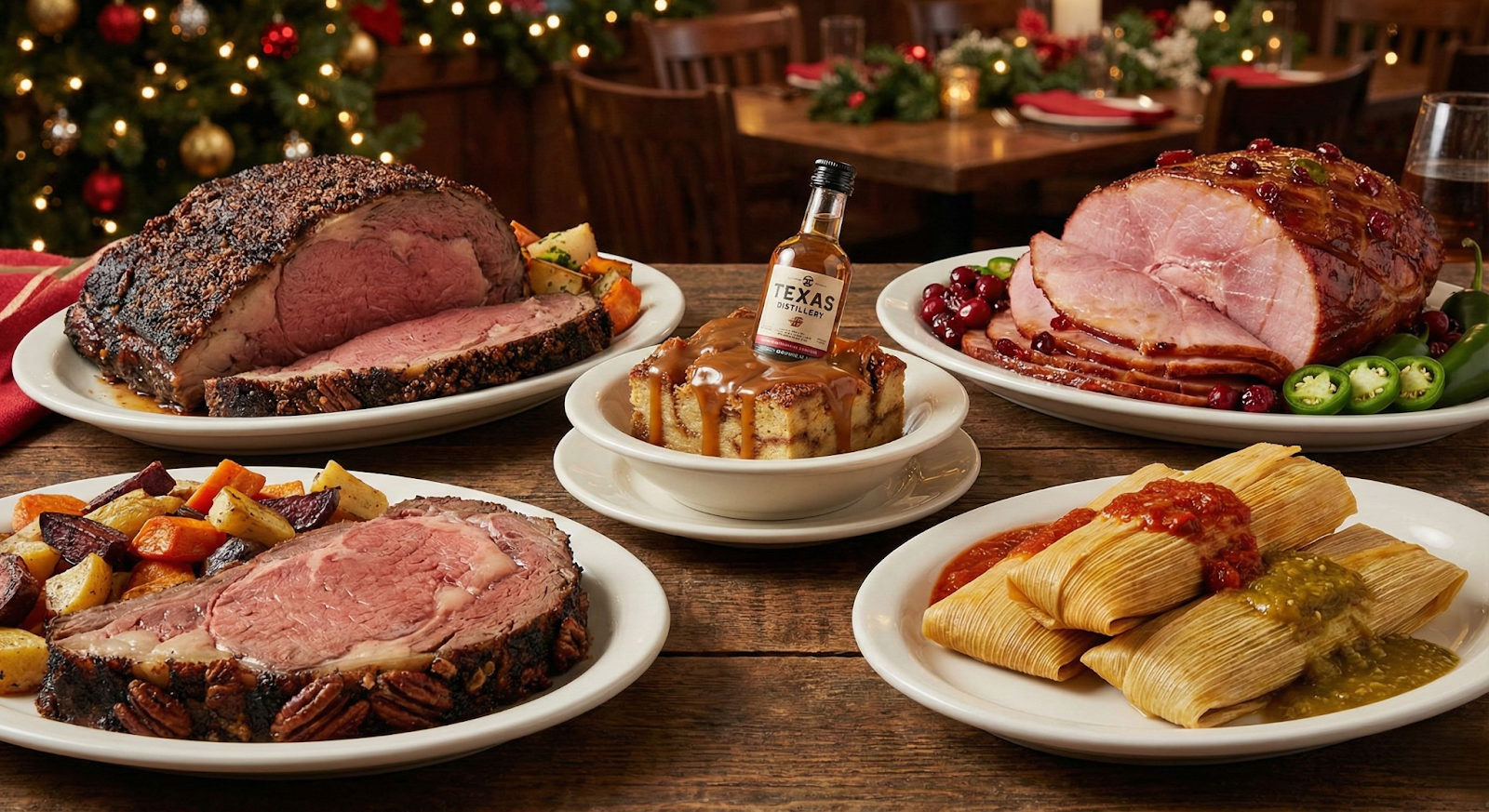
Your diners can get turkey anywhere. A Texas holiday menu needs a little more kick. Use this season to showcase limited-time items that highlight regional flavors. This helps you rank for searches like "best Christmas dinner in [Your City]."
- Menu Ideas: Pecan-smoked prime rib, cranberry-jalapeño glazed ham, or a "holiday tamale" platter.
- Dessert Upsell: Don't just serve pie. Offer a spiced bread pudding with bourbon sauce using a local Texas distillery spirit (like Garrison Brothers or Balcones).
Also Read: Create Holiday Menu Combos that Boost Profits
3. The "Tamales to Go" Pre-Order Strategy
In many parts of Texas, it simply isn’t Christmas without tamales. If your kitchen can make them, you are sitting on a goldmine. "Tamales for sale near me" is one of the highest-volume search terms in Texas during December.
Launch a pre-order campaign for tamales by the dozen. This allows you to generate revenue before the guest even walks in the door.
- Tech Tip: Use your POS system’s online ordering feature to manage these pre-orders. Set specific pickup windows so your front-of-house doesn't get crowded during dinner service.
4. Pour a "Lone Star" Holiday Drink Menu

Texas weather is unpredictable. In December, it might be 30 degrees, or it might be 80. Your drink menu needs to be ready for both to capture those searching for "holiday cocktails."
- For the Cold Snaps: Spiked Mexican hot chocolate or a Hot Toddy made with Texas whiskey.
- For the Warm Afternoons: A "Mistletoe Margarita" (frozen cranberry and lime) or a Ranch Water dressed up with pomegranate seeds and fresh rosemary.
5. Promote Your "Winter Patio"
While restaurants up north are closing their outdoor seating, Texas restaurants can often make money on their patios well into winter.
Market your patio as a "Winter Wonderland." Wrap palm trees or oaks in oversized lights and use projectors to create a festive atmosphere.
- The Draw: If you have fire pits or heavy-duty patio heaters, advertise them heavily on social media. A "Cozy Patio Happy Hour" attracts diners who want festive vibes without being stuffed indoors.
6. Sell "Taste of Texas" Gift Bundles
Gift cards are essential, but retail bundles sell for more money. Create gift boxes that showcase the flavors of your restaurant. This appeals to shoppers looking for "local food gifts."
Package a $50 gift card with a bottle of your signature BBQ sauce, a jar of house-made salsa, or a bag of locally roasted coffee beans you serve.
- Placement Strategy: Set up a retail display near your POS terminal or host stand so impulse buyers can grab last-minute gifts on their way out.
7. The "Ugly Boots & Hats" Contest
The "Ugly Christmas Sweater" party is played out. Give it a Texas twist by hosting an "Ugly Boots and Hats" night.
Invite guests to wear their most ridiculously decorated cowboy boots or festive hats. Offer prizes—like a loyalty program point boost or a free appetizer—for categories like "Most Festive" and "Most Texan."
- Social Media Boost: Create a branded hashtag (e.g., #TexMasAt[YourName]) and ask guests to post their photos to enter. This gets you free advertising on Instagram.
8. Partner with a Local Texas Charity
Texans are known for their hospitality. During the holidays, align your brand with a hyper-local cause rather than a national chain.
Choose a local food bank, an animal shelter, or a regional toy drive.
- How to do it: Offer a "Round Up for Charity" option on your payment terminals, or host a specific "Spirit Night" where 10% of sales go to the organization. This builds community goodwill and keeps your brand top-of-mind.
9. Play a "Honky-Tonk Holiday" Playlist
Ambiance is a huge part of why customers choose a restaurant. If your playlist is on a loop of generic pop Christmas songs, you’re missing an opportunity.
Curate a playlist featuring Texas country legends. Think Willie Nelson’s Pretty Paper, George Strait’s Christmas albums, or Kacey Musgraves.
- Engagement Tip: Share your public Spotify playlist in your email newsletter so customers can bring your restaurant's vibe home with them.
10. The "Post-Holiday Hangover" Brunch
By December 26th, everyone is exhausted from cooking and cleaning. They need comfort food, and they need it fast.
Market your restaurant as the ultimate recovery zone for the days between Christmas and New Year's. This captures the "brunch near me" crowd.
- The Offer: Highlight your heaviest, most comforting dishes: Chicken fried steak and eggs, migas, and spicy bloody marys. Send an email blast on December 26th with the subject line: "Let us handle the dishes today."
Final Thoughts
Christmas in Texas is about warmth, community, and bold flavors. By tailoring your marketing to embrace the local culture — and using the right technology to manage the rush — you’ll create a memorable experience that keeps locals coming back long after the lights come down.
Ready to handle the holiday rush? Ensure your Point of Sale system is ready for online orders, gift cards, and split checks. Book a demo call today to see what OneHubPOS can do for your business.
5 min read
The holiday season is the hospitality industry’s double-edged sword: peak revenue potential meets peak operational chaos.
Picture this: It’s 7:00 PM on a Friday. Your foyer is packed, staff are sprinting, and the order line snakes out the door. In this environment, efficiency crumbles. Worse, potential customers take one look at the queue and leave. This "walk-away" factor is the silent killer of holiday profits.
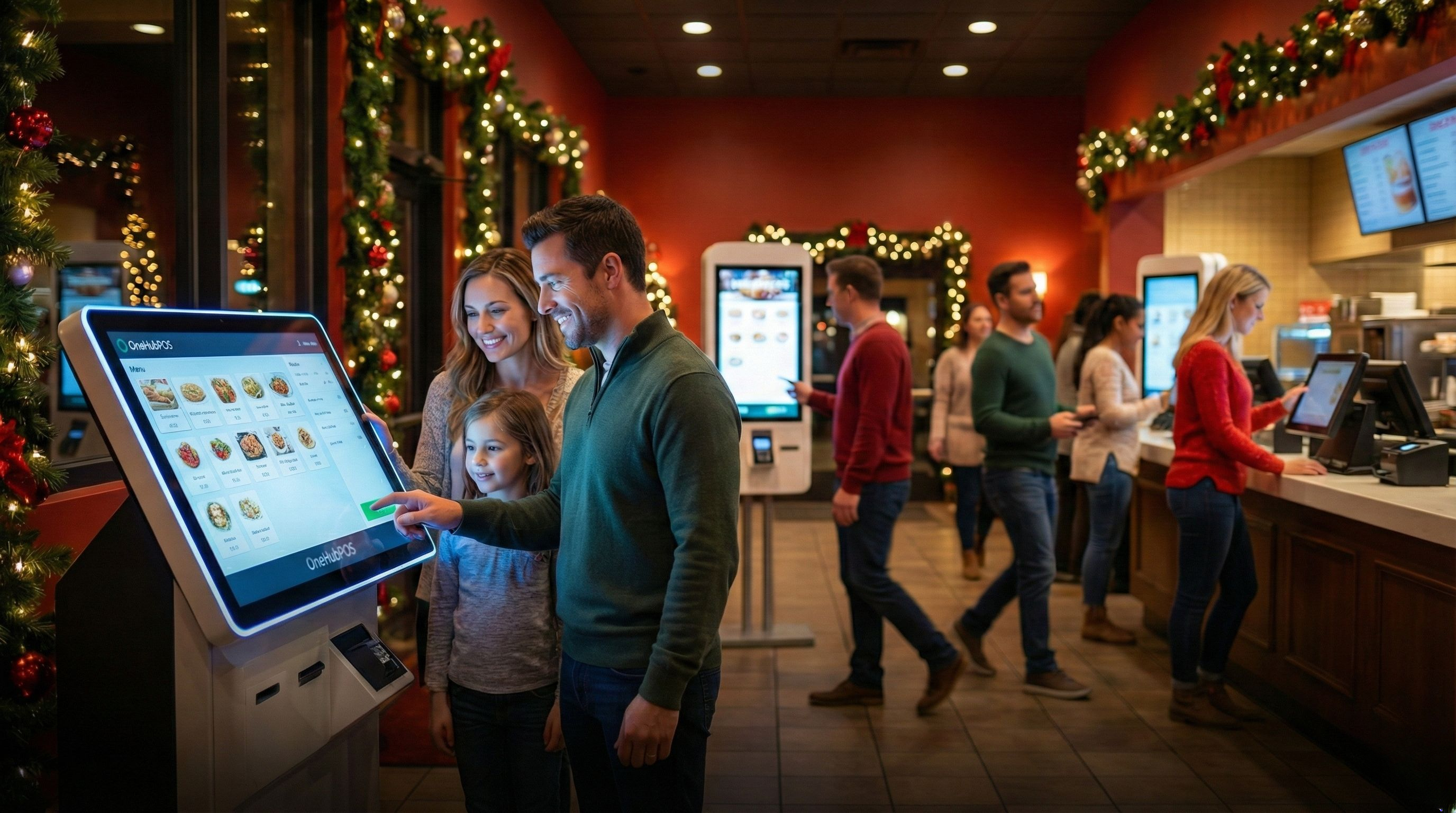
But what if you could slash wait times by 50% without hiring extra staff? Enter the restaurant self-service kiosk. As we approach the 2025 holidays, this technology isn't just a gadget; it is the operational backbone of a high-efficiency restaurant. Here is how kiosks allow you to clone your best cashiers and master the rush.
The Operational Impact of the Restaurant Holiday Rush on Wait Times
Long wait times do more than annoy customers; they actively erode your bottom line.
70% of diners get annoyed if they have to wait for more than 5 minutes to place an order. Research shows that diners, especially hurried holiday shoppers, will abandon a line if the wait exceeds just a few minutes. Manual order-taking creates a natural bottleneck: a human cashier can only process one transaction at a time, often slowed by conversation or entry errors.
When you rely solely on manual entry during the restaurant holiday rush, you effectively cap your revenue at the speed of your slowest cashier. Every minute a customer spends standing in line is a minute they aren't eating, drinking, or freeing up the table for the next party. To capture peak holiday revenue, you must break this bottleneck.
Also Read: Why Your Restaurant Needs Self-Order Kiosks
1. Accelerating Throughput with Restaurant Self-Service Kiosks
The most immediate impact of installing restaurant self-service kiosks is velocity. Kiosks don't get tired, they don't chat, and they don't fumble with buttons. They are built for one purpose: speed.
By installing just three or four kiosks, you effectively open three or four new lanes of traffic. Instead of funneling 50 hungry people through one stressed cashier, you split the stream. Industry data suggests that self-service technology can reduce total queue times by up to 50%.
The Psychology of the Queue
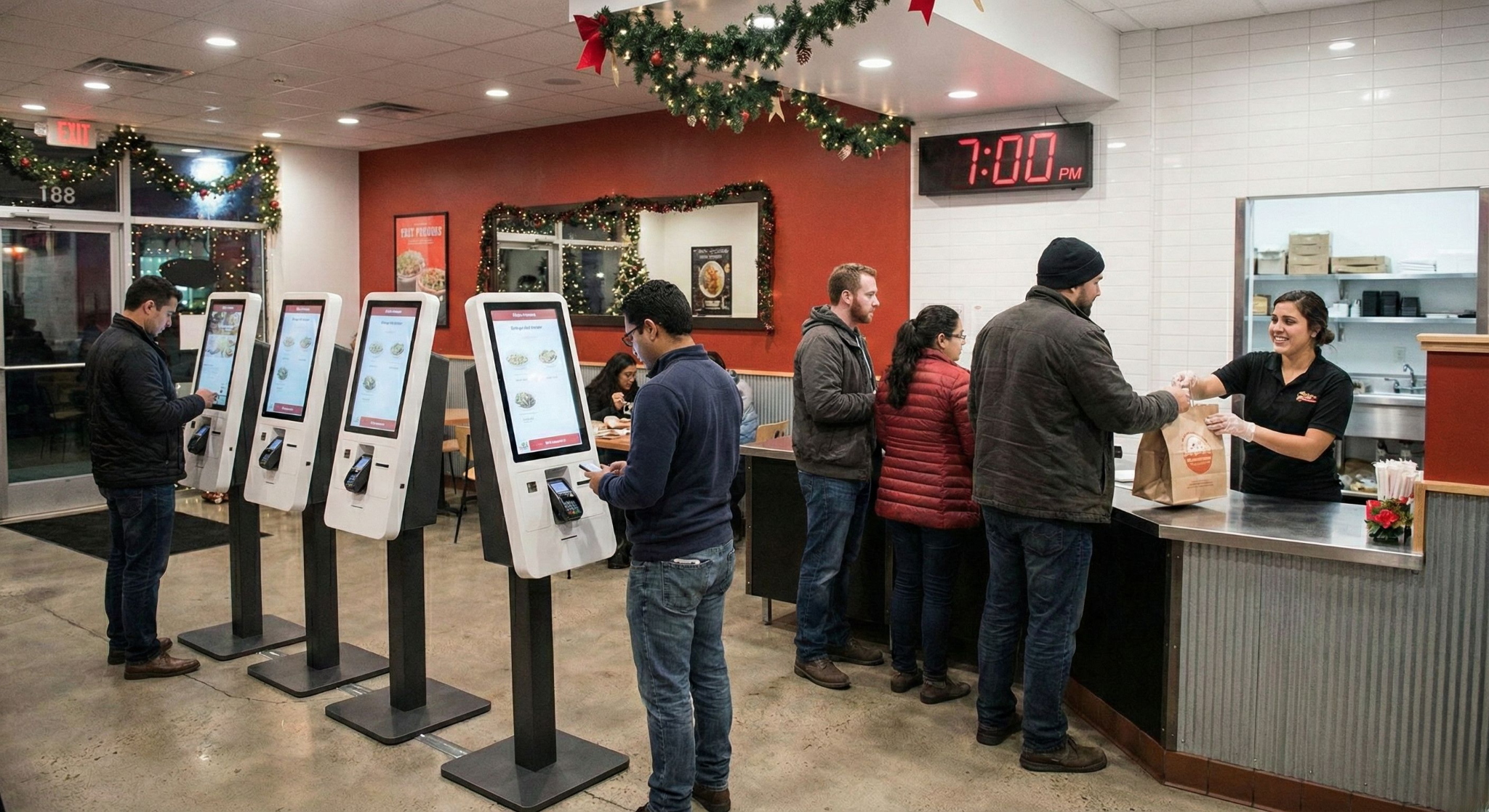
There is also a psychological component to this speed. Customers perceive an "active wait" (tapping a screen to order) as much shorter than a "passive wait" (standing in line). When customers utilize self-service kiosks, they feel in control, drastically reducing the anxiety and frustration associated with crowded dining rooms.
2. Optimizing Labor Efficiency During the Holiday Staffing Crisis
A common myth is that kiosks replace staff. In reality, self-service kiosks liberate them.
The hospitality industry is facing a historic labor shortage, and finding reliable temporary staff for the restaurant holiday rush is difficult. Is the best use of your most charismatic employee’s time standing behind a register? No. Their value lies in hospitality.
By offloading the mechanical task of order entry to restaurant self-service kiosks, you can redeploy front-of-house staff to where they are needed most:
- The Kiosk Concierge: Greeting guests and helping them navigate the menu.
- Food Runners: Getting hot food to tables faster.
- Dining Room Captains: Bussing tables quickly to increase turnover rates.
3. Increasing Average Ticket Size via Automated Kiosk Upselling
Human cashiers often hesitate to upsell during a rush. They see the long line and skip the script to speed things up.
Restaurant self-service kiosks never feel that pressure. They are programmed to consistently and politely offer upgrades on every single transaction. Because the customer is browsing a visual menu—seeing high-def photos of add-ons rather than reading text—they are far more likely to indulge.
Statistics consistently show that average ticket sizes can increase by 20% to 30% when orders are placed via kiosks. In the high-volume context of the holiday season, that incremental revenue adds up to a massive difference in your end-of-year profit margins.
4. Reducing Order Errors with Tech-Forward Self-Service Solutions
There is nothing that kills the holiday spirit faster than a wrong order. A family waiting 20 minutes for a meal only to find pickles on a "no pickles" burger results in a remake and a negative review.
In a loud, crowded restaurant, verbal communication breaks down. Self-service kiosks eliminate the game of "telephone." The customer inputs exactly what they want, and that data goes directly to the Kitchen Display System (KDS).
- Zero misheard orders.
- Zero illegible handwriting.
- Zero "I forgot to write that down."
This precision reduces food waste and ensures your kitchen staff isn't bogged down fixing mistakes during the dinner rush.
Why Choose OneHubPOS Restaurant Self-Service Kiosks?
Adopting kiosk technology is about more than just survival; it’s about branding. Modern diners, especially Gen Z and Millennials, view restaurants with self-service tech as cleaner, faster, and more modern.

At OneHubPOS, we don't just sell hardware; we engineer flow. Our kiosk solutions are designed specifically for high-volume environments like the restaurant holiday rush.
- Seamless POS Integration: Our kiosks speak the same language as your OneHubPOS system and KDS. No lost tickets, no sync errors.
- Commercial Grade Durability: Built to withstand thousands of touches a day, spills, and high traffic.
- Intuitive User Experience (UX): We prioritize simple interfaces. We ensure the barrier to entry is low so that your lines keep moving.
Conclusion: Master the Holiday Rush with Smart Technology
The upcoming holiday season represents a massive opportunity to capture revenue. However, you cannot capitalize on that traffic if your operations are stuck in the bottleneck of manual entry.
By integrating restaurant self-service kiosks, you signal to your customers that you value their time. You tell your staff that you value their sanity. And, crucially, you prove that your brand is ready for the future of hospitality.
This year, do not let the line out the door be a sign of inefficiency. Make it a sign of a restaurant moving at the speed of light.
Ready to upgrade your holiday strategy? Book a call today for a demo of our kiosk solutions.
5 min read
If you’ve spent any time on Reddit’s threads, Liquor Association forums, or small-biz investment groups, you’ll notice one recurring theme:
Buying a liquor store is one of the most debated small-business investments in America.
Some swear by it — steady demand, predictable margins, and long shelf life. Others say it’s a job disguised as a business, tied heavily to regulation, inventory management, and long hours.
So what’s the real answer?
And more importantly…
Does buying a liquor store in 2026 still make sense?
This guide breaks down motivations, market realities, risks, numbers, and who’s best suited to run a liquor store—based on U.S.-only data, real owner experiences, state-by-state factors, and trends heading into 2026.
1. Why People Want to Buy Liquor Stores in 2026
Owners consistently point to five motivations:
1.1. Steady Demand — Even in Downturns
Alcohol isn’t immune to recession, but it is relatively resilient.
Demand shifts (premium → affordable, bars → home consumption), but it rarely collapses. That’s why many investors view liquor retail as “semi-recession resistant.”
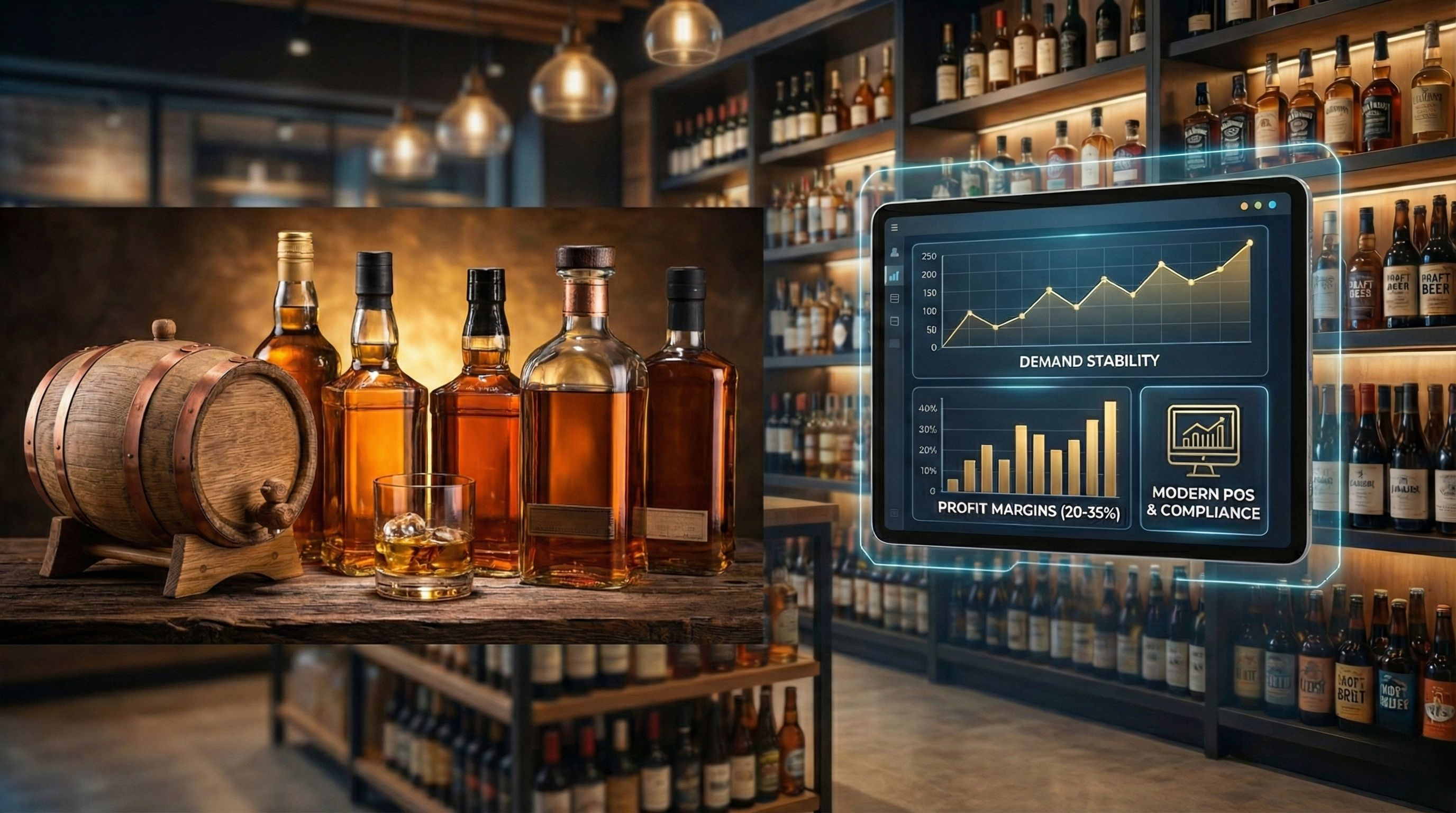
1.2. Predictable Margins
Most U.S. independent liquor stores run:
- 20–35% gross margins
- 8–12% net margins after rent, utilities, payroll, and shrink
Margins are tighter in beer, better in wine, and best in premium spirits.
1.3. Minimal Spoilage Compared to Food Retail
No lettuce going bad. No nightly bakery waste.
Most spirits have years-long shelf life.
Inventory ties up cash, but it rarely expires.
1.4. Community Business + Owner Identity
Many owners enjoy becoming the familiar neighborhood face.
Liquor stores tend to have:
- Regulars
- Predictable weekly cycles
- Strong holiday season upticks
1.5. “Buy Yourself a Business” vs Build From Scratch
Most buyers look for:
- A profitable store
- With existing foot traffic
- With transferable liquor license
- In a safe/heavy-consumption area
For a first-time small-business buyer, it’s appealing: no need to build demand from zero.
2. Where Liquor Stores Actually Make Sense (Geographic Reality)
Not all U.S. states offer equal upside.
2.1. Top 5 States by Liquor (Spirits) Consumption
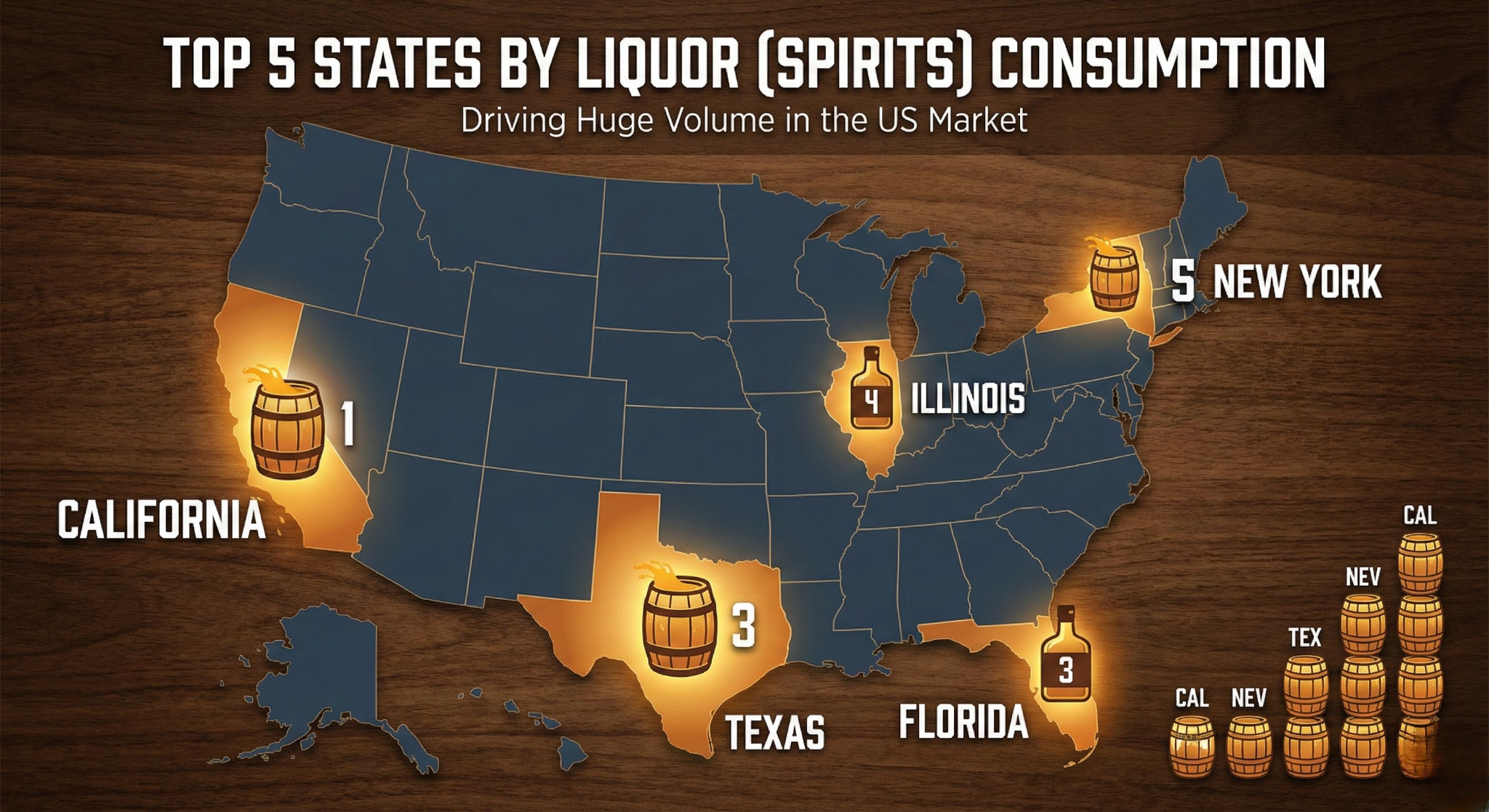
These states drive huge volume:
- California
- Florida
- Texas
- New York
- Illinois
Population, tourism, and large metros make these states prime territories.
2.2. Highest Per-Capita Alcohol Consumption States
These surprise some buyers:
- New Hampshire (zero sales tax, cross-border demand)
- Delaware
- Nevada (tourism)
- Washington D.C.
- Wisconsin / Rhode Island
If you’re buying a store here, high consumption demand supports pricing, volume, and product mix depth.
2.3. Control vs. Non-Control States
If you plan to own a liquor store, this matters.
- Control States (e.g., Utah, New Hampshire, Pennsylvania):
The state controls liquor distribution/retail. Private ownership is limited or regulated tightly. - Non-Control States (majority):
Fully private retail allowed. More competition but more opportunity.
2.4. Local Policy Trends
States and cities are rethinking alcohol outlet density.
Example: NYC exploring reducing liquor store density due to public health concerns.
Meaning in 2026:
Location risk matters more than ever. Over-saturated corridors may face future policy pressure.
3. What You Must Consider Before Buying a Liquor Store
Here’s the part most first-time buyers underestimate.
3.1. Licensing
Every state handles liquor licenses differently:
- Transferable vs. non-transferable
- Quota systems
- Zoning restrictions
- Community board approvals
- Annual renewals & conditions
Your entire deal can hinge on a license transfer. Here is a state-by-state liquor license guide.
3.2. Financial Due Diligence
Request minimum 3–5 years of:
- Tax returns
- P&Ls
- Sales reports by category
- Inventory aging reports
- Credit card vs cash split
Red flags include:
- Declining year-over-year revenue
- Excessive “cash sales” manipulation
- Low inventory levels (store may be underfunded)
- High shrink (liquor theft is real)
3.3. Working Capital
Liquor distributors in many states require:
- COD (Cash on Delivery)
- No net-30 or net-60 terms
- Weekly ordering cycles
Meaning: Your cash is locked in inventory.
3.4. Store Location Realities
A liquor store’s performance is driven by:
- Traffic flow (drive-by + walk-in)
- Parking availability
- Neighborhood demographics
- Proximity to competition
- Tourism or seasonal patterns
Smart buyers sit outside the store for 2–3 hours across multiple days to count customers.
3.5. Operational Workload
Reddit owners emphasize:
“This is not passive.
You work nights, weekends, holidays, and deal with drunks + thieves + regulators.”
Expect:
- Long hours
- Inventory-heavy operations
- Camera monitoring
- Shrink management
- Cash-handling risks
You can hire staff, but only after dialing in processes.
4. Who Should Buy a Liquor Store in 2026?
Great Candidates
- Hands-on operators (first 2–3 years)
- Owners of delis, convenience stores, gas stations, food trucks
- Multi-unit buyers familiar with retail margins
- Buyers with strong inventory discipline
- Investors looking for cash-flow + real estate combo
Not a Good Fit
- People seeking passive small businesses
- Those uncomfortable with regulation
- Buyers without cash reserves (COD model = heavy upfront inventory)
- Anyone who won’t work peak hours or handle shrink control
5. The Math: How to Quickly Evaluate a Liquor Store Deal
Here’s the simplest framework.
Step 1: Rebuild SDE (Seller’s Discretionary Earnings)
Take:
- Net profit
- Owner salary
- Personal perks (car, phone, insurance)
- One-time expenses
This gives real earning power.
Step 2: Compare Price-to-SDE
Most independent liquor stores sell at:
- 1.5x – 3x SDE
(High-demand areas may command more.)
If a store is priced above 3x SDE, ask why.
Step 3: Manager vs Owner-Operator Reality
If you plan to hire a manager, subtract:
- $50k–$70k salary
If SDE disappears or falls too low, it’s not an investment—it’s a job.
Step 4: Stress Test
Run numbers at:
- –10% revenue
- –15% revenue
If cash flow collapses, negotiation or walk-away is wise.
6. Major Trends Shaping the Liquor Store Market in 2026
6.1. Stable but Shifting Demand
- Spirits remain strong
- RTDs (Ready-to-Drink cocktails) continue growing
- Craft beer flat-to-declining
- Wine demand softens in many metros
6.2. Card vs Cash
Digital payments now dominate most major states—affecting:
- Chargeback risk
- POS requirements
- Fraud prevention
- Cash drawer losses
6.3. Customer Loyalty and Basket Expansion
Stores that win in 2026 will:
- Build loyalty programs
- Push bundles (whiskey + mixer + cigar)
- Use kiosks or POS-driven promos
- Increase ATV with curated assortments
6.4. Tech Adoption Increasingly Predicts Success
Modern liquor stores are moving toward:
- Modern POS systems
- Case-to-bottle inventory tracking
- Age-verification workflows
- Self-checkout kiosks for small baskets
- Multi-store visibility
- Real-time pricing and promotions
Retailers who digitize outperform those who rely on notebooks or old registers.
7. Should YOU Buy a Liquor Store in 2026? Final Decision Framework
Here are the four questions that cut through everything.
1. Are you ready to operate, not just invest?
If yes → your odds improve dramatically.
2. Is the store in a high-demand state, city, or demographic?
Check if you're buying in:
- A top-volume state
- A high per-capita consumption zone
- A non-control or favorable license environment
3. Do the numbers hold after subtracting a manager salary?
If SDE evaporates → it’s not a business, it’s employment.
4. Does the store have modern systems?
A liquor store with:
- A modern POS
- Case-to-bottle tracking
- Age-verification
- Multi-store/centralized controls
- Security integration
…will outperform manual operations every single year.
Conclusion: Liquor Stores Can Be Great — but Only If…
A liquor store can be:
- A stable, steady cash-flow business
- A recession-resilient investment
- A great community business
- A strong foundation if paired with the right location and systems
But it can also be:
- A grind
- A compliance headache
- A margin-squeeze if poorly run
- A risky buy in control states or saturated corridors
The bottom line?
Buying a liquor store in 2026 is not about the industry.
It’s about your location, your license, your numbers, and your ability to run tight retail operations.
If you combine those with modern tech—inventory, age-verification, kiosks, and a fast POS — you dramatically increase your odds of building a profitable, durable liquor retail business.
.png)
5 min read
The holiday season is the most lucrative sprint of the year for the hospitality industry. But amidst the noise of Black Friday deals and New Year’s bashes, competition is fierce. To win the battle for the hungry holiday shopper, you need more than just a seasonal menu; you need a strategy that locks customers in.
This is where restaurant loyalty programs become your most powerful asset.
Also Read: Holiday Rush Survival Guide: 9 Simple Ways to Make More Money
While flash sales attract one-time bargain hunters, a well-structured holiday loyalty program builds a "value loop" that turns casual diners into lifelong regulars. But loyalty isn't just about handing out a punch card anymore. It’s about using data and smart incentives to drive behavior.
.jpg)
Here are 7 proven strategies that you can use to crush your holiday sales targets using your POS.
1. Build and Maintain a "Live" Consumer List
You cannot market to a ghost. The biggest mistake restaurants make during the holiday rush is serving hundreds of guests without capturing their data. If they walk out the door anonymously, you have lost the chance to bring them back in January.
The Strategy: Use your POS to actively build a Consumer List. Every time a customer pays, ensure their name and contact details are logged in your CRM.
How OneHubPOS Helps: OneHubPOS makes this seamless at the checkout. You can quickly add a new customer profile or update an existing one in seconds.
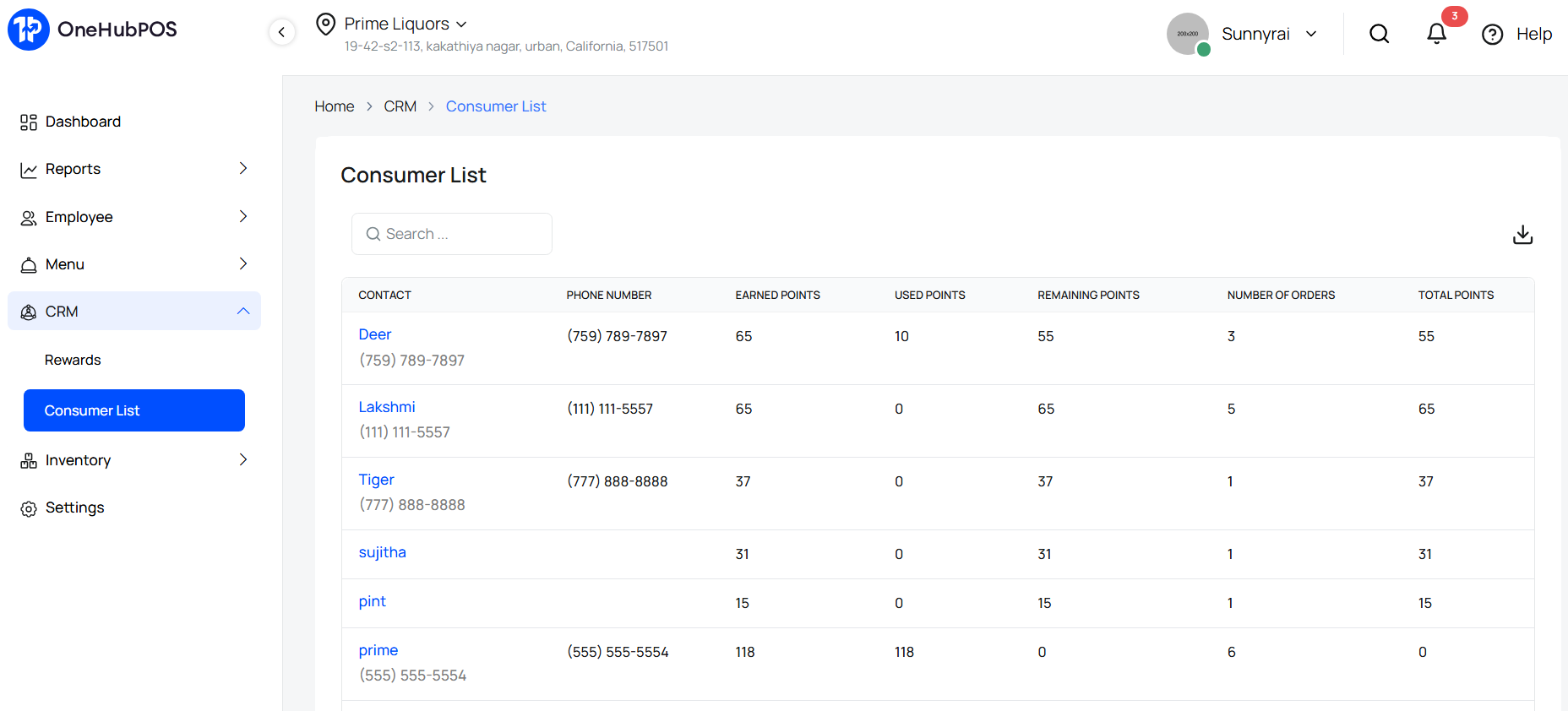
Why it matters for the holidays: By maintaining an updated list, you can send targeted SMS or email blasts announcing your New Year’s Eve specials to people who actually dined with you in December.
2. Offer Spend-Based Milestone Rewards
During the holidays, customers are willing to spend more, but they need a nudge. "Spend-based rewards" are a form of gamification that encourages customers to increase their check size to unlock a higher tier of benefits.
The Strategy: Instead of a flat reward for every visit, set Spend Milestones. For example: "Reach $100 in total spending this month and unlock 500 Bonus Points."
How OneHubPOS Helps: Our system allows you to configure rules where points are awarded based on specific spending thresholds.
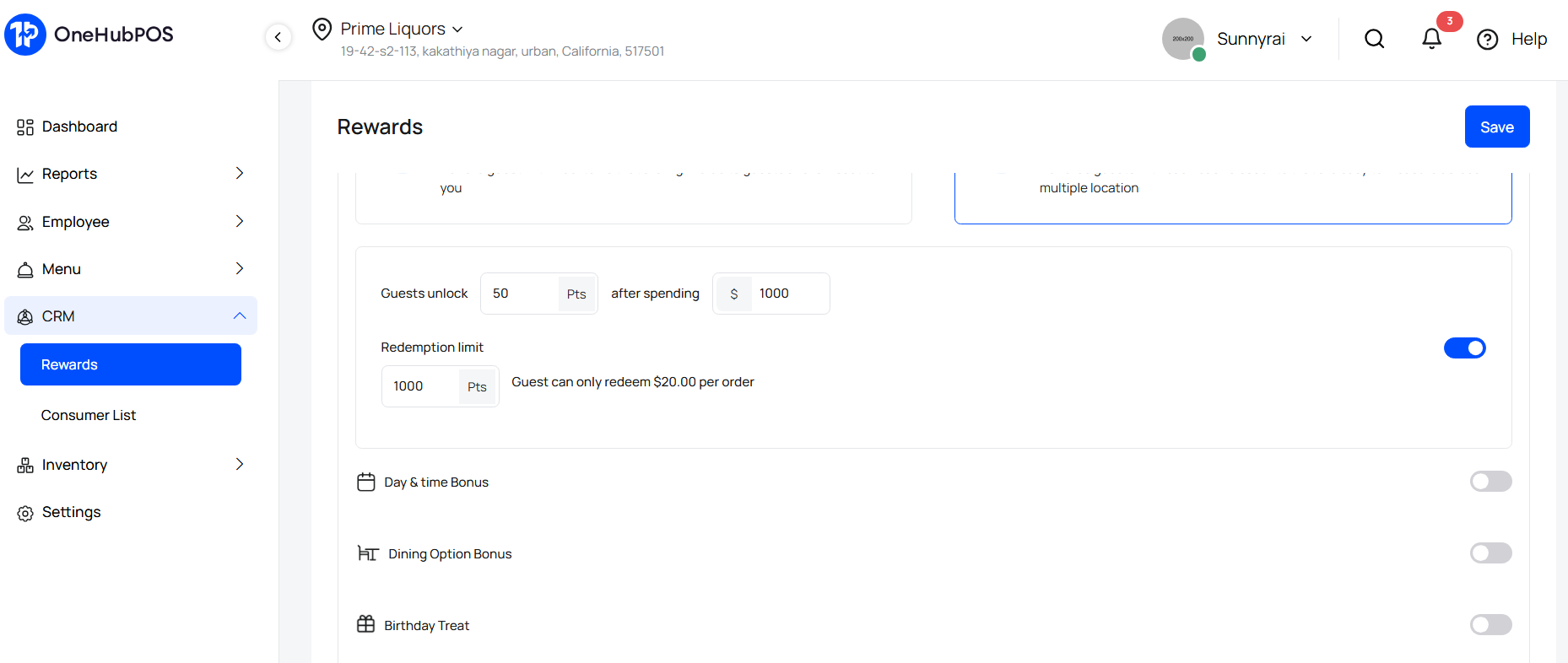
Why it matters for the holidays: This motivates the customer to add that extra appetizer or another round of drinks to hit the milestone before the holiday season ends.
3. Implement Straightforward Cashbacks
The holiday season is chaotic. Sometimes, customers don't want to calculate how many "stars" or "points" they need for a free burger. They want simplicity. Cashback is the most transparent form of reward and creates immediate value.
The Strategy: Configure a direct percentage cashback into the customer’s digital wallet. "Get 5% Cashback on every holiday dinner to use on your next visit."
How OneHubPOS Helps: OneHubPOS allows you to set up a "Cashback" loyalty structure where a percentage of the bill is returned to the customer's loyalty account as store credit.
Why it matters for the holidays: It feels like real money. A customer with $15 in "Store Credit" is almost guaranteed to return to spend it, whereas points might be ignored.
4. Automate Occasion-Based Rewards (Birthday Specials)
The holidays are a time for gathering, but they also coincide with many personal milestones. Ignoring a regular's birthday is a missed opportunity to create an emotional connection.
The Strategy: Set up Occasion-Based Rewards. If a customer visits during their birthday month (or anniversary), the system should automatically flag them for a special reward.
How OneHubPOS Helps: Within the customer profile in OneHubPOS, you can input birthdates and set up automated triggers.
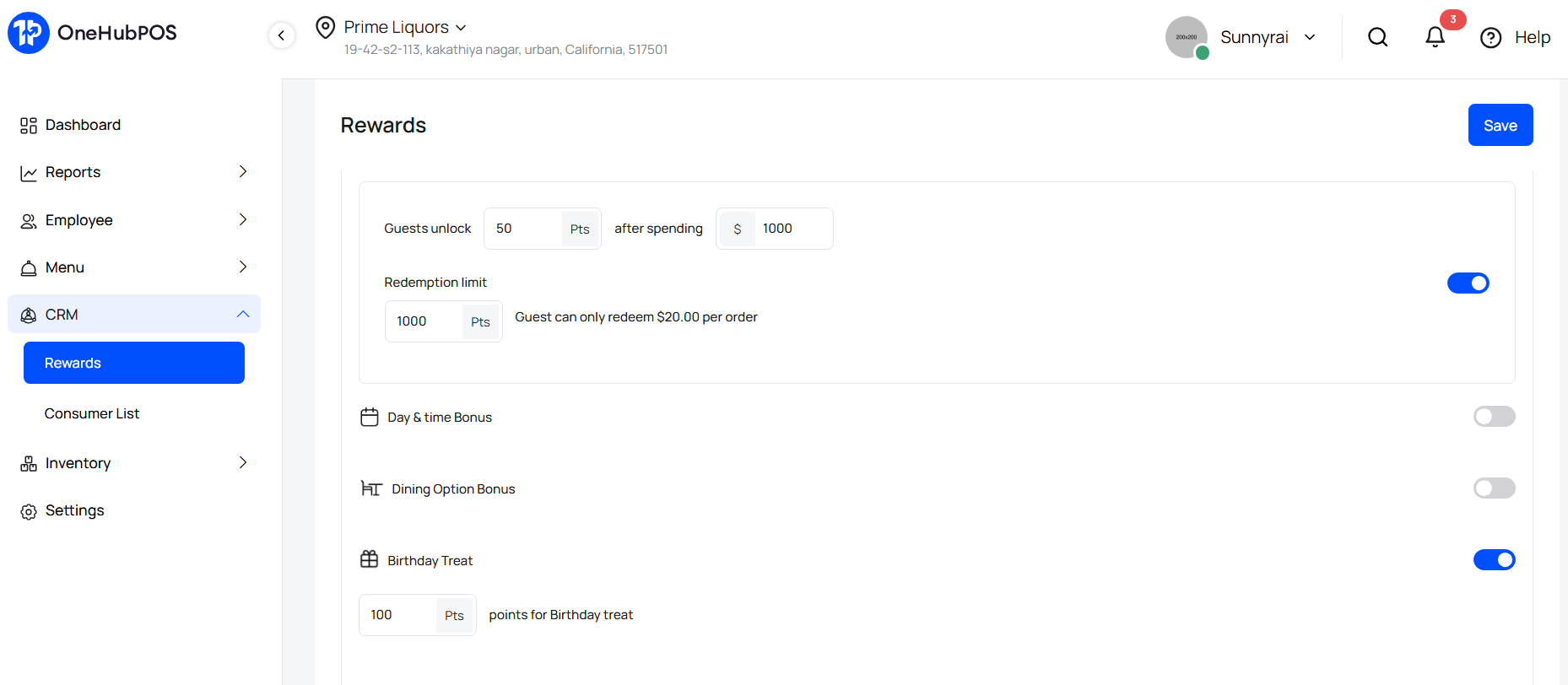
Why it matters for the holidays: If a customer’s birthday falls in December, they are likely looking for a place to host a party. An automated email saying "Happy Birthday! Here is a free dessert for your party of 4" can secure a large table booking during a busy month.
5. Drive Traffic with Periodical Discounts
The holiday season isn't one continuous rush. There are often lulls, such as the first week of December or the quiet days immediately following Christmas. You need a way to drive traffic specifically during those windows without permanently lowering your prices.
The Strategy: Use Periodical Discounts to run date-specific campaigns. Create a "Pre-Holiday Blitz" or a "New Year's Warm-Up" where a discount is valid only between two specific dates (e.g., December 1st to December 10th).
How OneHubPOS Helps: OneHubPOS allows you to schedule discounts with a strict Start Date and End Date. You can configure a 15% discount that automatically activates on the 1st and deactivates at midnight on the 10th.
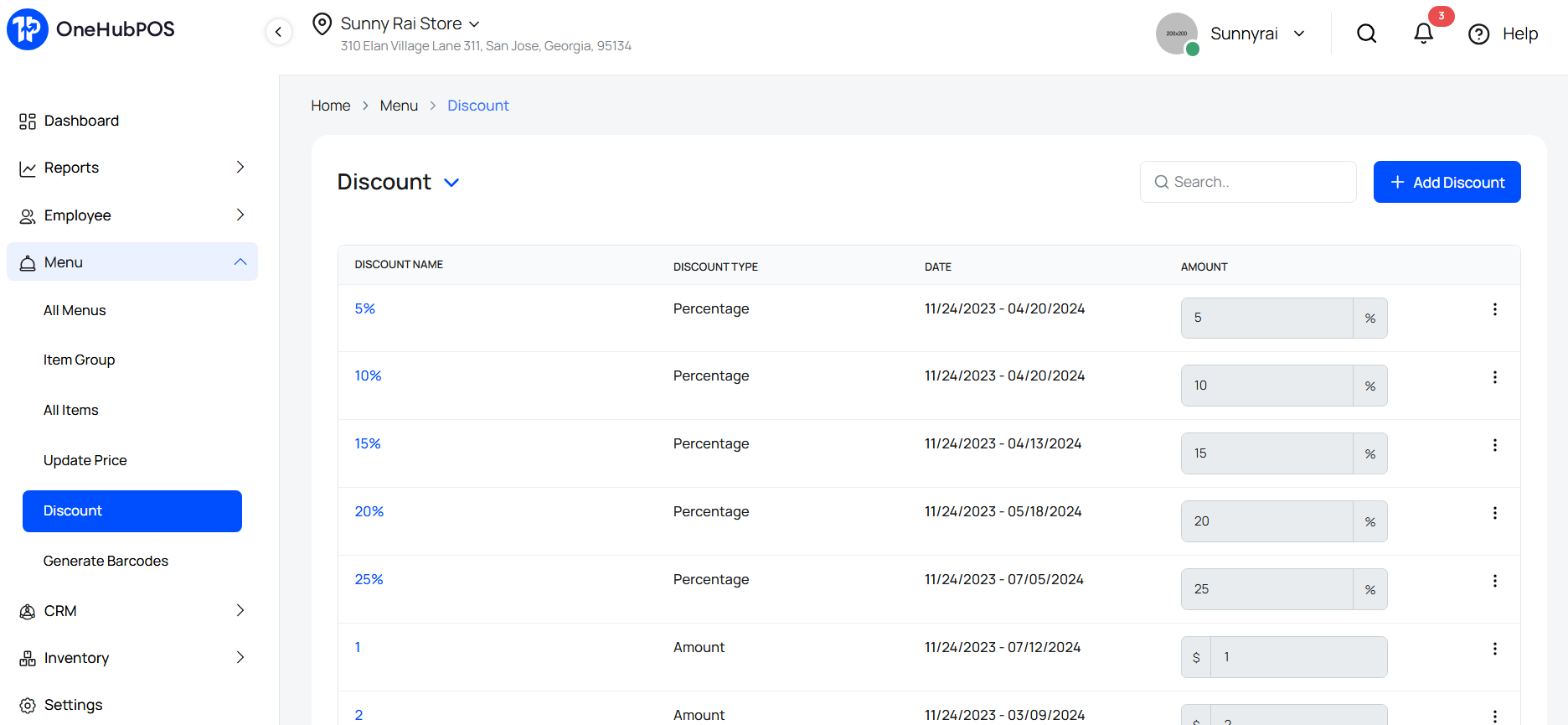
Why it matters for the holidays: This creates a sense of urgency (FOMO). Customers know they only have a short window to claim the deal, which drives traffic during weeks that might otherwise be slow.
6. Use Item-Based Discounts for Clearance
Holiday ingredients are seasonal. You don't want to be stuck with gallons of "Pumpkin Spice" syrup or "Peppermint Bark" inventory in mid-January. You need to move this stock while it’s still relevant.
The Strategy: Create Item-Based Discounts to clear inventory. Run an "End of Season" promo where specific seasonal items are discounted to encourage volume sales.
How OneHubPOS Helps: You can apply discounts to specific items or categories within OneHubPOS without discounting the entire check.
Why it matters for the holidays: It protects your margins. You clear out expiring inventory (turning it into cash) while keeping your core menu at full price.
7. The "Combo" Strategy: Bundling for Higher Checks
Finally, we cannot overlook the power of the Combos. This serves the dual purpose of increasing average ticket size while educating your customers on your full menu.
The Strategy: Create a "Holiday Feast Combo" (Entree + Side + Drink) and link it to your loyalty program. Offer double points for ordering the combo rather than individual items.
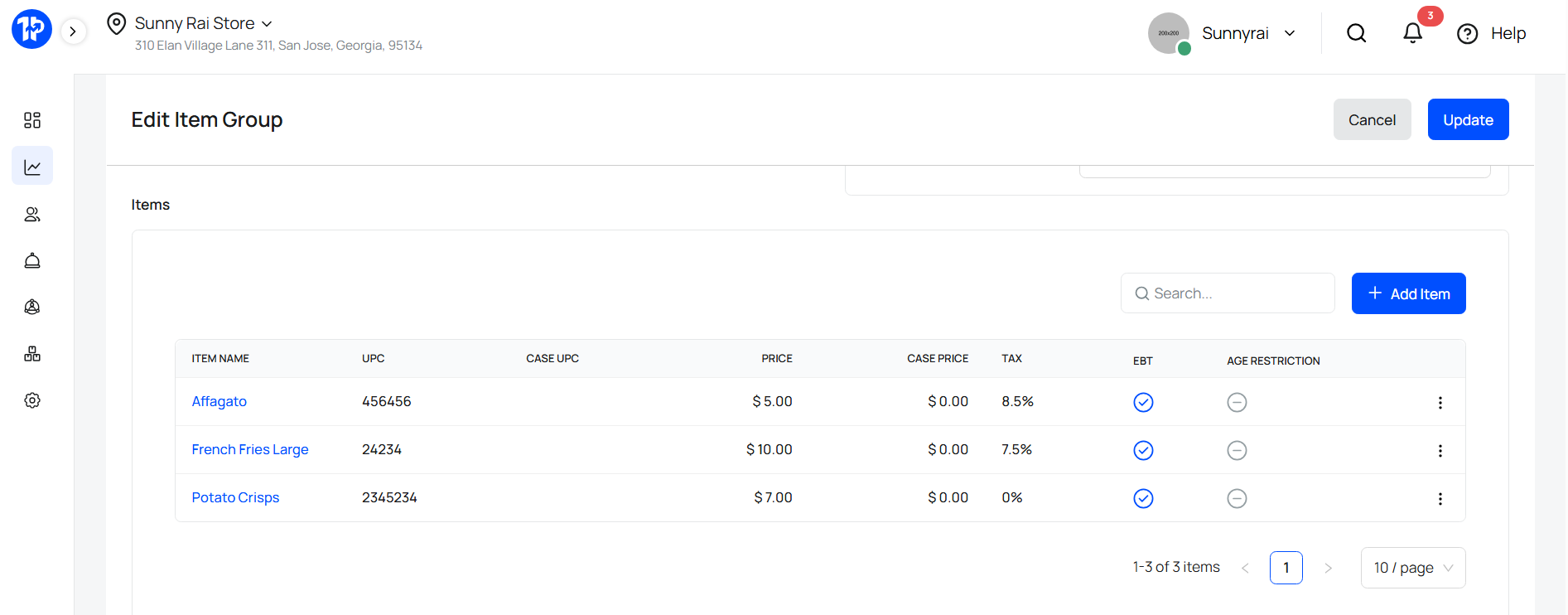
How OneHubPOS Helps: OneHubPOS features a robust Combo Management tool (Item groups). You can group items, set mandatory modifiers (e.g., "Must choose one drink"), and link inventory so stock is deducted correctly for every component.
Why it matters for the holidays: It simplifies the ordering process for stressed customers and speeds up your kitchen, all while driving a higher check average.
Conclusion
The holiday season is a sprint. To win, you need to offer more than just good food — you need to offer a compelling reason for customers to return.
By leveraging these 7 strategies — from maintaining a clean consumer list to offering smart, automated rewards — you can increase your ticket size and boost customer retention.
The best part? OneHubPOS comes with all these features built-in. You don't need expensive third-party marketing software to run a world-class loyalty program. You just need to switch on the features already at your fingertips.
Don't let the holiday rush manage you. Manage the rush with OneHubPOS.

.png)
5 min read
The clock is ticking. And the biggest shopping event of the year is breathing down your neck. If you feel like you’re already behind schedule, take a deep breath, you are not alone.
Every year, thousands of business owners scramble for Black Friday marketing ideas that can be executed in the eleventh hour. The good news? Some of the most effective strategies work best when they are fresh, urgent, and spontaneous.
At OneHubPOS, we know that your Point of Sale system is more than just a cash register; it is your command center for holiday chaos. Whether you run a bustling restaurant or a retail boutique, here are 10 powerful, last-minute ideas to turn the Black Friday rush into record-breaking revenue—without breaking a sweat.
See Also: Holiday Rush Survival Guide: 9 Simple Steps to Using Your POS to Make More Money
1. The "Hourly Flash Sale" (Powered by POS)
Don’t just run one sale for the whole day. Create a frenzy by changing your offers every few hours. For example, offer 50% off appetizers from 12 PM to 2 PM, or Buy-One-Get-One on accessories from 4 PM to 6 PM.
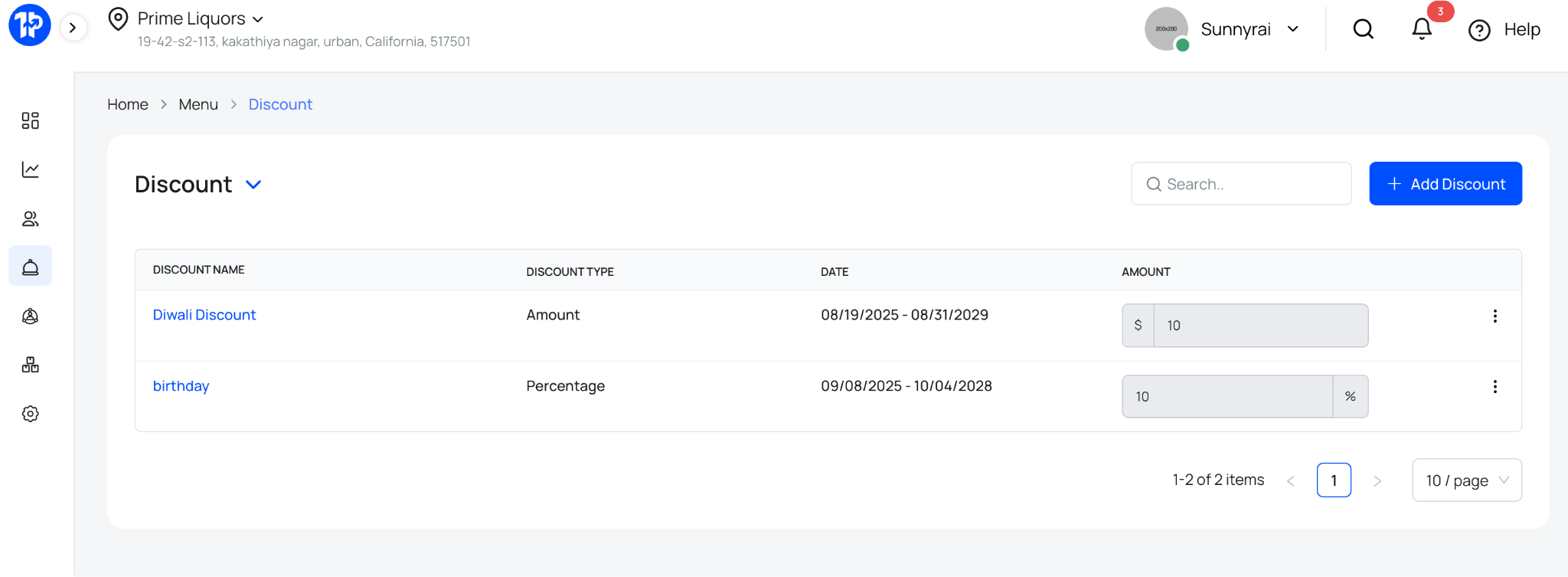
How your POS helps: unique discounts can be programmed into your POS software in advance to trigger automatically at specific times, ensuring your staff doesn’t have to manually calculate prices during the rush.
2. Bundle Slow-Moving Inventory
You likely have items that haven’t moved all year. Black Friday is the perfect time to clear them out. Bundle a popular item with a slow-moving one and offer the package at a slight discount. This increases your Average Transaction Value (ATV) while freeing up shelf space.
Pro Tip: Market these as "Exclusive Gift Sets" rather than "Clearance Packs" to keep the perceived value high.
Must Read: Unlock AI Superpowers for Inventory Management with OneHubPOS
3. Leverage "Receipt Marketing"
Your customers have already been buying from you now — weeks before the big day. Use this traffic! Customize the footer of your printed or digital receipts to include a "Black Friday Teaser" coupon.
The Offer: "Bring this receipt back on Nov 28th for an extra 5% off your Black Friday purchase."
4. Run a "VIP Early Access" Campaign
Your loyal customers want to feel special. Send an email blast to your loyalty program members giving them access to your Black Friday deals 24 hours early (or one hour before the doors open).
How your POS helps: Use your POS customer database to filter for your top 100 spenders and send them a targeted SMS or email directly from your integrated marketing tools.
5. The "Mystery Discount" Bowl
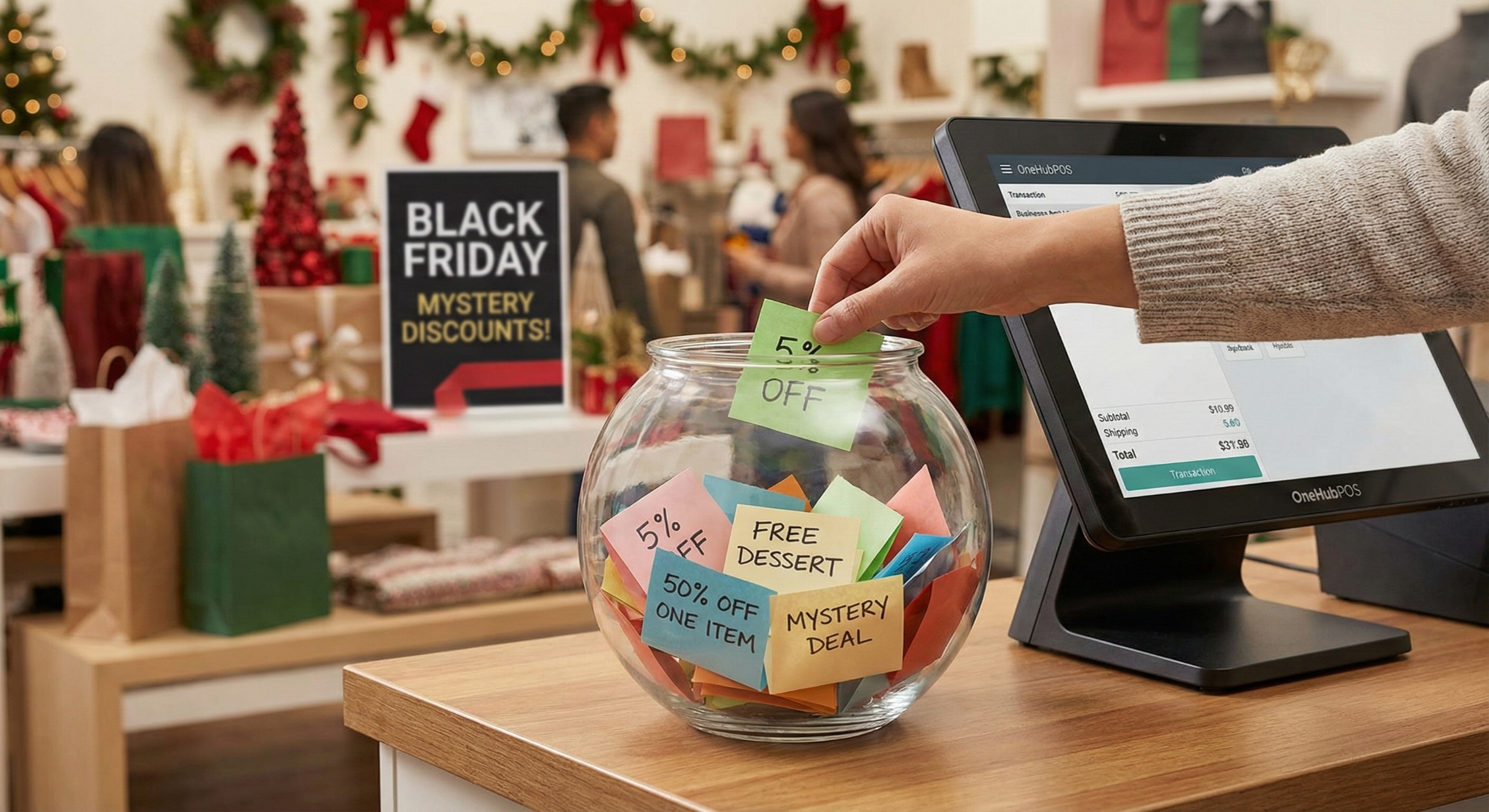
Add a gamification element to your checkout counter. Fill a fishbowl with folded papers ranging from "5% Off" to "Free Dessert" or "50% Off One Item." Customers pick a paper at the register to reveal their deal. It builds excitement and encourages impulse buys.
Wait. Are Your Discounts Profitable?
Before we dive into the next 5 ideas, we need to talk about profit. It is easy to get caught up in holiday marketing ideas and slash prices to compete, but if you don't know your margins, you could be selling at a loss.
A successful Black Friday isn't just about revenue; it's about profit. Use this simple Profit & Loss (P&L) template to quickly calculate if your Black Friday deals make financial sense.

6. Gift Card Bonuses (The Cash Flow King)
If you are a restaurant or service business, Black Friday can be tricky. Instead of discounting food, sell future visits. Offer a "Buy a $50 Gift Card, Get a $10 Bonus Card" deal.
Why it works: You get immediate cash flow today, and the customer returns in January or February (your slow season) to redeem it, likely spending more than the card value.
7. Extend Your Hours (and Track the ROI)
Stand out by opening an hour earlier or closing an hour later than your competitors.
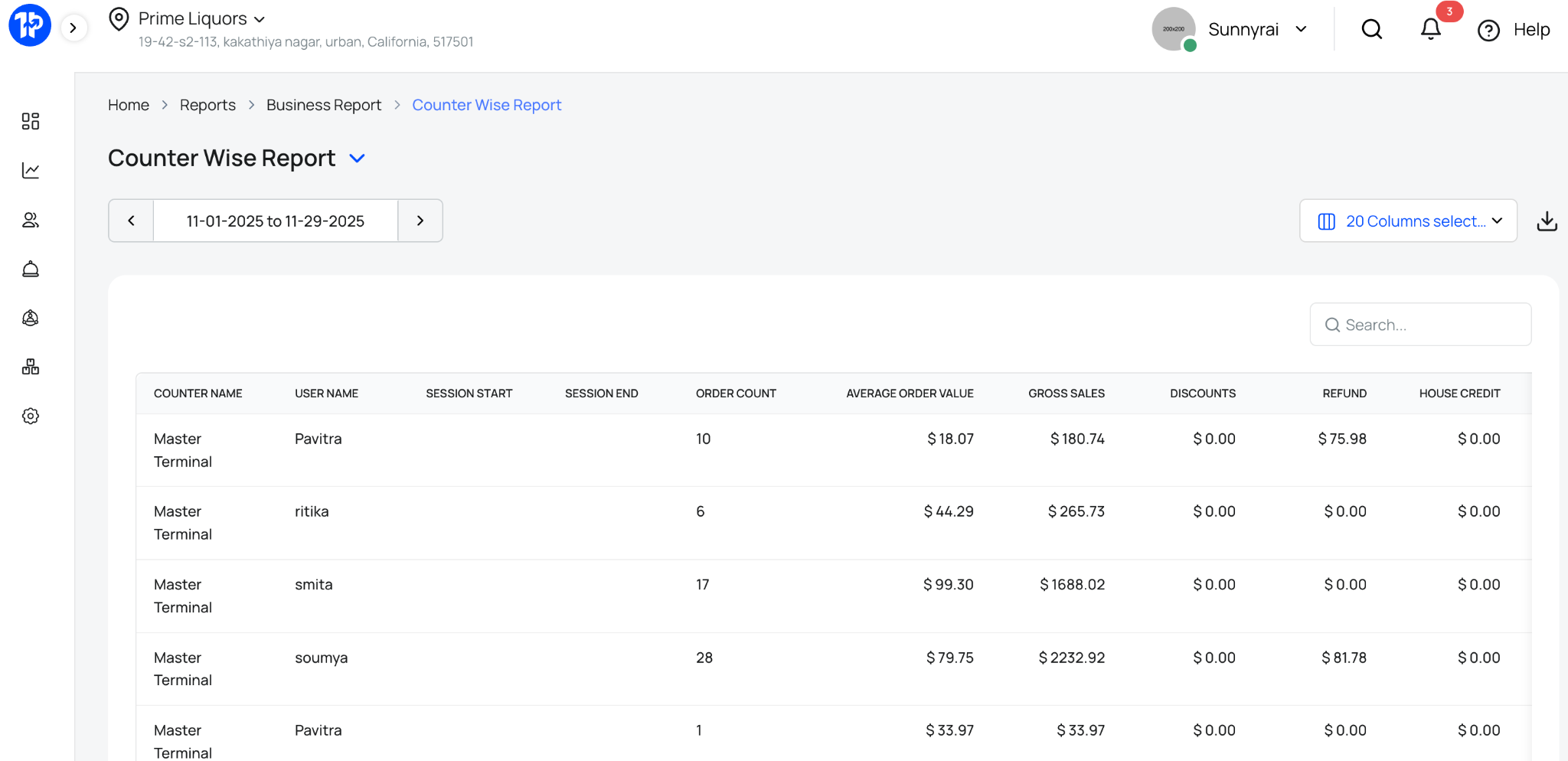
How your POS helps: After the weekend, check your POS sales report. If the extra hour didn't generate enough sales to cover the extra labor (refer to the P&L template above!), you’ll know not to repeat it for Christmas.
8. Digital Countdowns on Social Media
This is the easiest last-minute Black Friday marketing idea. Start a countdown on Instagram or TikTok. Reveal one "Secret Deal" each day leading up to Friday.
Content Idea: Post a photo of your staff holding a sign that says "3 Days Left! We’re unboxing the new stock!" It humanizes your brand and builds hype.
9. Create a "Rest and Recharge" Station
If you have a brick-and-mortar store, marketing isn't just digital—it's experiential. Set up a small corner with free water and chairs for "Exhausted Partners." While one partner shops, the other rests. It increases dwell time in your store, which statistically increases basket size.
10. The "Cyber Monday" Retargeting
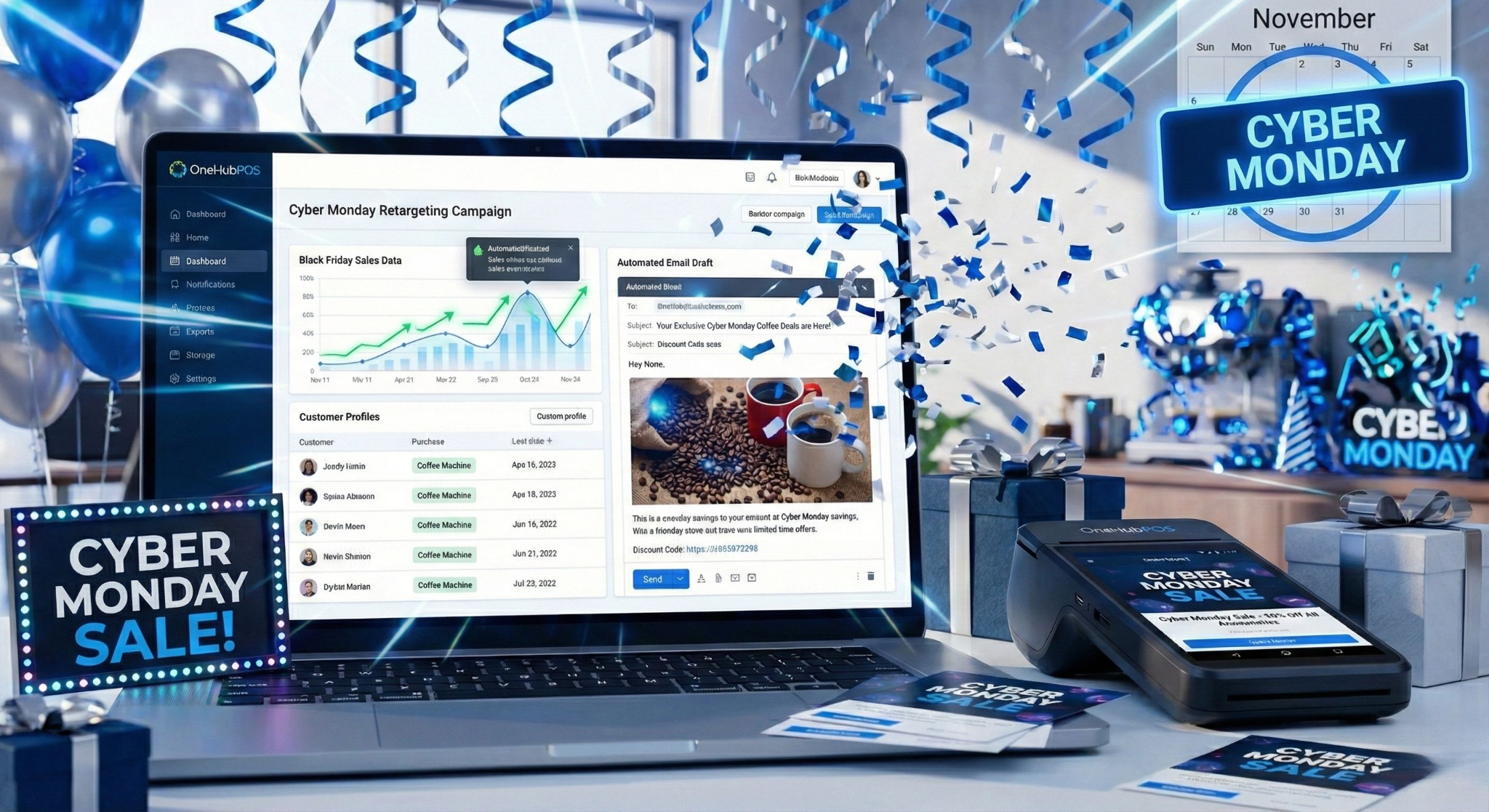
Don't let the momentum die on Friday night. Use the data you collected during the sale to fuel your holiday marketing ideas for December.
How your POS helps: Did a customer buy a coffee machine on Black Friday? Use your POS item-wise sales report to send them an automated email next week offering a discount on coffee beans or mugs.
Final Thoughts
You don't need months of planning to crush it this season. With a little creativity, a sharp eye on your P&L, and the right strategies, you can turn last-minute panic into your most profitable weekend of the year.
As you navigate the rush, pay close attention to your operations. Did your checkout lag? Did inventory desync? If you find yourself fighting your technology instead of serving customers this Black Friday, take note.
If your current POS is holding you back, don't let the history repeat itself next year. Book a "New Year, New System" consultation with OneHubPOS today to schedule your January upgrade!
.png)
5 min read
Ask any retailer what drains the most hours, and the answer never changes: inventory. Not sales. Not marketing. Not customers. Inventory.
Today, OneHubPOS is eliminating that bottleneck. Our new AI engine reads your invoices, understands them, and updates your stock automatically — creating the most accurate, self-maintaining inventory your store has ever had.
Inventory used to take hours. Now it takes seconds. Scan your invoice. AI does the rest.
Introducing AI-Enabled Inventory Operations from OneHubPOS
Scan. Verify. Approve. Your inventory just got autonomous.
This isn’t simply a feature launch. This is a fundamental shift in how retail operators, liquor merchants, and grocery owners think about operational intelligence.
For the first time, OneHubPOS brings enterprise-grade AI inventory automation — historically locked behind high-end ERPs — to every Main Street store.
AI Inventory Management: The New Standard for Retail Efficiency
OneHubPOS now allows merchants to do something profoundly simple:
Upload or scan an invoice → AI extracts every detail → Inventory updates automatically.

Your role? A quick review. One tap for approval. Done.
This system doesn’t just scan text. It understands retail.
It reads invoices the way a seasoned store manager would — but with perfect recall, zero fatigue, and 24/7 availability.
How the AI Works — Beyond Automation, Toward Understanding
Most POS systems automate routine tasks. Few understand the context behind them.
Our AI does both.
1. Invoices become structured intelligence
Every supplier has a different format. Some are typed. Some are printed. Some are messy. Some are handwritten.
OneHubPOS AI detects and interprets:
- product names
- case details
- unit variations
- cost changes
- tax lines
- barcode inconsistencies
- damaged or returned goods
- multi-page invoices
- mixed categories and formats
2. AI maps items to your actual catalog
Retail catalogs aren’t static — they evolve daily.
Our AI learns from:
- your suppliers
- your naming conventions
- your units-per-case patterns
- your pricing history
So when a supplier writes “BL 24PK CAN”, but your system knows it as “Bud Light – Case of 24,” the AI recognizes it instantly.
3. Real-time stock updates — with deep retail logic
The system automatically updates:
- case-level stock
- unit-level stock
- cost price
- margin impact
- expiry timelines
- reorder triggers
All in one pass.
4. What you approve is always accurate
The workflow mirrors how the best operators run their stores — just without the hours of manual work.
Scan/Upload → AI updates → You approve.
Retail intelligence has never been this simple.
Why This Is Transformational for Retail, Liquor, and Grocery
Let’s be direct: Inventory accuracy is the #1 driver of profitability in retail.
But accurate inventory can’t be achieved by manual processes.
It requires systems that:
- understand case vs unit relationships
- interpret supplier formats
- adapt to pricing fluctuations
- track expiry dates
- support barcode-first workflows
- handle SKU volumes at scale
This is exactly where AI delivers exponential value.
For Liquor Stores
Case-based selling is the backbone of liquor operations. AI now:
- Converts cases → units automatically
- Updates bottle-level inventory instantly
- Flags cost changes immediately
- Handles tobacco, cartons, packs, and single units
- Simplifies compliance with built-in age checks
No more “we thought we had 3 cases left” surprises.
For Retail & Convenience Stores
High SKU count? Barcode-first operations?
AI eliminates:
- manual entry
- miscounts
- mislabels
- staff training overhead
With instant updates, stores reduce shrinkage and accelerate restocking decisions.
The Technology That Makes It Work
This launch also brings a deeply upgraded inventory architecture.
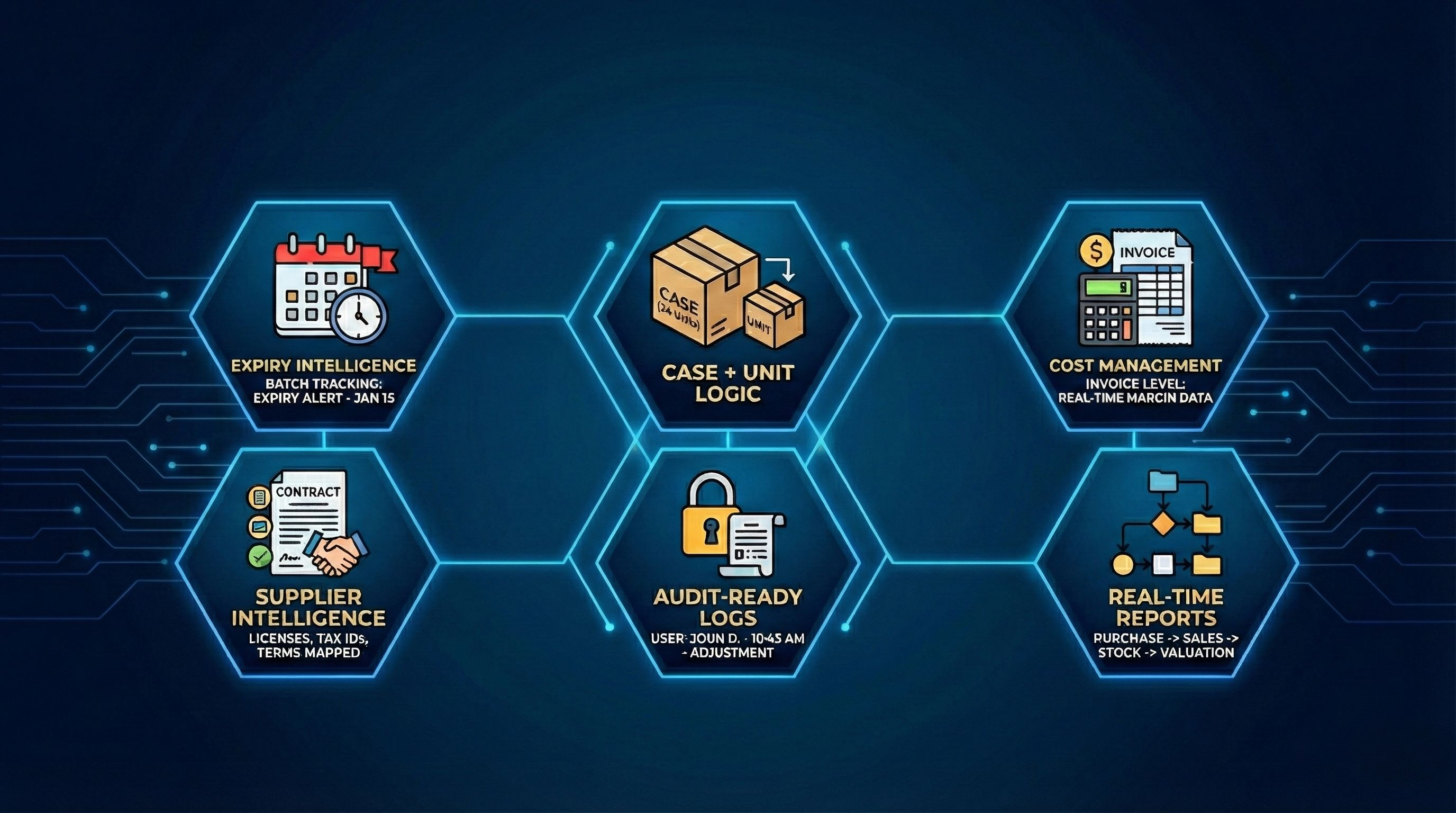
✓ Expiry intelligence
Every batch tracked. Every risk flagged early.
✓ Case + unit logic at POS level
Essential for liquor, tobacco, multipacks, FMCG.
✓ Cost management at invoice level
Margin data stays real-time and accurate.
✓ Supplier intelligence
Licenses, tax IDs, and terms auto-mapped.
✓ Audit-ready logs
Every adjustment tied to a user and timestamp.
✓ Real-time reports
Purchase → Sales → Stock movement → Valuation.
This isn’t incremental innovation. This is structural innovation.
Inventory Is No Longer a Department.
It’s a Decision System. With AI, inventory evolves from:
A labor-heavy task → to a self-maintaining system.
A periodic activity → to a real-time intelligence engine.
A guesswork-driven workflow → to a data-driven command center.
And when inventory becomes intelligent, the entire business becomes more profitable.
This is where retail is headed. And with OneHubPOS, retailers don’t need enterprise budgets or complex ERPs to get there.
Built for Real Stores, Not Textbook Scenarios
Our design principles were simple:
- No special hardware required
- Works with any Android POS or handheld device
- Supports every retail segment
- Fast onboarding
- Zero disruption to existing workflows
If you can take a photo of an invoice, you can run AI-powered inventory.
The Future of Inventory Is Autonomous.
This is more than just a module launch.
This is a commitment:
To give small and mid-sized retailers the operational capabilities of national chains.
To automate the hidden work that drains time and profitability.
To make retail smarter, faster, and more resilient.
Inventory should not be a burden. It should be a superpower.
With OneHubPOS AI-enabled Inventory, it finally is.
5 min read
The retail world calls it "Black Friday chaos"—stampedes for flat-screen TVs and camping out for gaming consoles. But for the restaurant industry, the day after Thanksgiving represents something entirely different: refuge.
Hungry, exhausted shoppers need fuel. Families who are tired of turkey leftovers want a different flavor profile. And smart diners are looking for the same thrill of a "deal" on their dinner plate as they did in the department store.
However, capturing this traffic requires more than just a discount sign in the window. It requires the right strategy and the right technology to handle the surge. Here is why Black Friday restaurant deals work, what your guests actually expect, and how utilizing a robust POS system like OneHubPOS is the secret to executing them without a hitch.
See Also: Holiday Rush Survival Guide: 5 Simple Steps to Using Your POS to Make More Money
Free Download: 💡 Revenue is vanity, profit is sanity. Simplify your financial tracking today with our ready-to-use Restaurant P&L Template. 👇
5 Psychological Reasons Why Black Friday Deals Work
Why does a diner who ignores a 10% coupon in July suddenly rush to buy a gift card in November? The answer lies in consumer psychology.
1. The Dopamine Rush (The "Win" Factor)
Shopping deals trigger the brain’s reward system. Finding a great offer feels like winning a game. When a guest sees a "Buy One, Get One" burger deal, it’s not just about the food; it’s about the emotional high of securing a bargain.
- The Takeaway: Your deal needs to feel like a "score," not just a standard markdown.
2. Scarcity and FOMO (Fear Of Missing Out)
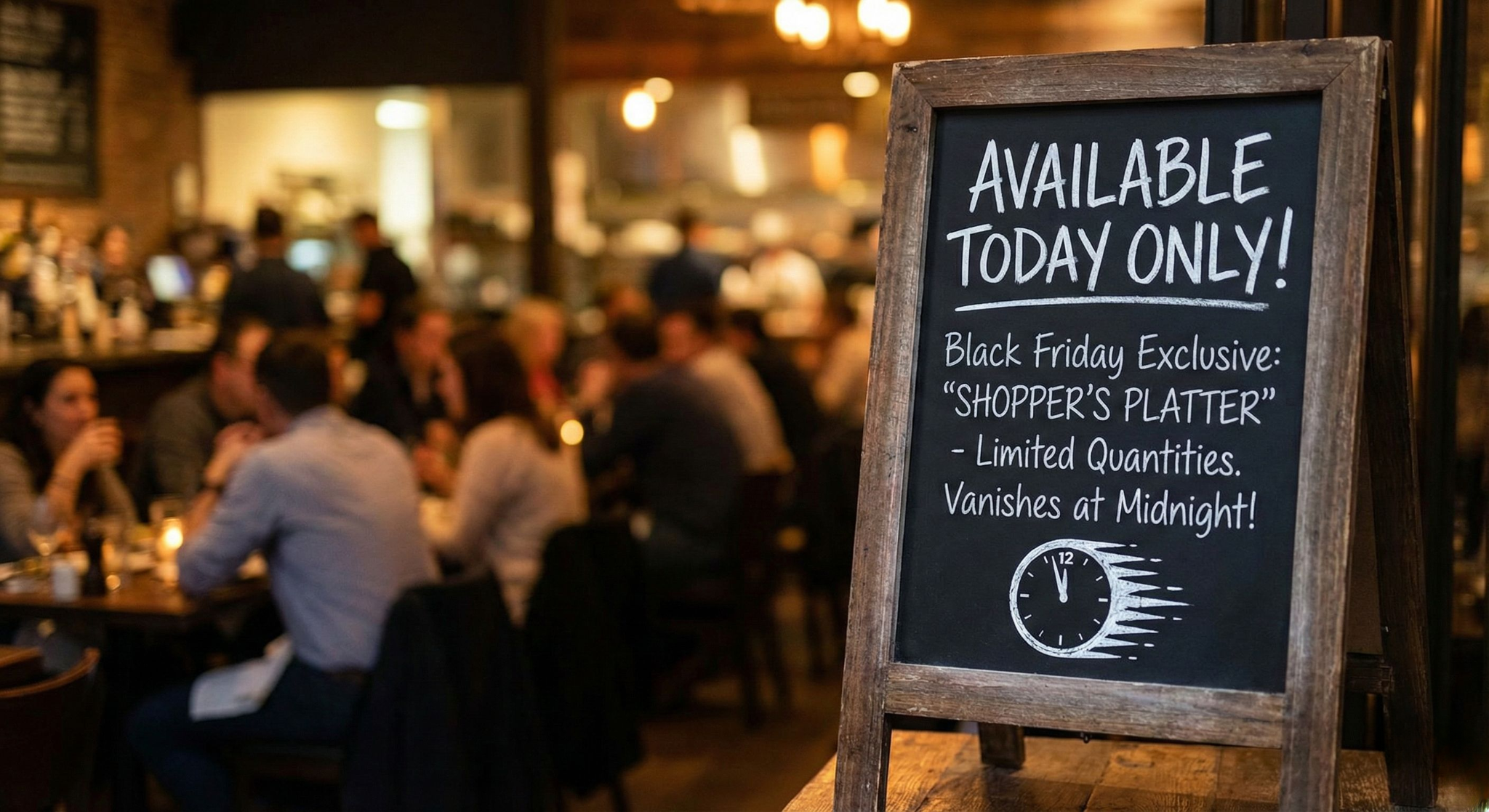
"Available Today Only" is a powerful phrase. Scarcity creates urgency. If a guest knows your exclusive Black Friday "Shopper’s Platter" vanishes at midnight, they are significantly more likely to order it now rather than risk missing out.
3. Mental Accounting
Consumers categorize money differently during the holidays. The "holiday budget" is often seen as separate from "daily expenses." People are already in a spending mindset, meaning they are less price-sensitive if they perceive high value or festivity in the offer.
4. The Anchoring Effect
Diners judge the value of a deal based on the original price (the anchor). A $50 Family Bundle sounds incredible when they know the items individually cost $85. The contrast makes the deal irresistible.
5. Social Proof
Crowds attract crowds. When potential diners see a busy restaurant or a social media feed full of people enjoying a specific Black Friday special, they assume it must be good. This "bandwagon effect" validates their decision to choose you over a competitor.
What Diners Expect from Black Friday Restaurant Deals
Shoppers are sophisticated. They don't just want cheap food; they want specific types of value.
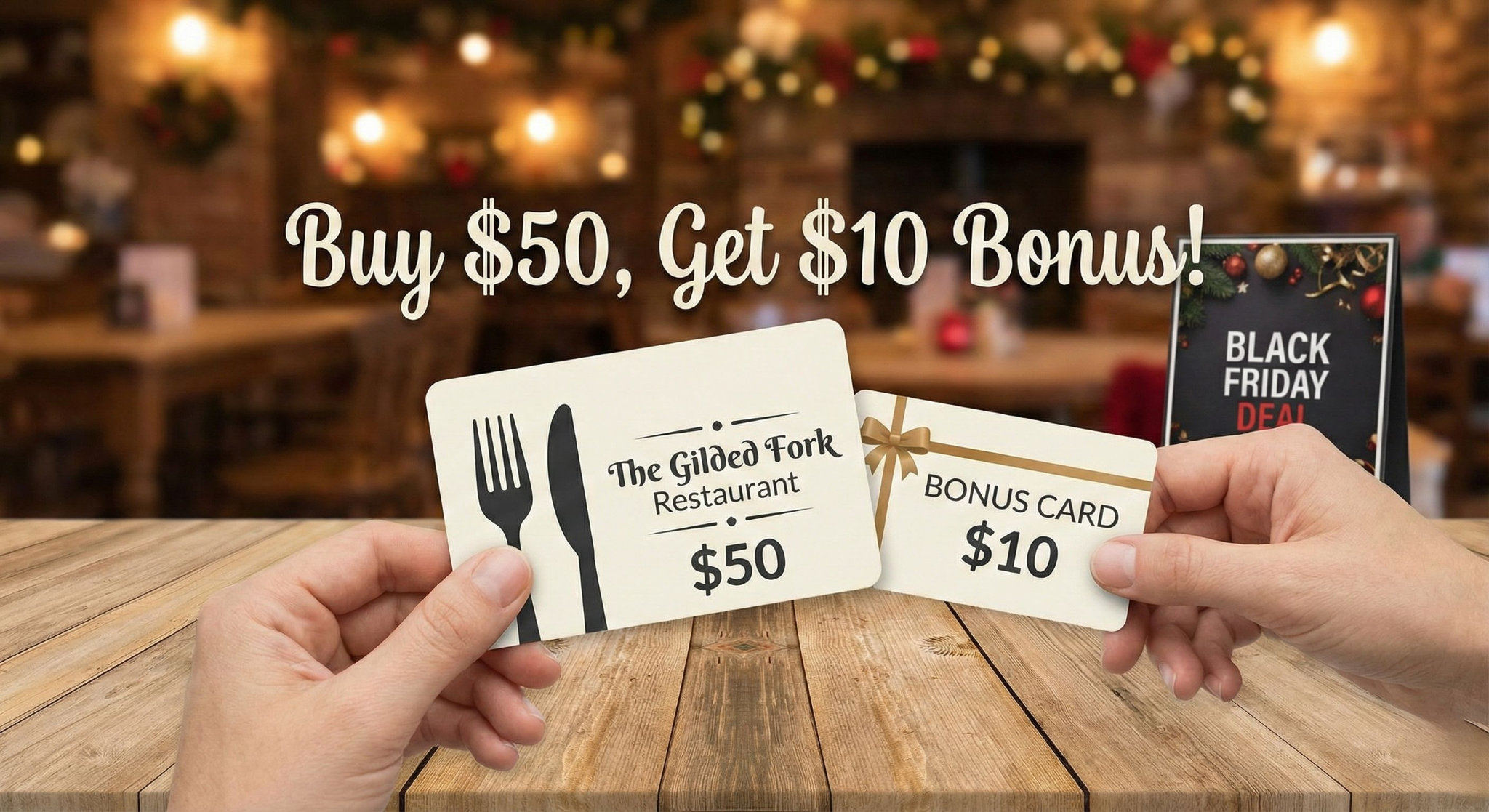
- Gift Card Bonuses: This is the #1 expectation. Diners want to buy a gift for someone else and get a little reward for themselves (e.g., "Buy $50 in Gift Cards, Get a $10 Bonus Card").
- Bundles Over Discounts: Rather than just 20% off, guests prefer "All-Inclusive" bundles—like a meal for two with appetizers and drinks—that eliminate decision fatigue.
- Escape from Retail Stress: They expect convenience. If the mall is chaotic, your restaurant should be an oasis of calm organization. They want fast service, accurate orders, and seamless payments.
How Your POS Can Help Execute Black Friday Deals
Great deals can turn into an operational nightmare if your technology can't keep up. A promotion is only as good as your ability to deliver it. You need a Point of Sale (POS) system that acts as a command center, ensuring the "deal" doesn't destroy your service speed.
Here is how a modern system like OneHubPOS ensures your Black Friday runs smoothly:
1. Effortless Combo & Bundle Creation
Manually calculating bundle prices slows down servers and leads to math errors at the register.
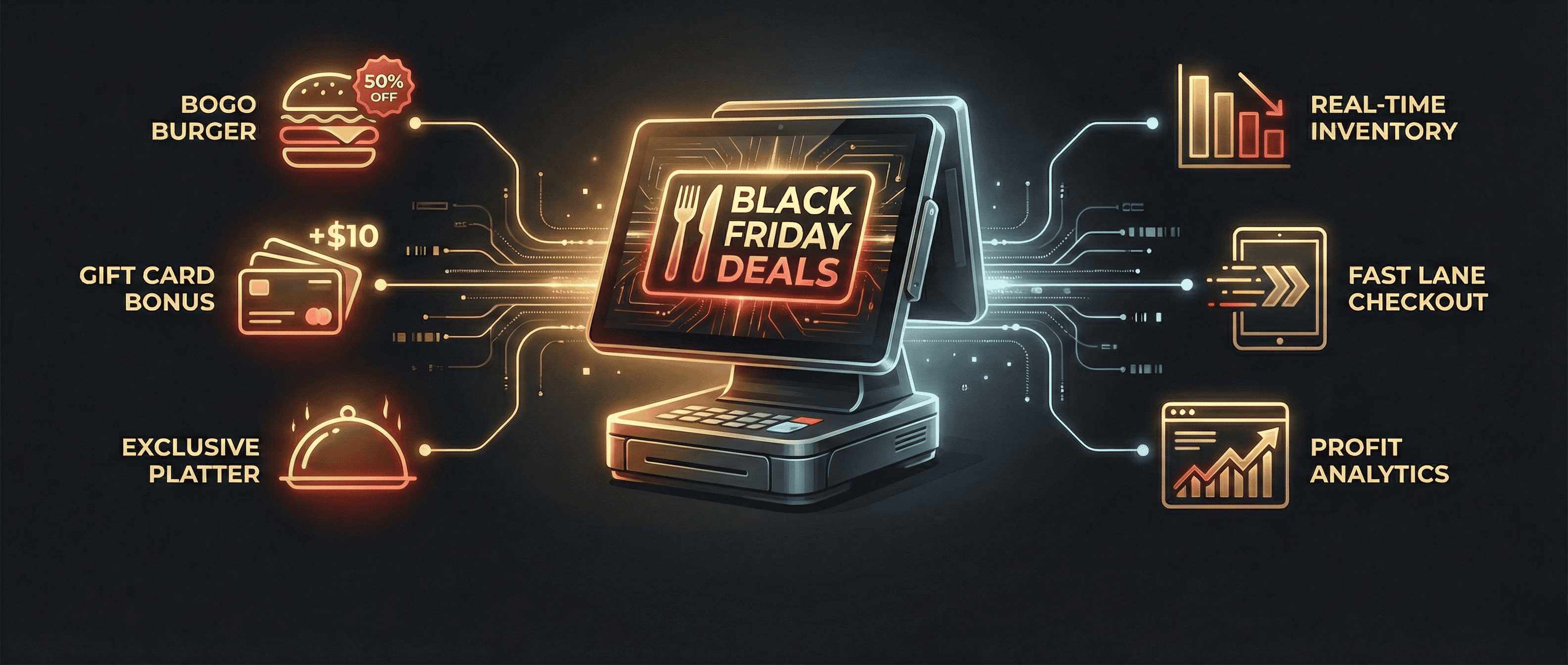
- The Fix: With OneHubPOS, you can build custom "Black Friday Combos" in the backend. When a server selects the bundle, the system automatically modifies the inventory and applies the correct price instantly.

- Example: Create a "Shopper’s Recharge Combo" (Burger + Fries + Shake) that prints as a single ticket to the kitchen but tracks inventory for three separate items.
2. Smart Inventory Management
Nothing kills a deal faster than running out of your best-selling items.
- The Fix: OneHubPOS tracks your inventory in real-time. You can set "low stock" alerts for your high-demand Black Friday items, like a special steak dish. The system will notify you when you are running low, allowing you to reorder before you sell out and miss out on revenue. This ensures your most popular deals are always available for your customers.
3. Seamless Gift Card Integration
Managing physical gift cards, digital codes, and bonus tracking can be messy on paper.
- The Fix: Use your POS to activate and track gift cards instantly. OneHubPOS supports loyalty and rewards integration, making it easy to issue that "$10 Bonus Card" digitally or physically without holding up the line.
4. Speed and Mobility
On Black Friday, table turnover is key. You cannot afford a bottleneck at the checkout counter while hungry shoppers are waiting for tables.
- The Fix: OneHubPOS is cloud-based and hardware-agnostic. You can equip servers with handheld tablets (mPOS) to take orders and process payments tableside. This "bust-the-line" capability gets guests fed and on their way faster, increasing your table turns per hour.
See Also: Cut Wait Times by up to 50% Using Mobile POS (mPOS)
5. Data That Drives Decisions
Was the BOGO deal profitable? Did the Happy Hour extension work?
- The Fix: Instead of guessing, use OneHubPOS analytics. You can view real-time sales data to see exactly which promotions are driving revenue and which are costing you money, allowing you to pivot your strategy for Cyber Monday or the upcoming December rush.

Bonus: Pre-Black Friday POS & Operations Checklist
Before the doors open on Friday, run through this checklist to ensure your system is ready for the rush.
Menu & Deals Setup
- Create "Forced Modifiers": Ensure your POS forces servers to choose options (e.g., "Fries or Salad?") immediately. This prevents servers from having to run back to the table, saving 2-3 minutes per turn.
- Test Your Bundles: Order every Black Friday special on the POS to ensure it prints correctly to the kitchen (e.g., Drinks to the bar printer, Food to the kitchen printer).
Inventory & Stock
- Set "Low Stock" Alerts: Configure alerts for high-volume items (like burger buns or steak cuts) so you are notified before you run out.
- Audit Gift Cards: Ensure you have enough physical gift cards in stock and that your digital gift card link is working on your website.
Hardware & Staffing
- Charge All Handhelds: Ensure all mobile order tablets and card readers are fully charged and updated.
- Test "Offline Mode": Verify that your POS can continue taking payments even if the mall Wi-Fi crashes due to high traffic.
- Create a "Fast Lane" Layout: If you expect a line, set up a specific terminal or kiosk dedicated solely to "Express/Takeout" orders to keep the dining room guests relaxed.
Is Your Current POS Holding You Back?
Black Friday is the ultimate stress test for any restaurant. If you found your operations struggling to keep up with the rush this year—whether it was slow processing speeds, inventory errors, or inflexible bundle options—it’s a clear sign that you’ve outgrown your current system.
Don’t let legacy technology bottle-neck your growth another year.
Start planning for a more profitable future today. Upgrade to OneHubPOS and ensure that next year’s holiday season is your smoothest and most profitable one yet.
Book a Free Demo to See What OneHubPOS Can Do For Your Business.