

Blog and Articles

The "No Tax on Tips" Rule: How The One Big Beautiful Act Changes Your 2026 W-2 Reporting for Restaurants and Retail Stores

.png)
.webp)

5 min read
Is your convenience store really convenient if your checkout crashes every time the internet hiccups?
A frozen checkout line can ruin your day—and your customer’s. You run a store built on speed. A dead payment terminal is the last thing you need.
- No Wi-Fi? No card swipes.
- No network? No QR codes.
- No connection? Your POS is practically useless.
That’s why having an offline POS system isn’t optional—it’s essential. It keeps sales moving, customers happy, and your store running, no matter what’s happening with your internet.
This blog explores what an offline POS system does for your convenience store and what the benefits are. Let's get into it.
What Convenience Really Means in Convenience Stores

A gallon of milk before breakfast? Late-night snack run? Emergency batteries when the power goes out? You have it all. Convenience – it’s right there in the name.
Your whole business revolves around making things easy and quick for the customer. You’re the pit stop where people know they can quickly grab what they need and keep moving.
That’s your edge. That’s what your customers love about you.
So, speed is much more than just your biggest selling point. It’s your reputation. It's your promise. But lose that speed, even for a few minutes, that promise of convenience goes out the window. Let it happen often enough, and you lose that reputation.
Even the slightest delay at checkout can have a ripple effect.
- Lines grow longer.
- Tempers get shorter.
- That ‘quick stop’ feeling vanishes.
- Fierce competition. There’s probably another store, gas station, or small shop just down the road. One bad checkout experience = folks go elsewhere
So, when your retail POS system works smoothly, you’re fast, frictionless, and convenient every time.
Why C-Stores Can’t Rely on Connectivity Alone

You probably don’t think much about your internet, until it goes down at the worst moment. What if that moment is when you’ve got a line out the door?
Open All Hours? So Are Tech Glitches.

Is your c-store open 24/7 or at least well into late hours? If yes, suppose you're running a late-night shift. What would you do when your POS goes down and there’s no IT help at that hour? Your cashier would be stuck apologising while customers get annoyed. Manual workarounds? Nobody wants to write orders on paper at midnight.
Tricky Locations = Patchy Internet

Maybe you run a roadside store on the edge of town. A patchy signal is part of daily life. A lot of stores sit in places where getting a stable connection is tough:
- Gas stations on rural highways
- Roadside stops where signals are spotty
- Store basements below street level
- Busy urban corners like corner gas stations or older buildings with thick walls, or maybe overloaded networks
One hiccup and you’re stuck.
Multiple Counters, More Risk

Your store may have multiple registers, self-checkouts, tobacco counters, or lottery stations. Each checkout point needs to run independently. If one goes down because of an outage, that small bottleneck quickly turns into a line that tests everyone’s patience.
Why an Offline POS System Matters for Your Convenience Store
You’ve probably put real effort and money into making your store run smoothly. You’ve got:
- Reliable barcode scanners for fast scans and hence quick checkouts
- Well-trained cashiers who know how to handle rush hours
- Neatly organised counters to keep lines flowing
- Even smartly placed impulse buys and high-margin items around your checkout to boost last-minute sales
All of that is great. But it can’t save you when your internet connection drops dead.
Think about it: if your network fails, it doesn’t matter how fast your scanner is. Your staff can’t process payments, your line keeps growing, and the frustration spreads.

That's when an offline POS system makes sure your efforts don’t get knocked offline when your internet does. You can keep working without the internet:
- You can still ring up sales.
- You can weigh items with the POS scale.
- You can take payments.
- You can print physical receipts or create POS receipts for customers.
Furthermore, the POS stores your transaction data locally. All the sales data, customer info, or payment details are saved securely on the device (tablet, terminal, or server) instead of being sent immediately to the cloud.
When internet is restored, the cloud-based POS “syncs”:
- Once the internet returns, all locally stored data syncs seamlessly to your cloud dashboard.
- This updates your sales reports, inventory, and any other records.
- Any contactless payments that were stored securely get processed with your payment processor.

So, a good offline POS mode works quietly behind the scenes:
- Staff can take orders.
- Customers can still swipe or tap their cards.
- Items keep scanning like nothing happened.
- Transactions are recorded and safely stored.
- Once the connection comes back, everything syncs up automatically.
No lost sales. No angry customers. No staff struggling to figure out handwritten receipts.
6 Key Benefits of Offline POS Mode for Convenience Stores
Here’s what an offline POS system really does for you:
Keeps Lines Moving During Peak Hours

Morning rush for breakfast and coffee? Afternoon snack runs? Friday nights when people stop in for drinks and last-minute party stuff?
These busy times are exactly when you cannot afford an outage. Offline mode makes sure that even if your connection cuts out, your lines don’t freeze up.
Customers won’t even notice something went wrong. They’re in, out, and on their way. Just how they like it!
Prevents Lost Sales

When your system’s down, customers might stick around for a few minutes. But most people don’t have that kind of patience. They’ll abandon their basket, walk out, and you lose that sale.
But an offline POS system keeps the money coming in, no matter what your internet is doing.
Protects Customer Trust

Convenience store loyalty is built on trust.
When customers know they can rely on you for a quick stop every time, they’ll keep coming back.
One bad experience at checkout? People remember. But an offline POS system helps you avoid being “that store” with constant “system down” excuses.
Staff Stays Calm and Productive

When the POS freezes, your staff feels the heat immediately. They have to break the bad news to customers. They scramble for manual workarounds. That kind of stress? Unnecessary and avoidable.
But with offline mode, your cashiers can keep working like normal. No panic, no long lines, no awkward apologies.
Happy staff = happy customers.
Secures Your Sales Data

Worried about losing all those offline transactions? The offline mode of the best retail POS system automatically saves everything locally.
When your internet’s back, the system updates your records without an issue. Consequently, your POS reports stay clean and accurate. So, you don’t have to spend hours fixing mistakes later.
Gives You a Real Competitive Edge

Here’s a detail you might not have thought about:
If your store keeps running smoothly during an outage, but the gas station down the road has folks stuck waiting and wasted their time, who do you think those customers will choose next time?
Your store!
People notice who handles hiccups with no chaos. They’ll reward you with repeat visits. After all, you made their day just a little bit easier.
Some Key Questions to Ask a POS Provider About Offline Mode
Once you've decided to go for an offline mode POS, you must ask the following questions from potential POS providers so that you get a system that works as per your needs:
- Does your POS support true offline mode for both cash and card transactions?
- Can staff scan items, take payments, and print receipts in offline mode?
- Is transaction data stored locally on each terminal?
- Do individual registers work independently without a shared server?
- Will registers sync automatically once the connection is restored?
- Is offline functionality included in the standard plan or an upgrade?
- Does offline mode require any additional hardware or storage?
- Do you offer staff training for handling offline scenarios?
OneHubPOS: The “Always On” Checkout You Can Count On
At the end of the day, you know what makes a convenience store truly convenient:
- Speed: Customers want to get what they need, fast.
- Reliability: They trust that you’ll always be ready to serve them, day or night.
- Smooth checkouts: The last thing anyone wants is a checkout line frozen by a Wi-Fi issue.
Your POS keeps track of everything from daily sales to staff shifts and inventory. But none of that matters if your system comes to a halt the moment your Wi-Fi drops. OneHubPOS is built with the unique realities of convenience stores in mind: the odd hours, the patchy spots, the busy weekends.
Don’t let your POS system be your weakest link. Book a demo of OneHubPOS today to see how this offline POS system keeps your sales undisturbed and your customers smiling, even when your Wi-Fi has other plans.


5 min read
Opening your first restaurant? That’s exciting. It can also feel overwhelming. Alongside perfecting your menu and designing the space, you’ve got restaurant compliance to deal with.
If you miss just one permit, inspection, or filing, you could face fines or delays — or worse, a forced closure. But don’t worry. We’re breaking restaurant compliance intricacies down for you. Let’s dive in.

Business License/Registration
Start by deciding your business structure:
- LLC
- partnership
- corporation
- sole proprietorship
Most restaurants don’t need to register federally to form a business. But if you’re starting a restaurant as a corporation, filing for tax-exempt status, or trademarking your restaurant name, register with the IRS or USPTO.

If you formed an LLC or corporation, you must report Beneficial Ownership Info (BOI) to FinCEN via fincen.gov/boi.
Then, register in the state where you conduct business through the Secretary of State. You'll need:
- Business name and address
- Ownership/management info
- Registered agent (required for LLCs, corps, partnerships)
- Type of structure
- Number/value of shares (for corporations)
Common documents:
- LLC: Articles of Organization + Operating Agreement
- Corporation: Articles of Incorporation + Bylaws
- Partnerships: Certificate + Partnership Agreement
Foreign qualification is needed if operating in multiple states. You’ll file a Certificate of Authority and may need a Certificate of Good Standing from your home state.
Some cities/counties require local licenses or DBA registration if using a trade name. Check with your local government.
Federal EIN (Employer Identification Number)

This is like a Social Security number for your restaurant. You can’t run payroll legally without it. You’ll need it to:
- Hire employees
- File business taxes
- Open a bank account
To get it, go to the IRS website, click “Apply for an EIN,” and follow the prompts. It’s free!
Sales Tax Permit/Seller’s Permit

Every state (except a few like Alaska, Delaware, Montana, New Hampshire, and Oregon) requires you to collect sales tax on food and drinks. To do that legally, you need a Sales Tax Permit, also called a Seller’s Permit in some states.
How to get it? Search “[Your State] Sales Tax Permit registration.” You’ll fill out a form online, list your products, and receive a certificate. Some states offer same-day digital approval.
Food Service/Health Permit

Before starting your QSR, you need approval from your County or City Health Department. That means passing inspections, submitting your menu and layout, and proving you're following all health and safety regulations in a restaurant. This includes checks on:
- Equipment setup
- Ventilation
- Food storage
- HACCP plan (Hazard Analysis Critical Control Point)
To get it, visit your local Health Department site and look for “Food Establishment Permit.” You’ll likely need to:
- Submit floor plans
- Provide your menu
- Pass an inspection
Allow 2–4 weeks minimum.
Food Handler Certifications

All team members who handle food — from chefs to servers — must be certified. Uncertified staff can’t work with food. So, they’ll need food safety training. Failure to comply can result in fines.
- Common certification: ServSafe (offered nationwide)
- Deadline: Within 30 days of hire
Go to servsafe.com. Courses cost around $15–$25. Your staff can often complete these courses online in a couple hours.
Building Permits & Inspections
Doing any renovations? Installing new plumbing, HVAC, or a fire suppression system? You need a building permit.
Talk to your city’s Building Department before any work starts. Your contractor will likely pull the permit. But you’re responsible for making sure they do.
Zoning Approval
Some neighborhoods limit what kind of business you can operate or if you can serve alcohol outside.
You need zoning approval for food service, outdoor seating, and liquor sales. Otherwise, you could be barred from opening, fined, or forced to relocate.
Check your local zoning maps and contact your city’s Planning or Zoning Department. They’ll tell you if your site is restaurant-approved or if you need to apply for a zoning variance or hearing.
Fire Department Permit & Inspection
Before opening and often annually after, your local fire marshal will inspect your space for fire safety restaurant compliance.
What they’ll check:
- Fire extinguishers (up-to-date and correctly placed)
- Fire suppression system in hoods
- Sprinklers and alarms
- Occupancy signs and exit routes
What happens if you skip it? You may be shut down. In case of a fire, you could face criminal charges for negligence.
Contact your local Fire Department and schedule a pre-opening inspection. They’ll let you know what’s missing and when to fix it.
Sign Permit
Planning to hang a sign above your entrance? You’ll need to apply for a Sign Permit through your Planning or Zoning Department. Towns have strict rules about size, brightness, and placement.
How to get it? Submit design specs, dimensions, and possibly a rendering of the sign placement. You may also need landlord approval if you’re renting.
Sidewalk/Curb Café or Patio Permit
Want to serve lattes on the sidewalk or host a brunch on the patio? You need a permit for that too. It ensures pedestrian safety, accessibility, and proper use of public space.
Apply through your city’s Zoning or Public Works Department. You’ll usually need:
- A floor plan
- Proof of insurance
- ADA accessibility confirmation
Entertainment/Music License

Want to play music in your restaurant? Whether through speakers, TV, radio, or live performers, you need a public performance license from U.S. performing rights organizations like:
- ASCAP
- BMI
- SESAC
- GMR
Each PRO represents different songwriters. So, most restaurants need licenses from multiple organizations to cover a full playlist.
Hosting live music or DJs? You’ll need a separate license for that too, even if the music is a cover.
Note: Personal streaming services such as Spotify or Apple Music are not legally permitted for business use under copyright law.
State Liquor License

Selling alcohol, even just beer or wine, requires a State Liquor License, issued by your State Alcoholic Beverage Control (ABC) Board. The process is usually lengthy and detailed.
Here’s what you’ll need to submit:
- A detailed floor plan
- Zoning clearance
- Background checks
- Fingerprinting
- Application fees
- Community or public notice (some areas require public hearings)
What happens if you skip it? Serious legal consequences. You could face misdemeanor charges, fines over $1,000, or even jail time. Plus, you risk permanent revocation of any future alcohol rights.
Visit your state’s ABC Board website. Be patient; the process may take anywhere from 2 to 12 months depending on your location and license type. Fees also vary wildly: from $300 to over $250,000 in some cities.
Specialized Requirements
This part depends on how you operate, but don’t skip it just because it sounds “extra.”
FDA Food Facility Registration
Only required if you manufacture, process, pack, or store food for retail sale beyond your premises. So if you’re bottling your hot sauce or selling branded packaged cookies—this applies to you.
Go to the FDA’s Food Facility Registration page. The form is online and free. Renewal is required every two years.
Employment Compliance
Hiring staff? Of course you are. Then you need to be compliant with:
- Form I‑9 to verify employee identity & eligibility to work
- FLSA rules (Fair Labor Standards Act) for minimum wage, overtime, breaks and working hours, and workers’ Compensation Insurance (mandatory in most states)
How to get it:
- Download Form I‑9 from uscis.gov
- Contact your state labor department for wage law guidance
- Purchase workers’ comp through a licensed insurance provider or state-administered fund
Ongoing Compliance & Renewals
Once you’re open, the restaurant compliance journey doesn’t stop.
Renewals & Inspections
Most licenses and permits like health, liquor, building, and signage need to be renewed annually or every few years. Some require scheduled or surprise inspections, especially health and fire.
Record-Keeping
You’re also expected to keep proper documentation on file, such as:
- Health inspection results
- Food temperature logs
- Staff training records
- Alcohol sales and incident logs
- Equipment safety checklists
Set up a secure digital filing system. You can use Google Drive, Dropbox, or an advanced restaurant POS system.
Business Insurance
Most insurers won’t give you coverage unless you’ve already received your:
- Health Permit
- Liquor License (if applicable)
- Certificate of Occupancy
- Fire Department Inspection clearance
Essential coverage includes:
- General Liability for slips, trips, burns, etc.
- Workers’ Compensation for staff injuries
- Liquor Liability if you’re serving alcohol
- Business Interruption for fire, flood, or forced closures
Talk to an insurance broker who specializes in food businesses. Ask about coverage bundles for restaurants and verify state minimums for workers’ comp.
The 2025 Restaurant Compliance Checklist
Business Setup
Tax & Legal IDs
Food & Health Compliance
Construction & Facility Approvals
Location Approvals
Fire Safety
Signage & Outdoor Space
Music & Entertainment
Alcohol Sales (if applicable)
Packaging & Distribution (if applicable)
Employment Compliance
Ongoing Restaurant Compliance
Recordkeeping
Insurance Coverage
OneHubPOS Makes Restaurant Compliance Easier
Running a restaurant is hard. Managing restaurant compliance? Even harder.
But OneHubPOS doesn't just help you take orders or process payments; this all-in-one POS solution also helps you stay compliant:
- Employee Management: Track food handler certifications and renewal deadlines
- Digital Filing: Upload permits, licenses, and inspection logs for easy access
- Daily Operations: Automate checklists for opening/closing duties and health safety
- Sales Reports: Organized for easy tax filing and audits
Let OneHubPOS manage the operational complexity so you can focus on your food, your team, and your guests. Book a demo today and see how simple restaurant compliance can really be with OneHubPOS by your side.


5 min read
Your customer is standing at the counter, wallet in hand, ready to pay. The hardest part is over—they’ve already said yes.
But what happens next in those 30 seconds can bump up your sales, get customers to grab one more thing, and walk out thinking, “Glad I got that too” if you play it smart with POS marketing.
Why? Because the intent to buy is already there.
POS marketing refers to promotional tactics used right at the place where the purchase is made. Be it a checkout counter, a self-service kiosk, or even a mobile device.
In this blog, you’ll learn strategic and actionable POS marketing tactics to turn checkouts into growth engines. Let's get into it.
What Is POS Marketing?

POS marketing is how you market to a customer at the moment they’re about to pay. Traditionally, it was the impulse rack at the cashier desk having magazines, gum, and small toys. But today, it’s evolved.
Modern POS marketing includes digital checkout displays, mobile POS, and integrated billing software that track what customers buy and offer add-ons accordingly.
In short, modern POS marketing is part merchandising, part technology, and part psychology.
The magic lies in timing. When a person decides to make a purchase, they’re more open to spending a little more if the value feels right.
Behavioral Psychology Behind POS Marketing
Your customer has reached the checkout. The mind is already tired. Why? That's decision fatigue. By this time, they've made dozens of small choices. Consequently, their mental energy is low. They’re more likely to say yes to small, low-risk add-ons.
This is also when emotional triggers work best. Words like “limited,” “exclusive,” “reward,” and “you’ve earned it” hit differently when the wallet is already open.
This is why impulse buys at POS succeed. They’re framed as effortless and rewarding. Because the dollar value is low, the perceived risk feels minimal.
6 Key Strategies for POS Marketing
For powerful POS marketing, use intent-driven strategies rooted in buyer behavior, tech tools, and smart design. Here's how:
Product Placement Tactics That Work

Think placing gum and candy at the counter is enough? Think again.
The most effective POS product placement is intentional. You must know your buyer personas and curate impulse options accordingly. For example:
- At an upscale apparel store, a bowl of hair ties won’t cut it. But a mini perfume spray or an organic cotton wallet might.
- In a pet store, treats by the checkout are great. But segment them by pet type: dog treats here, catnip there.
Here’s how to up your placement game:
- Bundle smartly: Put AA batteries near gaming consoles. Place a trial-size moisturizer next to the checkout screen in a beauty store. Create “essentials kits” like charger + screen guard combos in electronics.
- Think vertically: Use shelving at eye level. That’s where your high-margin or bestselling add-ons should go. Reserve lower shelves for kids’ items, like candy, comics, and small toys, while higher-up ones can host pricier impulse buys.
- Don’t clutter: POS zones should feel curated, not chaotic. A clean, clearly segmented display wins attention and conversions.
Use Digital POS Systems for Smart Promotions

Your POS system can be so much more than a glorified cash register. Today’s digital retail POS systems gather valuable data. With these POS reports, you can trigger hyper-targeted upsells.
Let’s say your customer is buying a yoga mat. With a smart POS setup, your system can pop up:
“Want 20% off on yoga blocks today?”
Here’s what to unlock through digital POS:
- Tailored prompts: POS software can show “Customers also buy…” messages based on cart contents.
- Time-bound offers: Set rules like “Offer X only appears after 6 PM” or “Flash deal only today.” Customers love an exclusive deal, especially if it’s ticking down.
- Loyalty integration: Link with your rewards/loyalty program. When a customer’s phone number is entered, prompt: “Add 2 more items to earn a freebie!” Or let the cashier say, “You’ve got $10 in loyalty points. Want to use them?”
That’s POS marketing that increases sales while building trust.
Train Your Staff for Strategic POS Engagement

Have the best tech and setup? Great. But having well-trained staff is equally crucial to driving sales. For example, a well-trained cashier or sales associate can subtly drive upsells without ever sounding pushy.
- Confidence over scripts: Teach staff to suggest add-ons naturally. Instead of “Do you want anything else?”, try “This serum goes really well with your shampoo. Want to try a sample-sized one?”
- Use storytelling: Humans respond to stories, not stats. Try lines like: “This mug set just came in this week. Sold out in two days last time!”
- Read the room: Not every customer is open to suggestions. If someone looks flustered or in a rush, skip the upsell. Instead, focus on a smooth checkout experience. That alone builds loyalty.
- Reinforce success: Provide staff with reward systems like spot bonuses for upsell conversions or a leaderboard. It keeps morale high and the team aligned with your POS goals.
- Make them POS pros: Train your staff to actually use the POS system well. They must know where offers pop up, how to apply discounts, or suggest bundles. It makes upselling smoother and keeps checkout fast, so customers stay happy… and spend more.
Train your team like they’re brand storytellers, not just order takers.
POS Signage: Design with Intent

You’ve got just a few seconds to catch a customer’s eye at checkout. This is where POS signage becomes powerful. But does a faded paper that says “Offer of the Day” work? Well, no!
So, here’s how to do it right:
- Use contrast and color psychology: Bright colors can trigger urgency and attract attention. But keep it on-brand. Don't look like a discount store if you’re a premium boutique.
- Copy that converts: Action words work. Say: ‘Grab it before it’s gone.’ Don’t say: ‘Limited-time offer.’
- Make value obvious: Don’t just say “10% off.” Say: “Save $50 today. No minimum purchase.” Specificity increases perceived value.
- Show proof: Use mini-testimonials, ratings, or reviews, like “Rated 4.9/5 by 800+ buyers!” Trust builds conversions.
- Use digital signage if budget allows: Small rotating screens or tablets near checkout can rotate offers, run countdown timers, or show short videos. Perfect for capturing attention during wait time.
The goal: grab attention, spark desire, and offer clarity. All in just a moment’s glance.
Mobile POS & Line-Busting for Faster Transactions

Long lines don’t just frustrate customers. They hurt sales. The longer someone waits, the more likely they are to abandon small purchases or skip impulse items.
But Mobile POS systems can help. Here's how:
- “Line-busting” during peak hours: Staff with handheld devices can approach waiting customers, scan items, and close the sale.
- Upsell on the go: While scanning, the staff can suggest relevant add-ons. “Need a screen protector with that phone case?” Feels conversational, not forced.
Improved experience = repeat visits. Especially in high-traffic environments like salons, bookstores, or apparel stores, mobile POS helps maintain an upbeat energy and ensures a frictionless flow.
Time-Limited POS Promotions & Scarcity Triggers

Want to tap into human urgency? Nothing works like a ticking clock. So, here’s how to build scarcity-based triggers into your POS strategy:
- Flash deals: “Get this mug at $10 today only.” Add a time-limit sticker or verbal cue like, “This ends in 2 hours.”
- Limited stock tags: “Only 3 left!” or “Last piece.” This taps into FOMO and nudges a fast decision.
- Auto-expiring offers: Using the insights from your POS reports, run seasonal promotions that automatically end as the festival ends. Your system does the work—no manual changes required.
- Pair with loyalty offers: “Get this tote free if you redeem points now. Today only.” Now you’re creating urgency and encouraging engagement with your broader brand ecosystem.
Scarcity works when it’s authentic. Use it to enhance, not manipulate, the buyer’s decision.
From Just “Pay Now” to “Buy More” With OneHubPOS
Checkout is where payments happen. But use it wisely, and it turns into a golden window of opportunity. With the right POS marketing strategy, you can:
- Increase average order value
- Build customer loyalty
- Use data to sell smarter
- Create a better customer experience
The best part? You don't have to be pushy. You have to add value—offering the right products, at the right time.
So here’s a challenge: Pick one tactic and test it within 7 days. Maybe it’s training your staff to upsell with storytelling. Or setting up a countdown timer on one product. Or designing a high-converting mini signboard.
Whatever it is, track the results.
Want a system that can pull all this together perfectly? Book a demo with OneHubPOS and turn “just checking out” into “coming back again.”


5 min read
Setting up a kitchen for your restaurant is exciting, chaotic, and expensive. You're picking out appliances, hiring chefs, building a menu. But in all that action, one key question often keeps on nudging your mind:
Will this kitchen actually help me turn a profit? Is the restaurant business even profitable?
Profit isn’t something that magically shows up once the crowd does. A busy kitchen can still be a loss-making one. But in a profitable kitchen, every action, every dish, and every minute is part of a bigger plan.
In this blog, we’ll break down the traits that profitable kitchens share, regardless of cuisine or size, and how you can implement profitable food business ideas for your own setup, right from the beginning. Let’s get into it.
What Does Having a Profitable Kitchen Really Mean?
So, are restaurants profitable? Well, profitability in a restaurant kitchen goes far beyond just earning more than you spend. Your kitchen must also work efficiently, minimize loss, and grow with your business.
Here’s what that really looks like:
- You manage time efficiently, not just ingredients.
- You retain staff, not just hire them.
- You build loyalty, not just serve meals.
- You scale operations, not just manage chaos.
- You stay ready, not just reactive.
In a profitable kitchen, every plate contributes to your business goals.
7 Things Every Profitable Kitchen Has in Common (and How to Build Them)
You've to build profit into the kitchen from day one through systems, speed, and smart decisions. Here's how:
Process-Driven Operations

In profitable kitchens, people don’t guess. They follow systems. Recipes are followed. Tasks are documented. Shifts are handed over with structure.
Here’s how to make your kitchen operations truly process-driven:
- Train new team members using digital modules or manuals they can revisit anytime.
- Install Kitchen Display Systems (KDS) to visualize the order queue and reduce verbal confusion.
- Create Standard Operating Procedures (SOPs) for everything: prepping, cleaning, restocking, even closing. Document and share SOPs using tools like Google Workspace or Notion
Here's an example for shift handover SOP:
Shift Handover SOP
Purpose: To ensure smooth transitions between shifts.
Steps:
- Brief incoming team on current stock, any low items, or urgent issues.
- Pass on any pending customer complaints or special instructions.
- Update prep list or pending orders if applicable.
- Log shift summary in the handover tracker.
- Both outgoing and incoming staff sign off.
Smart Inventory Control

You don’t make money just by selling food. You also make money by not wasting it. That means controlling how ingredients are stocked, used, and even thrown out.
How to do it:
- Monitor ingredient usage in real time—don’t wait until stock runs out.
- Set minimum and maximum thresholds to avoid overordering or running out mid-service.
- Run weekly audits without halting operations.
A smart inventory module like OneHubPOS lets you:
- Sync stock in real time
- Use barcode scanning for easy stock-in/out
- Track wastage and consumption patterns
Data-Led Decision Making

If you want your restaurant to be consistently profitable, you need to be looking at real numbers. Every single day.
Profitable kitchens use data to make smarter decisions about staffing, menu pricing, ingredient sourcing, and even service hours. Therefore:
- Track daily sales trends, including peak hours and slow periods.
- This tells you exactly when your kitchen’s busy and when it's quiet. Consequently, you can prep better, avoid last-minute chaos, and maybe even run happy hours when it's slow.
- Track your average ticket size to understand customer spending behavior.
- This gives you a reality check: are people just ordering fries and water or going all in with combos? You can then plan upsells and improve revenue without adding more footfall.
- Identify your highest and lowest-margin dishes.
- This shows which dishes are money-makers and which ones are secretly cutting your profits. So, you can highlight the winners and either tweak or ditch the ones dragging you down.
- Leverage data to optimize staffing.
- This saves you from paying three people to fold napkins during slow time and scrambling for help during dinner rush. Basically, you can manage your labor cost and keep your team stress-free.
Advanced analytics dashboards in your restaurant POS can give you powerful insights. For example:
- Sales by item/category
- Profit margins per dish
- Hourly order volume
- Best-selling vs. Lowest selling items
- Staff performance metrics
Menu Engineering & Optimization

Profitable kitchens don’t treat their menu like a food diary. They treat it like a business tool. So:
- Not every dish should be on your menu.
- Not every dish should cost what it does.
Menu engineering is the art of guiding your customer toward the most profitable items, without them even realizing it. Here's how to implement it:
- Calculate the food cost percentage for every item: how much it costs you vs. how much you charge.
- Mark up high-margin items and promote them using chef’s picks, popular tags, or combo deals.
- Rotate or remove low-performing items that clog up your kitchen without selling well.
- A/B test seasonal QSR menus or promotions to see what your audience prefers.
For example:
- Your jackfruit taco costs $2.40 to make, and you sell it for $9. Great margins!
- Mark it as “Chef’s Favorite” and bundle it in a lunch combo.
- Meanwhile, your vegan chili isn’t selling and takes too long to prep. Rotate it out.
- Try A/B testing two seasonal specials: a tofu bánh mì vs. lentil burger, and see which one flies off the menu faster.
Modern digital menus via menu management capabilities can:
- Update menu pricing instantly across all devices and hence allowing dynamic pricing
- Highlight upsell opportunities with visuals
- Let you tweak descriptions, combos, or positioning based on performance
When you take control of your menu, you serve food as well as guide choices. Because profitable choices lead to a profitable business.
Smooth Communication Between FOH & BOH

Broken communication between the front-of-house (FOH) and back-of-house (BOH) is a bottleneck in most kitchens. When waitstaff and chefs aren’t on the same page, mistakes happen. Orders get delayed, mixed up, or missed. And that’s money walking out the door.
But what if you replace handwritten order tickets with a KDS integration? Consequently, your FOH and BOH teams can:
- See real-time order status on the same live order board
- Use color-coded notifications to indicate order status
- Get notified instantly when orders are ready to serve
- Reduce verbal communication errors
- Prioritize orders more effectively
- Speed up turnaround during peak hours
Better communication results in fewer errors, faster service, happier customers.… and yes, more profit!
Scalability & Flexibility

Expanding to cloud kitchens? Adding delivery channels? Opening a second location? Or simply following a QSR trend? Your kitchen must scale seamlessly without buckling under pressure. After all, a profitable kitchen does handle today’s orders but is also built to handle growth.
How to ensure scalability and flexibility:
- Use tools like SmartDraw or KitchenPlanner.net to design your kitchen layout for multi-channel service: dine-in, takeaway, delivery, catering.
- Sync inventory data and manage orders across multiple locations in real time using a cloud-based POS system.
- Build modular prep stations so your team can switch gears quickly when demand shifts. Here's how:
- Set up one station with interchangeable pans for grilling, sautéing, or assembling wraps.
- Use color-coded bins for dine-in, takeaway, and delivery toppings.
- Use sliding shelves to transition from salad prep to dessert plating in minutes.
Staff-Friendly Environment

The kitchen life is intense. But profitable kitchens don’t just demand hustle. They also build a workplace that respects and supports the people behind the line.
Burnt-out teams make more mistakes, leave faster, and take down morale. Happy teams? They’re faster, more accurate, and more loyal.
How to create a staff-friendly environment:
- Establish clear, tech-supported workflows to prevent chaos from becoming the norm. For example, shift management and role-based access tools in your all-in-one POS can help manage staffing dynamically.
- Cross-train staff to handle different roles. It keeps the work interesting and covers absences.
- Offer digital training modules that staff can revisit anytime.
- Create a culture of recognition and feedback through end-of-day routines. For example, you can:
- End each shift with a 5-minute team huddle.
- Shout out one team member who nailed service or speed.
- Ask, “What went well?” and “What could be smoother tomorrow?”
If your staff feel respected, heard, and equipped, they’ll go the extra mile. And that’s the kind of energy that drives profitability from the inside out.
Make Your Kitchen Profitable with OneHubPOS
A kitchen is a living, breathing system that powers your restaurant’s success. And the most profitable kitchens, whether it’s a street-style joint or a fine-dining setup, all have a few things in common:
- They run on systems, not memory.
- They track inventory like hawks.
- They make decisions based on data.
- They engineer menus for profit, not variety.
- They get FOH and BOH working like a dream team.
- They’re flexible enough to grow.
- They treat their team like an asset, not an expense.
With features like real-time inventory tracking, advanced analytics, menu management, kitchen display systems, and built-in staff management, OneHubPOS QSR POS gives you the profit-first foundation every restaurant needs.
Ready to build a kitchen that runs smarter, faster, and profitably? Book a demo of OneHubPOS today and set your restaurant up for long-term success, right from the kitchen.

5 min read
What is dual pricing? Well, ever seen a sign at the checkout that says, “Cash Price: $10 / Card Price: $10.40”? Yes. That’s what it is!
More and more businesses are turning to this model. Why? Because of rising card processing fees. Every time a customer pays with a credit or debit card, your POS system processes the transaction—but each swipe cuts into your margins.
Now, of course, you could just raise your prices. But that would also push away customers who still use cash. In today’s economy, every customer counts.
Here’s where dual pricing comes in. It’s not a brand-new idea, but tech-enabled POS systems are making it easier and more compliant.
So, should you use it in your store? Is it even legal everywhere? What happens if customers push back? Let’s break the query “what is dual pricing” all down.
What Is Dual Pricing?

Dual pricing is exactly what it sounds like. You offer two prices at checkout:
- One for customers who pay with cash
- Another (slightly higher) for those who pay with a card
For example:
- Cash price: $20.00
- Card price: $20.60
That small difference helps you recover the cost of card processing fees. Most importantly, with modern restaurant POS or retail POS systems, this is handled automatically. The software knows how your pricing is set up and applies the correct amount based on the payment method the customer chooses.
Important distinction: dual pricing is not the same as surcharging and cash discounting.

- Surcharging = Adding a percentage on top of your listed price when someone pays with a card. This can feel like a penalty.
- Cash discounting = Listing the card price as the base price and applying a discount if someone pays cash.
- Dual pricing = Listing both prices upfront. No surprises.
You’re simply showing your customers their two options and letting them choose.
Why Do POS Systems Offer Dual Pricing?
Card processing fees are costly. For small businesses, those 2-4% fees can add up fast. Besides recording transactions, small business POS systems today are cost-control tools. With dual pricing, you can:
- Keep margins intact: You don’t have to bear the cost of processing fees every time someone swipes a card.
- Give customers options: Especially those who still prefer using cash.
- Keep pricing competitive: You don’t have to raise prices for everyone, only for card users.
- Reduce friction: Modern systems like OneHubPOS make it smooth and hassle-free.
- Comply with regulations: POS providers now build in tools that help you stay on the right side of state and federal rules.
How Dual Pricing Affects Customers & Businesses
Here’s how dual pricing impacts your daily operations.
Pros for Businesses
- You save on card transaction fees. That’s money you keep.
- You control your margins better without alienating loyal cash buyers.
- Your POS does the work, from showing both prices to applying the right one at checkout.
Pros for Customers
- Transparent pricing. There’s no “surprise” extra fee at the register.
- Choice. Customers can decide based on their own preference or what’s in their wallet.
- Some even appreciate knowing the “true cost” of paying with a contactless method.
Cons or Challenges
- Some customers might push back. “Why am I being charged more for using my card?”
- Solution: Clear signage and simple staff explanations. “We offer a discount for cash payments. It helps us keep prices lower.”
- This could feel like a penalty to card users.
- Solution: Frame it as a reward for cash, not a penalty for card. Language matters.
- Potential confusion.
- Solution: Use a POS that shows both prices clearly on-screen, on receipts, and in signage.
- Legal compliance can vary.
- Solution: Work with a POS provider that understands your state’s laws and helps you stay compliant. OneHubPOS is built with that in mind.
5 Things to Consider Before Choosing Dual Pricing
Now that you understand dual pricing, you might be wondering if it’s the right fit. Let’s walk through a few things to think about before flipping the switch.
Customer Profile
Do your customers tend to pay with cash? If you’re running a business setup in an area where people are used to paying cash, great. But if you’re in a high-income neighborhood where everyone uses Apple Pay or credit cards to order and pay, the model may need tweaking.
Transaction Size
Dual pricing works really well for smaller, repeat purchases. Think snacks, home essentials, convenience items. If you're selling high-ticket items, like electronics or furniture, a $20 price difference might trigger more resistance than a 40-cent one.
POS Support
Not all POS systems can handle dual pricing legally or clearly. Make sure yours can:
- Display both prices upfront
- Show them on receipts
- Apply the right one automatically
- Keep POS reporting clean for accounting
Legal Compliance
Dual pricing is legal in most U.S. states. But states like Connecticut and Massachusetts prohibit it. In states where it’s allowed, you must follow clear disclosure rules:
- Prices must be posted visibly.
- The difference between cash and card pricing should be obvious to customers.
Always check with your state’s attorney general or a compliance expert before implementing, as laws can vary or change over time.
Brand Tone
Ask yourself: “Will my customers see this as smart business or shady business?” If your brand vibe is relaxed, transparent, and community-focused, customers are more likely to trust that you’re just keeping things fair and sustainable.
If You Choose Dual Pricing: How to Introduce It to Your Business
You’ve decided to go for it. Now the question is how do you actually roll it out? Here’s a simple playbook:
Start with Clear In-Store Signage
Put it at the entrance and on every receipt. Keep the wording friendly:
“Paying with cash? You’ll pay less!”
Not:
“We charge more for card payments.”
Big difference in tone!
Train Your Staff
Make sure every team member can explain the model in 1–2 sentences. Just enough to make customers feel informed, not ambushed. For example:
“We use dual pricing so we can avoid raising prices across the board. If you pay with cash, you save a bit.”
Update Your POS System
If your current POS doesn’t support dual pricing out of the box, consider switching to one that does. Before buying the POS system, make sure it:
- Displays both prices clearly
- Applies the correct one automatically
- Keeps you compliant
- Doesn’t require custom workarounds
Pilot Test It
Don’t apply dual pricing across every business location in one go. Try it at one location or with one category of products/services. Then, see how customers respond. Finally, tweak your messaging at every location using a cloud-based POS system as needed.
Communicate Benefits
Focus your messaging on benefits, not fees. Use language like:
- “You can save by paying with cash.”
- “Cash price available.”
- “We're rewarding our cash-paying customers.”
If You Don’t Choose Dual Pricing: What Are Your Alternatives?
But what if dual pricing is not for you? No worries! There are still ways to tackle rising fees.
Absorb the Fees
Stick with a single price for everyone and simply factor card fees into your overall costs. It keeps checkout super simple and friction-free. But the con? You’ll be covering the fee yourself, which can add up over time.
Raise Prices Across the Board
Simple move. But not fair to cash payers. It’s like punishing everyone for the few who use cards.
Loyalty or Rewards Instead
Instead of tweaking prices, offer loyalty points or discounts for behaviors you want to encourage.
Cash payment = extra stamp on their loyalty card or a discount coupon for the next purchase.
This feels more like a bonus than a fine.
Negotiate Lower Processing Rates
If you're doing decent volume, talk to your payment processor. You might be able to lower your fees just by asking. OneHubPOS offers low processing fees of 2.3% + 10 cents. It can save you a ton in the long run.
Consider Cash Discount Programs
When comparing dual pricing vs cash discount, you’ll see that the two models are similar but not identical. With a cash discount, you list the card price as the default and offer a discount for cash. Different mechanisms. But similar goals. Worth exploring if dual pricing feels too direct.
Should You Use It?
POS dual pricing is one of the most transparent, tech-supported, and customer-conscious ways to fight back against rising transaction fees. It helps you stay profitable without punishing everyone equally.
But like any pricing change, it needs to be done thoughtfully.
- Do you know your customer base?
- Do you have a POS system that makes it seamless and compliant?
- Are you prepared to communicate it clearly?
If your answer is yes, then it’s time to implement.
Thinking about trying dual pricing? OneHubPOS makes it super easy, from pricing logic to reporting. It can:
- Automatically applies the right price
- Displays both options on-screen and on receipts
- Keeps you legally compliant
- Gives you tools to explain it clearly to customers
Book a demo today to see how OneHubPOS handles dual pricing and how much you could save just by offering two options at checkout.

5 min read
In hybrid retail, traditional meets tech. Think of it as a blend of:
- In-store walk-ins + online orders
- Cash counters + mobile POS
- Pickup points + self-checkouts
But it only works when all parts of your system are in sync. And unfortunately, manual weighed-product checkouts are usually the weakest link.

You know the scene:
Cashier manually types in the weight.
- Price doesn’t match what the customer saw on the shelf.
- Or worse, somebody forgets to deduct tare weight from that fancy glass jar the customer brought.
The result? Frustration, sometimes arguments, and always wasted time.
Over time, this leads to lost revenue, irritated customers, and unexplained stock shrinkage.
But what if you could link your point-of-sale systems with scale itself? Let’s explore what weigh scale POS integration really means, why it matters in hybrid retail, and how you can start using it.
How Weigh Scale POS Works in a Hybrid Retail Store
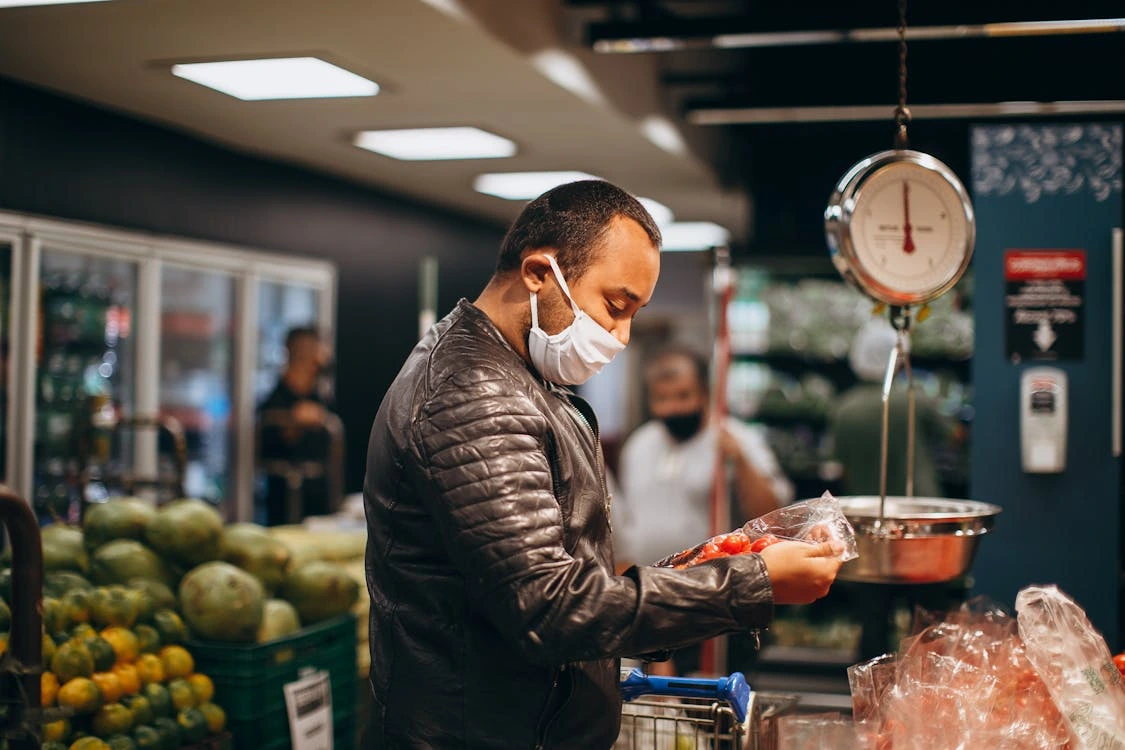
Hybrid retail is fast. Fluid. But honestly, it can be a little chaotic without the right tech holding it together.
You've got:
- Walk-in shoppers
- Online orders with in-store pickup
- Mobile checkouts
- Self-checkout/self-ordering kiosks
That’s a lot of moving parts. And every touchpoint is a chance for something to go wrong, especially with products sold by weight.
This is where weigh scale POS integration comes into the mix. It’s automatic communication between your scale and retail POS system. It eliminates the need for manual entry entirely.
When you connect your point-of-sale systems with scale, everything becomes real-time:
- The second an item is weighed, the system knows the weight.
- It applies the right price.
- Discounts or offers? Automatically factored in.
- Inventory gets updated right then and there.
- And best of all, no double-handling. No typing. No second-guessing. No pricing confusion.
And if you’re using self-ordering kiosks or mobile checkouts? That’s when POS systems with integrated scales become non-negotiable. With this integration:
- The scale weighs it.
- The system recognizes the product and rate.
- Customer taps “Pay.”
- Done.
Because now the system, not a person, is doing all the thinking. That’s the kind of frictionless flow hybrid shoppers expect now.
Benefits of Weigh Scale POS Integration

In traditional setups, weight-based items require:
- A cashier to key in the weight
- Someone to cross-check the price per kilogram or pound
- Or a label printed earlier at another station, which may not match updated pricing.
That’s slow and risky.
You’re also dealing with:
- Pricing disputes: “But the tag said $6 per kg, not $7!”
- Inventory mismatches: If weights are off, so are your stock levels.
- Customer frustration: No one wants to stand around while the cashier recalculates.
But having point-of-sale systems with scale integration is a practical, day-to-day advantage that directly impacts your store’s performance. Here’s what you stand to gain:
Improved Checkout Speed
When the system captures the weight automatically and calculates pricing in real time, you’re slicing seconds off every transaction. Multiply that by dozens or hundreds of weight-based items sold daily, and you make some serious time savings.
Especially helpful during:
- Rush hours
- Weekend crowds
- Flash sales or promos
Faster checkout = shorter lines = more sales
Enhanced Accuracy
Whether it’s a missed decimal or someone keying in 1.5 kg instead of 0.5 kg, mistakes happen. But they don’t have to.
With integration:
- The weight is precise.
- The price logic is applied consistently.
- The chances of disputes? Drastically lower.
Suppose you operate a grocery store equipped with a POS scale. You'll see reduced shrinkage from both grocery theft by customers and employee theft. Over time, it also builds customer trust. People come back to places that feel fair.
Better Inventory Management
Integrated systems update your stock as you sell, based on actual weight. With cloud-based POS capabilities, you can monitor inventory anytime, anywhere—like checking how much rice sold today or why your cheese stock shows zero when the fridge still has blocks in it.
Accurate inventory = smarter reordering = less waste
Regulatory Compliance
All 50 states in the US have adopted NIST Handbook 44, making NTEP‑approved (legal‑for‑trade) scales mandatory for any commercial transactions based on weight, such as at grocery stores, delis, farm stands, and more. This ensures you’re charging fairly and within the law.
The best POS system for retail:
- Keeps digital records and POS reports
- Provides audit trails
- Helps you stay compliant with trade laws and consumer protection standards
This is especially valuable during inspections or customer disputes.
Better Marketing Game
With POS integration, you can set up auto-applied promos based on weight. Like “Buy 2 lbs of grapes, get 10% off” or “Mix & match grains and get the third half off.” No need for staff to remember anything. The system just does it.
Even cooler? You can track what’s selling best by weight and understand seasonal trends based on POS reports telling which item was best-selling. Then, use that data to plan future promotional offers. Maybe chickpeas sell quickly on weekends. Customers don’t want to wait while the cashier manually recalculates pricing.
A POS scale also helps personalize promos for loyalty customers. If a customer purchased 5 lbs of trail mix last month, your system could automatically trigger a custom offer on their next visit
Challenges and Considerations (With Solutions)
A POS scale comes with its own set of bumps. But the good news? They’re easily managed—and the long-term benefits far outweigh the initial challenges.
Cost of Integration
Yes, there’s an upfront cost. Hardware, software licenses, installation. It adds up.
The fix:
Think ROI, not just price. Faster checkouts, fewer pricing errors, better inventory. These all save money daily. For high-volume or hybrid stores, payback often happens in months, not years.
Staff Training
New technology can be intimidating for staff accustomed to manual entry.
The fix:
Choose OneHubPOS, which comes with a simple interface. This modern platform offers:
- Interactive tutorials
- One-click support
- Role-based access (so cashiers only see what they need)
Calibration and Maintenance
Scales need to be accurate. A few grams off can lead to major pricing issues over time.
The fix:
Use digital scales with:
- Auto-calibration alerts
- Scheduled maintenance reminders
- Legal-for-trade certification
Also, set up a regular check-in routine, monthly or bi-weekly, depending on volume.
Data Security
When tech systems talk to each other, data flows constantly. You don’t want that flow intercepted or misused.
The fix:
- Pick a POS with encrypted data transfer.
- Ensure your provider is PCI DSS compliant for card security.
- For global operations, look for GDPR readiness too.
Extra point if your POS vendor pushes regular security updates without interrupting operations.
Compatibility Issues
Some POS systems just don’t play well together.
The fix:
Work with an all-in-one provider like OneHubPOS who manages both the scale and POS system so you avoid integration headaches.
Choosing the Right POS with Weigh Scale Integration
So, if you want to open a deli, retail store, and more, or have an existing one, you'd want to bring that smooth, accurate, and fast weigh-and-pay experience to your store. But what should you look for in a POS system that claims to “support weigh scale integration”?
Here’s your 15-point checklist for picking the right setup:
Ready to Ditch the Chaos? Let OneHubPOS “Weigh” In
You’re running a modern hybrid store, part in-person, part online, part self-serve, maybe even part mobile. Plus, you’re juggling a thousand things: customer experience, stock accuracy, compliance, speed, and turning a profit.
Having point-of-sale systems with scale integration lets you:
- Speed up checkouts, especially during peak hours
- Eliminate human error and pricing disputes
- Make self-checkouts smoother
- Keep inventory updated down to the last gram
- Stay compliant and audit-ready
All this, while giving your customers the fast, accurate, and perfect experience they expect from modern retail.
So ask yourself: is your checkout missing the benefits of weigh scale integration? If the answer is yes, then it’s time to upgrade to a smarter, more efficient system. Because in hybrid retail, speed and accuracy are your edge.
Book a demo with OneHubPOS and see how simple, smart, and scalable weigh scale POS integration can be.

5 min read
Running a food truck is a hustle, and a fun one at that. You’re cooking great food. You’re juggling fast-moving lines. You're handling payments swiftly. You're moving between locations and doing it all from a compact kitchen on wheels!
That’s why the best POS system for food truck businesses is the lifeline of your daily operations.
In a traditional restaurant, you can afford a big, multi-screen POS setup sitting at the front counter. But in a food truck, every inch counts. Space is tight. The internet connection isn’t always reliable. You need a system that’s quick, intuitive, and portable. A traditional POS might end up slowing you down, adding more chaos to your already busy day.
So what’s the solution?
This blog explores what actually makes the best POS system for food truck businesses. We'll also see not just any POS, but the top systems designed to keep your business smooth and profitable in 2025.
Top 5 POS Systems for Food Trucks in 2025
Are you a solo operator slinging tacos on a weekend? Or are you running a fleet of dessert trucks? Doesn't matter. We’ve done the digging, and below are the top 5 POS systems in 2025 that are especially suited for food truck operations. Each one is evaluated for real-world practicality—speed, mobility, cost, and reliability during peak hours.
1. OneHubPOS – Best All-Rounder for Food Trucks

If you want a POS that just “gets it,” OneHubPOS is the one. It’s tailor-made for mobile vendors. So, no need to adjust settings designed for dine-in restaurants.
- Offline Mode: Works even when your Wi-Fi doesn’t.
- Portable Hardware: Lightweight and compact, with no need for large terminals.
- Menu Flexibility: Quickly update your menu, add daily specials, or tweak menu pricing on the go, also allowing dynamic pricing.
- Integrated Payments: Accept cards, wallets, tap-to-pay, and QR codes, which are all built-in contactless payment methods—no need to juggle third-party tools.
- Advanced Analytics: Real-time POS sales reports, customer trends, and performance breakdowns.
- Affordable: Starts at just $50/month, with competitive processing fees from 2.3%.

So, why is OneHubPOS the best POS system for food truck businesses? From day one, OneHubPOS was built to serve mobile kitchens. You’re not adapting to the system. Rather, it’s adapting to you. It works with or without the internet, fits into your truck without taking much space, and doesn’t drain your budget.
2. Cake POS

Cake POS is a known player in the restaurant space. It comes with a strong reputation. However, when you’re in a food truck, some of its features don’t hit the mark.
- Payment Processing & Ordering: These work fine and support standard restaurant operations.
- Integrated CRM & Employee Management: Handy for keeping tabs on staff and regulars.
- Basic Inventory Features: The inventory tools are basic—just enough to get by.
- Pricing: Starts at $69/month, but extra features cost more.
- Hardware Compatibility: Not guaranteed. You may face hiccups using your existing setup.
- Contract Required: Not ideal if you want flexibility.
Cake POS is functional. But specifically speaking, it wasn’t made for the fast, mobile lifestyle of a food truck. The extra fees, long-term contracts, and limited hardware flexibility might not be worth the trade-off.
3. Linga POS

Want customization and don’t mind spending extra on add-ons? Linga POS could work for you. It offers an array of features.
- Menu, CRM, and Employee Management: All built-in.
- Loyalty Programs: Helps build loyalty among repeat customers.
- Hardware: You’ll need to buy Linga’s own equipment. This adds to startup costs.
- Reporting: Basic but functional.
- Pricing Transparency: Base plans are clear. But many features are paid add-ons.
- Processing Fees: Not clearly disclosed, which may affect transparency.
On paper, Linga POS looks powerful. But once you start adding everything up, it can get pricey fast. Furthermore, for solo operators or new food trucks on a budget, the need to buy custom hardware and unclear fee structures are a big drawback.
4. Aloha POS

Aloha POS is a long-standing name in the world of restaurant tech. It brings some great features to the table. But unfortunately, they're not the kind that make life easier in a food truck.
- Menu & Employee Management: Covers the basics for food service operations.
- Add-on Features: Available, but come at a premium.
- Hardware Compatibility: Doesn’t work with all devices, which can be limiting.
- Automated Cash Handling: Not supported. So, if you're still accepting cash, this could be a pain point.
- Pricing: Opaque. No upfront information available. Also, many users report hidden charges.
- Processing Fees: Not clearly disclosed.
Aloha is built for traditional restaurants with permanent setups. For food trucks, the lack of mobility-focused features, unclear pricing, and limited hardware integration can slow down your operation. It’s a heavyweight in a setting that demands agility.
5. Clover POS

Clover is one of the more modern and flexible systems out there. Moreover, its feature list is impressive. So, does that mean it’s perfect for every food truck business? Well… no, especially if you’re watching your bottom line.
- Order Management & Payment Management: Smooth and organized.
- Menu Management & Employee Tracking: Easy to configure and use.
- CRM & Security Features: Built-in tools to manage customer data securely.
- Hardware Requirement: You need to buy Clover-specific devices.
- Fees: In-person transactions: 2.3% + 10¢ per swipe, and online transactions: 3.5% + 10¢ per order.
Why is Clover a mixed bag? Clover delivers on features. However, the pricing, especially the extra transaction fees and proprietary hardware costs, can make it tough for new or smaller food trucks to afford. Excellent if you’re scaling and have a budget. Not ideal for budget-conscious or early-stage food truck businesses.
Must-Have Features in a Food Truck POS System

Before we go through the top picks, let’s get clear on what features actually matter when choosing the best POS system for food truck businesses. Hints? All in all, it's about practicality, speed, and adaptability. Here's how:
Compact and Mobile-Friendly
There’s no room for a giant cash register or bulky monitor in your food truck. Your POS should work flawlessly on tablets or smartphones. It should take up minimal counter space. Ideally, it should also run smoothly with mobile hardware you can carry or mount anywhere inside the truck.
Offline Functionality
Wi-Fi might be excellent one day and nonexistent the next. And what if you're at festivals or new street locations? This makes connectivity issues even more likely. However, the best POS system for a food truck should still let you take orders and process payments. It should store data offline and automatically sync once reconnected.
Fast Order Management
When the lunch rush hits, there’s no time to fumble through screens. Your POS should offer customizable menus, quick edits for modifiers or extras, and an ultra-fast checkout experience to keep lines moving.
Integrated Payments
You’ll want to accept credit cards, digital wallets, and tap-to-pay, all without a clunky setup. So, look for food truck POS systems that include built-in payment solutions or integrate perfectly with lightweight, modern card readers.
Inventory & Reporting Tools
Managing a food truck means dealing with tight stock. You need real-time inventory tracking and performance reports so you don’t run out of key ingredients mid-shift, and you can actually see what’s selling well.
Affordable & Scalable
You’re running a lean business. The best POS system for a food truck should offer transparent pricing and affordable plans that scale with you. It shouldn't matter if you’re one truck or five.
Ready for the Road? OneHubPOS Powers Your Food Truck Anywhere
Running a food truck is not the same as running a restaurant. So, your tech stack needs to reflect that. From cramped counters to unpredictable internet, your POS system must be compact, fast, reliable, and designed to handle mobile service without skipping anything.
Many POS systems claim to be flexible. However, only a few truly cater to the specific needs of food truck businesses. Some, like Cake and Aloha, are better suited for sit-down dining. Others like Linga and Clover offer plenty but come with trade-offs in hardware and cost.
If you're looking for the best POS system for a food truck that is actually made for the street hustle, OneHubPOS stands out from the crowd. It checks all the boxes:
- Offline functionality for unpredictable locations
- Hardware that’s light, durable, and built for small spaces
- On-the-go menu engineering and customization
- Real-time performance tracking
- Clear, upfront pricing that won’t break your budget.
Whether you run one truck or a fleet, OneHubPOS scales with your business—without slowing you down. Book a demo with OneHubPOS now and see how it can transform the way you serve, sell, and scale on the road.
5 min read
Want to test a new menu, explore different neighborhoods, or validate a café idea—without the burden of leases and build-outs? Do it all with pop-ups. No overhead of a full-fledged café. No 5-year lease. No massive buildout.
But you need a plan that balances compliance, creativity, and cash flow. This blog explores how to start a pop-up café without overspending.
What Exactly Is a Seasonal Pop-up Café?
.webp)
A seasonal pop-up café is a temporary coffee or food setup that operates for a limited time, usually during high-traffic seasons like summer, holidays, or festivals. It lets café owners or entrepreneurs test new concepts, menus, or locations without the cost of a full-scale launch. Key features include:
- Operates for weeks to a few months
- Set up in vacant storefronts, events, or shared spaces
- Lower overhead costs due to factors like short-term lease and limited staff
- Ideal for brand visibility, customer testing, and local engagement
How to Set Up a Seasonal Pop-Up Café Without Breaking the Bank
Here are the steps you can take to launch a lean, legal, seasonal café that earns attention and revenue.
Get Legal, But Stay Lean
Business License & Seller’s Permit
Even for a 3-month pop-up, you’ll need a business license. Apply online through your city or county website. Most applications are approved within 2–3 weeks.
Most states require a free seller’s permit to collect and remit sales tax. A few states, like Oregon and New Hampshire, don’t require it because they have no state sales tax.
Temporary Food Establishment Permit
This allows you to operate a pop-up food business legally. In most states, these are handled by the local health department. Usually valid for 14–90 days, depending on your location.
Here’s what you’ll need to provide:
- A menu
- Layout of your kitchen setup
- Proof of a commissary kitchen (required in most cases—even for self-contained setups)
- Food manager certification
Insurance
Liability insurance is non-negotiable. Get general and product coverage. $1M in coverage is standard. Expect to pay $200–$400 for a 3-month policy.
EIN and Business Bank Account
An EIN is free from the IRS. It takes five minutes to get online. Use it to open a business bank account. Even solo, this simplifies taxes and builds credibility.
Finding the Right Location Without Paying Premium Rent
.webp)
Partner With Existing Businesses
Reach out to spots that already have foot traffic, such as:
- Bookstores
- Boutiques
- Plant shops
- Breweries
- Co-working spaces
They may love the idea of offering coffee or small bites without doing the work themselves.
Here’s how to pitch it:
- You bring the food, staff, and setup.
- They get a share of sales or a flat “space rental” fee.
- Their customers stay longer, spend more.
Event Spaces and Farmers Markets
.webp)
Is your pop-up short-term—like weekends or seasonal months such as summer or the holidays? Apply to places like:
- Farmers markets
- Art walks
- Flea markets
- Music venues
Most event-style locations already have the crowd. You’ll likely need to bring your own tent, signage, and setup. But your startup costs will still be far lower than a lease.
Look for Vacant Storefronts with Pop-Up Programs
Some cities have official pop-up programs where vacant retail spaces are offered to short-term vendors at reduced rates. Search “pop-up program [your city]” or contact your local chamber of commerce.
.webp)
Mobile Cafés or Parklets
Already own a coffee cart? Or are you renting a trailer? Work with small commercial plazas or property managers to use a corner of their parking lot. Just be sure zoning laws in your city allow for mobile vending. Some require additional permits.
Staffing Smartly for a Short-Term Café
Hiring for a 2- or 3-month café is tricky. You don’t want to overstaff. But you also can’t do everything alone during busy weekends or events. Here’s how to get the right help:
Hire Freelancers or On-Demand Help Instead of Full-Time Staff
.webp)
Treat staffing like you would in catering:
- Look for baristas or cooks who already freelance.
- Use hospitality gig apps like Qwick, Poached Jobs, or Instawork to find part-time, experienced workers willing to pick up a few shifts.
.webp)
Offer Flat Rates or Shift-Based Pay
Offer flat pay per shift or per day, like $100 per 6-hour shift for a barista. It’s transparent and manageable if you’re only open during specific hours.
Don’t Forget Basic Training
Even if you're hiring friends, family, or freelancers, consistency matters. Set aside time for:
- A one-hour walkthrough covering order management using a POS system, drink preparation, and waste management
- A printed cheat sheet of your menu, allergen info, and key talking points about your brand
Focus on Multi-Taskers
One reliable person who can take orders, run a square reader, and steam milk is better than three people who each do just one thing.
If You’re Solo, Automate and Simplify
Solopreneur? Keep your menu tight. Cold brew, pastries, sauces… you can batch them in advance. Then use a POS system that prints receipts or sends mobile orders directly to a kitchen tablet. Plan your staff shifts for peak hours using POS data.
POS Systems, Payments, and Keeping It Lean
.webp)
Choose a Cloud-Based POS That’s Built for Small Setups
Skip outdated systems. You need something that:
- Works on a tablet or smartphone
- Allows contactless payment methods, like cards, tap, and mobile wallets
- Tracks sales and tax
- Offers advanced analytics
- Doesn’t come with expensive monthly fees or long contracts
Add a QR Code Ordering Option
Use tools like QR Code Generator or QR Code Chimp to create a PDF version of your menu linked via a QR code. The tool will convert it into a QR Code. Then, you can share it with customers. So, no need for someone constantly at the counter to keep the line moving during rush hours.
Don’t Forget Offline Mode
Operating in a temporary venue, market stall, or outdoors? Well, internet connections may be unreliable. So, make sure your POS:
- Works offline
- Syncs data later once you’re back online
Go Digital First
Don’t bother with receipt printers. Instead:
- Ask customers if they want a receipt emailed or texted.
- Keep physical printers only if your local tax regulations require one.
Track Everything From Day One
Even in a 2-month pop-up, you want to know:
- What sells best
- When you’re busiest
- What customers are willing to spend
That helps you fine-tune menu pricing, track and adjust your inventory, and prepare more efficiently each week. OneHubPOS provides this data in real-time.
Preparing for Launch + Pop-Up Success Tips
.webp)
First impressions matter even more when your café’s lifespan is limited. Here’s how to set the stage for a strong start.
Make the Setup Efficient and Inviting
You don’t need Instagram-worthy décor, but your setup should be:
- Easy to navigate. No cluttered counters or awkward waiting zones.
- Clearly branded. A simple banner, printed logo, or chalkboard goes a long way.
- Functionally designed. Everything your team needs should be within arm’s reach.
Keep the Menu Strategic
Is your anchor item a lavender cold brew? Then, make sure your lemonade and tea also use lavender syrup. Why? Nothing should go unused.
Aim to offer 5–7 core items. It keeps ordering simple and speeds up prep. Choose items that:
- Share ingredients (less waste)
- Can be batch-prepped
- Travel well if you're in a market or semi-outdoor spot
Use Signage Like a Pro
Place signs at eye level and near the entrance. Use arrows or icons to guide first-timers. Make sure they clearly tell customers
- What’s on the menu
- What makes you different, like “oat milk only,” “sustainably sourced,” or “coffee with Indian spices”
- How to order, especially if you’re using QR codes
Get the Word Out Without Paying for Ads
.webp)
Create a Google Business profile with your location, dates, and hours. Post on Reddit, Facebook Events, and local forums like Nextdoor. Also, direct message local creators with offers of free drinks in exchange for shoutouts.
Build a Tiny List From Day One
Set up a clipboard, tablet, or QR sign-up form for email or SMS collection, like:
“Want to know where we pop up next? Leave your email for coffee updates.”
This turns short-term guests into long-term fans.
No Big Budget, Just a Smart Plan and OneHubPOS
Launching a pop-up café is a live experiment—with real customers and real dollars. With smart planning, lean staffing, and the right tools, you can test your concept without overspending. Start small. Stay sharp. Brew something memorable.
To know how to power it all with OneHubPOS, an all-in-one POS built for cafés on the move, book a demo today!
.webp)
5 min read
You've got your counter fast food POS system running smoothly, but now everyone's talking about the very convenient self-ordering fast food kiosk.
Or maybe you jumped on the kiosk trend and you're wondering if you made the right call.
Either way, you're probably confused about whether you should stick with what you've got or make the switch.
So, how do you figure out which one's the best for your fast food chains? Let's break it down: what each brings to the table.
The Good Old Counter Fast Food POS system: Still Got It?

Counter fast food POS system is a traditional system where staff manually input customer orders and process payments at a dedicated checkout counter, providing direct human interaction. Let’s talk about the pros and cons of this classic way to manage sales.
Why the Counter POS Still Works

That Human Touch
A real person can smile, suggest something awesome, or just clear up a menu question way better than a screen can. For customers who love such a personal connection, it's gold. Plus, your cashiers can totally convince diners into trying some new dish or upgrading to some popular dish. It's a natural upsell.
Complex Orders? No Problem!
Kiosks are surely getting smarter. Say someone walks in with a super-specific order like, 'Can I get a burger with extra lettuce, sauce on the side, and make sure it's gluten-free?' Then, a human cashier can usually handle that complex stuff way smoother. Less chance of mix-ups.
When Things Go Sideways
Card declined? Customer upset about a messed-up order? Your cashier is right there to fix it, smooth things over, and keep everyone happy. Direct human problem-solving is priceless for keeping customers from getting annoyed.
Building Your Crew
For a lot of local fast food chains, knowing your regulars, remembering their usual, and just having a quick chat builds serious loyalty. Such human connection is powerful.
Easy for Everyone
Not every customer is comfortable with technology. Older people, or anyone who just prefers simplicity, feel way more comfortable talking to a person than staring at a screen.
Where the Counter POS Falls Short

Long Lines
When it's rush hour, and you've only got a couple of cashiers, those lines can stretch forever. And what do hungry folks in a hurry do? They leave. Time is money, and waiting in line represents lost revenue opportunities.
Staffing Struggles & Costs
You need staff behind the counter. With wages rising and labor shortages increasing, dedicating multiple team members just for order management can strain your budget. Plus, training new hires is time and effort you could be putting elsewhere.
Human Error
Even the best cashier can mess up sometimes. Mishear an order, hit the wrong button, give incorrect change. Small mistakes, sure. But they add up to wasted food, frustrated customers, and a hit to your bottom line.
Upselling That's Hit or Miss
A great cashier can upsell like an expert. But it's not always consistent. Some might forget, some might not feel like it, or the customer might just feel rushed. It's hard to make sure every single customer gets asked about that extra side of fries.
Not Always the Same Vibe
One cashier is super bubbly and fast. Another might be a bit slower or less engaged. That inconsistency can make your brand feel a little different depending on who's at the counter.
Less "Smart" Data
Your fast food POS system collects “some” data, but it's not really telling you “why” someone ordered what they did, or if they hesitated before picking an item. It's not as detailed as what you can get from a digital system.
Why Everyone's Talking About Self-Ordering Kiosks

A self-service fast food kiosk is an interactive touchscreen device allowing customers to independently browse menus, place their own orders, and complete payments without staff assistance, speeding up service. Let’s explore the pros and cons of self-ordering kiosks.
Why Self-Ordering Kiosks Are Winning Over Customers (and Owners!)
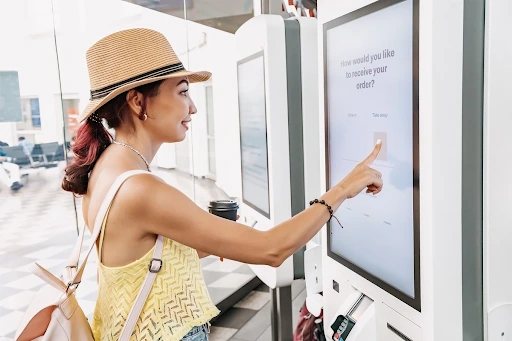
Lightning-Fast Service & No Lines
Imagine multiple customers ordering at the exact same time. No more lines during lunch rush! Customers can browse at their own pace without feeling pressured, leading to a much relaxed experience for everyone.
Orders Are Spot-On
When customers tap in their own orders, mistakes vanish. What they see is what they get, which means fewer wrong orders coming out of your kitchen. Less waste, less stress, happier customers.
Bigger Orders
Kiosks act as silent, consistent upselling machines. They're programmed to always suggest those add-ons, combo upgrades, or extra drinks. Customers often feel more comfortable adding that extra dessert when there's no one watching. It boosts your average order value.
Smarter Staffing, Lower Labor Costs
You'll still need your awesome team, but now you can have fewer people tied up just taking orders. That means you can reassign them to core tasks like making the food, keeping the dining area sparkling clean, or handling delivery app orders. Your existing crew becomes way more efficient.
Always a Consistent Experience
Every customer gets a consistent experience through the kiosk. The menu looks the same. The customization options are clear. The upsell prompts are always there. It's a reliable, smooth interaction every single time.
Data, Data Everywhere!
Kiosks track every tap, every customization, every single purchase. You'll know what's selling the best, what's not, when your busiest times are, and even where customers might be getting stuck in the ordering process. This data is invaluable for menu engineering, combo deals and launching targeted promotions.
Visual Menus Drive Appetite
You can load these kiosks with beautiful, high-res photos of your food. Makes everything look super appetizing and helps customers visualize their meal. Plus, customizing orders is all laid out clearly, step-by-step.
Speaking Everyone's Language
Got a diverse customer base? Kiosks can easily switch languages, making it super easy for anyone to order, no matter what language they speak.
But Is a Fast Food Kiosk Totally Perfect?

Initial Setup Cost
Getting kiosks installed isn't usually cheap upfront. It's an investment, for sure. You're talking about the hardware, the software, getting it all integrated. You need to factor that into your budget.
A Little Less Personal
With a fast food kiosk, you lose that direct human interaction. For some customers, that's fine. For others, they might miss the friendly chat. It's a trade-off.
Technology Glitches Are Inevitable
Like any piece of tech, kiosks can have their off days. Software can freeze. Touchscreens can become unresponsive. You'll need someone on hand who can quickly troubleshoot or reset them or a reliable tech support team.
Accessibility for Everyone
While kiosks are great for many, some diners might still struggle. Maybe vision impairments, or just general discomfort with screens. You don't want to alienate a portion of your customer base.
No Cash, Usually
Most kiosks are designed for contactless payments, like credit, debit, QR code, or mobile pay. If a customer only has cash, they'll still need to go to a counter, which can be a bit of a hiccup if you don't have one.
Maintenance & Cleaning
These screens get a lot of finger taps! They need regular cleaning to look good and prevent germ spread. Plus, like any equipment, they'll need occasional maintenance.
A Hybrid Approach with OneHubPOS
Both the classic counter and the modern fast food kiosk have their own strengths and weaknesses. It's not really about one being definitively "better" than the other. It's about what works best for your specific fast food chains.
But what if you could blend the best of both worlds? That's exactly what OneHubPOS brings to the table. It smoothly integrates self-ordering kiosks with powerful counter POS capabilities, giving you the flexibility, data, and efficiency you need to dominate the market.
- Whether it's a huge lunch rush or a quiet afternoon, you're ready. Kiosks handle high-volume transactions. Counter staff manage complex, personalized interactions. You adapt to your customer's preference and your store's demands.
- You cater to everyone! The tech-savvy folks who love speed, and the traditionalists who prefer human interaction.
- Instead of needing tons of cashiers, you can have a leaner front-of-house team. Those employees can then be utilized for higher-value tasks: greeting customers, helping with kiosk issues, running food, cleaning, or even managing your online orders. It means your staff is more productive and less stressed.
- Kiosks are constantly upselling, increasing your average check size. Meanwhile, your counter staff can focus on genuine service and building loyalty for those who value it most.
- Thanks to cloud-based capabilities, all the orders, all the sales data, all the inventory updates, it's all flowing into one central hub and can be accessed from anywhere. This means you get a complete picture of your business, accurate analytics reports, and tighter inventory control, no matter where you are.
Ready to boost your speed, slash wait times, and supercharge your sales? Book a demo with OneHubPOS today!