

Blog and Articles

The "No Tax on Tips" Rule: How The One Big Beautiful Act Changes Your 2026 W-2 Reporting for Restaurants and Retail Stores

.png)


5 min read
If you’re an ISO (Independent Sales Organization) and you’re not tapping into agent bank partnerships, you could be missing warm, ready-to-close leads.
Let’s start with the big picture: most community banks don’t offer in-house payment processing. They’re trusted financial advisors — but when it comes to payment tech, they lean on external partners. That’s where your POS referral program comes in — a solution banks can trust.
What Is an Agent Bank Partnership?

An agent bank partnership is a type of POS referral program, an agreement between an ISO and a local bank. The bank refers their business clients (who need card processing, cloud-based or Android-based POS systems, etc.) to the ISO. In return, the ISO provides those solutions, typically with revenue-sharing and always with white-glove service.
Think of it like this:
- The bank brings the trust.
- The ISO brings the tech and service.
- The merchant gets a streamlined solution from a name they already know.
And because this isn’t a cold call or a generic ad click, these leads arrive already warm. There’s trust baked in. All you need to do is deliver.
Why Should ISOs Care?

There’s no shortage of ways to generate merchant leads. Ads, door-to-door, LinkedIn messages, networking events… yet most are either time-intensive or yield minimal results.
Now, compare that to this:
- A local bank vouches for you.
- Their business client is already in need of payment processing ISO or a POS upgrade.
- Your offer comes as a trusted referral.
That’s a fundamentally better starting point. And it gives you something money can’t buy: credibility. So, a well-designed POS referral program can replace cold outreach with warm, bank-endorsed leads.
What Do Community Banks Want in a Partner?
Before you pitch a bank, you need to understand that community banks are built on relationships, not volume. They care about:
- Personal Service: They want to know who their customers will be dealing with. If you’re just a phone number or a faceless portal, they’ll pass.
- Simplicity: A clean, easy-to-explain offer is key. A trifold brochure, a 16x20 poster in the lobby, maybe a lunch-and-learn session. These go a long way.
- Credibility: Can you handle legacy system conversions without a hitch? Can you support hardware installs? Can you provide cash advance options or prepaid card integrations for their underbanked clients?
When you check these boxes, you’re the go-to partner for merchant services.
Why Community Banks Benefit from POS Referral Partnerships

Banks don’t want to send their customers to national chains or giant processors with generic, one-size-fits-all customer service support. They want a local partner who will match their service ethos.
With you, they get:
- A reliable solution for merchants without hiring an internal team.
- A share of revenue — structured to fit their comfort level.
- The ability to offer value-added services (like POS hardware or loyalty programs) without expanding headcount.
How to Approach Community Banks (Without Sounding Like a Sales Rep)
Here’s how to start agent bank partnerships the right way. It goes beyond walking in with a slick pitch deck and rattling off features. Community banks care about relationships. Here’s how to do it right:
Step 1: Do Your Homework

Start with local or regional banks, especially ones that don’t advertise their own merchant services. Look for:
- Credit unions
- Rural or regional banks
- Banks that serve niche industries (like agri-business, liquor stores, or restaurant-heavy areas)
Find out:
- Who heads the business banking division?
- Do they currently have a merchant services partner?
- Have they worked with ISOs before?
LinkedIn, the bank’s website, or even your own business network can help here.
Step 2: Make It About Them
Your first email or call shouldn’t be about your features. It should highlight how your POS referral program supports their clients.
Try something like:
“Hi [First Name], I work with local banks to help their business clients get reliable ISO payment processing and POS systems, with the kind of personal support your team is known for. I noticed you don’t offer this directly, and I’d love to explore how we can help your clients without adding extra work for your team.”
This shows:
- You understand what they do.
- You’re not trying to take over anything.
- You’re focused on their customers, not your bottom line.
Step 3: Pitch Your POS Referral Program with Confidence

Bring materials that build immediate credibility. Here’s what helps:
One-Pager or Trifold
A simple, branded handout that explains:
- Who you are
- What you offer (POS, ISO payment processing, and support)
- How the partnership works
- Testimonials or case studies (especially ones showing the success of your POS referral program)
Custom Bank-Branded Materials
Offer to co-brand flyers or POS brochures that the bank can keep in their lobby. This helps them feel like a true partner, not just a system that consistently generates referrals.
Tips for Building Long-Term Trust
Once you’ve landed your first bank partner, treat it like a high-value strategic partnership. A few tips:
- Be available: If a banker calls or emails, respond quickly. Your speed reflects on them.
- Support their merchants: Go the extra mile for every lead they send you.
- Report back: Provide updates on each referral’s outcome to maintain transparency. It builds transparency and trust.
Banks that see you as a trusted partner will send more leads and even introduce you to their peers at other banks.
From Partnership to Pipeline: Turning Bank Intros into Steady Revenue
Once you’ve secured a couple of partnerships. Here’s how to go from occasional referrals to a predictable lead engine.
1. Set a Follow-Up Rhythm
Many banks won’t automatically send leads your way. You’ve got to nurture the relationship like you would with any high-value client.
- Schedule monthly check-ins (a 15-minute call works fine).
- Ask for feedback: “Any merchants having trouble with their current setup?”
- Offer seasonal promos or merchant-facing webinars they can invite clients to.
Consistency keeps you top of mind and proves you're in it for the long haul.
2. Build Your Referral Toolkit
Your banker contact might not sell your services, but they can refer you more easily with the right tools. Build a small toolkit that includes:
- Bank-branded landing page, with essential contact details and your unique value proposition.
- Easy-to-share email templates they can forward to merchants.
- “Success story” PDFs (e.g., “How we helped a local bakery switch from outdated POS to 2x faster checkout”).
Make it easy for them to look good while recommending you.
3. Enable Their Relationship Managers
If possible, offer a short onboarding session explaining your POS referral program for the bank’s relationship managers. A 30-minute Zoom with small gestures like coffee gift cards make the session memorable.
Cover:
- What kind of merchants are ideal referrals
- How your POS and services help their customers
- What happens after a referral is sent
Empowered bankers = more leads.
Why OneHubPOS Is the Perfect Fit for Agent Bank Partnerships
All of this relationship-building only works if you can back it up with the right product. Whether you’re pitching to a rural credit union or a fast-paced urban community bank, OneHubPOS checks all the boxes.
Reseller-Ready Setup

You don’t need to spend weeks customizing it. The platform is plug-and-play, which makes your life and the bank’s life easier from day one.
Features Tailored for Local Businesses

OneHubPOS is optimized for industries that local banks tend to serve most:
- Retail: Inventory management, loyalty programs, and fast checkout
- Restaurants: Table management, split bills, online ordering, mobile ordering, and integrations
- Liquor Stores: Age verification, compliance tools, and reporting
These are the very verticals that community bankers are close to. Using OneHubPOS helps you appear highly professional, reliable, and competent in front of merchants and banks.
Support That Reflects Well on You

Your reputation rides on your product. With responsive support, hardware troubleshooting, and uptime reliability, you’re not left cleaning up messes.
In short? You offer a local-level experience backed by enterprise-grade tech. That’s exactly what community banks want for their merchants.
Wake Up on Agent Bank Partnerships With OneHubPOS
Most ISOs are stuck in crowded areas: cold calls, Facebook ads, and discount wars. But smart ones are building long-term partnerships with the people who already have merchants' trust: local banks. An agent bank partnership is a lead gen strategy built on relationships, service, and shared value.
If you're ready to:
- Stop chasing cold leads
- Work with businesses that already trust their banker
- Build a referral engine that compounds over time
…then this is the growth channel you can’t afford to ignore.
So start local. Start with value. And start now. Discover how OneHubPOS can supercharge your agent bank partnerships with reseller-ready tools, industry-specific features, and trusted support, equipping you to turn referrals into long-term, revenue-generating relationships.


5 min read
Your costs, customers, and vibe aren’t a copy-paste of your competitor down the street. Pricing by gut or guesswork might feel fast. But it can quietly harm your margins or turn diners away.
This blog comes up with 5 proven pricing strategies used by food businesses in 2025, plus how to test, tweak, and win using smart insights from your POS.
What Exactly Is Restaurant Menu Pricing?

Restaurant menu pricing is more than just deciding a dollar amount for your dishes. So, is it just about covering costs and protecting your margins? Not quite. Smart menu pricing also considers:
- Customer perception: What do your customers believe your food is worth?
- Competitive positioning: Are you a premium restaurant or a budget-friendly burger joint?
- Operational costs: Rent, wages, packaging, utilities, and more.
- Sales data: Which items sell well? Which ones flop?
- Menu psychology: How pricing appears and feels to the customer.
When done right, restaurant menu pricing helps you:
- Increase average order value
- Sell more of your high-margin items
- Avoid leaving money on the table
- Encourage repeat visits
- Grow profitably, even in competitive markets
5 Menu Pricing Strategies That Actually Work in 2025
You don’t need to burn down your menu and start from scratch. These five strategies can be implemented gradually and optimized continuously, from anywhere, thanks to a cloud-based POS system.
1. Bundle Pricing: Combine High-Demand Items to Boost Order Value

Bundle pricing means combining popular items into a set or “value meal” and offering it at a slightly lower price than if each item were bought individually.
Think “burger + fries + soda = $12 instead of $14” for your restaurant.
It’s a simple concept, but a powerful one.
The psychology behind bundling is that customers feel they’re getting more for less. Even if the discount is minimal, the perceived value is high.
You can also specifically recommend these dishes that you've “bundle-priced” to your diners. It simplifies decision-making, speeds up ordering, and increases average ticket size.
Here's how your restaurant POS system can help you implement it:
- Identify the most commonly ordered combos. For example, tacos + chips, pizza + soda, salad + soup.
- Create bundled menu items or combo deals. Highlight them as “Combo Meals,” “Lunch Deals,” or “Family Packs.”
- Price them just low enough to feel like a deal, but not so low that you hurt your margins.
Pro Tip: Don’t over-discount. You need to bundle strategically — not slash prices indiscriminately. If your fries cost $2 and soda costs $3, don’t drop the whole combo to $3. Drop it to $4.75 and watch the orders stack up.
QSR POS helps track bundle performance:
- Are they increasing the average order value?
- Are customers choosing bundles over individual items?
- Which components are being subbed or modified?
Adjust based on what sells best. Try alternate versions, limited-time bundles, or even premium bundles for larger groups.
2. Value-Based Pricing: Charge What It’s Worth to the Customer

Instead of pricing based strictly on cost + markup, value-based pricing asks: “What is this item worth to my customer?” It is about pricing high-quality, unique, or signature items based on customer perception, not just ingredients.
This restaurant menu pricing strategy works because not all dishes are created equal in the customer’s eyes. For example, they’ll happily pay more for something that feels gourmet, like a grilled portobello mushroom sandwich with garlic aioli and hand-cut fries. But they might hesitate at a $9 side salad.
Value-based pricing helps you price confidently, especially for items that:
- Use premium ingredients
- Are hard to find elsewhere
- Are crowd favorites with loyal repeat orders
Once you implement this strategy, here’s how you can measure its impact:
- Customer Feedback and Restaurant Reviews: What do they rave about?
- Repeat Orders: What’s getting reordered week after week?
- Competitor Benchmarking: Are similar restaurants charging more for the same quality?
- Presentation & Perception: Can you justify a higher price with better plating, unique names, or premium descriptors?
For example, instead of “Grilled Cheese - $5,” try “Artisan Cheddar Melt with Garlic Butter Brioche - $8.” Same base dish. Higher perceived value.
Use POS analytics data to spot items with:
- High sales volume
- Frequent repeat orders
- Low refund or complaint rates
These are strong candidates for premium pricing. Test small increases, like $0.50 here, $1 there, and measure the impact.
3. Item Placement and Menu Engineering

You've to direct your customer’s attention to the items you want them to notice… and buy. Menu engineering is the art and science of placing and presenting items to maximize profits.
People don’t read menus like novels. They scan. Customers’ eyes are naturally drawn to The Golden Triangle: the top right corner, the center, and the top left. This is where your most profitable dishes should go.
Here’s how to implement this pricing strategy for your restaurant menu:
- Highlight high-margin items with callouts like “Chef’s Favorite,” “Best Seller,” or “Customer Favorite.”
- Use visual cues like boxes, icons, bold fonts, or color blocks.
- Group strategically. Put premium items with appealing descriptions in the hotspots of your menu.
- Limit choices. Too many options can be overwhelming. A trimmed-down menu often leads to faster decisions and higher sales.
Pro Tip: Photos should be used sparingly and only if they’re high-quality. A single mouthwatering image can drive up sales of a key item. But too many can cheapen the look.
Use your POS to look at your sales data and ask:
- Which high-margin items aren’t selling well?
- Are some low-margin items selling too much and hurting profits?
Rework your menu based on that insight. Reposition underperforming winners, reword bland item names, or test layout changes. You can even A/B test physical menus or digital menu screens and compare results.
4. Decoy Pricing: Bring Customers to What You Want Them to Buy
In decoy pricing, you intentionally place a higher-priced item on your menu to make your mid-tier (target) item look like a better deal.
You’re not necessarily trying to sell the decoy. You’re using it to guide customers toward the option you do want them to choose.
This restaurant menu pricing strategy works because humans are wired to compare. When they see three price points, they often choose the middle option. It feels safe. Not too cheap or too extravagant.
Here's an example. Let’s say you sell a premium sandwich:
- Option A: Grilled Veggie Panini – $9
- Option B: Grilled Veggie Panini + Tomato Basil Soup – $14 (your target)
- Option C: Grilled Veggie Panini + Tomato Basil Soup + Quinoa Salad + Vegan Brownie – $21 (decoy)
Customers are likely to go with Option B because it feels like great value compared to Option C.
Decoy pricing works especially well in:
- Wine lists or cocktail menus
- Platters or combo options
- Upsell add-ons, like extra protein and dessert pairings
Pro Tip: Your decoy should be believable, just expensive enough to make the target option feel more attractive.
After you introduce a decoy, monitor your POS data:
- Are more people ordering the mid-tier option?
- Has the average check value increased?
- Are decoy items getting ignored (as expected)?
Tweak pricing and combinations until you hit the sweet spot.
5. Dynamic Testing with POS Data: Stop Guessing, Start Adjusting
With an all-in-one POS system, you can test, adjust, and refine your prices based on actual customer behavior. This is dynamic pricing.
Menu pricing shouldn’t be a guessing game. Your POS data tells you:
- What sells and what doesn’t
- Which items are ordered together
- What times people are buying specific dishes
- How pricing changes impact sales volume and profit
To implement this restaurant menu pricing strategy, start testing small:
- A/B test prices for the same item on different days or shifts.
- Test different price points for your best-selling items after identifying them.
- Raise prices during peak footfall hours, like lunch rush and weekends.
- Offer deals during slow periods, like late afternoons and midweek.
Monitor how those changes affect sales, profit per item, and total revenue.
Pro Tip: Never test too many changes at once. Isolate one variable, like price, for clearer insights.
Price Your Menu Way Better With OneHubPOS
Menu pricing is one of the biggest levers you can pull to increase profits without changing your food or service, with:
- Bundle pricing, where you drive up order value by offering value-based combos
- Value-based pricing, where you charge based on what the item is worth to your customer
- Menu engineering, where placement and design can boost high-margin item sales
- Decoy pricing, where you guide choices using price comparison psychology
- Dynamic testing with POS data, where you continuously improve using real-time insights
Don't overhaul your entire menu overnight. Just choose one or two of these strategies. Implement. Test. Iterate. Book a demo with OneHubPOS and see how data-backed pricing does wonders.
.webp)

5 min read
Thinking about opening a vape shop in 2025? Be warned—regulations are just as strict as those for traditional tobacco retailers. No cutting corners here! The government watches vape shops closely. Why? Because vaping products can contain nicotine and other regulated substances.
So, before you stock your shelves with flavored pods and display cases with shiny devices, there are some important legal boxes to tick. Let's break down everything you need to launch your vape business legally, from vape shop regulations to age restrictions and point-of-sale (POS) essentials.
Regulations Are Strict—But Compliance Is Manageable with the Right Tools
.webp)
Your vape shop will sell the following items, which makes following vape shop regulations especially important:
- Nicotine-containing e-liquids
- Nicotine-free e-liquids
- Disposable vape pens
- Refillable vape devices
- Vape mods and tanks
- Replacement coils and cartridges
- Batteries and chargers
- CBD vape products (in some states)
- Delta-8 or hemp-derived THC products (where legal)
- Accessories (e.g., drip tips, cases)
- Recyclable or hazardous waste (e.g., used batteries)
Vape retailers face tighter scrutiny due to health regulations, age restrictions, and complex state-by-state rules.
It might feel like a lot now. But running your shop legally protects your business, builds customer trust, and keeps surprise inspections stress-free. Furthermore, retail POS systems today are built for this. With features like automated age checks and tax tracking, staying compliant is easier.
How to Start a Vape Shop in 2025 Legally
Let’s walk through how to open a vape shop with all legal requirements together.
Step 1: Get a General Business License
A general business license registers your store with local authorities and gives you the legal thumbs-up to operate in your city, county, or state. It also confirms that your location allows retail activity. It also ensures your business stays on the regulatory radar—making updates and renewals easier to manage.
Every jurisdiction has its own process. But generally, here’s what you’ll need to apply for this license:
- Fill out an application form. You’ll need to provide your EIN (Employer Identification Number), ownership details, business name, address, and what your store plans to sell.
- Make sure your store location is in an area where vape retail is allowed.
- Pay the license fee. This can vary widely. In rural counties, it might be nominal. In large metro areas, it could be a few hundred dollars or more.
- Plan for annual renewal with updated paperwork and fees.
Step 2: Apply for a Seller’s Permit
The seller’s permit allows you to collect sales tax on products you sell. If your state requires sales tax, and most do, this permit is a must. It legally designates your shop as a retailer. You’re also responsible for collecting and remitting local and state sales taxes. It protects you from costly audits and compliance penalties down the line.
Here’s how to apply:
- File a resale certificate or application with your state’s tax department.
- Include your federal EIN and business details.
- Pay any applicable fees, usually small, but required.
- Stay on top of sales tax calculations for each taxable transaction.
Note: There are five states with no sales tax: Delaware, Montana, New Hampshire, Oregon, and Alaska. But if you're elsewhere, you’re likely on the hook for between 2.9% and 7.25% in taxes, depending on your state and city.
Step 3: Get a Retail Tobacco License
Many vape products don’t contain actual tobacco. Still, most states classify them as tobacco products for regulatory purposes. That means you’ll need a tobacco retailer license. It’s often tied to rules that protect minors and promote safe retail practices. Also, local governments may impose extra restrictions. For example, New York City bans vape shops within 500 feet of a school.
Here’s how to apply for it:
- Submit an application that includes your business name, location, and details about your products.
- Ensure all staff are over 21 and trained in proper ID verification procedures.
- Pay the licensing fee. It varies by location. For example, maximum license fees go from $6 in New Hampshire to $800 in Connecticut.
- Display your license in a visible spot inside your store.
Step 4: Don’t Forget Other Required Permits
In addition to the three big licenses above, your city or county may require other permits to ensure public safety and environmental compliance. Here's a checklist to keep on your radar:
Step 5: Know the Age Restrictions
You can’t sell vape products to just anyone. What’s the law? Well, as of December 2019, federal law mandates that you must be at least 21 years old to purchase tobacco and vape products in the U.S. This rule is non-negotiable and is strictly enforced.
So, here’s what you need to do:
- Verify ID on every customer who looks under 30.
- Train your staff to spot fake IDs and know vape shop regulations.
- Display signage stating that you only sell to customers 21+.
Warning: Selling to minors, even accidentally, can lead to heavy fines, license suspension, or store closure.
How to Choose a POS System That Helps You Stay Legally Compliant
.webp)
When running a vape shop, you’ve to stay compliant with all regulations. A vape-friendly POS helps you pull that off. Let’s break down how.
Built-In Age Verification
This one’s non-negotiable. Most states prohibit the sale of vape products to anyone under 21. The penalties for violating this are serious: fines, license suspension, or permanent closure.
Make your POS your front-line defense against accidental sales to minors. So, look for a system that:
- Prompts for ID automatically during checkout
- Scans and validates government-issued IDs
- Stores age verification logs in case of inspections
Automated Sales Tax Calculation
Sales tax mistakes can result in penalties or unwanted attention from the revenue department. Since rates vary across counties and states, your POS should be able to:
- Pinpoint your store’s location and apply local tax rates
- Adjust tax collection based on the product type
- Track and report all taxes collected for accurate filings
Regulatory Product Categorization
Different vape products are often taxed or restricted differently. A good POS should allow you to:
- Categorize products, like e-liquids, mods, batteries, and accessories
- Apply rules or warnings based on category
- Easily filter or flag regulated items for compliance purposes
Inventory Tracking with Compliance Awareness
Proper inventory control supports environmental compliance and reduces liability. Inventory mismanagement can put your shop at risk. Your POS should include:
- Low-stock alerts, so you never run out of regulated items
- Tracking for electronic waste, like batteries and disposables
- Return tracking for damaged/defective products under warranty
Employee Access Controls
Compliance isn’t just what you do. It’s also what your staff does. Look for a system that allows you to:
- Set role-based permission levels for different employees
- Restrict who can override prices or process refunds
- Track individual staff activity for accountability
This keeps your team honest and your operations safe from internal mistakes or misuse.
Reporting Tools for Audits & Inspections
When inspectors or tax officials show up, you’ll want clean records. A great POS should give you:
- Time-stamped sales logs
- Age verification reports
- Tax summaries and product movement POS reports
- Daily closeout summaries
Bonus: Real-Time Alerts and Custom Rules
Advanced POS systems let you set custom compliance alerts—such as preventing bulk purchases of nicotine products or flagging invalid IDs. It’s an extra safety net to prevent accidental rule-breaking.
Make OneHubPOS Your Compliance Partner
To start a vape shop in 2025, secure a general business license to operate legally in your area and a seller’s permit to collect and remit sales tax. You also need a retail tobacco license since vape products are regulated like tobacco. Don’t forget other permits like health, fire, and signage. Age restrictions are strict. Only sell to customers 21 and older, verified by trained staff.
Finally, choose the vape-friendly OneHubPOS system with built-in age verification, automated tax calculation, inventory tracking, and reporting to simplify compliance and keep your shop running smoothly.
Book your OneHubPOS demo now and see how our vape compliance features make running your store smoother, safer, and 100% regulation-ready.
.webp)
5 min read
Fast-casual restaurants face an ongoing challenge. Guests expect speed, personalization, and convenience, all while you deal with staffing shortages, rising costs, and increased competition. Long lines, wrong orders, and overworked teams hurt more than just your operations. They damage the guest experience and your bottom line.
That’s where self-service kiosks come in. They help you serve more guests, increase sales, and streamline service without hiring more staff. And with OneHubPOS, integrating kiosk technology into your restaurant is easier than ever.
Let’s break down the trends, numbers, and real benefits that kiosks are bringing to the fast-casual space in 2025.
1. Faster Ordering Means More Guests Served
Why It Matters
Self-order kiosks allow multiple customers to place orders at once. That means shorter lines and faster service, especially during busy hours.
By the Numbers
- McDonald’s saw a 5–6% increase in average check size after adding kiosks.
- Global kiosk installations in restaurants grew 43% between 2021 and 2023, reaching over 350,000 units.

What This Means for You
You can serve more customers in less time without adding extra hands. Your team can focus on food quality and customer care instead of managing lines.
OneHubPOS Advantage
Orders flow smoothly from the kiosk to the kitchen with our direct integration to kitchen display systems. No lag, no confusion.
2. Spot-On Accuracy & Customization: Delight Guests Every Time
Why It Matters
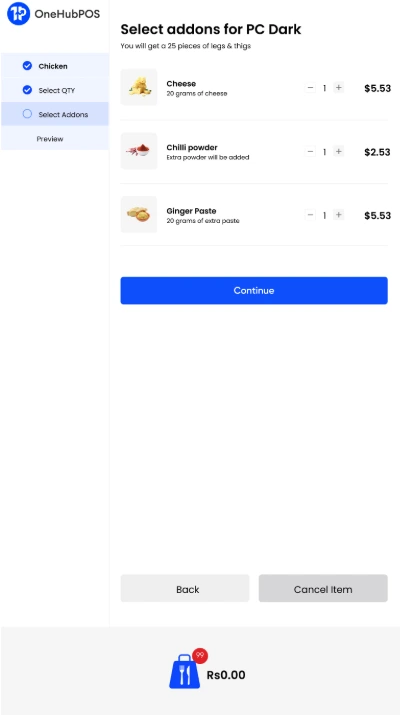
When guests enter their own orders, mistakes drop. No more "I said no pickles" moments. Just exactly what they wanted.
By the Numbers
- Chili’s reported a 20% bump in dessert sales after adding digital ordering with upsell prompts.
What This Means for You
Fewer errors mean less food waste, fewer comps, and happier guests. Plus, guests feel more comfortable personalizing their orders without pressure.
OneHubPOS Advantage
Our Menu Management system keeps kiosk menus accurate, customizable, and up to date so your guests always get what they ordered.
3. Built-In Upselling That Works Every Time
Why It Matters
Unlike busy staff, kiosks never forget to suggest add-ons, combos, or special offers. That means more revenue without more effort.
By the Numbers
- Shake Shack says guests spend nearly 10% more when ordering at kiosks compared to the counter.

What This Means for You
Higher ticket sizes with no extra staff training. It's a simple way to grow revenue across all locations.
OneHubPOS Advantage
With our Inventory and Promotions tools, you can feature limited-time offers and upsells across every kiosk in real time.
4. Meet the Expectations of Modern Diners
Why It Matters
Millennials and Gen Z expect contactless, tech-enabled dining. They value speed and control. Kiosks deliver both.
By the Numbers
- The global kiosk market is expected to double by 2028, surpassing 700,000 units.

What This Means for You
Adopting kiosk tech shows your brand is forward-thinking, convenient, and ready to compete with big chains.
OneHubPOS Advantage
Our Multi-Location Suite lets you manage menus, pricing, and promotions across all your restaurants from one dashboard.
5. Free Up Staff to Do What People Do Best
Why It Matters
Kiosks take care of repetitive tasks like order entry and payment, giving your team more time to connect with guests and keep the floor running smoothly.
By the Numbers
- 60% of restaurant operators say kiosks help them manage ongoing labor shortages.

What This Means for You
Happier employees and better service. It’s not about replacing people. It's about giving your team the tools to succeed.
OneHubPOS Advantage
Use our built-in reporting tools to track performance, optimize staffing, and balance automation with hospitality.
Increase Sales and Eliminate Order Chaos
Your guests are ready for a faster, easier experience. Are you?
Book your free personalized OneHubPOS demo today and discover how our self-service kiosks can help you:
✅ Cut down wait times
✅ Boost average check sizes
✅ Improve order accuracy
✅ Make your team more effective
✅ Future-proof your restaurant
Take the first step toward a smarter, more profitable fast-casual operation. OneHubPOS is built for the way modern restaurants work.

5 min read
In 2025, the QSR industry isn’t just racing forward—it’s reinventing the rulebook. Speed alone isn’t enough. Today’s customers expect customization, sustainability, and convenience that feels personal, not programmed. Operators embracing this evolution aren’t just surviving—they’re winning.
In this guide, we break down the most important QSR trends shaping 2025 and explain how to adapt quickly, so your brand can stay sharp, relevant, and profitable.
Let’s dig in.
The New Flavor of Success: What’s Driving Change in QSRs
The quick service industry has become a collision zone for innovation. Health meets indulgence, sustainability meets convenience, and global flavors meet local loyalty. It’s a balancing act, and your tech stack needs to keep up.
Operators who respond quickly to shifts in consumer behavior, and who build systems for menu agility and operational clarity, are outperforming their peers. The following trends are not passing fads. They reflect the values, technologies, and behaviors that are likely to shape QSR evolution for the next 3 to 5 years.
Here are the seven most important QSR industry trends of 2025, and how your restaurant can capitalize on them.
1. Plant-Based Demand Matures Into Strategy
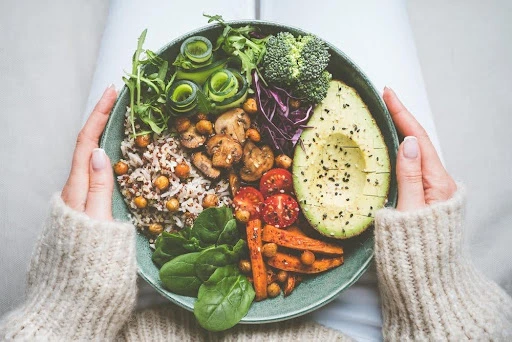
What began as a trend is now a category. Plant-based meals have moved beyond soy patties and alt-milks into mainstream QSR menus. Younger consumers, especially those aged 18 to 34, are driving demand, often for reasons that combine health, ethics, and climate consciousness.
A 2024 report from The Culinary Institute of America highlights that 44% of consumers are actively trying to increase their intake of plant-based proteins, such as beans and nuts. This trend indicates a growing preference for plant-forward meals among consumers.
Impact on Quick Service Restaurants (QSRs)
The same report notes that the Salad Healthful sector within the Top 500 chains, a segment largely focused on plant-based and plant-forward options like salads, bowls, and smoothies, experienced significant growth.
Rather than overhaul their entire lineup, many operators are testing these offerings as seasonal or limited-time items. The ability to track performance at an item level, including cost, popularity, and margin, has become essential in deciding what stays and what goes.
🔹Explore how OneHubPOS menu management tools can support rapid rollouts and seasonal experimentation.
2. Experience, Not Just Convenience, Now Defines Value
Speed will always be the QSR baseline. But in 2025, the concept of value is expanding to include experience. Today’s diners—especially Gen Z—are seeking emotional engagement, not just transactional efficiency.
Emerging tactics include:
- Interactive digital menus that allow real-time customization
- Loyalty programs designed around shareability and gamification
- Store environments that are visually and socially ‘post-worthy’

Brands that invest in small but meaningful experiential enhancements are finding that it pays off in frequency, basket size, and customer retention.
🔹Looking to streamline in-store interactions? See how OneHubPOS enhances QSR workflows.
3. Hyper-Localization Meets Global Palates
Consumers today are more adventurous with their food, but also more conscious about where it comes from. This dual demand is driving two trends at once: the popularity of global flavors, and the push toward local sourcing.

According to a 2025 study from The Hindu Business Line:
- 57% of QSR customers favor “hyper-local” global cuisine—a combination of international flavor profiles using regionally sourced ingredients.
For operators, this creates an opportunity to refresh core menu items seasonally or tie product innovation to cultural moments, all while supporting local suppliers and reducing logistic complexity.
4. Digital-First Customization Becomes Table Stakes
A customer tweaks a vegan taco with extra lime, no aioli, on your kiosk—and expects it to arrive exactly that way, in under five minutes.
Customization has become more than a feature—it’s a customer expectation. In a study by Dig Insights, 68% of Gen Z diners reported modifying their orders “most or every time” they visit a QSR.

Digital-first channels, including mobile apps and in-store kiosks, now need to accommodate real-time changes without slowing throughput.
Well-structured POS systems play a key role in enabling this. When customization flows smoothly through integrated modifiers, streamlined order routing, and intuitive interfaces, operations become more efficient and customer satisfaction improves.
5. Sustainability Transitions from Marketing to Mandate
Eco-conscious operations are no longer a differentiator—they're a baseline. Customers expect to see action on waste reduction, responsible sourcing, and sustainable packaging. Many local jurisdictions are also tightening regulations around disposables and composting.
For QSRs, this means operational sustainability must be measurable. Reducing food waste, optimizing ingredient ordering, and trimming packaging overuse are just as much about cost control as they are about brand reputation.
Learn how OneHubPOS inventory tools can help reduce waste and improve profitability.
6. Seasonality Adds Strategic Depth to Menu Planning
Pumpkin-spiced tofu burger? Weirdly popular—and your POS should tell you whether to bring it back next year.
While core items still anchor most QSR menus, seasonal offerings are playing a bigger role in shaping customer loyalty. They're seen as signals of freshness, creativity, and responsiveness. They also offer built-in windows for experimentation.

Tracking how seasonal items perform across sales, margin, and repeat purchase rates has become a practical requirement for any QSR with an evolving menu strategy.
7. Operational Agility Is the Competitive Edge
Amid staffing volatility and supply chain constraints, agility has become a performance differentiator. Operators who can make fast, data-informed decisions around menu adjustments, combo configurations, or staffing allocation are positioned to thrive.
This is where real-time reporting, integrated inventory tools, and flexible menu interfaces come into play. When the numbers tell you what’s working and what’s not, you can course-correct quickly without risking service quality or profitability.
Turning Insight Into Execution
These trends show that the QSRs thriving in 2025 are those that combine operational discipline with innovation and have the tools in place to react to shifts in real time.
OneHubPOS supports this reality by offering:
- Real-time sales and inventory reporting
- Intuitive menu configuration for seasonal and LTO (Limited-Time Offer) items
- Tools for tracking waste, margin, and modifier trends
- Multi-location menu control and customization features
Ready to Align Strategy with Speed?
For QSR operators, data is no longer just a report—it’s the foundation for smarter menus, leaner operations, and better decisions.
Book a free OneHubPOS demo to see how smarter menus, leaner ops, and real-time reports can give your QSR the 2025 edge.
%20(1).webp)

5 min read
One big order can make—or break—your day. The question is: will your kitchen thrive or just survive? What happens when a sudden restaurant bulk order for 150 meals lands right in the middle of your busiest hours? You’d be thrilled, of course. But that excitement will quickly fade and chaos will follow, unless there’s a plan.
For corporate catering, event meals, or party trays, people love food delivered in quantity. But they also expect the same freshness, quality, and presentation as an à la carte meal.
If your small restaurant wants to serve up bulk orders without the stress, you need a smart strategy. So, this blog breaks down best practices for managing bulk food orders and how tech can save your kitchen during high-volume chaos, along with a bonus: how to turn one-time bulk orders into steady, repeat business. Let’s dig in.
What Handling a Restaurant Bulk Order Looks Like

Handling a restaurant bulk order in small restaurants means efficiently managing large food requests, from offices, event organizers, schools, or even big families. These orders usually include 15+ meals or high-value packages ordered at once, for meetings, parties, or special events.
Here, you don’t just have to make more food. You also have to plan ahead, prep smartly, package right, and deliver on time. Your kitchen, staff, inventory, and customer communication must be synced well enough so that everything flows smoothly without affecting regular orders.
Common Challenges Small Restaurants Face with Bulk Orders
Handled well, bulk orders can boost your profits and reputation. But when mismanaged, here’s what tends to go wrong:
- Your setup isn’t built for cooking 100 meals at once. Limited staff and no dedicated space? Delays and stress are guaranteed.
- One big restaurant bulk order can drain your main ingredients. Over-order to prepare, and you risk spoilage and waste.
- Inconsistent portions, leaky packaging, or missing items? That’s all it takes to lose repeat business.
- Still taking bulk orders over phone calls or WhatsApp? Typos, mix-ups, and missed updates can ruin the entire experience.
- Without tracking tools or smart invoicing, bulk order management gets messy fast.
Best Practices to Efficiently Handle Restaurant Bulk Order
Time to fix the chaos. These are field-tested strategies that work even in small kitchens.
1. Set Clear Bulk Order Policies

Clarity saves time. Define what counts as a “bulk” order, maybe $500+ or 15+ meals, and set rules.
- Lead time: 24–72 hours depending on the size
- Payment terms, cancellation policy, delivery radius
- Post it everywhere: on your site, in-store posters, and social media bios
When expectations are clear, you reduce last-minute stress.
2. Offer Pre-Defined Bulk Menus

Customized orders might work for table service but not for high-volume cooking. Create special bulk menus with items that are:
- Easy to prep and scale, like rice dishes, wraps, gravies, baked goods, and more
- High-margin and low-waste
- Packaged in party trays or combo boxes
3. Prepare Your Kitchen Workflow Efficiently

The key to bulk: prep, prep, prep.
- Use mise en place: pre-chop veggies and marinate proteins in batches.
- Designate prep hours, like early morning or off-peak.
- Have a separate station or counter for bulk packing.
Your regular operations shouldn’t suffer just because a big restaurant bulk order came in.
4. Cross-Train Staff for Flexibility

Train your staff to switch roles as needed. On restaurant bulk order days, your cashier might help with packaging, and your cook might portion salads.
- SOPs for every bulk order type, like party trays, boxed meals, etc.
- Assign clear employee roles: who preps, who packs, who delivers
Consider using printed checklists or shared digital tools so nothing is missed.
5. Prioritize Quality Control
One mistake in a restaurant bulk order can cost you a repeat customer and maybe a Google review you don’t want. Don’t let speed compromise quality.
- Use dedicated packing checklists: ensure every order is accurate.
- Invest in bulk-friendly packaging that keeps food warm and intact.
- Schedule a final QA check before dispatch; spot-check for portion size, labeling, and completeness.
It doesn’t take long, but it makes a massive difference.
6. Plan Inventory Ahead

If you track data smartly, you’ll know when bulk orders usually spike, like festive seasons, weekends, or corporate quarter-ends.
- Use historical POS data to forecast demand.
- Maintain safety stock for fast-moving bulk items like rice, oil, gravies, and containers.
Stay in sync with suppliers and build a great relationship; they can save you during surprise surges.
How Technology Enhances Bulk Order Management
Without tech, all these best practices can still feel manual and clunky. That’s where the right restaurant POS system makes life easier.
1. Automate with a POS System

A manage all-in-one POS lets you tag orders as bulk, so you can:
- Set different prep times and workflows
- Trigger alerts for kitchen and staff
- Track order status at every stage, from confirmed to packed to out for delivery
It keeps everyone in the loop. No need to rely on memory—the system keeps it all on track.
2. Use a Kitchen Display System (KDS)

Instead of shouting orders across the counter, use a KDS screen that updates in real-time.
- Highlight a restaurant bulk order separately from dine-in or takeaway.
- Prioritize tasks visually.
- Avoid lost or misread tickets.
With KDS integration, your kitchen stays calmer and your team stays focused.
3. Integrate Inventory & Supplier Management

POS integration helps you stay stocked without overstocking.
- Deduct inventory in real-time as bulk orders come in.
- Set auto-alerts for low stock, especially for bulk-heavy ingredients.
- Create reorder triggers to notify suppliers or prep teams.
No more running to the market mid-shift or scrambling for last-minute fixes.
4. Generate Smart Invoices & Reports

Still making invoices manually in Excel? Let your POS handle that.
- Auto-generate professional invoices with tax, discount, and delivery fields.
- See how much of your revenue comes from bulk vs. regular orders.
- Track top bulk clients, best-selling items, and prep-time averages using POS analytics reports.
These insights can help you make better decisions about managing your menu, scheduling staff in peak hours, and even making pricing strategy.
How OneHubPOS Simplifies Bulk Order Management
OneHubPOS makes handling large orders simple. After all, it’s built for restaurants like yours that want to grow.
- No more juggling calls, chats, and scribbled notes. OneHubPOS gives you a single dashboard for all bulk orders, with prep times, staff load, and orders from your website or WhatsApp, all in one place.
- Generate invoices in seconds. Auto-apply B2B discounts, customize templates for events, and skip the accounting back-and-forth.
- Save past orders, preferences, and billing details. Set reorder reminders, apply loyalty perks, and become their trusted go-to vendor.
- Real-time reminders from prep to packaging to delivery—plus, automated SMS/WhatsApp updates for customers. Everyone stays in sync.
- Accept all payment types and track deliveries with ease. From kitchen to doorstep, it’s all smooth and professional.
Bonus: How to Turn Bulk Orders into Long-Term Revenue Streams
Once you start handling bulk orders like a pro, here’s how to keep them coming.
- Build relationships with local offices, event planners, and co-working spaces. Create a plug-and-play B2B proposal for them with pricing, menu options, and terms, including curated packages and monthly catering plans.
- Highlight your restaurant bulk order service on flyers, website, Google listing, and food delivery profiles, with campaigns like “10% off on party trays this festive season.” Also, add a “Bulk Order” button on your ordering page with minimum quantity and lead time info.
- Collect feedback or ask for reviews after every restaurant bulk order through a quick SMS or a QR code in the package. Ask about taste, presentation, timing, packaging. Then, use the insights to improve and retain clients.
Say Yes to Big Orders With OneHubPOS by Your Side
A restaurant bulk order = big growth opportunity. But only if you’re ready. With the right practices, smart prep, and an advanced POS system, you can turn chaos into cash.
Let your team focus on cooking. Let OneHubPOS handle the rest, from order management and invoicing to delivery and repeat business. Ready to take bulk orders efficiently? Book a demo with OneHubPOS today.
.webp)
5 min read
A café isn’t just about coffee anymore. It’s also about rhythm, flow, and experience.
Every day, especially during peak hours, your team is racing against time. Orders stream in and custom drink requests pile up. Regulars expect their “half-caf, oat milk, extra hot latte with two pumps of caramel” to be perfect.
What else is happening at the same time? The pastry stock is ending. The next shift is clocking in. Even someone’s card just declined at the counter.
This is the typical heartbeat of a coffee operation. The espresso machine may steal the spotlight, but it’s your POS system quietly powering the show.
This blog explores why the right POS system can transform your café from “functioning” to “flourishing.” We’ll cover must-have coffee shop POS features, the real benefits for your daily operations, and how OneHubPOS brings it all together.
What Having a POS System in a Coffee Shop Really Looks Like

Coffee shop POS features go way beyond what a digital cash register does. In a café, a POS system is like your command center.
From the moment a customer walks in, orders a drink, collects loyalty points, and pays, it’s all run through your POS. So, if that system isn’t fast, reliable, and smart, you’re not just losing time. You’re risking customer loyalty, inventory waste, and team burnout.
Coffee shops have their own set of unique challenges:
- Rush hours that can feel like a high-speed pressure environment
- Highly customized orders that require precision
- Loyalty programs that regulars actually expect and appreciate
- Perishable stock that needs tight tracking
An advanced POS system turns these pressure points into smooth processes.
8 Must-Have Features in a Coffee Shop POS System
Here are some coffee shop POS features your café must consider having for better operations and hence increased revenues:
1. Fast & Intuitive Ordering Screen
Your baristas don’t have time to fumble with buttons. During the morning rush, every second counts. Customers are on tight schedules, often grabbing their coffee before work or school. A delay of even 30 seconds per order can lead to long lines, flustered staff, and frustrated guests.
That’s why your coffee shop POS should offer a fast, tap-and-go ordering screen made with barista workflows in mind. Look for systems that let you:
- Quickly add modifiers like “half-caf,” “extra shot,” “oat milk,” “no foam,” or “less syrup” with just a couple of taps
- Adjust order preferences without restarting the ticket
- Save popular or custom drink combos for regulars
2. Integrated Payment Processing
Customers expect flexible payments—tap, swipe, QR code, wallet, or even coins.
A good POS system should:
- Accept all modern payment methods smoothly
- Allow one-tap tipping, helping your team earn more without making it awkward
- Keep the checkout process friction-free, even with long queues
Customers appreciate speed and flexibility. Your staff appreciates not having to troubleshoot card machines.
3. Smart Inventory & Ingredient-Level Tracking
Coffee isn’t just about beans and milk. You’re juggling inventory like almond milk, chocolate syrup, chai concentrate, matcha powder, sandwich wraps, pastries, and much more.
Your coffee shop POS should provide:
- Real-time inventory updates, so you know exactly what’s running low
- Ingredient-level tracking, so you can forecast daily prep and reorder accurately
- Auto-alerts for low stock, helping you avoid emergency grocery runs
This reduces waste. Plus, your customers won’t have to hear “Sorry, we’re out.”
4. Customer Loyalty & Rewards Integration
Your regulars are the backbone of your café. The best way to keep them coming back, aside from great coffee, is to make them feel seen and appreciated.
That’s where loyalty programs work great.
A great POS system should offer:
- Built-in digital stamp cards, point systems, or spend-and-reward programs
- The ability to send personalized offers, like a free croissant on their birthday or a discount after five visits
- A simple way to track customer habits, so your baristas can say “your usual?” with confidence
When customers feel valued, they stick around, and they tell their friends.
5. Mobile & Online Ordering Capabilities
Customers love convenience. Whether it’s a regular who wants to order from the train station or a student placing a pick-up order on their way to class, online and mobile ordering are no longer optional.
Your POS should:
- Accept orders via your café’s app or website
- Sync with your main system to update inventory in real time
- Ensure smooth handoff to the kitchen or barista team, so there's no confusion when the customer walks in
Especially in urban areas or on campuses, mobile orders can dramatically boost sales without adding in-store congestion.
6. Employee Management Tools
Managing a café team includes filling shifts, tracking performance, controlling access, and making scheduling well-managed and simpler.
Look for POS features like:
- Clock in/out tools for accurate payroll
- Role-based permissions, so baristas don’t have access to sensitive info
- Performance insights, like who’s selling the most or who needs support
A good POS system makes sure you’re never understaffed, even in peak hours.
7. Powerful Reporting & Analytics
It doesn’t matter whether you own a big chain of cafés or a small indie café, data helps you benefit from smart insights.
With the right POS, you should be able to view:
- Sales by product, time of day, or day of the week
- Customer behavior patterns — who orders what and how often
- Promo performance, so you know what’s working and what’s not
POS analytics reports help you find out best-selling items, adjust menu pricing, tweak your menu, and plan ahead with clarity.
8. Offline Mode for Seamless Continuity
Wi-Fi problems happen. But your café shouldn’t grind to a halt because your router decided to take a coffee break.
The best POS systems offer offline mode, so you can:
- Continue taking orders and processing payments
- Sync all data to the cloud automatically once you’re back online
This keeps your operations smooth and your team stress-free, even during tech hiccups.
Advanced POS Features That Set You Apart
Let’s talk about a few extras that really take your POS from good to great.
Built-In Marketing to Drive Repeat Visits
Look for coffee shop POS features that allow you to send automated emails or SMS promotions. Whether it’s a combo deal, a seasonal drink launch, or a reminder for loyalty points, these small nudges can bring people back in the door.
Multi-location Management
Dreaming of opening a second café? Or already running a small chain? A scalable, cloud-based POS makes life easier by letting you:
- Manage menus, employees, and inventory across multiple locations from one dashboard
- Compare performance by store
- Roll out promotions café-wide with just a few clicks
How OneHubPOS Delivers the Perfect Blend of Speed & Service
Now, let’s talk about OneHubPOS, a POS system built with cafés in mind.
Here’s what makes it perfect:
- Lightning-fast order-taking screens designed specifically for busy café staff and easy custom modifiers
- Smooth payment options: tap-to-pay, QR codes, mobile wallets, cards, and cash, all integrated smoothly
- Built-in loyalty features to help you connect with regulars
- Real-time inventory tracking at the ingredient level with smart low-stock alerts
- Offline mode so you never miss a sale, even if your Wi-Fi drops
- Simple onboarding and friendly support so your team feels confident from day one
Whether you’re just opening your first café or looking to upgrade from a clunky old system, OneHubPOS gives you speed, insight, and reliability, all in one package.
How to Choose the Right POS Vendor for Your Café
Here’s a quick checklist to help you make the right decision:

When booking a demo, walk through real café use cases. Try a custom order. Simulate a rush hour. Ask about training time. The right vendor will answer clearly, not dodge the tough questions.
Let’s Caffeinate Your Operations With OneHubPOS
A coffee shop runs on fast orders, friendly faces, fresh stock, and happy regulars. Your POS system is right at the center of all that.
Let’s recap what a great coffee shop POS should have:
- A fast and easy ordering interface
- Flexible payment options
- Ingredient-level inventory tracking
- Loyalty and rewards built-in
- Mobile ordering that syncs perfectly
- Staff management tools
- Real-time analytics
- An offline mode that keeps things running even without internet
With the right POS system, you’re creating a better café experience, improving your team’s productivity, and setting your business up for growth. That’s why café owners choose OneHubPOS. It delivers the speed, support, and smarts your coffee shop needs to succeed.
Book a personalized demo with OneHubPOS today to see how it can power your café with smoother orders, happier customers, and smarter insights.
.webp)
5 min read
Picture this: It’s lunch hour at your deli. The line’s out the door, the griddle sizzling—and yet, profits aren’t keeping pace with foot traffic. Why? Because your menu is doing too much and saying too little. Overloaded menus confuse customers, slow down decision-making, and often bury your most profitable items in plain sight.
That’s where menu engineering comes in—and your deli POS is the secret weapon.
With the right POS system, you can stop guessing what sells and start knowing. It helps you zero in on what’s working, what’s wasting space (and money), and how to build a menu that sells smarter—not harder.
This guide shows you exactly how to turn your deli POS into a profit-boosting engine—using data, design, and decisions that actually move the needle.
Let’s dive in.
Menu Engineering Matters More Than You Think
So, how do you bring menu engineering into your deli? The secret ingredient is your deli POS system. A modern POS isn’t just a cash register-it’s a treasure trove of data and tools that make menu engineering easy and effective. Your POS tracks every sale, so you can see what’s selling like hotcakes and what’s collecting dust. It also knows the pricing and cost info, helping you figure out each item’s profitability. In this guide, you’ll see how menu engineering and your POS can transform your menu for the better.
Before vs. After: How Menu Engineering Transforms a Deli Menu

As the comparison shows, menu engineering turns a scattershot approach into a strategic one. Without it, you’re guessing what will work. With it, you’re making informed decisions based on what your customers actually like and what makes you money.
A Simple Matrix for Smarter Menu Decisions
Your POS doesn’t just tell you what sold — it helps you understand what to do next. One of the simplest ways to use that insight is with a two-by-two matrix: popularity on one side, profitability on the other.

Start by running a sales report from your POS. Sort your menu items by how often they’re ordered and how much profit each one brings in. From there, you can group them into four categories:
- Your superstars – Items that are both popular and profitable. These deserve prime placement and promotion.
- The crowd-pleasers – Popular items that don’t bring in much margin. Tweak portion sizes or ingredients to make them more profitable.
- The hidden gems – High-margin items that customers overlook. Highlight them as specials or ask your staff to recommend them.
- The duds – Items that are neither popular nor profitable. Let them go or give them a makeover.
You don’t need a fancy spreadsheet. A basic grid and your POS export are enough to get started. The more often you revisit this, the smarter your menu becomes.
8 POS-Driven Menu Engineering Tips for Delis
Your POS is more than a cash register—it’s a decision-making dashboard. Here’s how to use it like a pro:
1. Let the Numbers Tell You What’s Next
Start your week by opening your POS sales report. What’s flying off the counter? What’s barely moving? Maybe your classic pastrami on rye is still the star, while the quinoa salad just isn’t getting picked. These numbers don’t lie — they reveal exactly what your customers love (and what they skip).
Now take it a step further. Export your sales and cost data and plot them on a simple 2x2 grid: popularity on one side, profitability on the other. This gives you a clear view of your menu’s performance — your superstars, crowd-pleasers, hidden gems, and duds.
Use this matrix to guide smart decisions. Spotlight your top sellers, rework your low-margin hits, and confidently retire what’s no longer pulling its weight.
Pro tip: Set a weekly reminder to review this data. When your decisions are powered by real numbers, your menu evolves in the right direction — with less guesswork, more results.
2. Discover the True Stars with Recipe Costing
Dig into the real cost of every ingredient in each dish. That loaded club sandwich might be popular, but if avocado and bacon are eating into your margin, it’s time to rethink. Your POS recipe costing tools can give you this clarity.
Note: Small changes like swapping a pricey ingredient or slightly adjusting portion size can make a big difference.
3. Design for Delight — On Screen and On Paper
Your menu’s layout matters. Rearrange your menu and your POS screen so your best sellers and high-profit items get prime real estate — making it easier for both customers and staff to choose and sell. Update your POS interface so staff can quickly ring up your priority items.
4. Craft Combos That Sell Themselves
Look for natural pairings in your POS data — customers who order a turkey sandwich often add soup, for example. Create combo deals and program your POS to prompt staff with upsell suggestions like, “Would you like to make it a combo for $2 more?”
Pro Tip: Combos boost your average ticket size and give customers a feeling of value.
5. Keep an Eye on Ingredient Costs
Ingredient prices fluctuate — tomatoes get more expensive in summer, or bacon prices spike unexpectedly. Your POS lets you update these costs in real time. Regularly update ingredient prices in your system to monitor menu item profitability.
Note: Staying on top of costs prevents nasty surprises when you review profits.
6. Ride the Seasonal Wave
Seasonal sales patterns are gold mines. Your POS shows when salads peak or when hearty soups make a comeback. Use this insight to keep your menu fresh and in sync with customer cravings. Rotate menu items seasonally based on POS sales trends.
7. Experiment, Measure, Repeat
Introducing a new item? Use your POS to track every sale and customer reaction. Data tells you if it’s a hit or a flop — no guesswork involved. Run limited-time offers, review POS data, and decide which new items to keep or cut.
8. Cut Waste, Boost Profits
Spoilage hurts profits. Use your POS inventory data to align orders with actual demand. Adjust stock levels based on sales velocity to reduce waste and save money.
Ready to Transform Your Deli Menu?
Menu engineering with a smart deli POS system isn’t just theory- it’s a proven recipe for happier customers, less waste, and bigger profits. The best part? You don’t have to figure it out alone.
Curious how all these strategies would work for your deli?
Let OneHubPOS show you how easy it is to turn your data into delicious results.
👉 Book a FREE demo with OneHubPOS and see firsthand how the right POS system can help you engineer your menu for success.
.webp)
5 min read
Lunchtime hits, and the cafeteria is buzzing—but there are no long queues. No one’s digging through wallets for coins. Kids tap their student IDs or employees scan their QR codes and walk straight to pick up their meals. A screen flashes order updates. Payments? Already done.
Within seconds, they’re in, out, and eating.
This isn’t science fiction—it’s made possible by modern cashless cafeteria systems.
So, still dealing with cash drawers, paper tickets, or daily cash reconciliation headaches? It’s time for a major upgrade. This blog gives you three reasons that are critical enough to make you think over switching to cashless cafeteria management. Let's get started!
What Is a Cashless Cafeteria?
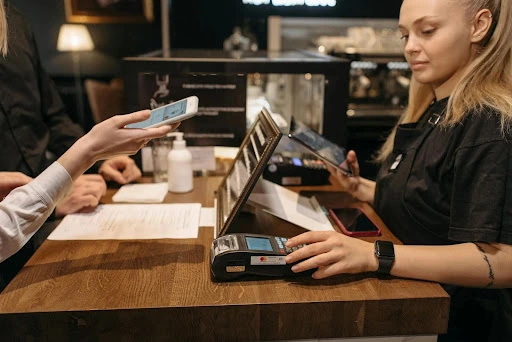
A cashless cafeteria is a setup where all food-related transactions happen digitally. No physical cash. No coins. No change needed. All transactions are processed through digital platforms. Diners simply order and pay, whether it’s through a card, an app, or a tap of an ID, and the goal is the same: fast, easy, and contact-free food service.
Here’s how a cashless cafeteria usually works:
- With RFID-enabled IDs, staff or students scan their ID badges linked to a prepaid or internal wallet.
- Contactless payment methods, like mobile payments and QR codes, let users scan a code at the counter or order through an app.
- Users or parents/admins load money into wallets in advance.
- POS systems integrated with IDs let orders, payments, and logs tie to individual profiles.
Key features of cashless cafeteria systems include:
- Digital menus and ordering, allowing pre-order options to skip queues
- Contactless checkout, so no exchange of money = faster and more hygienic
- Real-time tracking, telling what's selling, what’s not, and when the rush hits
- One centralized dashboard to view orders, payments, user data, and more
3 Key Reasons You Need to Switch to a Cashless Cafeteria
Let’s get into the why. Why switch? Why now? And what’s in cashless cafeteria management for you, your team, or your customers? Let’s break it down:
1. Speed & Efficiency: Serve More, Wait Less

Cash payments seem quick... until they’re not. Someone can’t find the exact change. Another person needs to split a bill. The cashier miscounts and has to re-check. What adds to all this chaos is the fact that lunch breaks aren’t that long. So, whether you’re feeding students, office employees, or factory workers, you’re working with tight time windows.
When hundreds of people rush in at once, you’ve got a slow-moving line, frustrated diners, and probably a few complaints. Consider this: if each cash transaction takes just 15 seconds longer than a digital one. That's 25 extra minutes in total! That’s cutting into their break.
But in a cashless cafeteria, every transaction is lightning fast: tap an ID, scan a code, swipe and go! You can also switch to pre-ordered meals and ID-based payments to speed up guest payments. The result: everyone gets served faster, with less pressure on the kitchen team.
That’s it. No coins. No bills. No delays.
2. Hygiene & Safety: Go Contactless, Stay Clean

Cash is one of the dirtiest things people carry around. It passes through dozens of hands before it reaches yours. Each contributes more bacteria, viruses, and grime. Especially post-COVID, we’ve become hyper-aware of what we touch.
Cleanliness becomes especially critical in food service. On top of that, if you’re working in a school, hospital, or food production setting, that’s a big no-no.
Thanks to contactless payment options, cashless systems decrease the number of physical touchpoints between customers and staff. No money changing hands. No receipts. Just a tap or scan.
Here’s how it works in a school setting
- Students use RFID-enabled ID cards.
- Parents top up balances online.
- Staff gets instant payment confirmation.
- Cafeteria workers never touch a single dollar bill.
It’s faster, cleaner, and way more future-proof.

In fact, if you integrate cashless systems with self-ordering kiosks, customers can place their orders and pay without ever interacting with staff or touching shared devices. This keeps the entire food order process more hygienic.
If a health outbreak occurs, cashless systems can be suspended quickly. But in the case of cash-based systems, like cash registers, you'd need to retrain them or introduce new procedures. Digital systems make adapting to new hygiene guidelines far easier.
3. Smarter Management: Get Insights, Reduce Waste

Cashless systems give you loads of data. When every transaction is logged digitally, you suddenly have access to:
- What’s the best-selling item and what’s not selling at all
- Peak hours and slow times
- Inventory depletion rates
- Daily revenue and trends
This kind of insight helps with planning, budgeting, and waste reduction.
These systems are most effective when integrated with your POS platform. That way, every order feeds into one central system:
- Track inventory in real-time
- Forecast ingredient needs
- Stop over-ordering or throwing out food
Plus, an advanced POS system integrated with the cashless setup automatically generates detailed analytics reports for end-of-day reconciliation, taxes, or audits. This removes the manual effort of sorting through receipts and helps to improve operational transparency. And thanks to cloud-based POS systems, you can access these reports from anywhere.
Case Study: BayCare’s St. Joseph’s Hospital Cafeteria Cuts Wait Times and Boosts Efficiency with Cashless System
St. Joseph’s Hospital in Tampa, Florida, part of the BayCare Health System, became the first hospital in the U.S. to implement a cashless, checkout-free system in a hospital-owned cafeteria. This move drastically decreased wait times, improved service accessibility, and helped increase labor efficiency across the hospital.
Challenge
During the COVID-19 pandemic, St. Joseph’s Hospital faced staffing shortages that impacted cafeteria service. Long checkout lines, sometimes extending to 25 minutes, created frustration for hospital staff, physicians, and visitors who had limited time. A solution was urgently needed to:
- Eliminate long queues
- Improve meal access for staff across all shifts
- Increase operational efficiency despite labor shortages
Solution: Cashless, Frictionless Cafeteria
The hospital rolled out a fully cashless, frictionless cafeteria system. It allowed customers to simply walk in, select items, and leave without needing to stop and pay at a traditional register. Guests could enter the cafeteria using a credit card, mobile wallet, or employee badge. The system automatically tracked their selections. Then, payments were processed smoothly.
Results
- Checkout times dropped from 25 minutes to just 3 minutes.
- Day-shift employees gained more time to actually enjoy their breaks.
- Café hours were extended beyond the previous 9:00 p.m. closure.
- Night-shift staff could now access fresh meals anytime.
- Shoppers are buying more per visit due to the convenience.
- Former cashier space was converted into a new dry goods market, boosting merchandise offerings.
- Former cashiers were redeployed to high-impact roles such as patient services and physician lounges.
What They Learned
- A soft launch was essential to identify issues early and adjust operations before the grand opening.
- Constant feedback and adaptability were key in introducing this innovative cashless solution.
Ready to Go Cashless With OneHubPOS?
A cashless cafeteria is an upgrade to your tech that changes the way food service works. It improves the experience for everyone: faster for customers, cleaner for workers, and smarter for managers.
When you switch to a cashless system, you're making a strategic decision that impacts your bottom line. Faster service means more customers served in less time. Reduced waste helps you save money. And eliminating cash reduces the risk of theft and the stress of handling physical money.
With our intuitive, ready-to-deploy system, you can quickly roll out a cashless solution, whether you’re feeding 20 people or 2,000. Ready to go cashless? Book your OneHubPOS demo today today and transform your cafeteria experience.