

Blog and Articles

The "No Tax on Tips" Rule: How The One Big Beautiful Act Changes Your 2026 W-2 Reporting for Restaurants and Retail Stores

.png)
%20(1).webp)

5 min read
The kitchen is buzzing—but no one’s yelling. Orders are flying in, yet not a single ticket is out of place. The grill is sizzling. The fryer is humming. The screen on the wall is quietly guiding the chaos. Dishes are heading out in the exact order they’re meant to.
No misplaced burgers. No double-prepped salads. No confusion about who ordered what.
The front-of-house team is calm. They’re not sprinting back to the kitchen asking for updates or explaining why a table’s fries arrived cold. Instead, they’re focused on service, knowing exactly where each order stands.
What you’re witnessing is a smooth, connected workflow between the front-of-house (FOH) and back-of-house (BOH). Let’s explore how KDS integration manages kitchen operations, connects perfectly with POS systems, speeds up service, and decreases errors.
What Is KDS Integration?
KDS stands for Kitchen Display System. It’s a digital screen used in the kitchen to replace traditional paper tickets. Instead of relying on physical receipts or scribbled notes, orders are sent directly from your all-in-one POS system to the display screen in the kitchen.
Now, KDS integration is what makes this even better. It means your POS and your kitchen display are in sync in real time.
So, when a customer places an order at the counter, on a self-service kiosk, or online, that order gets pushed instantly to the kitchen screen. The system organizes everything: what goes where, how urgent it is, and who needs to be working on what.
Here's what that really looks like:
- No more printed tickets (which always seem to get lost or stained with grease)
- No more verbal handoffs (which always seem to get misheard)
- No more FOH yelling “Where’s the cheeseburger for Table 5?!” every five minutes!
Instead, the kitchen operations become a calm and coordinated dance, thanks to real-time updates, visual cues, and smart prioritization.
What It Feels Like When KDS Integration Works

Let’s walk through a real-time experience.
- A customer places an order on their phone via the restaurant POS — a grilled mushroom sandwich, fries, and a vanilla latte — one item from the grill station, one from the fryer, and one from the barista counter.
- Each station sees its part of the order separately on their own KDS screen:
- Grill Station: Grilled mushroom sandwich
- Fryer Station: Fries
- Barista Counter: Vanilla latte
- Each station checks their own "In Progress" list and starts prepping as per their schedule. The system shows real-time status updates like "In Progress," "Ready," or any wait instructions.
- As soon as an item is marked "Ready" on the KDS, the FOH team sees the update instantly through the POS. No need for constant back-and-forth with the kitchen. Orders show up neatly in the "Orders Ready" section, making pickup smooth and efficient.
- Every item is prepared and completed in a synchronized flow, so the customer receives everything hot, fresh, and perfectly timed.
Why It Matters: Real Problems Solved by KDS Integration

Even the best-run kitchens can hit bottlenecks, especially when you’re juggling multiple stations, rush hours, and ticket times without real-time visibility. Here’s what KDS integration helps you eliminate:
- Ever had a printer jam during lunch rush? Or a cook spilled sauce all over a ticket? With KDS integration, there are no lost or smudged paper tickets.
- “How long on that pizza?” “I never got the order!” Sound familiar? With real-time updates, there’s no guessing, no yelling, no second-guessing.
- Cold soup, underbaked cake, forgotten modifiers like “no onions,” these problems usually come from breakdowns in communication or timing. A smart KDS stops orders coming out wrong or out of sync.
- Want to know how long it’s taking your team to complete orders? Which items slow down your line? Which hours need more staff? KDS integration enables POS analytics features that give you the insights you need.
The result? Better service, less waste, and a happier team. When your team isn’t stressed, customers feel it. Orders are accurate, service is faster, and your reviews reflect it.
“Is This for You?” – A Quick Fun Quiz
Running a kitchen is organized chaos at best. But if you’re nodding along to any of these, it might be time to upgrade how your kitchen and front-of-house communicate.
You might need KDS integration if…

Checked more than two? It’s time to rethink how your kitchen and front-of-house work together.
Benefits of KDS Integration

Integrating KDS with your QSR POS is a tech upgrade that transforms your entire kitchen operations for the better. Let’s break down the benefits into three key areas: operations, customer experience, and your overall business.
Operational Benefits
- KDS syncs up everything in real-time, so the kitchen and FOH team are always on the same page. No more mix-ups—just clear, instant communication.
- With KDS, orders are digital, reducing the risk of human error and ensuring your kitchen knows exactly what needs to be cooked and how.
- When business is booming, KDS keeps orders prioritized, eliminating confusion and ensuring everyone knows what to do and when. Your kitchen staff isn’t left guessing anymore. Everything is laid out for them.
- KDS is intuitive and easy to use, which means new hires can get up to speed quickly. No complicated paper systems or waiting for someone else to explain the order flow. Just teach them the system, and they’re good to go!
Customer Experience Benefits
- Orders are processed quickly and efficiently. Customers don’t wait forever for their food, and your kitchen delivers it hot and fresh, exactly as ordered.
- With clear, visual instructions, your team can’t forget special requests or mix up orders. That means happier customers and fewer complaints.
- FOH staff can check on the status of any order in real-time without needing to run to the kitchen. This transparency boosts confidence, and customers get their food faster.
Business Benefits
- More orders out faster means more revenue without the need to hire additional staff. KDS helps maximize kitchen productivity.
- With clear prep times and order statuses, there’s less food waste and fewer remakes. Your team saves time, and you save money.
- The POS-KDS sync grows with your business. Whether you're opening another location, expanding your team, or managing multiple locations, good cloud-based POS and KDS systems keep things running smoothly across the board.
6 Key Things to Look for in a Good KDS Integration
When choosing a KDS, keep these features in mind:
- Compatibility with Your POS: It should sync smoothly with your existing POS, no workarounds needed.
- Customizable Display: Timers and alerts should be adjustable to fit your kitchen’s needs.
- Easy to Use: The interface should be intuitive. Your kitchen team doesn’t need more complexity.
- Real-Time Two-Way Sync: The system should allow updates to flow seamlessly between FOH and kitchen.
- Cloud-Based: Cloud options allow you to monitor and update your system from anywhere.
- Reporting and Analytics: Access to data on ticket times and kitchen performance helps you make smarter decisions.
The Future of Smart Kitchens Is Integrated
On the surface, a KDS seems just to replace paper tickets or cut down on yelling. But essentially, it creates a kitchen that works smarter, not harder. One where front-of-house and back-of-house teams are finally aligned—literally and digitally.
When FOH knows what’s happening in the kitchen and BOH has clarity on incoming orders, everything improves:
- Morale goes up
- Mistakes go down
- Customers leave happy
- And your team has more energy at the end of a shift
Whether you’re running a high-volume restaurant, a food truck, a café, or a ghost kitchen, integrated systems give you the edge.
Ready to sync your kitchen with your front-of-house? Because once you integrate, you never look back. Book a demo with OneHubPOS and see how smooth your operation could be.
![Your Ultimate Opening a Deli Checklist [Free Download Inside]](https://cdn.prod.website-files.com/653392c432e997a1c5316037/68163a30ed5e72d85ced2ccd_shutterstock_583026535%20(1).jpg)
![Your Ultimate Opening a Deli Checklist [Free Download Inside]](https://cdn.prod.website-files.com/653392c432e997a1c5316037/654b7f7452c824060cc509d4_sahana_1.webp)
5 min read
Delis still hold a special place in an age ruled by food delivery apps and 30-minute meal kits. They offer quick, customizable food made fresh and trusted by locals for generations.
Here’s the best part: You don’t need a massive kitchen or a Michelin-starred chef to open one. You just need great food, a solid plan, and a step-by-step deli launch checklist.
So, how hard is it to open a deli? Let’s walk through what it really takes to open a deli that gets customers excited to come back again and again.
What Makes a Deli… a Deli?

A deli isn’t just a smaller restaurant. It’s part eatery, part grocer, and often a tiny community hub all rolled into one. Think of it as the halfway point between a casual café and a neighborhood grocery.
What sets delis apart? It's their speed and flexibility. Customers order at the counter, grab what they need, and go. That quick-serve format eliminates full table service or long prep times. But it also demands tight inventory management.
There’s also the retail side to consider. Many delis sell packaged snacks, fresh produce, or ready-made items. So, your business operations move the line between food service and retail. That’s why you need systems, like a manage all-in-one POS, that can juggle both in one place.
10 Step Guide to Opening a Deli
Here's how to go about opening a deli:
1. Define Your Deli Concept
Are you offering locally sourced sandwiches or customizable global flavors? Customizable meals with global flavors? Maybe you want to highlight regional ingredients or create a neighborhood lunch spot with quick grab-and-go options.

Also, know who you're serving. Are your customers busy office workers who need fast service? Or families looking for wholesome dinner options on their way home?
2. Craft a Comprehensive Business Plan

A well-thought-out business plan is your deli’s blueprint.
Start with local market research. How many sandwich shops or food spots already exist in your area? What are they missing? Maybe their service is slow. Maybe their options are repetitive. Your job? Spot the gap and fill it.
Next, break down your startup costs:
- Rent
- Permits
- POS hardware
- Slicers
- Refrigeration
- Initial inventory
- Branding expenses
- Even the small stuff—like trash bins, gloves, and takeout packaging—adds up fast.
Plan staffing around peak vs. off-peak hours. and slow hours. For example, a small deli might operate smoothly with 2–3 employees during lunch rush: one at the counter, one in the kitchen, and one handling prep or cleanup. In slower hours, a single multitasker may suffice.
For revenue planning, set monthly targets based on expected customers and pricing. Serving 50 customers daily at $12 per order means around $18,000/month before expenses.
3. Secure Financing
How much money does it cost to open a deli? Well, delis are relatively low-cost to start compared to full-service restaurants. But they still need upfront capital for:
- Licenses
- Insurance
- Counters
- Seating
- Signage
- Marketing
- Equipment
Opening a deli requires upfront capital. So, explore your funding options:
- SBA microloans (great for small food businesses)
- Local grants (some areas offer programs for food startups)
- Personal savings or family loans
4. Choose the Right Location

Opening near offices or business hubs? For quick, convenient lunches, commuters and nearby workers can become your core customers. So, prioritize visibility and daytime foot traffic. In residential areas? Focus on family-friendly, grab-and-go options like ready meals and snacks.
Don't overlook parking and delivery logistics—both are deal-breakers for many customers.
5. Obtain Necessary Licenses and Permits
To legally open a deli, you typically need several licenses and permits:
- Business License: Authorizes operation within a specific jurisdiction.
- Food Service License: Issued by the local health department, ensuring compliance with food safety regulations.
- Food Handler’s Permit: Required for employees handling food, confirming they've completed food safety training.
- Certificate of Occupancy: Confirms the building meets safety codes and is suitable for business operations.
- Seller’s Permit: Allows collection of sales tax on taxable items sold.
- Sign Permit: Needed for displaying signage, ensuring compliance with local ordinances.
- Liquor License: If you plan to sell alcohol, this permit is mandatory.
Local SCORE mentors are a hidden gem. They’ll guide you through the permit process and help with the steps you might miss.
6. Design Your Menu

You don’t need a massive 50-item menu to run a great deli. Focus on a handful of standout items. Maybe it's your artisan sandwiches, fresh and colorful salads, a collection of amazing local cheeses, or some awesome daily specials.
Quality is key here. If you like to switch things up with rotating specials or let customers build their own meals, make sure your menu management system can keep up.
Using fresh, locally sourced ingredients gives you an edge over the big chain places.
Build-your-own sandwich bars are popular but complex during rush hours. So, it might be worth looking into a Kitchen Display System (KDS) to help keep everything running smoothly behind the scenes.
7. Equip Your Deli

Start with the basics: cold prep stations, slicers, refrigeration units, and display cases. These will keep your food fresh and easy to access.
A cloud-based POS system that integrates smoothly with your deli will track sales and inventory from anywhere. You can also use order and pay online systems to help streamline orders.
While tempting, avoid splurging on brand-new equipment at the start. But here's our piece of advice: consider buying used equipment at first; you can upgrade once you’re profitable.
Also, design your layout carefully. The space should be functional and efficient. Your team shouldn’t be crossing paths or slowing down each other’s workflow.
8. Hire and Train Staff

You’ll need friendly front-of-house staff, skilled sandwich makers, a cashier to handle the register, and a kitchen manager to keep things running smoothly. If you invest in a self-ordering kiosk, you may cut labor costs as you’d need to hire fewer staff. Start by hiring people who are upbeat, reliable, and love food as much as you do!
Training is key when it comes to food safety and handling. Ensure everyone knows how to slice items safely, follow food safety protocols, and handle customer interactions professionally.
Upselling is another important aspect. Encourage your staff to suggest pairings or add-ons to increase sales without being pushy.
9. Develop a Marketing Strategy
Start by building a brand with a story behind it. Why did you open this deli? What makes your deli different from the others in town?
Set up a Google Business Profile and maintain an active Instagram account. Share pictures of your food, behind-the-scenes glimpses of your kitchen, or your team at work, or even offer a few recipes, so your followers feel a deeper connection to your deli.

When you launch, make it an event! Consider offering community-based promotions, like discounts for nearby schools, local offices, or loyalty programs. Leverage word of mouth and share customer reviews on social media. A few viral TikToks or Instagram Reels showcasing daily specials would be the best.
10. Prepare for Opening Day

Opening day is a big deal! Start with a soft launch. Invite family, friends, or nearby businesses to come in and try the menu. This allows you to test staff flow, prep timing, kitchen output, and service before you go fully public. Also, pay attention to the feedback you get. Customers may point out things you missed.
Your grand opening should be an event to remember. Free samples, local media, and maybe even a loyalty card giveaway can help spread the word and bring in a crowd.
Download our free deli-opening checklist to stay on track : Opening a Deli Checklist.pdf
Make OneHubPOS Ease Up Opening a Deli for You
Opening a deli involves creating a community space where people can enjoy quality, comfort food in a welcoming environment. But delis aren’t like every other food business. They’ve got their own vibe. That’s why you need a POS built just for delis.
OneHubPOS offers lightning-fast billing, easy menu tweaks, real-time inventory tracking, staff management, and smooth payment processing. All from a single, intuitive dashboard.
See how OneHubPOS simplifies your day-to-day operations. Go ahead, book a demo and explore!


5 min read
McDonald’s and Burger King are coming up with self-service kiosks across the U.S. Shake Shack already has them in nearly all of its stores, and Taco Bell has gone all-in with kiosks everywhere. Even Panera Bread has fully embraced them as part of their digital-first game plan.
Clearly, self-service kiosks are no mere trend but a necessity for restaurants aiming to stay competitive.
Are kiosks worth the hype? This blog breaks that down for you: the real benefits of kiosks in restaurants, the possible challenges (yes, there are a few but nothing you can’t handle). And there’s a bonus: a self-service kiosk implementation checklist!
Let’s dig in.
What Are Self-Service Kiosks?

Self-service kiosks are a digital ordering system, usually a touchscreen setup, that allows customers to place and customize their orders without speaking to a staff member.
Customers enjoy not waiting in line and face no risk of misheard orders. Your diners get a clear, visual interface that walks them through the ordering process.
Where Are They Used?
Self-ordering kiosks are now common in:
- Quick-Service Restaurants (QSRs), like burger chains and pizza places
- Fast-casual restaurants, like salad bars, sandwich spots, or Mexican grills
- Hybrid dine-in spaces for pickup or express lunch options
Types of Self-Serve Kiosks
Kiosks vary widely in design. Common types include:
- Freestanding Touchscreen Kiosks: Bigger ones, usually placed near the entrance or order queue. Great for busy QSRs.
- Tabletop Tablets: Smaller screens, placed at each table. Ideal for casual dine-in restaurants.
- Mobile Kiosks: Tablets placed on stands or carts. Super flexible and great for locations with limited space.
Some setups even include QR code ordering. The customer simply scans, places the order using their mobile, and pays without downloading an app.
Why Restaurants Love Self-Serve Kiosks
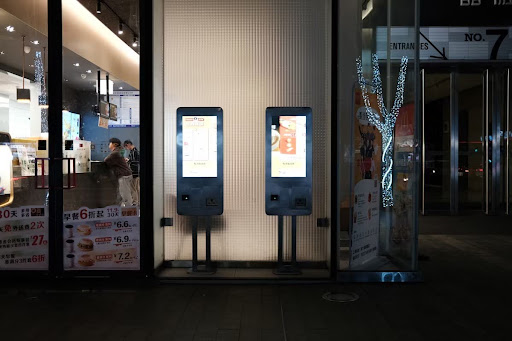
Over 80% of Americans prefer using self-service kiosks. Moreover, 66% would choose a kiosk over a manned checkout. Customers love it, and thus, the restaurants love it.
But is this the only reason why restaurants, big chains and small joints, are going for the self-serve approach? Let's find out:
1. Faster Service = Happier Customers
No one enjoys waiting in line, especially when they’re hangry. In fact, 14% of Americans said that they would wait for a self-service kiosk even if there were no queue at staffed checkouts, with manual checkouts being time-consuming as a major reason.
A self ordering kiosk for restaurants speeds up the entire ordering process. Multiple people can place orders at once, without needing a human cashier for each one. That means:
- Shorter queues
- Faster table turnover
- More satisfied guests who are likely to return
2. Lower Labor Costs Without Compromising Service

According to the National Restaurant Association’s 2024 State of the Restaurant Industry report, 45% of restaurant operators need more employees to meet customer demand.
Fulfilling this demand leads to high labor costs. Plus, employee hiring and employee retention are tough and expensive. Self-service kiosks won’t replace your team, but they can decrease the pressure on your existing front-of-house staff. You’ll need fewer people manning the register. Consequently, you can reallocate resources to food prep, cleaning, or customer service.
The result? Lower operational costs and a team that’s less stressed and burdened during rush hours.
3. Built-in Upselling That Actually Works
Anything that's digital and machine-oriented, we tend to be less thoughtful and mindful. We tend to indulge more. We tend to spend more.
– Dipayan Biswas, Professor of Marketing, University of South Florida

Unlike human staff who might forget to suggest fries with that burger, kiosks are experts at upselling, every single time. They can automatically suggest add-ons, upgrades, combo deals, or popular items based on the customer’s selections.
In fact, customers spend from 15% to 42% more when ordering using a kiosk. The numbers are even higher for independent restaurants. This small nudge at the checkout adds up to bigger average order values.
4. Fewer Order Errors
Suppose a customer asks for a gluten-free Margherita pizza. But your staff mishears it and brings a regular crust instead. Now, your customer is frustrated and potentially sick. On top of that, your team has to remake the order, wasting time, ingredients, and money.
Self-service kiosks decrease human error, as customers enter their preferences directly. No misheard orders. Just clean, accurate inputs that go straight to the kitchen.
5. Personalized Ordering Experience
Some people want to ask a dozen questions before ordering. Others want to swipe, tap, pay, and go. Self-service kiosks cater to both types. Customers can browse at their own pace and customize their meals exactly how they like. No awkward pressure of ordering in a hurry.
6. Better Business Insights (Without Guesswork)
Self-service kiosks collect data. Lots of it. You’ll get insights on:
- What the bestselling item
- When your busiest hours are
- How customers customize their meals
- Which upsells work and which ones flop
This kind of info can help you make smarter menu management, staff scheduling, and menu pricing decisions.
7. Easy Integrations With POS & Loyalty Programs
Modern kiosks integrate with your existing restaurant POS system, kitchen display systems, and even loyalty program apps. That means:
- Real-time updates and advanced POS reports across systems
- Loyalty rewards auto-applied at checkout
- Smoother kitchen operations
It’s all synced. No extra effort from your staff or your customers.
Challenges of Self-Serve Kiosk Implementation (And How to Overcome Them)
Kiosks can indeed work wonders, but implementing them might come with a few bumps. Having said that, none of these challenges are deal-breakers. Every problem has a pretty simple solution.
High Initial Investment Costs
Kiosks can feel expensive upfront, between hardware, software, and setup.
The fix:
- Run a ROI analysis. You're likely to recover costs through labor savings and higher average orders.
- Go for phased implementation. For example, start with one or two kiosks in key areas before expanding.
- Explore financing options. Many vendors offer leasing or subscription models that decrease upfront cost.
Technical Glitches and Downtime
Like all technology, kiosks may occasionally experience technical glitches.
The fix:
- Choose a reliable vendor with great reviews and proven uptime, like OneHubPOS.
- Ask about support contracts and real-time troubleshooting availability.
- Keep one manual register open during early days of implementation.
Learning Curve for Staff and Customers
Some customers and staff may initially resist adopting new technology, particularly during peak times.
The fix:
- Train your team before launch, including how to help customers on the spot.
- Use help screens, tooltips, and short explainer videos on the kiosk itself.
- Incentivize usage with early-bird discounts or rewards to encourage adoption.
Self-Serve Kiosk Implementation Checklist
Thinking of moving ahead with kiosks? Here’s an essential checklist to help you plan a successful rollout:

This checklist can be your cheat sheet as you move from “maybe” to “let’s do this.”
Manual Ordering vs. Self-Serve Kiosk Experience
To really understand the impact of kiosks, let’s compare the traditional manual ordering experience with what kiosks bring to the table.
Here’s a quick side-by-side:

OneHubPOS Makes Kiosk Implementation Easy
Self-serve kiosks have gone beyond giant chains. More and more independent restaurants, fast casual spots, and even cafes are opting for them.
The benefits:
- Faster service
- Lower labor costs
- Better upselling
- Greater order accuracy
- Rich customer insights
The challenges (But all fixable!):
- High setup costs – Offset by ROI and financing
- Tech issues – Solved with great vendors and support
- Learning curve – Easy with onboarding and signage
If you’re considering self-serve kiosks, OneHubPOS offers an all-in-one solution, hardware, software, and support, all designed exclusively for your restaurant.
- Compact, sleek kiosk options for any layout
- Powerful upsell and customization features
- Smooth all-in-one POS integration and real-time analytics
- 24/7 support
- Easy staff onboarding tools
See the difference OneHubPOS can make in your restaurant. Book a demo today and step into smarter service.

.webp)
5 min read
Your customers might discover you on Instagram, check your website for prices, visit your store to try things out, and expect a seamless payment experience.
If your online and in-store setups aren’t in sync, it’s frustrating for customers and a missed opportunity for you.
Shoppers expect convenience and consistency, whether they’re online, in-store, or bouncing between both. If your systems aren’t in sync, you’re leaving sales and loyalty on the table.
This guide explains omnichannel retail strategy, its importance, and key tools and strategies to connect your channels.
What Is Omnichannel Retail?
An omnichannel retail strategy creates a unified, consistent shopping experience across your website, mobile app, physical store, social media, and more.
Now, does it sound to you like multichannel retail? However, it differs significantly. Multichannel simply means you’re present on multiple platforms, like having a store and an Instagram shop. But if those channels don’t talk to each other, it’s a disjointed experience.
Omnichannel = Connected
Multichannel = Scattered
The goal is simple: shopping with you should feel effortless, familiar, and personalized, no matter where or how it happens.
Why Connecting In-Store and Online Sales Matters

Customers shopping across multiple channels spend 250% more and have a 13% higher average order value than those who use a single channel.
So, that’s a lot of potential revenue left on the table if your channels aren’t integrated.
Plus, consumer behavior has shifted in the following ways:
- Showrooming: Browsing in-store but buying online later
- Webrooming: Researching online, then buying in-store
- Click-and-collect: Shopping online, picking up at the store
These changes bring significant benefits for retailers who master omnichannel strategies:
- Increased customer loyalty: Because they remember how smooth it felt to shop with you.
- Reduced cart abandonment: When you send a reminder or offer in-store pickup, that sale doesn’t slip away.
- Higher operational efficiency: No more juggling separate systems for online and offline orders.
- More upselling and cross-selling opportunities: Personalization is easier when you know your customer well, across platforms.
Building Blocks of a Unified Omnichannel Retail Strategy
Let’s get into how to make this work. Here's what needs to come together behind the scenes:
Unified Inventory Management

Ever had to say, “Sorry, we’re out of stock” to a customer… only to realize it was available online or in another store?
With real-time inventory tracking across locations, that problem disappears. You always know:
- What’s available
- Where it’s located
- When to restock

For instance, Walmart’s ‘endless aisle’ concept lets in-store customers order out-of-stock items via tablets for fast delivery.
Integrated Payment Systems

Customers expect the same checkout experience whether they’re tapping their phone in-store or paying through your website.
Integrated payment systems ensure:
- One unified view of all sales
- Easier accounting and fewer errors
- Smoother financial reconciliation across locations.
Plus, they let you support popular options like contactless, mobile wallets, BNPL, and more.
Centralized Customer Data (CRM/CDP)

When you have a single view of the customer: browsed, what they bought, what they love, you can create experiences that feel tailor-made. Moreover, 80% of customers are more likely to buy from brands that offer personalized experiences.
Take Sephora, for example. Whether someone shops on the app, website, or in-store, their Beauty Insider data is synced. They get smart product recommendations, loyalty rewards, and offers that feel just right.
Creating Seamless Customer Experiences
Once the tech foundations are in place, how do you actually make the shopping experience feel perfectly smooth and delightful for your customers? Let’s break it down.
Consistent Branding and Messaging

Imagine a customer sees a sleek, modern Instagram ad and then walks into a store with a completely different vibe. Confusing, right?
Consistency builds trust.
Whether interacting online, via SMS, or in-store, every element—from the color palette to the language—should be unmistakably ‘you.’

This includes:
- Visual branding (logos, colors, and layout)
- Tone of voice (are you quirky, friendly, and sophisticated?)
- Promotions (make sure offers are the same online and in-store)
Unified campaigns that run across platforms also perform better. Customers don’t get mixed messages, and your marketing feels smarter.
Flexible Fulfillment Options

Customers want flexibility. Sometimes they want it now. Sometimes they want to browse online and pick up when it’s convenient. Other times, they want to return an online order without going through shipping hassles.
The more options you offer, the easier it becomes for them to choose you over a competitor.
Popular fulfillment features include:
- BOPIS (Buy Online, Pick Up In-Store): Saves on shipping, gets customers in-store.
- BORIS (Buy Online, Return In-Store): Simplifies returns, builds trust.
- Same-day and curbside pickup: Gained popularity during the pandemic and still going strong for busy shoppers.
All of these rely on synced inventory and order systems.
Personalized Engagement Across Channels
This is where omnichannel retail strategy really works great. When your systems work together, your marketing ideas get smarter, and your customer engagement goes next level.
Let’s say someone added a pack of organic snacks to their cart but didn’t check out.
You could:
- Send an email or SMS reminder.
- Show a Facebook retargeting ad.
- Offer a discount code next time they check out in-store.
Plus, some modern POS systems can even suggest personalized product recommendations at checkout based on a customer’s past purchases, just like an online algorithm would.
Layer on omnichannel loyalty programs, and now you're rewarding customers whether they shop online, in-store, or both, keeping them in your ecosystem longer.
Tools & Tech That Power Omnichannel Retail Strategy
Let’s explore what kind of software and platforms actually make your omnichannel strategy work.
CRM/CDP Tools
Customer data platforms (CDPs) and customer relationship management (CRM) tools help you keep track of who’s buying what, where, and how often.
Cloud-Based Inventory & Order Management
You need a cloud-based system that updates stock in real-time, flags low inventory, and syncs orders across all channels. Bonus if it includes features like barcode scanning, supplier management, and purchase order tracking!
POS Systems with Omnichannel Support
Gone are the days of clunky, isolated POS systems. Today’s retail POS should:
- Sync with your online store
- Connect to your inventory
- Let you offer discounts, loyalty rewards, and mobile checkout options
- Store customer profiles for personalized checkout
This is where OneHubPOS works great.
- It combines advanced POS features, inventory management, and customer insights, all under one roof.
- It’s cloud-based, so you get real-time visibility from anywhere.
- It supports integrations with your website, payment gateways, and CRMs.
If you want to execute your omnichannel retail strategy, OneHubPOS is built just for retail stores like yours.
Unified E-Commerce Platforms
Platforms like Shopify, WooCommerce, and BigCommerce are designed to integrate with your in-store systems, enhancing rather than competing.
When connected to a powerful POS system like OneHubPOS, your orders, stock levels, and promotion ideas stay in sync automatically.
API Integrations and Automation
With the right APIs, your tools can talk to each other:
- POS talks to your email software
- Inventory alerts trigger reorders automatically
- CRM updates when a customer completes an in-store return
Even if you’re not tech-savvy, the right platform makes this all easy. What's best is that most of it runs on autopilot once set up.
Challenges Retailers Face and How to Overcome Them
Implementing an omnichannel retail strategy isn’t always smooth sailing. But knowing the common pitfalls helps you plan smarter.
1. Data Silos Between Teams
If your online and in-store teams don’t share data, you’ll miss valuable insights and sales.
Solution: Choose platforms that integrate data and offer shared dashboards.
2. Staff Training for New Tech
New tools can overwhelm store staff if they’re not trained properly about must-knows and hacks to operate the POS system efficiently.
Solution: Go for intuitive systems and offer hands-on training + cheat sheets.
3. Managing Returns & Reverse Logistics
Returns and refunds can be messy when customers switch channels.
Solution: Standardize return policies and use systems that log returns across platforms.
4. Inventory Syncing Issues
This one’s a deal-breaker. If stock isn’t syncing, customers lose trust.
Solution: Invest in a real-time, unified inventory management system with POS reports.
Start Small, Think Unified With OneHubPOS
You don’t have to overhaul your entire business in one go.
Start with a few simple steps:
- Audit your current systems — Where are the gaps?
- Pick one area to integrate — maybe inventory or payments
- Choose tools that talk to each other — no more data silos
- Get your team onboard — omnichannel is a team sport
The big takeaway: Omnichannel isn’t about being everywhere. You just have to be seamless everywhere.
Choose OneHubPOS, built for today’s retail, online, offline, and everything in between. You get:
- Unified inventory management
- Integrated payments
- Smart customer insights
- Easy integrations with your online store
Book a demo today and see how OneHubPOS makes omnichannel easy, affordable, and doable — no matter the size of your store.
.webp)
5 min read
A customer purchases a single item, and your receipt printer springs into action. A long strip of paper for one tiny transaction. You hand it over, they barely glance at it, and within seconds, it’s either scrunched into a pocket or tossed into the bin.
Now multiply that by 50, 100, or even 300 customers a day. That’s a lot of paper, a lot of waste, and yes — a lot of money going literally out the door.
Convenience, speed, and sustainability are business essentials. So, switching to POS receipts could be one of the simplest yet most impactful upgrades you make.
This blog walks you through what digital receipts are, why they’re better for your bottom line, your customers, and even the planet.
What Are Digital Receipts?
Imagine a customer enters a quick-service restaurant, orders a burger combo via their mobile device, and opts for counter pick-up.
The moment they pay, the QSR POS system processes the order, and sends a digital receipt straight to their phone via SMS or email.
This receipt shows:
- Items Ordered: Burger, fries, and drink (Combo Deal)
- Discount applied
- Contactless payment method
- Pickup time
- Your store’s name, contact, and maybe even a coupon for their next visit

Digital receipts are electronic versions of the traditional paper receipt. Gone are the days of storing long paper receipts in bulky cash registers. Digital receipts are generated directly by the retail POS system or restaurant POS system at the time of purchase and hence are also called POS receipts.
Instead of handing over a printed slip at the checkout counter, you send the receipt directly to them:
- Email receipts: Sent directly to the customer’s inbox.
- SMS receipts: A quick link sent via text.
- App-based receipts: Saved in your store’s app or a customer’s digital wallet.
- QR code downloads: Customers scan a QR code at checkout and instantly download their digital receipt.

Cost Savings and Operational Efficiency

One of the biggest reasons to switch to POS receipts? The savings. You might not realize it, but all those rolls of thermal paper, ink refills, printer maintenance, and even printer replacements add up fast.
Switching to paperless transactions positively impacts your bottom line by:
- No more paper and ink expenses. You’ll save thousands annually by not constantly buying receipt rolls and printer supplies.
- Less reliance on receipt printers means fewer breakdowns, lower repair costs, and less time troubleshooting.
- Instead of waiting for the printer to churn out a receipt, you simply ask for an email or phone number, and it’s done. Quicker checkouts mean happier customers and less crowding at the counter.
- Digital records eliminate the need for physical storage. No more overflowing receipt boxes, binders, or folders eating up your office space.
- You won’t have to spend hours digging through paper trails during audits or end-of-month reporting. Everything is searchable, filterable, and right at your fingertips.

Enhanced Customer Experience

Keeping track of paper receipts is cumbersome. They fade, crumple, and always seem to disappear when you need them most. On the other hand, POS receipts make life easier for you and your customers.
Here’s how they improve the customer experience:
- Easy access anytime, anywhere. Whether it’s in their email inbox, messages, or app, customers can pull up a digital receipt instantly. No going through drawers or old wallets.
- No more clutter. POS receipts keep things neat and organized.
- Customers can quickly prove a customer's purchase, making returns, refunds, and warranty claims way smoother.
- With digital receipts, you're not just sending a summary of paperless transactions. You're sending a mini marketing opportunity. Include:
- Your Business Name
- Store Location and Contact Info
- A short Header Message (like “Thanks for visiting!”)
- A Footer Message with an offer (“Get 10% off your next visit”)
- Even a Store Code for tracking
Environmental, Sustainability, and Health Benefits

Each small paper receipt leaves an environmental footprint. That means it leaves behind an environmental impact — from the trees cut down to make the paper, to the fuel used in transporting it, and the energy used in printing. All of that adds up to what's called a carbon footprint, or simply the total greenhouse gases your business contributes to the environment.
- Most receipts are printed on non-recyclable thermal paper, contributing to deforestation and landfill waste. POS receipts help cut down this unnecessary consumption.
- There’s energy involved in producing, packaging, and transporting thermal paper rolls to your store. Eliminating paper cuts down the entire supply chain’s carbon emissions.
- Think of how many receipts you print in just one week. Not printing them at all is a lot of waste avoided and a huge step toward sustainability.
But on top of all this, understand that receipts are bad for your health.
Most paper receipts are coated with BPA (Bisphenol A) or BPS (Bisphenol S). These can be absorbed through the skin during handling and have been linked to hormone disruption. Cashiers, servers, and business owners handling hundreds of receipts a day are at increased risk. So, switching to POS receipts protects your staff and customers too.
Data Collection and Marketing Insights
Every business owner loves knowing their customers better. POS receipts help you go from just selling to actually building relationships.
When customers opt-in for digital receipts via email or SMS, you gain valuable contact details and open the door to:
- Email addresses for newsletters and promos
- Purchase history to understand buying habits
- Product preferences, timing, and even frequency of visits
Furthermore, with purchase data, you can send:
- Tailored offers
- Birthday discounts or loyalty perks
- Special promos based on past buying behavior
Also, analyzing receipt data helps you identify what’s working and what’s not.
- Which items are bestsellers?
- When do customers buy the most?
- What marketing ideas perform best?
With this info, you can fine-tune your inventory, menu pricing, and promos.
Simplified Tax Compliance and Record-Keeping

Digital receipts can actually make it way less stressful. Here's how:
- With POS receipts, everything is stored in your system or cloud. Need to pull up all sales from last April? Just search and download. Done.
- Manual logging is prone to mistakes, and those mistakes can cost you big during audits. Digital systems reduce the risk of:
- Typos
- Missing receipts
- Inconsistent tax records
- Your customers can also access receipts for warranty claims or tax filing without calling your store and asking for a reprint.
Security and Compliance Considerations
Understandably, you might be wondering: “If everything’s digital, is it safe?” The short answer — yes, if done right.
- Modern POS systems encrypt data to ensure the secure storage and transmission of digital receipts and customer information. So, even if you're sending a receipt via email or SMS, it’s protected end-to-end.
- If your laptop dies or your system crashes, POS receipts aren’t gone — they’re backed up on secure servers.
Addressing Common Concerns
Here are the most common concerns you might have before switching to digital receipts:
- Will customers accept it?
Yes. In fact, many actually prefer it. Younger customers (especially Gen Z and millennials) are all for digital convenience. For older or hesitant customers, just offer both options at checkout for a while. You don't have to move to digital receipts overnight.
- What about older demographics?
Some customers might still love their paper trails. So, offer both options: digital for those who want it, paper for those who don’t. Over time, you’ll notice more people naturally opting for digital.
- Isn’t it expensive to upgrade?
Not really. OneHubPOS supports POS receipts; it is affordable and packed with features. Plus, you’ll quickly make up the cost with savings on paper, ink, maintenance, and printer replacements.
- What if the customer doesn’t want to give their email?
No worries. Offer receipts via SMS or let them scan a QR code at the counter to download it instantly. No email needed.
- How do I store digital receipts for taxes?
Cloud-based POS systems automatically store and organize your POS receipts safely. You can easily access them. In the tax season, you can just export the data you need.
Switch to POS Receipts With OneHubPOS
OneHubPOS is an intuitive POS system that eases up moving to POS receipts with:
- Email, SMS, and QR-based digital receipts
- Real-time analytics and marketing integrations
- Secure cloud-based backup
- Smooth staff training and setup
Ready to transform your business? Book a OneHubPOS demo today and step into a smarter, greener, and more efficient future.
.webp)
5 min read
Parents start with hope. Maybe the baby will nap in the stroller, maybe the toddler will be entertained by fries and a napkin. But somewhere between the spilled juice, judgmental stares, and a meltdown, that hope fizzles out.
The problem? Even “family-friendly” restaurants don’t always feel friendly to actual families.
But here’s the good news: with the right design, operations, and kid friendly restaurant menu ideas, restaurants can absolutely become a haven for families.
This guide breaks down what it really takes to create a kid-friendly restaurant that parents love, toddlers love, and even child-free diners don’t mind sitting near.
Why Most “Family-Friendly” Restaurants Still Miss the Mark

Too often, “family-friendly” means putting some crayons on the table and maybe offering fries with everything. Here’s why most restaurants get it wrong:
🍕 Same boring food — nuggets, pizza, mac & cheese. No variety, no nutrition. Just something to keep kids quiet.
🚼 No space to move — toddlers need to wiggle! Small tables and slippery floors make things harder, not easier.
😳 Crying baby? Panic mode. Staff aren’t sure what to do. They’re not trained for noisy, messy moments.
🥴 And the stress is real. Parents rush through meals, food gets cold, and everyone leaves feeling exhausted — no matter how good the food was.
11 Ways to Create a Kid-Friendly Restaurant That Families Will Love
Build a place that welcomes kids, with spaces, systems, and staff that truly understand how perfect family dining looks.
Design Elements That Actually Work for Families
In an ideal kid-friendly restaurant, parents relax, kids engage, and food gets eaten while it’s still warm. Here’s how:
- Safe & Supervised Play Zones

A play area is something many parents are desperately hoping for in a restaurant. So, here’s what works:
- Play zones should be clearly visible from dining tables. Parents want to sip coffee while keeping an eye on their toddler, not go to and fro.
- Use soft mats, age-specific toys, and gated entries to keep younger kids secure while giving them freedom to explore.
- Have space outside? Add shaded play zones, mini obstacle courses, or sandbox areas with seating nearby.
- Use themes like forest, underwater, space, or jungle that spark imagination. Bonus points if it rotates with seasons or holidays!

- Flexible, Family-Friendly Seating
No one wants to drag a stroller through tightly packed tables. Here’s what family-friendly seating consist of:
- High chairs, booster seats, and corner-friendly setups
- Room for strollers, diaper bags, and tiny humans who need space to move freely
- Booths with partial partitions to make kids stay contained and give parents a sense of privacy
- Designated family zones and quieter areas so everyone can enjoy their meals without stress

- Interactive Decor Without Overstimulation
Kids need engagement, not chaos—so make your decor do double duty as both ambiance and amusement:

- Chalkboard walls for kids to draw while they wait for food. Easy to clean!
- Bright murals with hidden creatures, magnetic boards, or movable gears to engage toddlers without creating noise
- Soft LED elements or interactive floor tiles but no flashing lights or loud sounds
- Noise-Managed Interiors

If your space bounces sound loudly, even a happy giggle can feel like a clash. Here’s how to soften the noise:
- Acoustic panels that blend into walls or ceilings and absorb echoes
- Wood or padded seating instead of metal chairs and tile floors to absorb sound
- Ambient background music or white noise to smooth out sudden cries
Operational Features That Ease Family Visits
You have a cute play area. But what if the food takes 45 minutes and you forget the kid’s drink? A meltdown from both parent and child!
So, let’s look at how you can tweak operations:
- Speedy, Predictable Service
Kids have a limited window before boredom, hunger, and meltdowns. A modern all-in-one POS system enables fast, seamless service with features like:
- Self-ordering kiosks: Kids love pushing buttons! And parents love skipping the line.
- Contactless payments: Nobody wants to juggle toddlers and cash.
- Kitchen Display Systems: Orders are instantly routed to the kitchen — no confusion, no delays.

- Menu management: Include “instant snacks” as a category, with kid friendly restaurant menu ideas like fruit cups, mini bread baskets, crackers, or cheese cubes. A lifesaver while waiting.
- “Kids served first” policy: Train staff and use POS tags to prioritize kids’ meals for faster delivery.
- Balanced, Playful Kids’ Menu

Kid friendly menu ideas are usually an afterthought: dry nuggets, fries, and a soda. That’s fine for survival, but most parents want better:
- Think nutritious but fun combo deals, like rainbow veggie sandwiches, mini smoothies, or animal-shaped rice balls.
- Bright plates make food more exciting and photo-worthy.
- Kids love DIY. Let them build their own pizzas or mini bowls. It gives them choice and keeps them engaged.
- Include coloring areas, puzzles, sticker games. Make the menu part of the entertainment.
- Amenities That Make Parents Stay Longer
Want families to hang out longer and actually relax? Then give them the following facilities:
- Stocked, clean, accessible changing rooms that are not hidden behind the kitchen
- Nursing nooks & family restrooms, since not all parents feel comfortable nursing at the table

- Cozy lounge-style corners near play zones for parents who want to supervise while enjoying a break
A Judgment-Free Dining Culture

The eye rolls. The sighs. The side-eyes from other diners. Many parents stop dining out with kids due to judgment. Even worse? When staff act annoyed or seem unprepared for the chaos that comes with kids.
Here’s how to create an emotional space:
- Empathetic, Trained Staff
To truly be family-friendly, start by treating toddlers like guests, not problems.
Train your team to stay calm during meltdowns. A little empathy goes a long way — not with fake smiles, but with real patience and kindness. Help staff use gentle language to guide wild energy without sounding harsh or frustrated.
Support this atmosphere with warm, welcoming signage. A simple “We welcome noisy joy” or “Yes, toddlers are part of our vibe” can shift the whole atmosphere. It tells parents: you’re safe here.
Even a few thoughtful phrases can make a big difference. Things like, “Want me to bring a quick snack for your little one while you decide?” or “It happens to all of us — no rush, you’re doing great.” Those words land softly, and they matter.
- Transparency & Clear Expectations
When parents don’t have to wonder, they feel confident about choosing your place, again and again.
Use table cards or small signs to communicate clearly with parents:
- What play zones are available
- How food service works
- Whether stroller parking is provided
- If there’s a diaper-changing area

On your website and Google listing, share:
- High chair availability
- Family restroom info
- Best hours to visit with toddlers
- Menu previews with kid-friendly options
Create Experiences That Keep Families Coming Back
Give families a reason to return — and bring their friends too.
- Kid-Focused Events

Occasional themed events can make a big splash with families. Here are some ideas:
- Storytime brunch: Partner with a local author or bookstore.
- Mini baking workshops: Kids get messy and proud making cookies or cupcakes.
- Magic shows or puppet shows on slow afternoons.
- Birthday party packages: Include food, playtime, and photo-worthy setups.
- Sensory-friendly hours: For kids with special needs, dimmed lights, lower music, smaller crowds.
- Reward Programs with a Twist
Give parents something more thoughtful, and ideally — kid-approved. Here are some ideas:
- Digital punch cards: 1 free cookie after 5 visits or a surprise treat after 10
- Themed loyalty perks: “Bring a book to donate = 10% off.” or “Tuesday Toy Swap = Free kids drink.”
- Weeknight rewards: Encourage off-peak visits with incentives like free dessert on Wednesday evenings.
Marketing to Today’s Parents (Not Just Kids)
Now, it's time to get families in the door and keep them talking about you.
Social Media That Shows the Joy

Parents use social media to find spots their kids will love — and where they can actually relax. So, use your social media to:
- Highlight happy chaos. A giggling toddler covered in pasta sauce? Post it.
- Showcase your play zones, colorful food, cozy seating, and thoughtful amenities.
- Celebrate the small wins. A dad enjoying a coffee while watching his kid build with blocks? That’s marketing gold.
- Make the most of Instagrammable decor. Bright murals, chalkboard walls, and cute kids’ meals make for instant content.
- Encourage tagging and geotags. Add hashtags like #FamilyFriendlyEats or #TinyFoodiesUnite.
Partnerships & Local Buzz
Partner with the local parenting ecosystem to bring repeat business and community love:
- Parenting bloggers and influencers for reviews or meetups
- Local daycares and schools for field trip lunches or fundraising nights
- Pediatricians, toy stores, or bookstores for cross-promos
Online Transparency Builds Trust

Parents check restaurant reviews, photos, and menus before stepping out. So, your digital presence should clearly mention:
- Stroller and high chair availability
- Changing rooms, nursing nooks, and play zones
- Wait times, especially during peak hours
- Noise levels, kid-friendly hours, and allergy-friendly options
From Kid Meltdowns to Menu Hacks — OneHubPOS Handles All
Dining out with kids shouldn’t feel like chaos. Families want to eat out. They want memories. When your restaurant is designed with empathy, structure, and fun, you’re giving tired parents a chance to breathe + you’re helping little ones explore.
So if you’re ready to build (or transform) your restaurant into a place that families love, book a demo with OneHubPOS today!
.webp)

5 min read
What if your next big sales boost isn't a discount, but a free sip?
That's right. Liquor tasting events offer more than a free drink—they spark conversations, help customers explore new products, and encourage return visits.
This article explores why tasting events work, benefits for your liquor store, step-by-step tips to host a successful event, and how to measure your ROI.
Why Tasting Events Work: The Psychology Behind the Sip
Here's why liquor tasting events are effective:
1. Emotional Connection That Starts With a Sip

When someone sips a new whiskey, its smell, taste, and texture forge a stronger, more emotional connection with the product. Instead of reading a label or checking reviews online, they’re forming their own opinion in real time. This leads to greater trust in the product and more chances of purchase.
2. Lower Purchase Hesitation
When buying something new, you might think, "What if it's not worth it?" or "What if I don't like it?" Free samples eliminate these concerns. Customers feel less risk because they’re not committing blindly, especially important for higher-end or unfamiliar brands.
3. A Communal Shopping Vibe

Whether it’s between customers comparing notes or a brand rep explaining tasting notes, such events create a warm, social environment. The more relaxed and social people feel, the longer they stick around, and the more open they are to trying and buying new things.
4. Longer In-Store Time

During liquor tasting events, people move from station to station, engage with staff, ask questions, and grab mixers, glassware, or a second bottle of their new favorite spirit. The longer someone spends in your store, the more likely they are to buy.
5. The FOMO

Whether it’s “Whiskey Night” or “Local Gin Tasting,” people want to join in when they know it’s a one-time deal. That urgency boosts attendance and pushes customers to make quicker purchase decisions. After all, what if that bottle isn’t available after tonight?
4 Key Business Benefits of Hosting Tasting Events
Here's why organizing tasting events can benefit your business:
Better Customer Experience

Liquor tasting events create a moment—a reason to pause and an opportunity to connect with the product and your store in a meaningful way. Shoppers interact with products through tastings. Consequently, they feel special. It’s personal. It’s about what’s on the shelf + what they experience while they’re there.
First-time buyers or hesitant browsers often don't feel confident picking a bottle of wine or whiskey. A guided tasting makes the decision easier and more enjoyable.
Product Discovery

Have a new premium tequila or a lesser-known local gin? Pour it. Such samples make premium or unfamiliar brands more approachable. Plus, customers are more likely to say yes to a $60 bottle after they have had a small taste if they’re impressed by the quality.
Loyalty & Brand Affinity

Liquor tasting events invite customers into a shared experience, something they’ll remember and talk about. When customers associate your store with good times, education, and exclusive opportunities, they’re more likely to come back.
Moreover, regular, well-run tastings are a huge competitive advantage in an industry where many stores offer the same brands at similar prices.
Increased Sales, Immediately & Over Time

During tasting events, customers find something they like, and they want to take it home right away. Then, the impact extends to follow-up purchases. If someone loved the smoky bourbon they tried at your event, they're likely to come back for it or recommend it to a friend.
How to Plan a Successful Liquor Tasting Event
Let’s break down how to improve liquor store sales through creating an unforgettable tasting experience:
Step 1: Know Your Audience & Choose the Right Products

Understand what excites your customers and tailor the lineup accordingly:
- Young professionals? Bring out flavored vodkas, ready-to-drink cocktails, or trendy seltzers.
- Wine enthusiasts? Curate a mix of reds, whites, and maybe a surprise orange wine for flair.
- Bargain hunters? Highlight value-for-money whiskies or versatile vodkas that punch above their price tag.
Also, mix it up with rotating themes like:
- Whiskey Night
- Craft Beer Showdown
- Summer Wines & Spritzers
- Holiday Spirits Countdown
- Local Distillery Spotlight
Step 2: Partner with Distributors or Local Brands
Distributors and brand reps love getting involved with tastings. Why? Because it gives their product exposure and gets bottles off shelves. So, reach out to them:
- Ask if they’ll provide free samples.
- Invite a brand ambassador to offer tasting notes or fun backstories.
- Let them do the educating while you handle the hosting.

Since they are more knowledgeable about liquor, their explanations add credibility, like when they say…
“This gin is infused with lavender and thyme from the Pacific Northwest. Taste how the botanicals open up with just a splash of tonic.
Step 3: Promote the Event Across Channels

You could have the best event planned… but if no one shows up, it flops. So, here’s where to focus:
- In-store:
- Use counter displays, posters, and shelf talkers.
- Put flyers in every shopping bag a week before the event.
- Digital channels:
- Send newsletters to your customer list.
- Use SMS or WhatsApp for reminders as these channels have higher open rates.
- Post countdowns and sneak peeks on Instagram Reels and Stories.
- List your event on Google Events to boost local SEO.
- Community outreach:
- Share the event in local Facebook groups related to drinking, food, and local events.
- Tag local influencers or food bloggers who might want to attend or repost.
- Invite a local food blogger or lifestyle influencer to co-host or document the event. Ask them to share honest impressions and tag your store.
Also, offer some incentives. For example:
- Free branded glass for early RSVPs
- Raffle tickets for attendees
- Double loyalty points on event-night purchases
Step 4: Create a Warm, Welcoming Setup

Make your setup clean, easy to navigate, and inviting. You must have:
- Clear signage for each product
- Labeled tasting stations with printed notes
- Staff at each table to answer questions
- Water pitchers and cups
- Palate cleansers, like crackers and fruit
- Tasting cards or score sheets
- Spittoons for those who want to sip, not gulp
- Napkins, table covers, and sanitizer

Want to make the vibe even better? Add light food pairings for a more polished and more memorable experience:
- Cheese cubes with red wine
- Dark chocolate with bourbon
- Mini sliders for beer tastings
- Fruit skewers with sparkling wine
- Charcuterie boards for everything
Step 5: Train Staff to Sell Through Service

Your team’s tasks go beyond just pouring drinks. They have to shape the customer experience. So, equip them with:
- A cheat sheet with product details and tasting notes
- A quick rundown of how to talk about flavors (“Notice the citrus finish?” instead of “This tastes strong.”)
- Encouragement for friendly conversation, not hard sales
- Liquor store loyalty program sign-ups at each station or checkout
- Hacks to operate the POS system effectively
A relaxed, informative approach builds trust and gets people in the mood to buy.
Measuring Success: How to Track Event Impact
Were your liquor tasting events worth it? Here’s how to track the impact and prove ROI.
1. Track Sales Performance
Compare sales of featured products on event day vs non-event days. Use your liquor store POS system to:
- Pull real-time reports for each featured SKU.
- See which products were best-selling and which flopped.
- Filter sales data by time range to identify when the buying peaks happened.
2. Monitor Repeat Visits & Customer Behavior
One tasting event should spark repeat purchases and loyalty. POS reports give you access to customer profiles and purchase histories. You can see:
- Frequency of visits
- Average order value changes
- Which events bring back the most returning customers
3. Collect Customer Feedback
Don’t guess what worked. Ask.
- Place QR codes at tasting tables and checkout for instant review/feedback forms.
- Send a follow-up SMS or email asking: “What did you love about the event? What could we improve?” Keep it 3-5 questions max.
Ask about:
- Product favorites
- Event setup experience
- Likelihood of attending again
- Overall satisfaction score
You can even offer a discount or loyalty points for completing the survey.
Then, don’t waste good feedback:
- Use positive feedback in your next event promo.
- Feature them on Instagram or a “Customer Picks” shelf in-store.
Sip Your Way to Higher Sales & Loyalty
Liquor tasting events are a strategic marketing tool that:
- Build customer trust
- Encourage exploration
- Boost immediate and long-term sales
- Set your store apart in a crowded market
From tracking sales to segmenting customers, setting up bundles to applying discounts, OneHubPOS turns each event into a repeatable growth approach.
Are you ready to host tastings that drive sales? Book a demo with OneHubPOS and discover how easy it is to convert sips into sales.
.webp)
5 min read
Your next customer might already be looking for you online. The only question is: Will they find you?
Successful liquor stores are buzzing with orders, even during slow weekday afternoons. Besides foot traffic, their online presence works behind the scenes, attracting new customers via Google—even when they're offline—and effortlessly driving loyal buyers back with a simple email.
This blog breaks down why it’s no longer optional if you want to grow (or even stay relevant), along with a step-by-step guide to help you build an online liquor store.
What Does an Online Presence Actually Mean for a Liquor Store?
Does “being online” just mean having a website? NO! Sure, a website is part of an online liquor store. But your store’s digital footprint includes every online touchpoint where customers interact with your brand.
- Your store appears on Google search results with clear hours, phone numbers, directions, and appealing photos.
- It's pinned on Apple Maps with positive ratings and reviews.
- Facebook or Instagram showcases your special weekend discounts or new product arrivals.
- Your website is clear, featuring product listings with options for online ordering or in-store pickup.
- Your store is listed on delivery platforms like ReserveBar or Instacart.
If you're not online, your competitors might be winning over customers who never even knew your store existed.
Why an Online Presence is Crucial for Liquor Stores
Let’s talk about why an online presence matters and why every liquor store needs one:
1. Changing Customer Behavior

Customers today are plugged in and impatient. They’ve become used to ordering everything from groceries to wine with a few taps. Even your regulars might now prefer to:
- Browse product selections online before making a trip
- Check opening hours on Apple Maps instead of calling
- Order online and pick up curbside, especially when they’re in a rush
And if your store doesn’t show up online? They’ll move on to the one that does.
Think about how often people search phrases like:
- “liquor near me open now”
- “best whiskey delivery in [city]”
- “wine shop that takes Apple Pay”
If your business isn’t optimized for these search behaviours, you’re missing out on serious foot traffic and digital traffic too.
2. Increased Visibility Through Local SEO

When someone nearby searches for an online liquor store, your Google Business Profile (GBP) can pop up, showing your location, photos, busy hours, and reviews. That one profile can make the difference between being seen or skipped. This way, local SEO makes sure people in your area find your store first when they’re ready to buy.
Even in highly competitive markets, a well-optimized online presence can position your store above big chains and franchises, as Google prioritizes relevant, local, and active businesses.
3. Online Ordering & Delivery Options

Some customers might live a little too far. Others just don’t have the time. Either way, being available on the following platforms puts your inventory right in their hands:
Also, your online liquor store can generate revenue even after closing hours, as customers place orders online for next-day delivery.
4. Customer Engagement & Loyalty
Apart from bringing in new customers, a strong online presence helps you build a relationship with them and keep them. For example:
- A positive online review convinces others to trust your store.
- A quick Instagram story about your new rum collection reminds your followers to stop by.
- A friendly email with “10% off your next order” pushes a loyal buyer to come back.
Step-by-Step Guide to Build a Strong Online Presence
Having an online presence doesn’t mean being everywhere. It means being where it counts. Here’s your playbook to making a great online presence.
Step 1: Set Up Your Google Business Profile


A free Google Business Profile helps your online liquor store show up in local search results and on Google Maps. Here’s what to include:
- Business name
- Address & phone number
- Store hours
- Product highlights
- Photos (interior shots, product shelves, and staff photos)
Similarly, list your business on Apple Maps. Here's how:
- Sign in to Apple Business Connect using your Apple ID
- Claim your business.
- Verify your information.
Step 2: Build a Professional Website

Your website doesn’t need to be extravagant, but it must be:
- Mobile-friendly, as most people browse on phones
- Fast, as slow pages = lost customers
- Easy to navigate, with clear menus and CTAs
Here are some essential pages to include:
- Home
- Product Listings
- About Us
- Contact
- FAQs
- Delivery & Pickup Info
- Blog (optional but great for SEO)

To start with, you choose platforms like Shopify, perfect if you want e-commerce and delivery, or WordPress + WooCommerce, great for flexibility, especially with blogging. It might roughly cost:
- $10–$20/year for the domain
- $5–$20/month for the hosting
- $500–$1,500 if hiring help for website setup
Your cloud-based POS system can directly sync your product inventory with your website. So, when a bottle goes out of stock in-store, your site updates automatically.
Step 3: Enable Online Ordering & Payment Options

Even if you don’t want to offer delivery right now, let customers browse products and place orders online for in-store pickup.
- On your website, add clear product categories, like wine, whiskey, and staff picks.
- Use banners or badges to highlight featured items prominently.
- Add age verification pop-ups to stay compliant with the help of your liquor store POS system.
- To help your customers order and pay swiftly, offer multiple contactless payment methods:
- Apple Pay
- PayPal
- Square
- Venmo
Step 4: Focus on Local SEO Optimization
If someone’s Googling “wine store open now” or “liquor store near me,” they’re not just browsing. These searches signal immediate buying intent—customers are likely ready to purchase within an hour. Here’s what you should do:
- Use location-based keywords on your website. For example:
- “Premium whiskey store in Denver”
- “Best liquor deals in Queens”
- “America's best online liquor store”
- Create location-specific blog posts like:
- “Top 5 Vodka Brands Popular in Miami”
- Add schema markup to your site using Yoast (WordPress) or Rank Math.
- Ensure your business is listed accurately on platforms like Yelp, Bing Places, Yellow Pages, and local neighborhood directories.

Your liquor store POS system already knows what’s selling and where. Use POS reports to write hyper-targeted content like “Most Popular Craft Beers This Month in Brooklyn (According to Our Customers).”
Step 5: Leverage Social Media
Show up on Instagram and Facebook, where your customers are already scrolling. Start with:
- Product photos
- Cocktail recipes featuring in-store items
- Weekly staff picks
- Limited-time combo deals
- Event promos, like tasting nights and local music
Use local hashtags such as #AustinWhiskey, #DenverDrinks, and #ChicagoBeerRun, and consistently tag your location to expand your reach effortlessly.
Not sure what’s new in-store or which products to feature this week? Your POS system can pull live inventory updates and generate weekly product summaries.
Step 6: Collect and Use Customer Data Wisely

Begin by building your email list:
- Use popups on your website via tools like Mailchimp, Kit, or Klaviyo.
- Offer 10% off or a small gift for first-time subscribers.
- Add a field at online checkout: “Want exclusive deals? Join our email list.”
Then, segment your emails:
- New customers vs. returning
- Wine lovers vs. beer shoppers
- Local vs. out-of-town buyers
Finally, send tailored emails like:
- “New Craft Beer Just Dropped—Local Only!”
- “Get $5 Off Your Next Wine Order, Valid This Weekend”
Step 7: Monitor and Optimize Your Digital Performance
Analyze performance data to identify what's effective and amplify those strategies. Start with tools like:
- Google Analytics to track website traffic, bounce rates, top pages
- Google Search Console to know which keywords bring people to your site
- Meta Insights for Facebook and Instagram to see best-performing posts
- Your POS dashboard to see product-wise sales trends, peak shopping times, and customer order history
More specifically, here’s what you should track:
- Traffic to key pages, like your product listings
- Conversion rates on online orders
- Which promotion ideas actually boost sales
- Social content that gets clicks or DMs
Pro Tip: Combine the insights from your POS system’s built-in reports with your web and social data. You’ll see exactly what’s working and where to focus next month’s energy.
All This? Easier With OneHubPOS
Today’s customers will Google you before they visit you. So if they don’t find anything? You’re invisible. If they find a half-filled profile or outdated website? They’ll scroll on.
But if they find a clean website, glowing reviews, and a slick ordering experience? You’ve earned their trust before they even walk in. So, you just need to be findable, friendly, and friction-free.
Sounds overwhelming? OneHubPOS streamlines it all into one simple solution—from automatic inventory synchronization and effortless customer follow-ups to actionable insights that make SEO and social media marketing straightforward.
Your online presence is step one. To know how OneHubPOS handles the rest, book a demo right away!