

Blog and Articles

The "No Tax on Tips" Rule: How The One Big Beautiful Act Changes Your 2026 W-2 Reporting for Restaurants and Retail Stores

.png)

5 min read
The restaurant world is going through a massive change when it comes to payments. That’s all thanks to new restaurant payment technology and changing customer habits. So, this blog breaks down the tech details and what restaurant payment trends mean in the real world.
Why You Can’t Ignore Payment Trends for Your Restaurant
Aligning your restaurant with restaurant payment technology trends is worth it. Here's why:
Making Every Visit Awesome

Customers want their experiences to be quick and easy. With payment options like contactless payments and mobile wallets, transactions are super fast and hassle-free. This makes a huge difference in their dining experience. People love being able to pay quickly and securely. When that happens, they're more satisfied and likely to come back again.
Upgrading Your Operations for Better Efficiency
Advanced restaurant payment technology fits right into restaurant operations. After all, they cut down on manual work and improve efficiency. Take integrated payment systems, for example. They link up POS terminals with inventory management. This makes transactions smoother and automatically updates stock.

This setup lets restaurants manage inventory in real-time. So, you don’t have to worry about running out of stock or overordering. Plus, it frees up your staff to focus on delivering great service instead of getting bogged down by admin tasks.
Keeping Up with the Competition
Jumping on the latest payment technologies can really set you apart in today’s competitive restaurant scene. Offering cool options like cryptocurrency or biometric payments can give your restaurant a unique vibe that stands out. Eventually, you’re likely to lead the way in delivering a modern dining experience.
Staying On the Right Side of the Rules
As payment technology keeps changing, so do the rules and security standards. Staying up-to-date with these helps protect your restaurant and customers from fraud and data breaches. For example, biometric authentication and AI-powered fraud detection are great for keeping sensitive payment info safe and secure.
What's Hot in Restaurant Payments for 2026: 8 Trends to Watch
1. Contactless Payments
72% of adults prefer using contactless or mobile payment options. Contactless payments work with two main technologies:
- NFC (Near Field Communication)
- RFID (Radio Frequency Identification)
NFC lets devices talk to each other over a short distance (just a few centimeters), making it perfect for mobile wallets and contactless cards. RFID also uses radio waves but can work over longer distances, which is why it’s often used for tracking inventory, besides guest payments.
The Perks of Going Contactless: Faster, Safer, and Smarter
For customers:
- Quicker and easier transactions
- No need to enter PINs or fumble with cash management
- Less physical contact, which feels safer
For restaurants:
- Faster checkouts mean shorter lines
- Smoother operations and happier customers
- Quicker table turnover, helping bring in more revenue
2. Mobile Wallets and Apps
Around 83% of restaurants now accept mobile wallets alongside cash and cards. Mobile payment apps like Apple Pay, Google Pay, and Samsung Pay let your customers pay quickly and securely. they just have to tap their phone at a terminal.
These apps store payment info safely on smartphones. So faster and hassle-free checkouts for everyone! Plus, it’s a convenient option that many people already prefer using.
Get the Most Out of Your Loyalty Program with Payment Integration

Connecting mobile wallets with your loyalty programs lets you send out digital rewards and deals straight through payment apps. It makes it super easy for customers to earn and redeem points, and you get access to some pretty valuable data on their spending habits.
With that info, you can create targeted promos and keep customers coming back for more. Plus, it’s a smooth way to increase engagement without any extra hassle.
3. QR Code Payments

Around 70% of US restaurants are using QR codes for menus and payments now. A QR code holds all the payment info in a scannable code. Customers just scan it with their mobile banking app or digital wallet, and the payment's done. It’s quick, contactless, and perfect for busy restaurants.
So, how do QR code payments work in a restaurant setting? Well, you generate a QR code for the bill. Customers scan it with their phone. Choose their payment method (banking app or digital wallet), and confirm the transaction.
Real-Life Examples of Restaurant Payment Technology in Action
- Starbucks lets customers order and pay ahead of time through their app. Diners can skip the line and grab their coffee fast.

- Pizza Hut also uses QR codes in their online ordering system. So, customers can pay without having to type in your payment info again.

- Chipotle uses QR codes for contactless payments. It speeds up the pickup process.

4. Cryptocurrency Payments

Cryptocurrency payments are set to grow at about 17% a year from 2023 to 2030. Digital currencies offer a secure, decentralized way to pay. A big plus for tech-savvy and international customers! If crypto goes mainstream, you’ll likely see more restaurants getting on board for its perks and challenges.
What’s Great and What’s Tricky with Crypto Payments
Benefits:
- Stand out and attract crypto enthusiasts
- Lower transaction fees compared to credit cards
- Quick cross-border payments, great for international customers
Challenges:
- Price volatility messing with your menu pricing and profits
- Risk of value fluctuations affecting financial stability
- Need for strong security to protect against hacks
- Tricky exchange rate management
5. Buy Now, Pay Later (BNPL) Options
About 85% of retailers have noticed more people using card-linked "Buy Now, Pay Later" plans. Some of them are Afterpay, Klarna, and Affirm. These services let customers break their payments into smaller chunks instead of paying everything upfront.
BNPL gives diners the flexibility to enjoy a nice meal now and pay for it over time. Great for bigger-ticket items or special events in restaurants. After all, it makes higher-priced meals or catering more affordable for customers. The result: increased sales.
The Scoop on How Payments Influence Customer Purchasing Behavior
BNPL can really boost your average check size. After all, it makes bigger purchases easier for customers to handle. Since they can spread out payments, people are more likely to splurge or go for pricier menu items. Plus, offering BNPL adds to customer satisfaction. How? Well, it gives them more financial flexibility and lessens the pressure of paying all at once.
6. Integrated Payment Systems
About 63% of customers like using integrated payments like Apple Pay and Google Pay. When you link your POS system with payment processing, you get a one-stop solution for managing transactions. This setup gives you real-time updates on inventory, sales, and customer info.
Perks of Combining Inventory and Customer Management Tools

Automating inventory management lets restaurants keep an eye on stock levels in real-time. This cuts down the chances of running out of ingredients or overstocking. Plus, integrated systems give you insights into sales trends and customer habits. So, making smart, data-driven decisions eases.
For instance, with an integrated POS, you can get reports on your most popular dishes to tweak your menu and menu engineering for the best results.
7. Biometric Payments
CaliExpress, an automated fast food joint in California, took things up a notch: it lets customers pay with their face! All customers do is sign up with a selfie, and then, when they’re ready to pay, PopID, a facial ID tech company, verifies their face and completes the transaction.
This is just a peek into biometric restaurant payment trends. Whether it’s through fingerprints, facial recognition, or iris scanning, this restaurant payment technology improves security and makes paying super convenient — no need for PINs or passwords!
Security and Convenience Factors

Biometric payments make dining out easier and safer. How? Well, using fingerprints or facial recognition to authenticate payments cuts down on fraud and keeps payment info secure.
Plus, it speeds up the whole checkout process since customers can quickly verify their identity. This way, restaurants can offer a high-tech experience that really sets them apart from the competition.
8. Artificial Intelligence and Machine Learning in Payments

Right now, about 14% of people use AI for payments. Among them, 54% are between 18 and 44 years old. 21% are 45 and up. This way, AI and Machine Learning are becoming big players in payment security. They use smart algorithms to read transaction data, spotting and stopping fraud.
Personalized Payment Experiences for Customers
AI and ML are like super-smart assistants that read your customers’ minds! They read customer behavior and preferences, so you can come up with super-personalized promotion ideas and menu recommendations. For example, AI can pick out the perfect discount or special offer based on what customers loved in the past.
Why Upgrading Your Restaurant Payment Technology is Totally Worth It
Faster Transaction Times
New payment technology like contactless payments and mobile wallets make transactions quicker and easier. So less time spent waiting and a smoother dining experience. Your staff can serve more customers faster. Plus, they get tables turned over more efficiently.
Improved Customer Satisfaction

Offering easy and secure payment options is a surefire way to keep customers happy and loyal. Mobile wallets, QR codes, and biometric payments make the checkout process smooth and hassle-free. The result: better reviews and more return visits!
Better Security and Fraud Prevention
Modern restaurant payment technology uses top-notch security like encryption and biometrics to keep fraud and data breaches at bay. This extra layer of protection helps cut down on financial risks. It also builds trust with your customers, making sure their payment info stays safe.
Improved Data Insights and Analytics

Advanced payment systems give restaurants tons of useful data to work with. You can track sales trends, customer habits, and even keep an eye on inventory levels. This helps you make smarter decisions and handle operations. You can also tweak your menu or promotions to match what your customers really want.
For example, if you see when your busiest times are or which dishes are crowd favorites, you can adjust staff schedules, focus on top-selling items, and run restaurant promotions that hit the mark.
The Real Deal on Payment Tech Issues and Fixes
What’s on the Horizon: The Future of Restaurant Payments
The big restaurant payment trends for 2026 — like contactless payments, mobile wallets, QR codes, crypto, Buy Now Pay Later options, integrated systems, biometric payments, and AI/ML tech — bring a ton of chances for restaurants to level up their payment game and meet what today’s customers expect.
OneHubPOS brings all these cool restaurant payment technology features together with a great POS system, offering real-time inventory tracking, smooth payment processing, detailed restaurant analytics, and much more. With OneHubPOS, your restaurant can run more efficiently, make customers happy, and grow your business. Book a call with OneHubPOS today.


5 min read
What to Prepare, What to Review, and What Most Cafés Miss
Running a coffee shop means juggling slim margins, high transaction volume, tipped labor, and constant reinvestment in equipment. Tax season shouldn’t feel like another rush hour, but for many café owners, it does.
The difference between a stressful filing and a confident one usually comes down to preparation, not complexity.
This checklist walks coffee shop owners through everything to review before tax filing—from income and expenses to deductions, equipment, payroll, and common café-specific mistakes.
Also Read: 2026 Tax Deadlines You Can Not Afford to Miss
1. Income & Sales Records (Foundational)
Before deductions or credits, make sure revenue is clean and defensible.

What to Gather
- POS sales reports (monthly + annual)
- Breakdown of:
- In-store sales
- Online / mobile orders
- Third-party delivery (if applicable)
- Gift card sales vs redemptions
- Cash vs card sales summaries
Coffee Shop Insight
High transaction counts + small tickets increase the risk of reporting mismatches. POS summaries should match bank deposits after fees.
2. Cost of Goods Sold (COGS) – Coffee-Specific
COGS is one of the most important (and often miscategorized) areas for cafés.
Typical COGS for Coffee Shops
- Coffee beans (green or roasted)
- Milk, alt-milk, syrups, sweeteners
- Pastries and food items
- Cups, lids, sleeves, straws
- To-go packaging and napkins
What to Prepare
- Vendor invoices
- Beginning and ending inventory counts
- Waste/spoilage notes (expired milk, unsold pastries)
Common Mistake
Mixing supplies (COGS) with operating expenses inflates margins and distorts profitability.
3. Labor, Payroll & Tips (Critical for Cafés)
Coffee shops are labor-intensive and tip-heavy—this area gets scrutiny.
What to Review
- W-2s or 1099s (if any contractors)
- Payroll summaries
- Employer payroll taxes paid
- Tip reporting records (POS + payroll alignment)
Barista-Specific Considerations
- Tips must be reported—even pooled tips
- Cash tips often get underreported unintentionally
- POS-tracked tips should match payroll filings
4. Equipment & Technology (Often Underutilized for Deductions)
Coffee shops invest heavily in equipment—but many owners don’t optimize deductions.
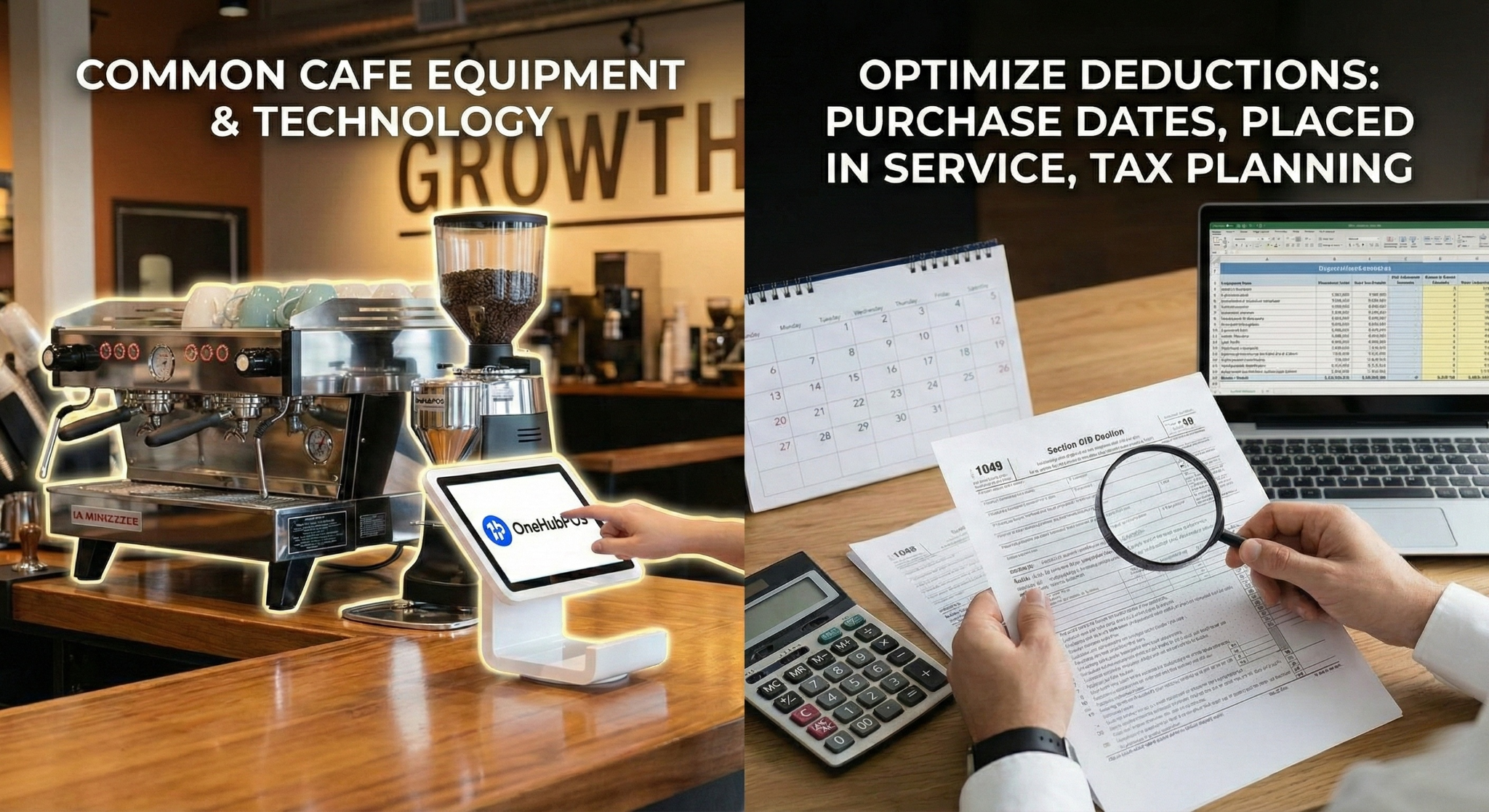
Common Café Equipment
- Espresso machines
- Grinders
- POS terminals and tablets
- Receipt printers, cash drawers
- Refrigeration units
- Back-office computers
- Security cameras
What to Check
- Purchase dates
- Whether equipment was placed in service
- Whether Section 179 or depreciation applies
Strategic Insight
Equipment is unavoidable in cafés. Tax planning determines whether it strains cash flow or supports growth.
5. Rent, Utilities & Occupancy Costs
These are typically the largest fixed costs.
Gather:
- Lease agreements
- Rent payment summaries
- CAM charges (if applicable)
- Utilities:
- Electricity
- Gas
- Water
- Internet
Coffee Shop Reality
Extended hours + espresso machines = higher energy usage. Ensure utilities are fully captured.
6. Marketing & Brand Spend
Often overlooked, but fully deductible.
Typical Café Marketing Expenses
- Instagram and Google ads
- Influencer collaborations
- Loyalty programs
- Menu printing and signage
- Local events and sponsorships
What to Prepare
- Invoices
- Ad platform summaries
- Promotional expenses tied to customer acquisition
7. Merchant Fees & Payment Processing
Small per-transaction fees add up fast in coffee shops.
Review:
- Credit card processing statements
- POS SaaS fees
- Online ordering platform fees
Insight
High-volume cafés often underestimate how much they pay in processing fees annually—these are deductible and should be tracked carefully.
8. Insurance & Licenses
Often forgotten until audits.
Typical Items
- General liability insurance
- Workers’ comp
- Business licenses
- Health department permits
- Food handling certifications
9. Sales Tax & Local Compliance
Varies by state and city.
What to Confirm
- Sales tax collected vs remitted
- Food vs beverage tax treatment
- Local taxes on prepared drinks
Coffee Shop Gotcha
Tax rules can differ for:
- Hot vs cold drinks
- Dine-in vs to-go
- Food vs beverage combos
10. Home Office & Mileage (If Applicable)
For owner-operators.
Possible Deductions
- Home office (admin work)
- Mileage for:
- Supplier runs
- Equipment servicing
- Bank deposits
Only applicable if properly documented.
11. Credits & Deductions to Ask Your CPA About
Not all will apply—but owners should ask.
- Section 179 (equipment)
- Depreciation schedules
- Local small business credits
- Energy-efficient equipment incentives
- State-specific café or foodservice credits
12. Final Pre-Filing Checklist
Before filing:
- ✔ Sales reports match bank deposits
- ✔ COGS and expenses clearly separated
- ✔ Payroll and tips reconciled
- ✔ Equipment purchases reviewed
- ✔ Sales tax verified
- ✔ CPA reviewed café-specific nuances
Remember:
Tax outcomes are determined months before filing, not during filing.
5 min read
Running a liquor store in the U.S. means dealing with more tax complexity than most retail businesses and not because liquor store owners are doing anything wrong.
Liquor stores operate at the intersection of retail sales tax, alcohol regulation, and inventory-heavy operations. Small missteps—like incorrect POS tax setup, missed distributor credits, or poor inventory tracking—can quietly compound until tax filing season becomes stressful, expensive, or risky.
This 2026 guide is written for real operators:
- single-location liquor stores, and
- growing, multi-location businesses
It explains what actually matters, how taxes differ by state, and how to build a simple system that makes filing predictable instead of painful.
Also Read: 2026 Tex Deadlines You Can't Afford to Miss
Why Liquor Store Taxes Feel Harder Than Other Retail
Liquor stores don’t fail tax audits because of fraud.
They fail because of inconsistency.
Compared to typical retail, liquor stores face:
- higher transaction volume
- stricter regulation
- more audits and notices
- heavier reliance on distributors
- tighter margins tied to inventory accuracy
The stores that stay compliant aren’t “better at accounting.” They simply run monthly routines that don’t break.
Understanding the Three Taxes Liquor Stores Deal With
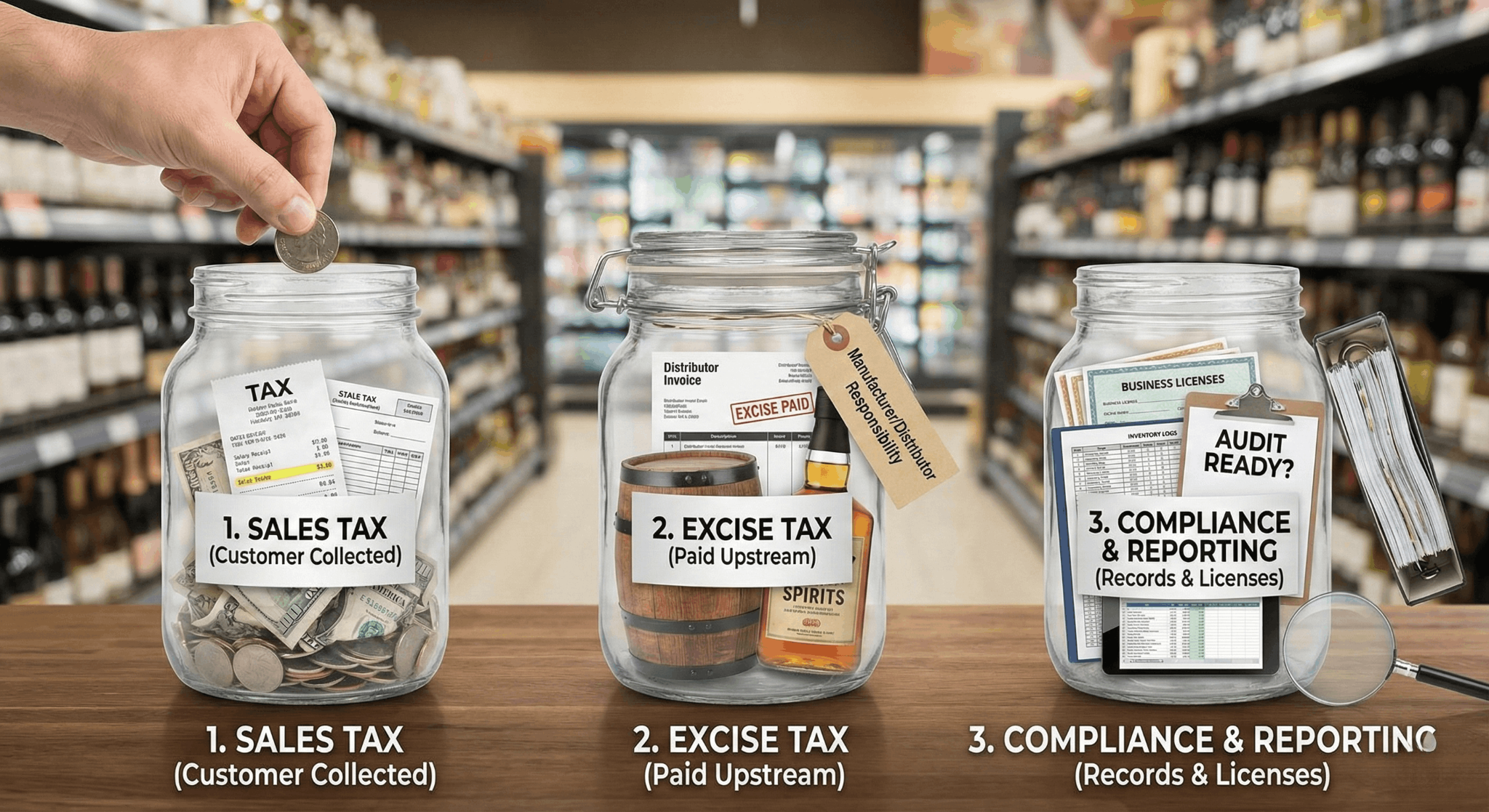
Before getting state-specific, it helps to separate liquor store taxes into three buckets.
1. Sales Tax (Your Primary Responsibility)
Sales tax is collected from customers and remitted to the state (and sometimes cities or counties). This is where most liquor store issues happen—because item-level rules matter.
2. Excise Tax (Usually Paid Upstream)
Alcohol excise taxes are typically paid by manufacturers, importers, or distributors. Most liquor stores do not file federal excise tax returns, but they must still maintain clean receiving and inventory records.
3. Compliance & Reporting
Licenses, distributor invoices, inventory movement, and sales records all feed into your tax posture. Even if you don’t owe excise tax directly, sloppy records create problems fast.
Sales Tax Basics for Liquor Stores (2026)
Sales tax rules vary by state, but liquor stores share a common risk:
taxability depends on what you sell, not just where you sell it.
Most errors come from:
- POS items mapped to the wrong tax category
- refunds or voids not reducing taxable sales correctly
- discounts applied incorrectly
- deposits and processor fees confusing reconciliation
A simple rule to remember:
Your POS sales, tax collected, and bank deposits should reconcile every month.
If they don’t, fix it immediately—don’t wait until filing.
What’s Taxable? A State-by-State Reality Check
(Alcohol + Non-Alcohol Items)
Below are real-world patterns, not legal fine print. Always confirm edge cases locally.
California
In California, packaged beer, wine, and spirits sold in liquor stores are generally taxable. Most non-alcohol items—snacks, mixers, soda—are also taxable.
What often causes confusion is the CRV bottle deposit, which is reported separately and should not be treated as normal taxable sales.
California liquor stores also deal with layered district taxes, making correct POS setup critical.
Texas
Texas treats packaged alcohol as taxable, but food items can be exempt depending on how they’re classified.
Mixers, accessories, and non-food items are typically taxable. Local tax caps and discount handling often trip stores up—especially when promotions are run without reviewing tax logic.
Florida
Florida taxes packaged alcohol, but many grocery-type foods are exempt. Candy, soft drinks, and accessories are taxable.
Liquor stores in Florida get hit hardest by late filings, since penalties apply quickly after the 20th of the following month.
New York
New York taxes packaged alcohol but exempts many food items sold for off-premise consumption. Prepared items and accessories remain taxable.
The challenge in New York is item-level accuracy and managing assigned filing frequencies, which can change as volume grows.
Illinois
Illinois taxes packaged alcohol and applies different treatment to grocery items versus candy, soda, and accessories.
Liquor stores here must also watch for accelerated payment schedules, which compress deadlines and increase compliance pressure.
Excise Tax: What Liquor Stores Need to Know (Without Overthinking It)
Most liquor stores don’t file excise tax returns—but excise tax still affects you.
It’s typically embedded in:
- distributor pricing
- category margins (beer vs wine vs spirits)
When audits happen, regulators don’t ask, “Did you file excise tax?”
They ask:
“Show us what you received, what you sold, and what’s left.”
That’s why distributor invoices, credits, and inventory movement matter more than the tax form itself.
2026 Sales Tax Filing Calendars (Operator View)
Forget legal calendars. This is how operators actually stay compliant.
California
Most monthly filers submit by the last day of the following month.
Best practice: close books by the 10th, file by the 20th.
Texas
Monthly returns are due on the 20th.
Treat the 15th as your internal deadline.
Florida
Returns are due on the 1st and late after the 20th.
File early—penalties come fast.
New York
Returns are due 20 days after the period ends.
Plan your close within the first 10 days.
Illinois
Returns are due on the 20th.
Watch for notices that move you to accelerated schedules.
Universal rule: Even if you file quarterly, reconcile monthly.
Single-Store vs Multi-Location: Where the Line Is Drawn
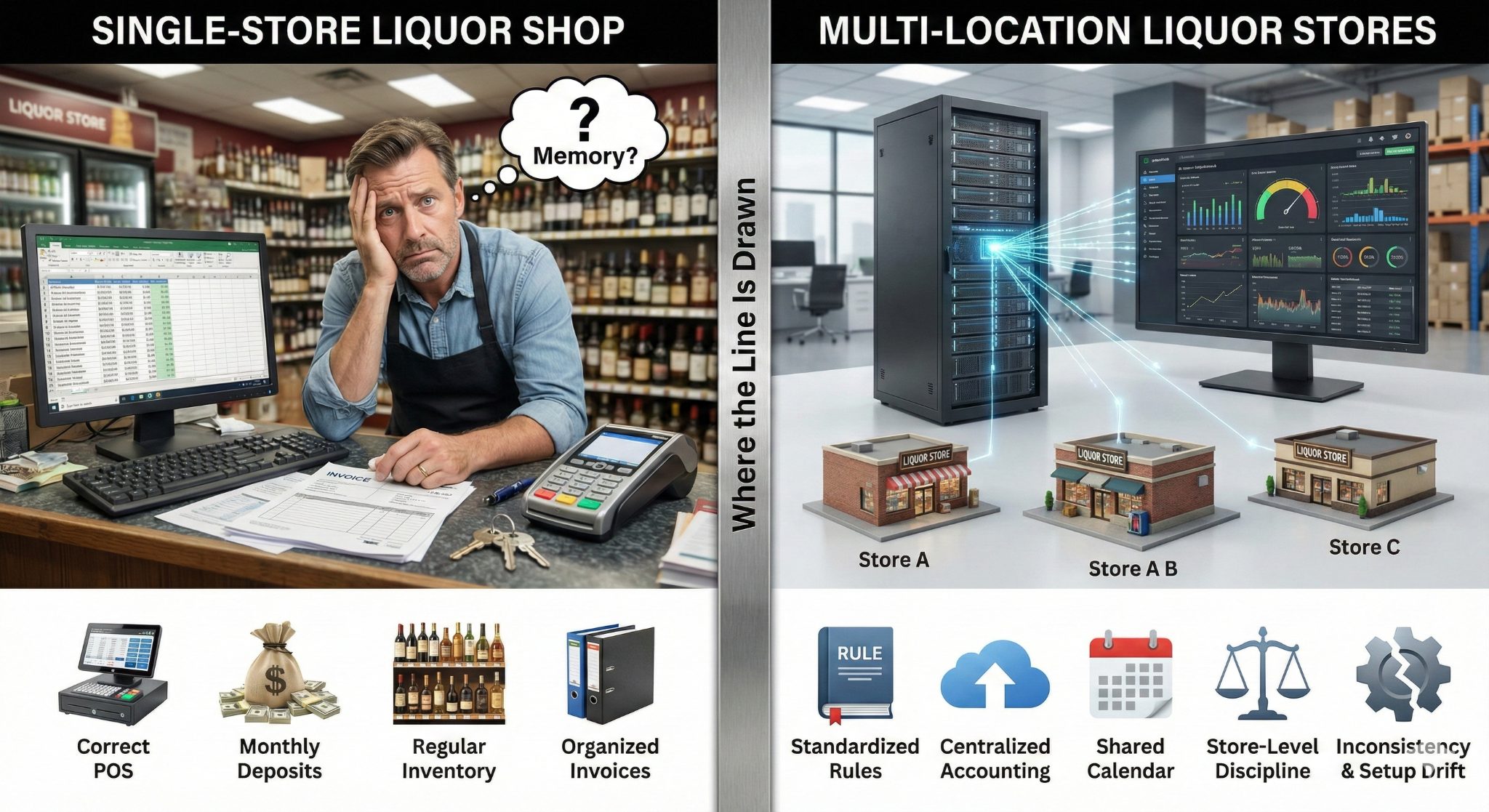
Single-Store Liquor Shops
You can stay lean if:
- POS tax setup is correct
- deposits are reconciled monthly
- inventory is checked regularly
- distributor invoices are organized
Your biggest risk is relying on memory instead of systems.
Multi-Location Liquor Stores
Once you add locations, inconsistency becomes your enemy.
What changes:
- more tax jurisdictions
- more inventory movement
- more staff touching the process
What becomes mandatory:
- standardized POS tax rules
- centralized accounting
- a shared close calendar
- store-level receiving discipline
Multi-location tax problems almost always come from setup drift, not intent.
The Liquor Store Monthly Close Kit (Why It Matters)
The simplest way to reduce tax stress is to stop treating filing as a one-time event.
A Monthly Close Kit brings everything together in one place:
- POS sales & tax summaries
- bank deposits and processing fees
- distributor invoices and credits
- inventory movement and shrink notes
- filing status and exceptions
For single stores, this can be owner-managed. For multi-location businesses, each store contributes and HQ consolidates. This turns tax prep into review, not investigation.
Filing With a CPA vs Without One
With a CPA
A CPA is most valuable when:
- your data is already clean
- inventory is accurate
- sales tax exposure is visible
They should be optimizing structure and defending risk—not fixing messy books.
Without a CPA
Possible for very small stores—but risk increases fast as volume grows.
If you have:
- multiple locations
- frequent notices
- large inventory swings
a CPA quickly becomes cheaper than penalties and rework.
How Tax Strategy Changes as You Grow
- Small single store: focus on accuracy and deadlines
- High-volume store: add weekly deposit checks and shrink reviews
- Multi-location: standardize everything early
Growth doesn’t just increase workload—it increases audit exposure.
Final Takeaways for Liquor Store Operators for 2026 Tax Filing
Liquor store taxes aren’t complicated. They’re unforgiving of inconsistency.
The strongest operators:
- reconcile monthly, even if they file quarterly
- understand how excise tax flows through pricing
- keep inventory and invoices clean
- standardize early when scaling
Taxes stop being stressful when they become routine.
5 min read
Imagine telling your servers they get to keep thousands of dollars more of their hard-earned money this year. The morale boost would be instant. That is exactly what the "No Tax on Tips" provision promises — a financial win for the front-of-house staff who keep your business running.
But for restaurant owners and retail managers, this "beautiful" act comes with a beast of a burden: compliance.
While your staff celebrates the tax cut, your back office is staring down the barrel of the most significant W-2 reporting changes in a decade. "No Tax" doesn't mean "No Paperwork." In fact, for 2026, it means exactly the opposite. If your POS and accounting systems aren't talking to each other, you could be facing a reporting nightmare come tax season.
Here is everything you need to know about the One Big Beautiful Act and how to survive the 2026 reporting shift without losing your mind.
Also Read: 2026 Tax Deadlines You Can Not Afford to Miss [Tax Calendar 2026]
What is the "No Tax on Tips" Rule?
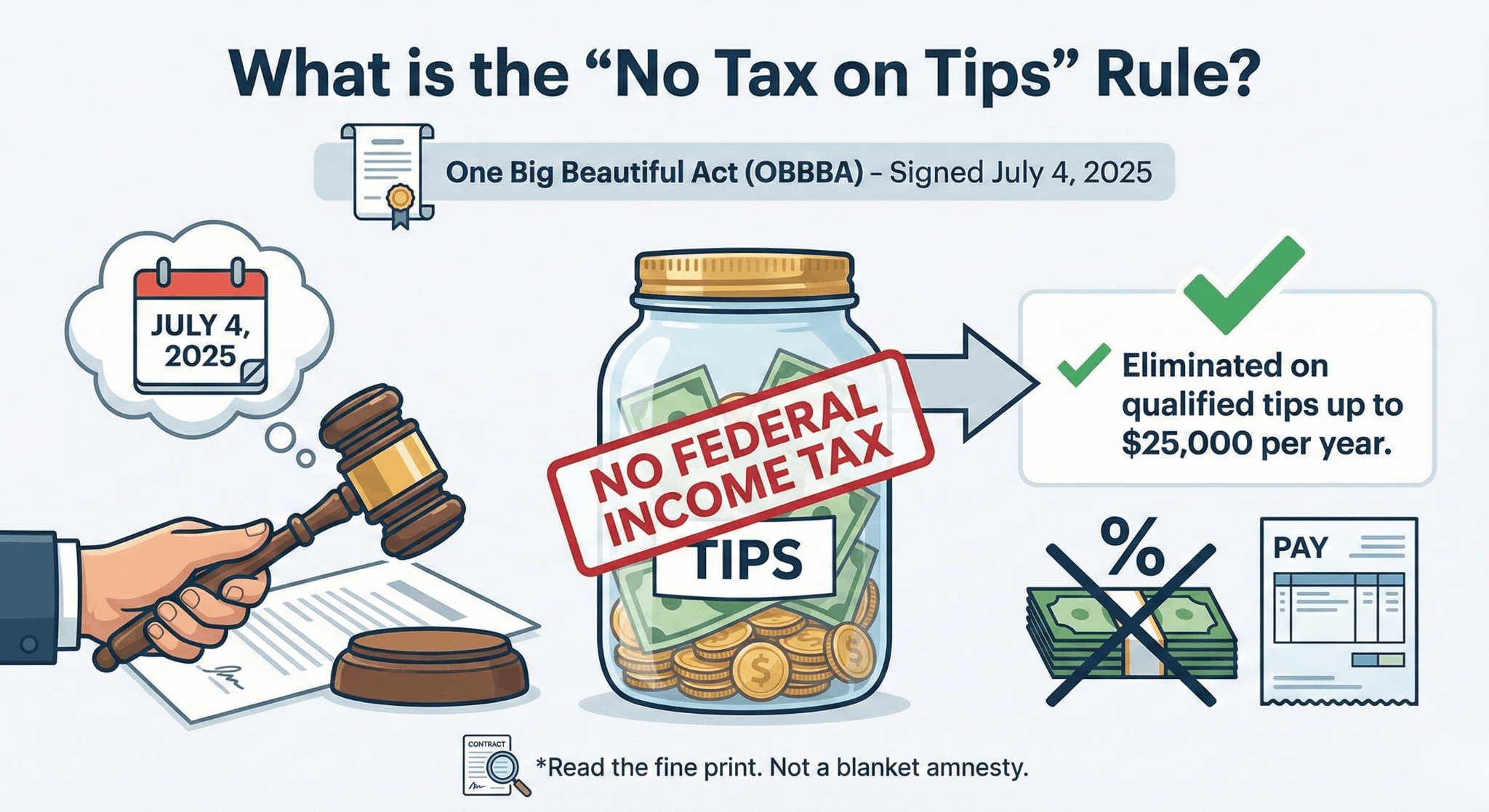
Signed into law on July 4, 2025, as part of the One Big Beautiful Act (OBBBA), this legislation is designed to provide relief to service industry workers.
In simple terms: Federal income tax is eliminated on qualified tips up to $25,000 per year.
This is a massive shift from previous years where every cent of tip income was taxed at the same rate as regular wages. However, it is vital for business owners to read the fine print. This is not a blanket amnesty on all money that changes hands.
The Key Constraints You Must Know:
- Federal Income Tax Only: It is critical to understand that tips are still subject to FICA taxes (Social Security and Medicare). You, as the employer, must still withhold these taxes. The relief applies strictly to Federal Income Tax.
- Voluntary Tips Only: The legislation draws a hard line between a "tip" and a "service charge." Mandatory service charges, auto-gratuities for large parties, or "administrative fees" do not qualify for the tax break.
- Qualified Occupations: The deduction applies only to workers in occupations that "customarily and regularly" receive tips (waiters, bartenders, hairstylists, etc., based on the Treasury's 2024 list).
- Temporary Relief: Currently, this rule is effective for tax years 2025 through 2028.
The Hidden Trap: It Changes Everything for W-2 Reporting
Many business owners assume that if the government isn't taxing it, you don't have to track it. Wrong.
To ensure employees can claim this deduction, the IRS requires employers to validate exactly which tips are "qualified" and which are not. This shifts the burden of proof directly onto your Point of Sale (POS) and accounting tracking.
See Also: How Restaurants Can Use POS Analytics Reports to Stay Ahead
The 2026 W-2 Shake-Up
For the 2026 tax year, the "honor system" is largely gone. Employers are now required to provide a granular breakdown of income. Here is what is changing on your backend:
1. Segregation of "Qualified" vs. "Non-Qualified" Tips
In the past, a tip was a tip. Now, your system needs to distinguish between:
- Voluntary Tips: Cash or credit tips left freely by the customer (Tax-Deductible for the employee).
- Service Charges: Mandatory fees added to the bill (Fully Taxable).
If your POS lumps these together as a single "Gratuity" line item, your employees will lose their tax deduction, and you could face audits for misreporting income. You cannot simply export a raw total at the end of the year anymore; the data needs to be clean from day one.
2. New W-2 Codes and Boxes
While the 2025 tax year is treated as a "transition period" where estimates are allowed, 2026 is mandatory. You should expect to see:
- Separate Reporting: Qualified tips may need to be reported in specific boxes or with new codes to differentiate them from standard wages.
- Validation: You are essentially certifying to the IRS that $X amount of income was "voluntary tip income" eligible for the deduction.
3. The "Overtime" Complexity
The OBBBA also includes a "No Tax on Overtime" provision (deducting the half-time premium). This means your payroll logic must now track multiple distinct buckets of money for a single shift:
- Base Hourly Wage (Taxed)
- Overtime Premium (Deductible)
- Tips (Deductible up to $25k)
Why Generic Systems Will Fail You
Most legacy systems are not built to split "Service Charges" from "Tips" at the data level required for these new W-2s. If you are using an outdated register or a generic retail POS for a restaurant, you might find yourself manually calculating these totals for every employee at the end of the year.
Do you have time to manually audit 52 weeks of shifts for 20 employees to separate auto-grat from cash tips? Probably not.
The operational reality is that the definition of "income" has become more complex. Your technology needs to handle that complexity so you can focus on running your business.
How OneHubPOS Simplifies Compliance
At OneHubPOS, we understand that as a business owner, your priority is efficiency, not wrestling with new tax codes. Our system is designed to handle the nuances of the restaurant and retail environment, making it easier for you to stay compliant with the new 2026 regulations.
1. Smart Tipping Options
OneHubPOS offers flexible, smart tipping features that give you control over how gratuities are presented and recorded. Whether it’s custom percentage prompts for customers or handling cash vs. card tips, our system captures the data accurately. This clarity at the point of sale is crucial for distinguishing voluntary tips from other charges.
2. Seamless Accounting Integrations
Stop messing with manual data entry and Excel spreadsheets. OneHubPOS integrates seamlessly with leading accounting software like QuickBooks. This means your sales and tip data can flow directly into your accounting platform, streamlining the process of preparing your books for tax season and ensuring your W-2 reporting is accurate and stress-free.
3. Automated Ease of Use
We built OneHubPOS to take the heavy lifting out of daily operations. By automating the tracking of sales and tips, we help ensure your records are audit-ready without you needing to be a tax expert. You get a system that supports your compliance efforts naturally, just by using it for your day-to-day transactions.
Is Your POS Keeping Up?
Regulations like "No Tax on Tips" prove that modern businesses need modern tools. If your current system makes compliance feel like a chore, it might be time for an upgrade.
OneHubPOS is designed to simplify the operational side of your business, from smart tipping to accounting, so you can focus on your customers, not your compliance.
Book Your Free OneHubPOS Demo today and see how it can simplify your operations.

5 min read
Is there anything more universally dreaded than tax season? For entrepreneurs, April 15th often means late nights and scattered receipts, but it doesn’t have to. In 2026, the best tax filing software can turn weeks of stress into a few hours of work. Whether you are a solopreneur or a retailer, finding the right small business tax filing software is the key to effortless compliance. In this guide, we review the top 10 platforms, breaking down pricing and features to help you find the easiest tax filing software for your needs so you can get back to business.
👉 Must Read: 2026 Tax Filing Deadlines You Can’t Afford to Miss [Tax Filing Callander]
What Makes for the "Best" Tax Software?
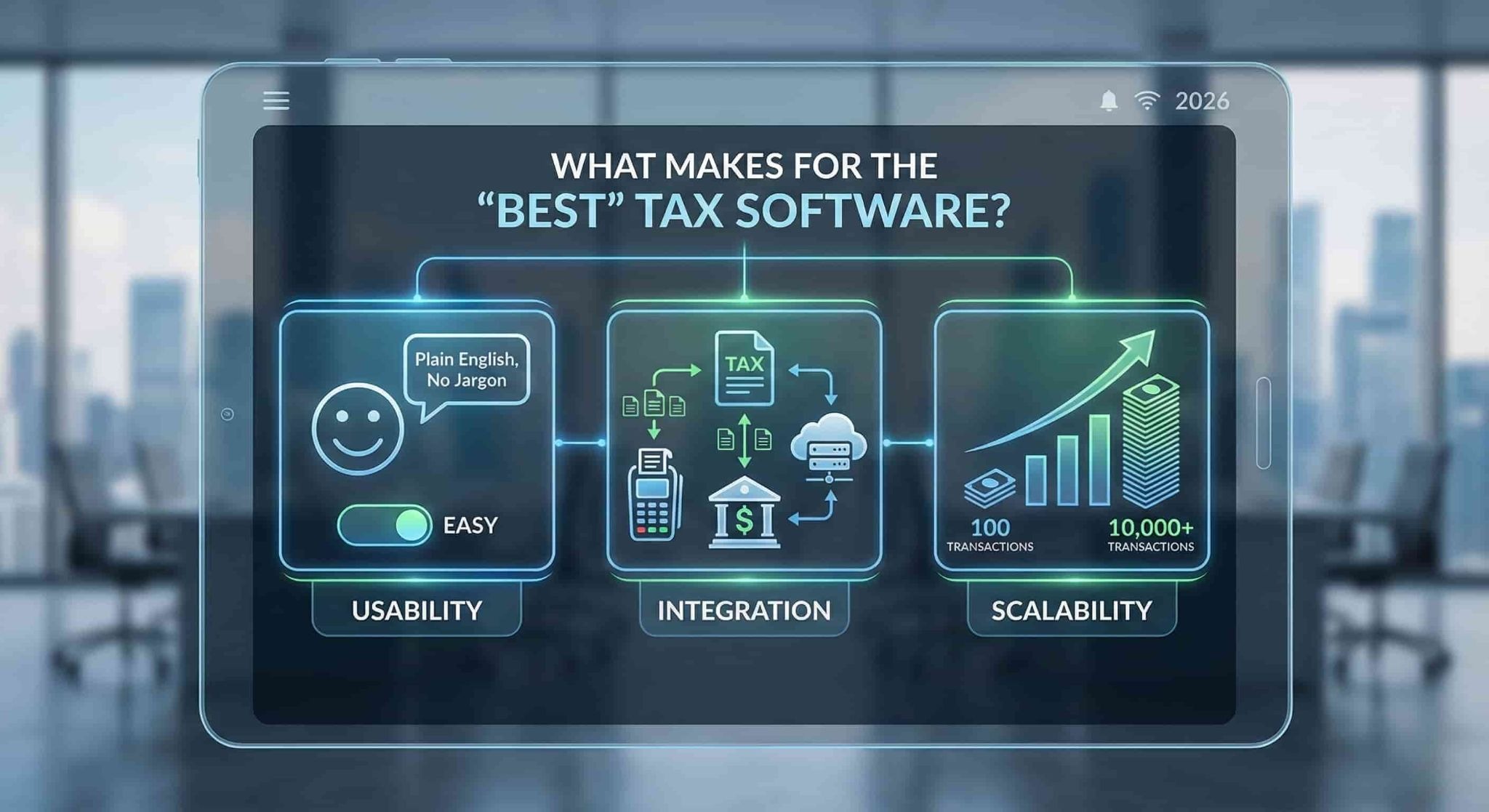
Before we dive into the list, it is important to know what you are looking for. The easiest tax filing software for a freelancer might be completely inadequate for an S-Corp with payroll. When evaluating these tools, keep three things in mind:
- Usability: Does it use plain English or confusing tax jargon?
- Integration: Does it connect with your POS and bank accounts?
- Scalability: Can it handle your growth from 100 to 10,000 transactions?
Let’s look at the top contenders for 2026.
1. Intuit TurboTax
Best For: The DIY Business Owner who wants a guided hand.
TurboTax remains the heavyweight champion in the tax world, and for good reason. For 2026, Intuit has doubled down on AI-assisted guidance. Their "Live" service is particularly valuable for small business owners who want to file themselves but need a CPA to review the final return.
- Key Features: SmartLook video support, automatic import of W-2s and 1099s, and industry-specific deduction discovery.
- Pros: Extremely intuitive interface; the "Live" option offers audit defense; high accuracy guarantees.
- Cons: It is often the most expensive option on the market; upselling during the checkout process can be annoying.
- Verdict: If you are willing to pay for a premium user experience and peace of mind, TurboTax is a safe bet.
2. QuickBooks
Best For: Seamless accounting-to-tax integration.
While primarily known as accounting software, QuickBooks (also by Intuit) is a powerhouse when paired with TurboTax or its own "Live Tax" assisted filing. If you are already using QuickBooks for your bookkeeping, the transition to tax filing is almost instant.
- Key Features: Automatic expense categorization, receipt capture, and seamless data transfer to tax forms.
- Pros: Keeps your books tax-ready year-round; excellent mobile app; integrates with almost every POS system (including OneHubPOS).
- Cons: The monthly subscription costs can add up; the actual filing usually requires an add-on or integration.
- Verdict: The gold standard for businesses that want their accounting and taxes to live in one ecosystem.

3. TaxSlayer
Best For: Cost-conscious self-employed individuals.
TaxSlayer started as a tool for tax preparers but has pivoted successfully to the consumer market. It is often cited as the easiest tax filing software for those on a budget. It lacks some of the flashy bells and whistles of TurboTax but gets the job done efficiently.
- Key Features: Simply Free edition (for simple returns), highly affordable Self-Employed tier.
- Pros: significantly cheaper than competitors; great interface for side-hustlers and freelancers.
- Cons: Guidance for complex business entities (like partnerships) is less robust than premium competitors.
- Verdict: A fantastic, no-frills choice for freelancers and sole proprietors watching their bottom line.
4. TaxAct
Best For: Partnerships and S-Corps looking for value.
TaxAct occupies the middle ground between the premium price of TurboTax and the budget-friendliness of TaxSlayer. It is particularly strong for businesses structured as Partnerships or S-Corps, offering a "Business" edition that is robust without breaking the bank.
- Key Features: "Xpert Assist" for professional help, Deduction Maximizer tool.
- Pros: Price-lock guarantee (you pay the price listed when you started, not when you file); solid interview-style questions.
- Cons: The user interface feels slightly dated compared to 2026 standards.
- Verdict: The smart choice for small business entities that need complex forms filed without the premium price tag.
5. H&R Block
Best For: Those who want a physical safety net.
In 2026, H&R Block continues to bridge the gap between digital and physical. Their software is powerful, but their unique selling point is the ability to walk into a brick-and-mortar office if things get too confusing.
- Key Features: "Tax Pro Review," drag-and-drop import from last year’s return (even from other software).
- Pros: Access to thousands of physical offices; generally cheaper than TurboTax for similar features.
- Cons: The online interface can be a bit slower than competitors.
- Verdict: Perfect for business owners who want to file online but sleep better knowing a local office is nearby.
6. Optima Tax Relief
Best For: Businesses with back-tax issues or IRS debt.
Note: Optima is not traditional DIY filing software like the others. It is included here because many business owners search for it when they are behind on taxes. If you have unfiled returns from previous years or owe a significant debt, standard software won’t save you—Optima will.
- Key Features: Tax investigation, resolution negotiation, and compliance catch-up.
- Pros: They handle the IRS communication for you; experts in reducing tax debt.
- Cons: Expensive service fees; not for standard annual filing if you are already compliant.
- Verdict: Use this if you are in trouble with the IRS. Use the others if you are just filing for 2026.
7. Drake Software
Best For: Businesses with an in-house accountant.
Drake is a professional-grade software typically used by CPAs, not the average business owner. However, if your small business has a dedicated finance manager or in-house bookkeeper, Drake offers incredible speed and power.
- Key Features: Lightning-fast data entry modes, comprehensive state filing coverage.
- Pros: Fixed pricing models; handles unlimited returns (great for serial entrepreneurs).
- Cons: Steep learning curve; interface looks like a spreadsheet (not user-friendly for beginners).
- Verdict: The industrial-strength tool for those who know exactly what they are doing.
8. FreeTaxUSA
Best For: The savvy filer who refuses to overpay.
Don't let the name fool you. FreeTaxUSA is a legitimate, powerful contender for best tax filing software. They offer free federal filing (even for some business forms) and charge a nominal fee for state filing.
- Key Features: Supports Schedule C, K-1, and rental income for free/low cost.
- Pros: Unbeatable price; surprisingly clean interface; supports complex filing situations.
- Cons: Upsells "Deluxe" support heavily; lacks the fancy import tools of competitors.
- Verdict: The hidden gem of the tax world. If you are comfortable with your numbers, this is the best value.
9. Xero
Best For: Cloud-based business management.
Like QuickBooks, Xero is primarily an accounting platform. However, its strength lies in its ecosystem. Xero integrates beautifully with tax compliance tools and allows you to generate financial reports that make filing a breeze.
- Key Features: Hubdoc (receipt capture), seamless bank reconciliation, advisor directory.
- Pros: Beautiful, modern interface; unlimited users on most plans; strong inventory tracking features.
- Cons: Requires integration with a tax filing tool (like TaxCycle or similar) to actually submit the return.
- Verdict: Ideal for modern, cloud-first businesses that want beautiful books to hand over to their accountant.
10. FreshBooks
Best For: Service-based businesses and freelancers.
FreshBooks is designed for people who send invoices—consultants, agencies, and contractors. Their tax features focus on tracking time and expenses so that Schedule C is easy to fill out.
- Key Features: Time tracking, automatic mileage tracking on mobile, proposal-to-invoice conversion.
- Pros: The easiest tax filing software prep tool for service providers; excellent customer support.
- Cons: Not ideal for retail or businesses with heavy inventory needs.
- Verdict: If you sell your time, FreshBooks is your best friend. If you sell products, look at QuickBooks or Xero.
How OneHubPOS Simplifies Your 2026 Taxes
You might be wondering: How does my Point of Sale system fit into this?
The biggest bottleneck in using small business tax filing software is data entry. You can buy the most expensive tax software in the world, but if you feed it inaccurate sales data, you are asking for an audit.
This is where OneHubPOS changes the game.
Tax software is only as good as the data it receives. OneHubPOS acts as your "Single Source of Truth" for all sales activities.
- Accurate COGS (Cost of Goods Sold): Our inventory management tracks the purchase price of every item you sell, giving you an accurate COGS number—a crucial deduction for lowering your taxable income.

- Seamless Integration: OneHubPOS exports your financial data directly into accounting platforms like QuickBooks and Xero. This means when tax season arrives, you aren't digging through receipt paper; you are simply clicking "Import."
Ready to make tax season boring?
Stop stressing over manual data entry. Let OneHubPOS handle your sales data, inventory, and tax reporting automatically, so you can focus on growing your business.
👉 Click Here to Book Your Free OneHubPOS Demo Today. Discover how we help small businesses stay compliant and profitable.
.jpg)
![Tax Filing Checklist for Small Businesses [2026 Edition]](https://cdn.prod.website-files.com/653392c432e997a1c5316037/6965ceeb6fc7bec4ba2cb731_Small%20Business%20Tax%20Filing%20Checklist%202026%20(1).jpg)
.jpg)
5 min read
Let’s be honest: the only thing scarier than a surprise health inspection is a letter from the IRS.
For most owners, the anxiety of small business tax filing stems from one thing: the fear of missing a deadline. If you find yourself scrambling for receipts every April, you need a better strategy.
The secret to a penalty-free year is simple — lock in the dates now. We have compiled the ultimate tax calendar 2026 to keep you ahead of the curve. Whether you run a retail shop or need specific guidance on tax filing for restaurants, bookmark this page to stay organized and audit-proof.
Why These Dates Matter More in 2026
Missing a tax deadline isn’t just an administrative annoyance; it’s expensive. The IRS penalties for failure to file or pay on time can eat directly into your hard-earned margins.
For 2026, several key dates fall on weekends, pushing the actual filing deadline to the next business day. Knowing these nuances helps you avoid late fees and keeps your business in good standing.
The Complete 2026 Small Business Tax Calendar
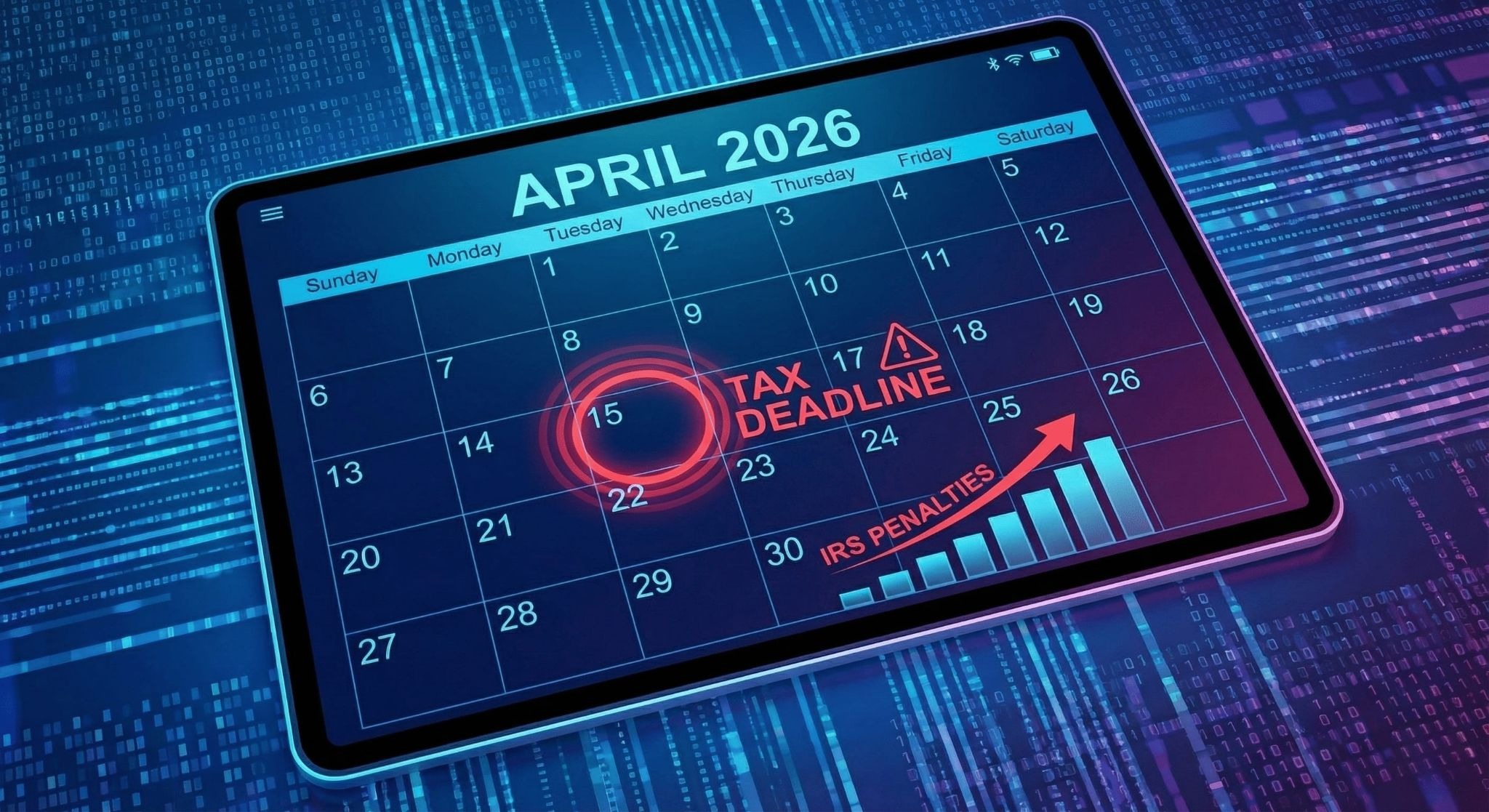
Here is your cheat sheet for the year. Note that because some standard deadlines (like January 31st and March 15th) fall on weekends in 2026, the IRS moves the due date to the next business day.
A Special Note on Tax Filing for Restaurants
If you run a restaurant, coffee shop, or bar, your tax obligations are slightly more complex than the average small business tax filing. You are dealing with tips, sales tax, and payroll for a shifting workforce.
1. The FICA Tip Tax Credit
Don't leave money on the table. The FICA Tip Credit (reported on Form 8846) allows restaurant owners to claim a credit for the Social Security and Medicare taxes they paid on employees' tip income. This can be a significant deduction.
2. Form 8027 (Tip Income Reporting)
If you have a "large food or beverage establishment" (generally defined as having more than 10 employees and where tipping is customary), you must file Form 8027.
- Paper Filing Deadline: February 28, 2026
- E-Filing Deadline: March 31, 2026
3. Sales Tax Is Not Your Money
Remember, sales tax is a "pass-through" tax. You collect it from the customer to pay the state. Mixing this with your operating cash flow is a dangerous game. Use a smart POS system to track exactly how much sales tax you have collected so you aren't scrambling when your state's filing date arrives (which varies by state — usually monthly or quarterly).
Also Read: The Ultimate Guide to POS Analytics for Small Restaurants
How to Stay Audit-Proof This Year
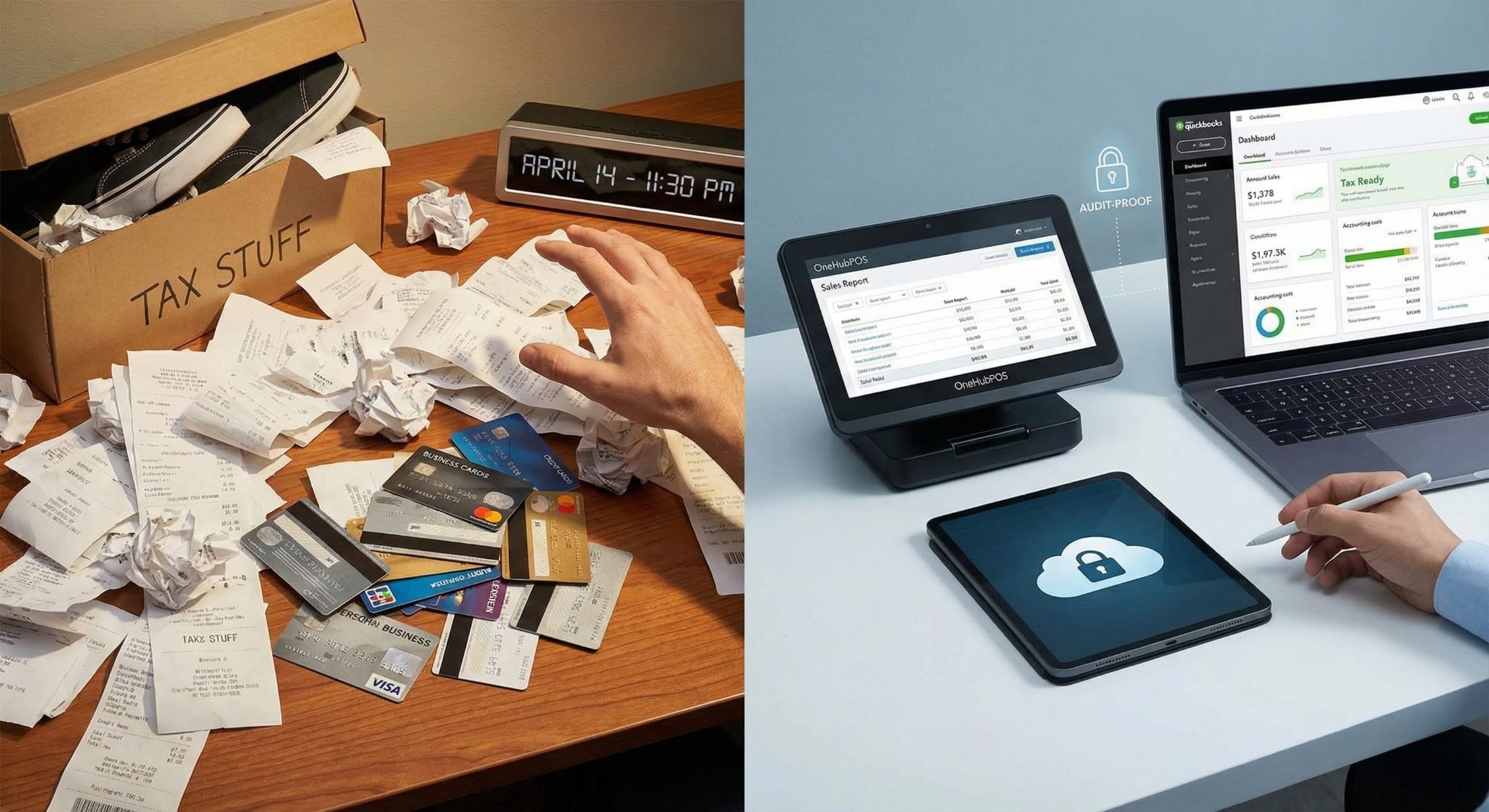
The difference between a frantic tax season and a smooth one is often your technology.
- Ditch the Shoebox: using a cloud-based Point of Sale (POS) means your sales data, labor costs, and inventory numbers are digitized automatically.
- Integrate Accounting: Your POS should talk to your accounting software (like QuickBooks or Xero). This ensures that every transaction is recorded in real-time, eliminating human error.
- Separate Finances: Never mix personal and business expenses. It pierces the corporate veil and makes small business tax filing a nightmare.
Simplify the Tax Season with Smarter Technology
The right tools make tax filing for restaurants and retailers effortless. OneHubPOS automates your sales reporting, tracks your sales tax liabilities, and organizes your labor data so you can hand everything to your accountant with a smile.
Don't let legacy systems slow you down. Book a free OneHubPOS demo today to see it in action.
5 min read
January has a way of exposing problems you didn’t have time to deal with in December.
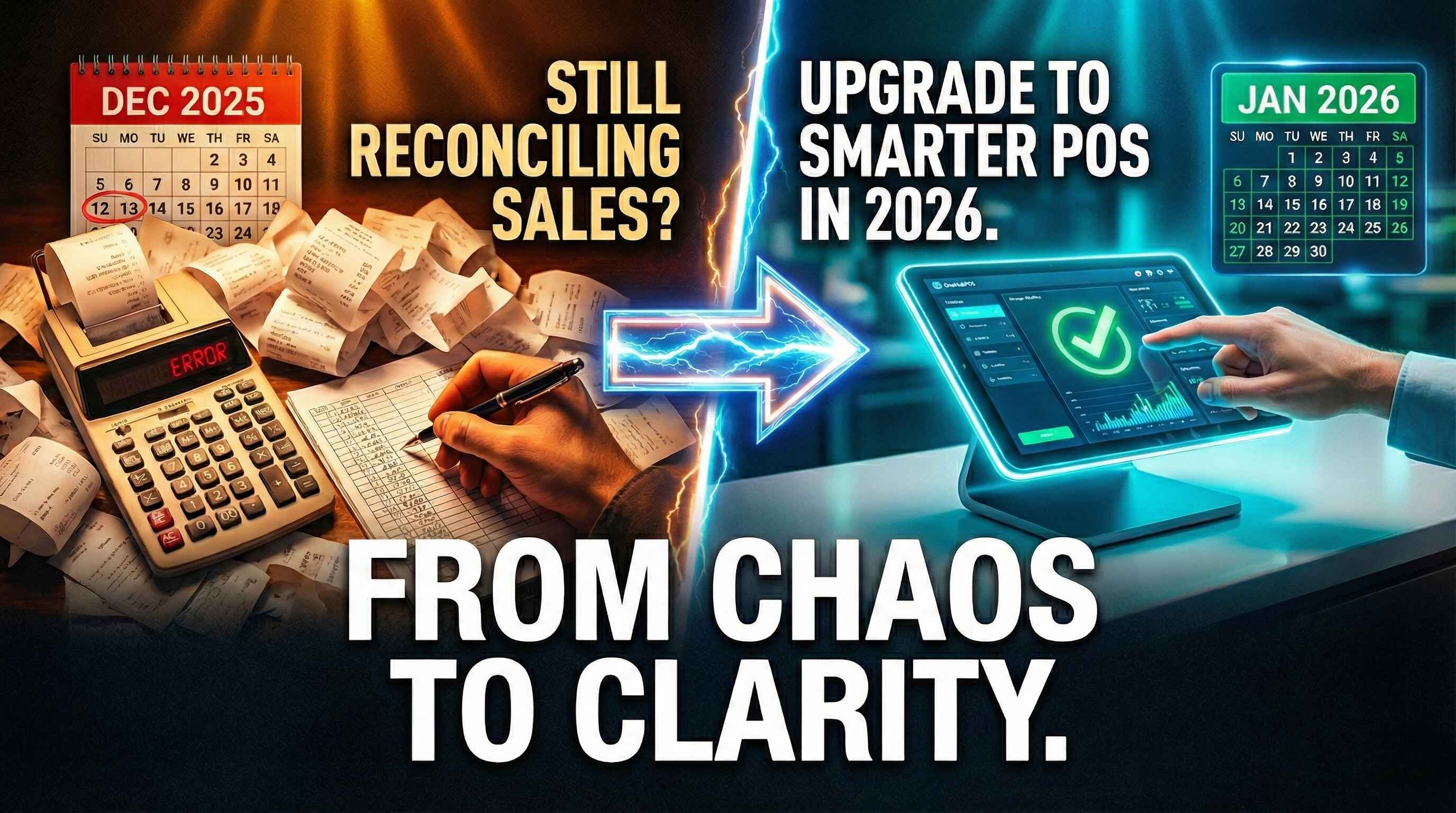
The holiday rush is over. The footfall has slowed. Your team can finally breathe. And that’s when it hits you. Sales don’t match. Inventory numbers look off. Reports are missing. And you’re still trying to make sense of what actually happened during your biggest sales month of the year.
If you’re still reconciling holiday sales weeks after December ended, the issue isn’t your team. It’s your POS.
2026 is the year small businesses stop managing chaos and start running smarter operations. And the right POS upgrade can be the difference between starting the year stressed or starting it in control.
Let’s break down exactly why December exposed the cracks in most POS systems, and how upgrading to a smarter system like OneHubPOS sets you up for a far smoother year ahead.
See Also: 6 Reasons Why January is the Best Time to Upgrade Your POS
December Is Over. The Problems Aren’t.

For most small businesses — liquor stores, QSRs, cafés, and retailers — December is not just busy. It’s relentless.
- High order volumes
- New SKUs and seasonal items
- Temporary staff
- Heavy discounts and loyalty offers
- Multiple payment methods
- Delivery integrations running nonstop
Your POS is supposed to handle this pressure. But instead, many businesses end up:
- Missing end-of-day reports
- Guessing inventory numbers
- Exporting CSVs into spreadsheets
- Calling support lines that never respond
- And spending January fixing December’s mess
A new POS isn’t about fancy features. It’s about eliminating these recurring pain points before the next peak season hits.
Here’s how OneHubPOS solves the exact problems December created:
1. Print End-of-Day Reports — Anytime You Want
How many times did this happen in December?
- You forgot to print the end-of-day report
- The store closed late and staff rushed out
- The report wasn’t downloaded before midnight
- And now… it’s gone
With many legacy POS systems, if you miss the day, you miss the data.
OneHubPOS fixes that completely.
You can:
- Access historical end-of-day reports
- Print or download them anytime
- Revisit any date—last week, last month, or last year
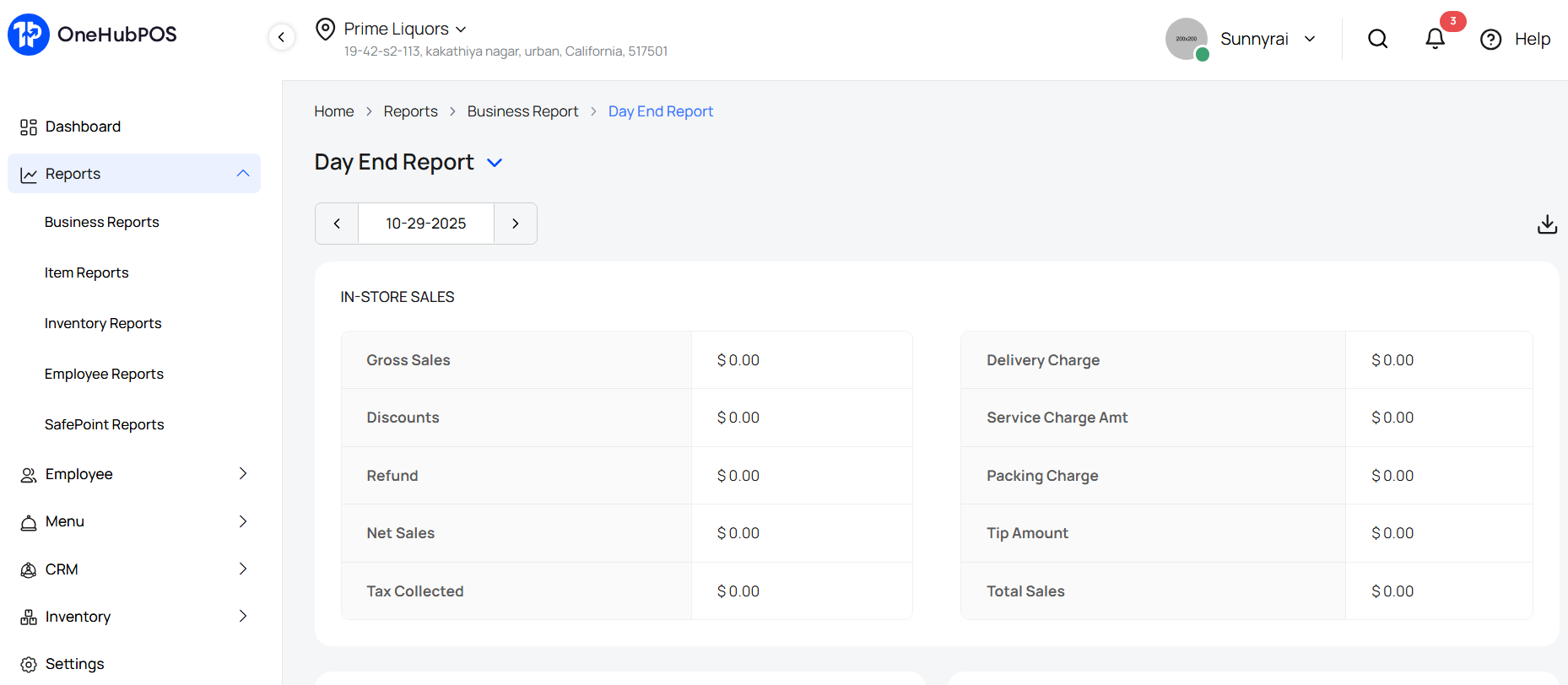
This is critical when you’re reconciling holiday sales, auditing revenue, or preparing financial statements in January.
No more panic. No more “we’ll estimate it.” Just clean, reliable records — on demand.
2. AI-Enabled Inventory That Fixes January Headaches
December inventory issues usually show up in January.
- Missing stock.
- Extra stock.
- Incorrect case quantities.
- Manual entries that don’t match invoices.
Traditional POS systems make inventory updates painfully slow, especially when vendors deliver multiple products in one go.
OneHubPOS uses AI-enabled inventory to remove this friction.
Here’s how it works:
- Your staff scans the vendor invoice
- Items are automatically added to inventory
- Case-wise and item-wise details are captured
- No manual data entry required
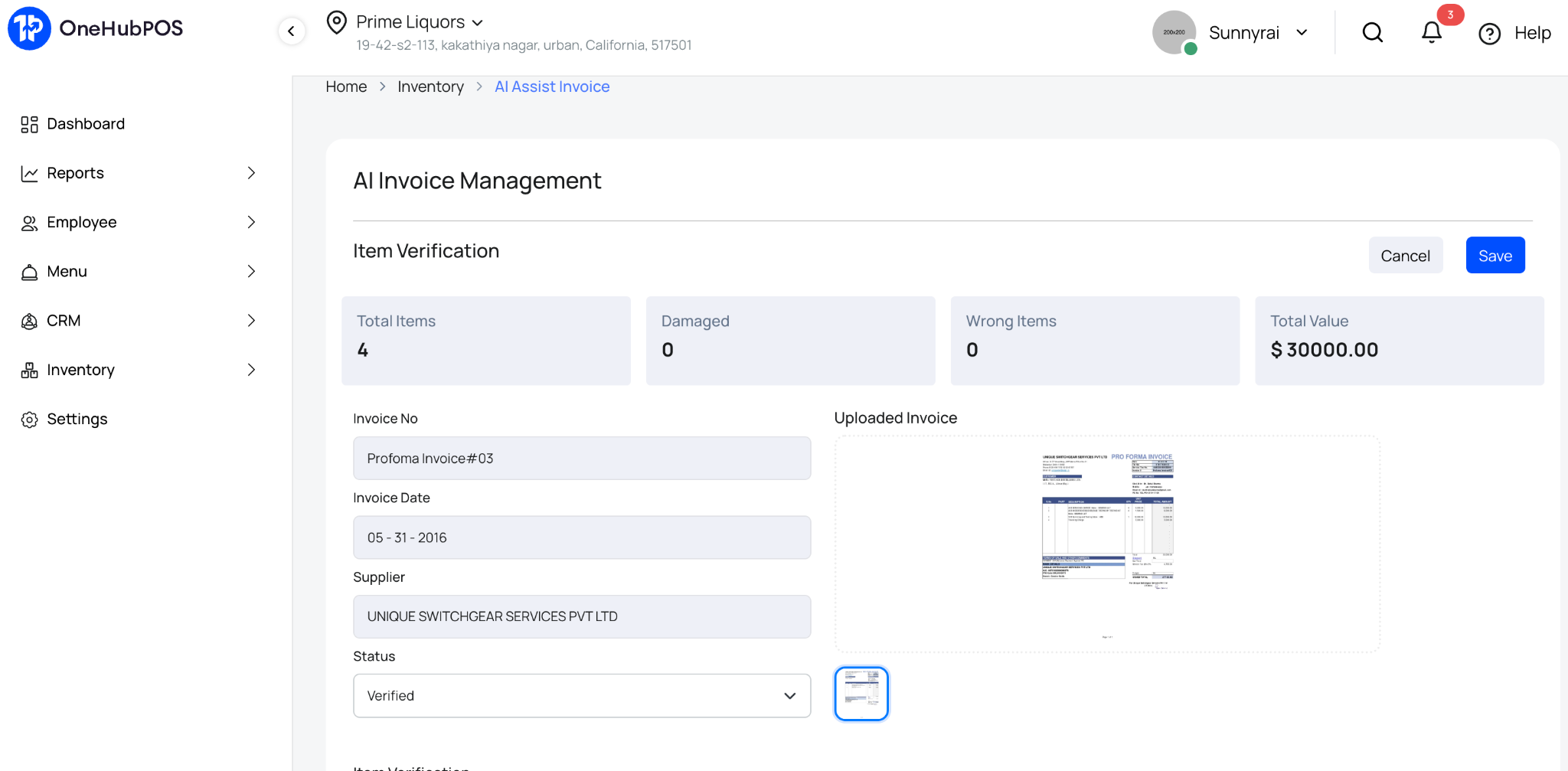
This matters even more after December. Why? Because January is when businesses:
- Restock based on holiday demand
- Add new SKUs for the new year
- Clean up inventory errors from peak season
With OneHubPOS, inventory cleanup takes minutes, not weeks.
Must Read: Meet the AI Inventory System Built for American Retailers
3. Know What Actually Sold During the Holidays
Most businesses think they know their best-selling products. But assumptions don’t scale.
OneHubPOS gives you detailed sales reports that answer real questions, like:
- Which products sold the most during the holiday season?
- Which categories underperformed?
- What time slots drove maximum revenue?
- Did discounts actually increase volume, or just eat margins?
You can also analyze:
- Loyalty program performance
- Offer redemptions
- Campaign-wise sales impact
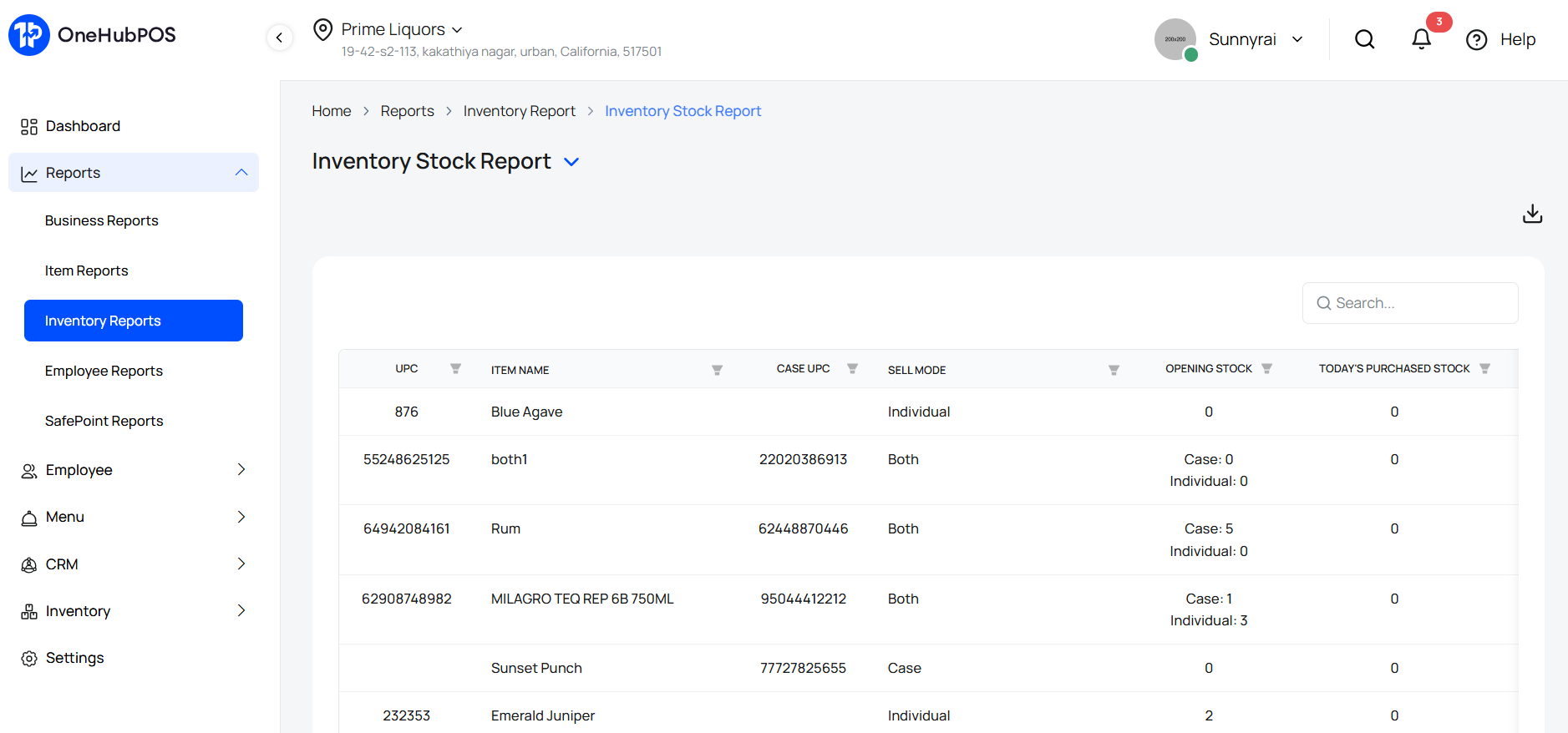
Instead of guessing what to stock, discount, or promote in 2026, you plan based on data. That’s the real value of a POS upgrade — clarity.
Also Read: The Ultimate Guide to POS Analytics for Restaurants
4. Change Your Payment Processor Without Changing Your POS
December often exposes another silent problem: payment processing costs.
- High transaction fees.
- Poor settlement timelines.
- Limited support during peak hours.
Most POS systems lock you into one processor. OneHubPOS doesn’t. It’s completely payment-processor agnostic.
As the new financial year begins, you can:
- Switch to a better processor
- Negotiate lower rates
- Improve settlement cycles
- Without replacing your POS
This flexibility alone can save small businesses thousands over a year, especially after high-volume holiday sales.
5. Internet Down? Sales Shouldn’t Be.
If December taught us anything, it’s this:
You can’t depend on the internet alone.
Recent outages from Cloudflare and Amazon Web Services reminded businesses worldwide that even the biggest infrastructure providers aren’t immune.
For stores and restaurants, connectivity issues during peak hours mean:
- Lost sales
- Long queues
- Frustrated customers
- Angry staff
OneHubPOS offers offline checkouts.
.jpg)
That means:
- You continue billing even if the internet goes down
- Transactions sync automatically once connectivity is restored
- Your business keeps running—no matter what
December shouldn’t dictate your revenue risk ever again.
6. One System Instead of Multiple Different Tools
During the holiday rush, many businesses realize they’re juggling too many systems:
- One for billing
- One for payments
- One for loyalty
- One for delivery
- One for KDS
And none of them talk to each other properly. OneHubPOS brings everything under one roof.
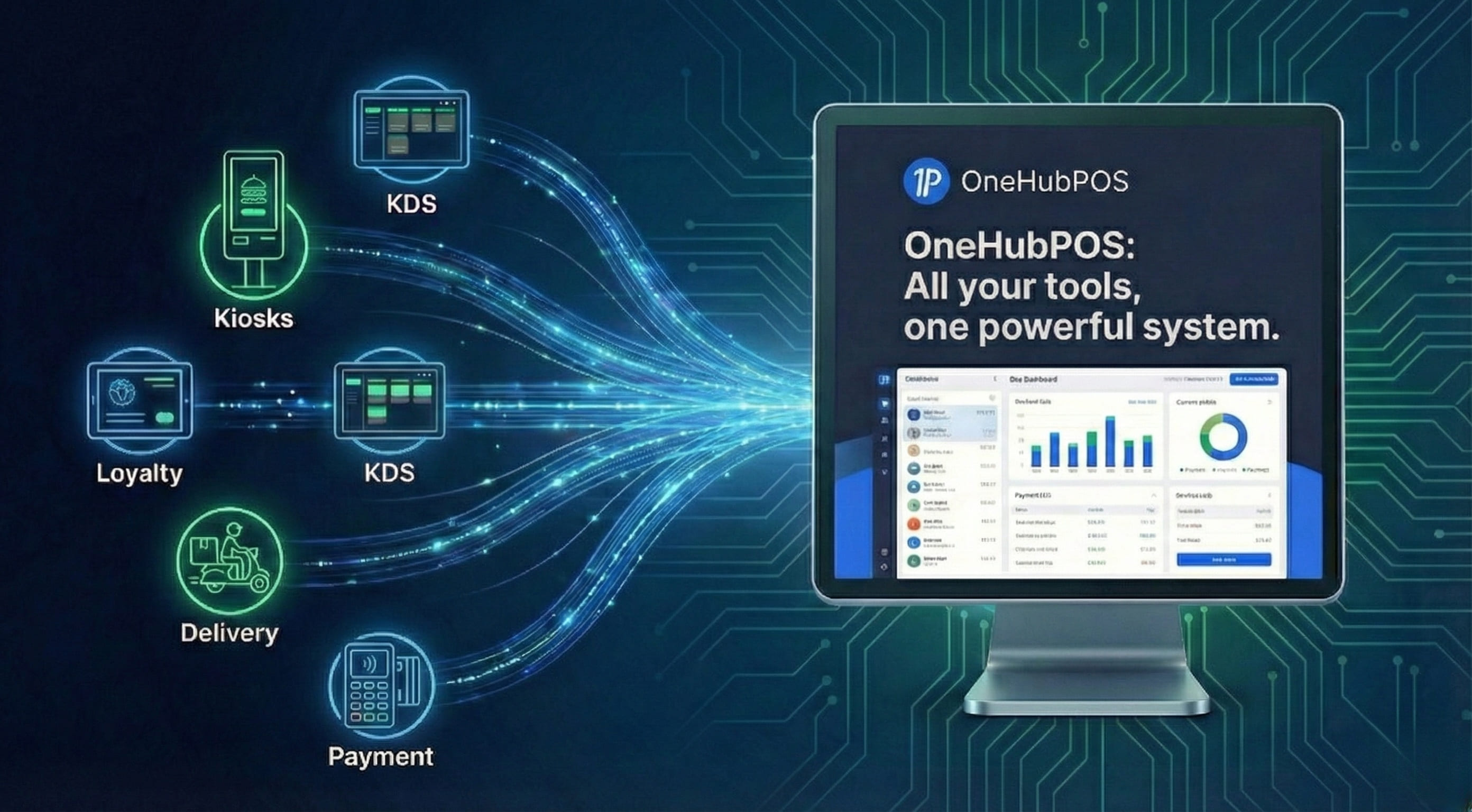
With OneHubPOS, you get:
- POS billing
- Payments
- Inventory
- Loyalty
- Delivery integrations
- KDS
All connected. All synced. All managed from one dashboard. That’s not just convenience. That’s operational sanity.
7. 24×7 Support When You Actually Need It
December problems don’t wait for office hours. Unfortunately, many POS providers do.
If you struggled with:
- Slow responses
- No callbacks
- Generic ticket replies
- Or zero accountability
It’s time to upgrade.
OneHubPOS offers 24×7 customer support and dedicated account management.
.jpg)
So when things go wrong:
- You speak to a real human
- You get faster resolutions
- Your business doesn’t suffer
Support shouldn’t be a luxury. It should be standard.
Why January Is the Right Time to Upgrade Your POS
January is when:
- Operations slow down slightly
- Teams can be trained without pressure
- Data from December can be analyzed properly
- New systems can be implemented smoothly
Waiting until the next holiday season means repeating the same mistakes.
A smarter new POS now means:
- Cleaner books ✔️
- Better inventory control ✔️
- Lower costs ✔️
- Higher margins ✔️
- And far less stress in 2026 ✔️
Want to explore OneHubPOS and see how it can solve your real business problems, book a free 30-minute demo cum consultation session with a POS expert to see it all in action.