

Blog and Articles

The "No Tax on Tips" Rule: How The One Big Beautiful Act Changes Your 2026 W-2 Reporting for Restaurants and Retail Stores

.png)
5 min read
If the last decade has taught merchants anything, it’s this: clunky tech slows you down, and in today’s world, slow is expensive.
That’s why OneHubPOS and Dejavoo are teaming up — to flip the script.
Together, we’re not just upgrading payment systems. We’re redefining what merchants should expect from them: speed without compromise, flexibility without lock-ins, and simplicity without the headaches.
Why This Partnership Matters
Let’s be real: most POS setups are a patchwork. One platform for sales. Another for payments. Add a terminal here, a processor there, and before long, you’re knee-deep in tangled tech.
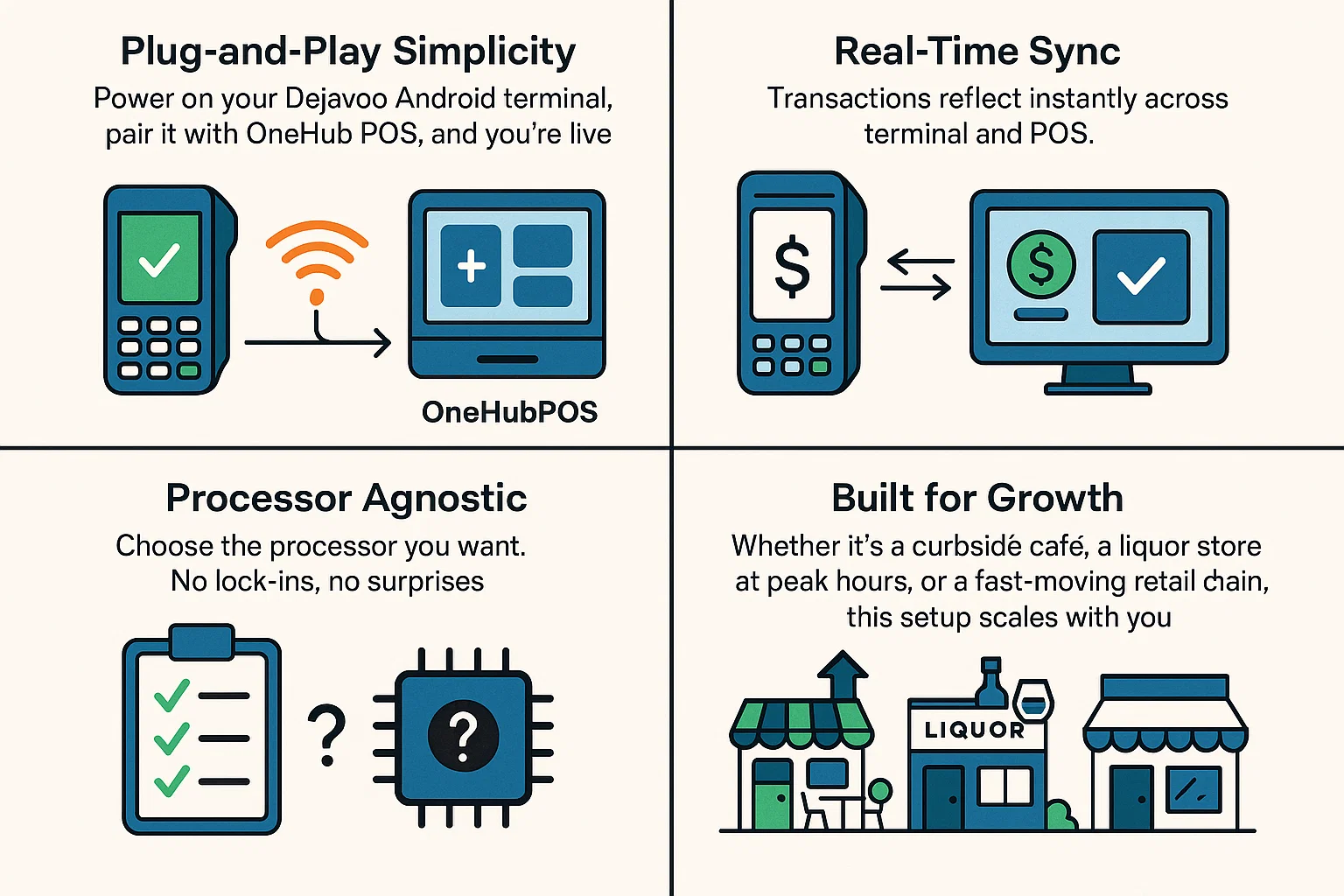
The OneHubPOS x Dejavoo integration rips out that complexity and replaces it with something merchants actually want: plug, play, and get paid. Plus, the payment terminals sync in real-time with the POS and are processor agnostic.
Here’s how:
A Win for Merchants, ISVs, and Resellers
This isn’t just a technical upgrade—it’s a competitive edge.
For merchants, it means faster checkouts, fewer errors, and happier staff who can actually focus on customers.
For ISVs and resellers, it means quicker deployments, less support chaos, and a stickier product that merchants won’t want to leave.
As Mony Zenou, Founder & CEO of Dejavoo, puts it:
“This partnership is all about making payments effortless—for merchants, ISVs, and resellers.”
And Satheesh Kanchi, CEO of OneHubPOS, says it best:
“We built this integration to cut through the noise. Merchants and resellers want plug-and-play simplicity, not tangled tech.”
Why It’s a Game-Changer for the POS Industry
Let’s not mince words: the POS industry has been overdue for disruption. Legacy systems promised “all-in-one” but delivered “all-over-the-place.”
OneHubPOS x Dejavoo isn’t another patch. It’s a reset button.
It’s the kind of bold integration that signals where the industry is headed: open, flexible, merchant-first.
And if you’re in the business of moving fast, staying competitive, and keeping margins intact—that’s exactly where you want to be.
Ready to See It in Action?
The integration is live. Merchants, ISVs, resellers — it’s time to stop fighting your POS and start letting it work for you. Book a free 30-minute demo to experience the difference.

5 min read
Running a restaurant isn’t only about serving good food — it’s about serving it efficiently. In today’s fast-paced dining world, long wait times, slow checkouts, and bottlenecks can hurt both guest satisfaction and profitability.
That’s why more and more operators are adopting mobile POS (mPOS). By putting ordering and payments directly in the hands of staff, restaurants are reporting up to 50% faster service. For resellers, this is an opportunity to bring a proven, revenue-boosting solution to your clients.
💡 What is Mobile POS (mPOS)?
mPOS (Mobile Point of Sale) is a handheld POS system — usually a tablet or dedicated terminal — that allows staff to take orders, process payments, and even manage transactions anywhere in the restaurant. Unlike traditional POS systems that are fixed to a counter, mPOS moves with your team: to the table, into the line, outside on the patio, or even on delivery runs.
In other words, mPOS untethers your service from the counter and gives staff the flexibility to serve guests wherever they are.
🏪 What Type of Businesses Should Use Mobile POS?
While restaurants are the largest adopters, the use cases for mobile POS go well beyond foodservice:
- Full-Service Restaurants (FSRs): Speed up table turns, improve server tips, and make payments seamless.
- Quick-Service Restaurants (QSRs): Line-busting during peak hours keeps queues short and customers happy.
- Cafés and Coffee Shops: Manage morning rushes efficiently with faster ordering and payments.
- Bars and Breweries: Tableside pay reduces abandoned tabs and helps staff serve more.
- Food Trucks & Pop-Ups: Lightweight devices make selling anywhere possible.
- Small Retail Stores: Boutique and convenience shops can check out customers faster.
- Service Providers: Plumbers, electricians, and home-service professionals can accept card payments on-site via mPOS.
- Event Vendors: Merchants at fairs, festivals, and stadiums can process high volumes quickly.
- Delivery Services: Couriers can collect payments on mPOS at the customer’s doorstep.
For resellers, this wide applicability opens multiple verticals, but restaurants remain the highest-value segment where the impact of mPOS is most visible.
🍴 Benefits of Using Mobile POS in Restaurants
From faster service to happier guests, mobile POS (mPOS) brings measurable improvements across every corner of your restaurant.
- Faster Service: No more trips back and forth to a counter. Orders and payments happen where the guests are, shaving minutes off every transaction.
- Better Guest Experience: Guests don’t want to wait for checks or stand in long queues. mPOS aligns with modern expectations of speed and convenience.
- Higher Revenue Potential: More table turns = more covers. Faster service during rush hours means you don’t lose customers to long waits.
- Improved Staff Efficiency: Servers spend less time walking, more time engaging with guests. That translates into higher tips and better morale.
- Scalable Growth: As your business grows, adding more handheld devices is much cheaper than expanding traditional POS terminals.
📈 How Mobile POS Improves Restaurant Operations
mPOS or mobile POS isn’t just about speed — it makes day-to-day operations more reliable. By sending orders straight to the kitchen, accuracy improves. With fewer errors, voids, and remakes, restaurants cut down on food waste and costs, while staff stay focused on guests instead of terminals. The result: smoother service, happier customers, and better margins.
.webp)
Mobile POS (mPOS) vs Traditional POS: A Quick Comparison 📊
While traditional POS systems have been the norm for years, mPOS offers a more flexible and efficient alternative, particularly for a restaurant business. See how the two compare:
How to Cut Wait Times by up to 50% with mPOS
Getting a 50% reduction in wait times isn’t about luck — it’s about planning how mPOS fits into your operations. Here’s how restaurants make it happen:
1. Map your bottlenecks: Start by timing your guest journey: greeting, order-taking, drinks, food delivery, payment. You’ll quickly see where the minutes are being lost. In many restaurants, the biggest delays are at the ordering stage and during payment.
2. Deploy handhelds strategically: Don’t just hand every staff member a device. Assign handhelds to where they’ll have the most impact: one in the line during lunch rush, one for patio service, and others for tableside orders. This ensures maximum coverage during busy times.
3. Make pay-at-table the default: Most delays in full-service restaurants happen when waiting for the check to be processed. With mPOS, servers can present the bill, accept tap/chip/wallet payments, and close the check in under a minute — all at the table. This alone can cut meal times by over 10%.
4. Simplify ordering with smart menus: Use mPOS to enforce required modifiers and set up smart defaults. This reduces ordering errors and prevents kitchen confusion. Fewer mistakes mean smoother operations and faster ticket times.
5. Track and optimize continuously: Implement mPOS with clear metrics in mind: average ticket time, % of pay-at-table transactions, table turns per shift, and guest feedback. Share wins with your staff — when servers see they can serve more tables (and earn more tips), adoption skyrockets.
Following these steps, many restaurants report consistent gains of 15–25% faster service within weeks of implementation.
▶️ OneHubPOS × Dejavoo: Built for Speed and Reliability
At OneHubPOS, we’ve partnered with Dejavoo to bring restaurants and other small businesses a POS system built for speed. Dejavoo’s Android P-Line terminals are fast, durable, and secure — perfect for mobility. With EMV, contactless, and PIN debit support, they accept every payment method your guests prefer.
.webp)
When paired with OneHubPOS software, businesses get:
- Real-time sync for accurate order flow.
- Plug-and-play setup for easy onboarding.
- Reliable payouts backed by Loomis.
For restaurant owners, this means happier guests and higher revenue. For resellers, it’s a solution that sells itself.
Ready to see mobile POS in action? Book a free demo with us and experience how OneHubPOS × Dejavoo can speed up your service. ⚡
.webp)
5 min read
Every November, right between the chaos of Black Friday and the click-frenzy of Cyber Monday, comes a quieter revolution: Small Business Saturday (SBS).
What started as a simple idea in 2010 — encouraging shoppers to support their neighborhood stores — has now grown into a $17 billion movement that fuels local economies and strengthens communities.
At OneHubPOS, we work with small businesses every single day. But SBS is a reminder that when you shop small, you’re doing something much bigger.

What is Small Business Saturday?
Launched by American Express in 2010, Small Business Saturday is all about choosing local over large chains. It falls on the Saturday after Thanksgiving and shines a spotlight on independently owned shops, cafés, restaurants, and service providers.
From the very first year — when 103 million shoppers took part — to today, the numbers have only grown. In 2023 alone, Americans spent an incredible $17 billion in local businesses on SBS.
A Quick Look Back: How Small Business Saturday Took Off?
Over the years, Small Business Saturday has gone from a spark to a movement that fuels billions in spending. What began in 2010 as a boost for small businesses has since seen explosive growth, national recognition, and resilience—even during the pandemic.
.webp)
Why It Matters?
For decades, holiday shopping meant big-box stores and global e-commerce giants. Small businesses often got drowned out. SBS changed that — it gave local owners a platform and reminded shoppers that every latte, gift, or meal bought locally keeps money in the community.
But here’s the best part: Small Business Saturday isn’t just one day anymore.
It’s become a year-round mindset, fueled by:
- Social media buzz – Shoppers proudly post their finds with #ShopSmall.
- E-commerce tools – Local charm now reaches national audiences online.
- Digital payments & cloud POS – Helping small shops compete with the big players.
During 2020 alone, small businesses reported a 300% spike in online sales over the SBS weekend. That’s proof of resilience, agility, and community support.
Beyond Shopping: The Ripple Effect
When you shop small, you’re not just buying a product, you’re fueling a ripple effect:
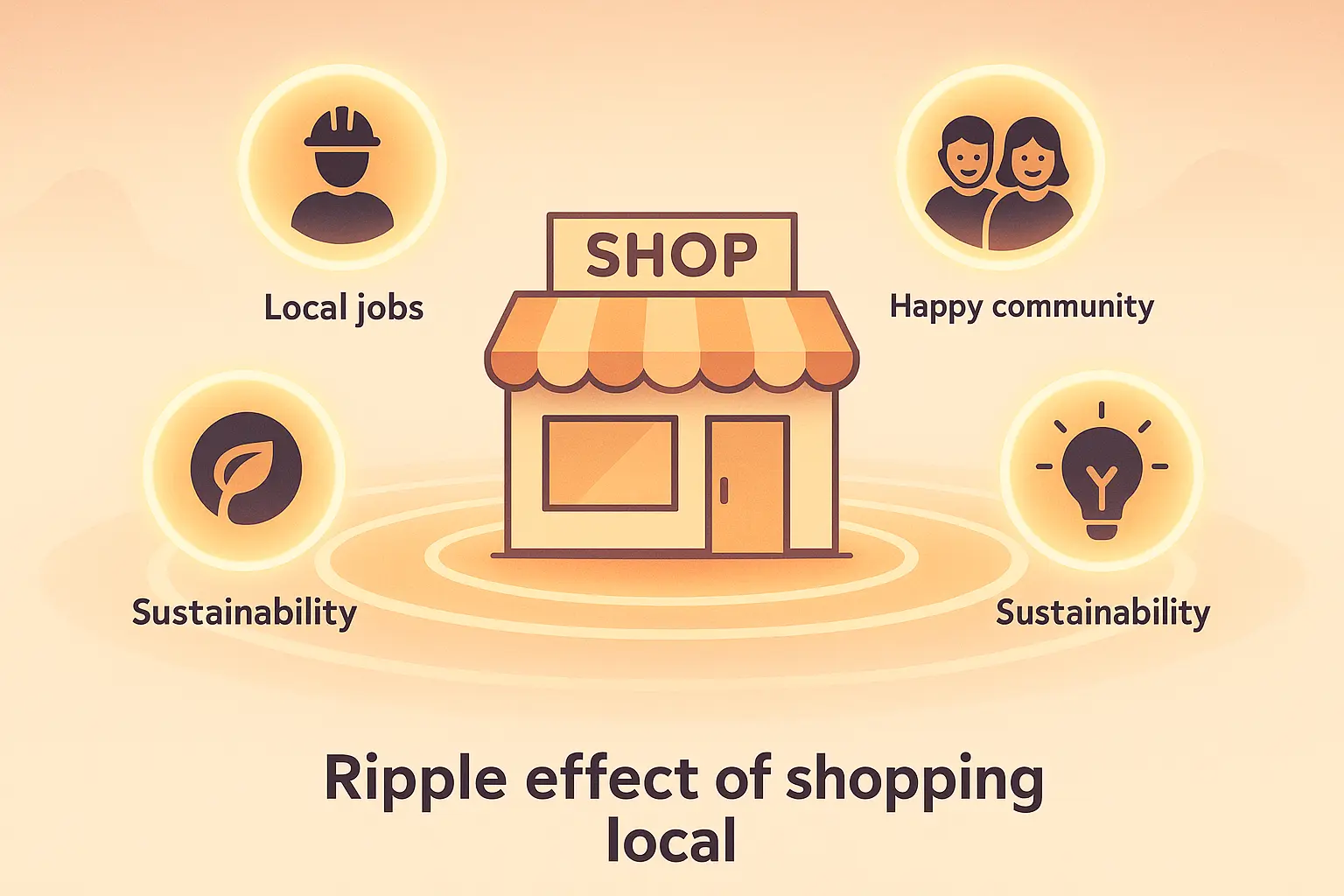
✨ Local jobs – Every dollar spent helps keep neighbors employed.
✨ Neighborhood revival – Thriving shops bring life back to communities.
✨ Innovation & creativity – Small businesses are where big ideas are born.
✨ Sustainable choices – Local sourcing means lower carbon footprints.
5 Ways to Make the Most of Small Business Saturday 2025
- Plan ahead – Make a list of local shops you want to visit.
- Shop & share – Post your purchases with #ShopSmall to spread the love.
- Think beyond retail – Book services, grab takeout, or buy gift cards.
- Leave a review – A five-star rating can do wonders for a local business.
- Keep it going – Support small businesses year-round, not just one day.
OneHubPOS Champions Small Businesses Every Day
Small Business Saturday may happen once a year, but for us, every day is SBS. From corner cafés and liquor stores to boutiques and family-owned restaurants, we exist to make small businesses stronger.
📊 Smarter insights – Data that helps owners make better decisions.
⚖️ A level playing field – Enterprise-grade tools at small-business prices.
🎉 A celebration of entrepreneurship – Because local dreamers deserve big support.
This Small Business Saturday…
Take a stroll down your main street. Order from the restaurant that remembers your name. Pick up a gift from the boutique that curates with care. Share their story online.
Because when you shop small, you help build something big: stronger communities, thriving neighborhoods, and a future where local businesses shine.
Thinking of Starting Your Business This Small Business Saturday?
We've handpicked some trending small business ideas in different US cities. In case you're planning to startup this SBS, this list is certainly worth looking at:
5 min read
Running a small business like a restaurant, liquor store, or retail shop means juggling a hundred moving parts — staff, customers, inventory, and payments. At the center of it all is your POS system– to make your life easier. Period.
The problem? Most POS systems don’t. They are all rigid, expensive and rarely reflect your business’s identity.
The Problem With Most POS Systems
Most small businesses start with what’s readily available: a POS system bundled with a payment provider offered by a well-known vendor. These systems are quick to set up and take care of the basics like ringing up sales, processing payments, and printing receipts.
But they also come with built-in limitations:
- Your brand takes a backseat — the vendor’s name shows up on receipts, apps, and loyalty programs.
- Customization is minimal, so you end up bending your business to fit the software instead of the other way around.
- Scaling becomes painful as your needs change.
Some larger brands avoid this by building their own custom POS systems. That gives them control, but it also costs a fortune and takes months, or years, to develop. For most restaurants and liquor stores, that’s not a realistic option.
What Exactly Is a White Label POS System?
Think of a white label POS as the best of both worlds. It works right out of the box like a vendor-branded POS, but still gives you the flexibility of a custom system, without the high costs or long wait.
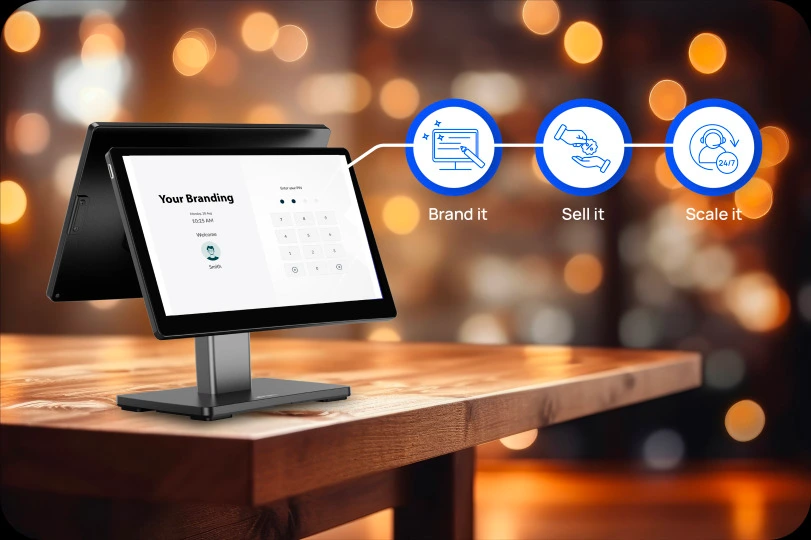
That means:
- Receipts that carry your logo, turning every transaction into a brand touchpoint.
- Customer screens in your colors, giving shoppers a seamless and consistent experience.
- Loyalty programs and promotions under your name, keeping customers connected to your business.
To your customers, it feels like your business built its own technology. Behind the scenes, it’s proven, reliable software designed to grow with you.
Why White Label POS Is Gaining Ground
Cloud-based POS systems have already become the norm. The next step is ownership — businesses want technology that feels like their own. That’s why more restaurants and liquor stores are choosing a white label POS in 2025. It combines:
- Speed and simplicity of vendor-branded POS.
- Control and flexibility of custom-built solutions.
- Pricing that actually works for small businesses.
With a white label POS, you don’t have to settle for cookie-cutter software or spend a fortune building your own.
White Label POS vs Vendor-branded POS vs Custom-built POS: A Quick Comparison
Real-World Impact
Restaurant chain boosts revenue by 25%
A multi-location restaurant chain rolled out a white label POS to unify operations and put its brand front and center. Within a year, the system drove a 25% increase in revenue, thanks to branded loyalty programs, centralized reporting, and a smoother customer experience that kept diners coming back.
Franchise network achieves 18% sales growth
A nationwide franchise network adopted a white label POS to maintain consistent branding and streamline day-to-day operations across all outlets. The result was an 18% jump in sales, with franchisees benefiting from both improved efficiency and stronger brand cohesion.
Retail group lifts repeat purchases by 20%
A retail group integrated a white label POS with customizable loyalty features and CRM tools. This upgrade created more personalized promotions and customer touchpoints, leading to a 20% boost in repeat purchases and measurable improvements in long-term customer engagement.
How to Pick the Right White Label POS?
Not every provider gives you the same level of control. Before choosing a white label POS, ask:
- Can I put my branding on every customer touchpoint?
- Does it integrate with tools I already use, like payments, accounting or delivery apps?
- How easy will onboarding and support be for my team?
- Are the costs transparent, with no hidden fees?
- Is there a roadmap for future features like kiosks, e-commerce, and advanced analytics?
A true white label POS should feel like it belongs entirely to your business.
Why OneHubPOS Works for Small Businesses
OneHubPOS was built with restaurants, liquor stores, and retail owners in mind. It gives you the speed of an off-the-shelf POS, the flexibility of a custom system, and the affordability that small businesses need.
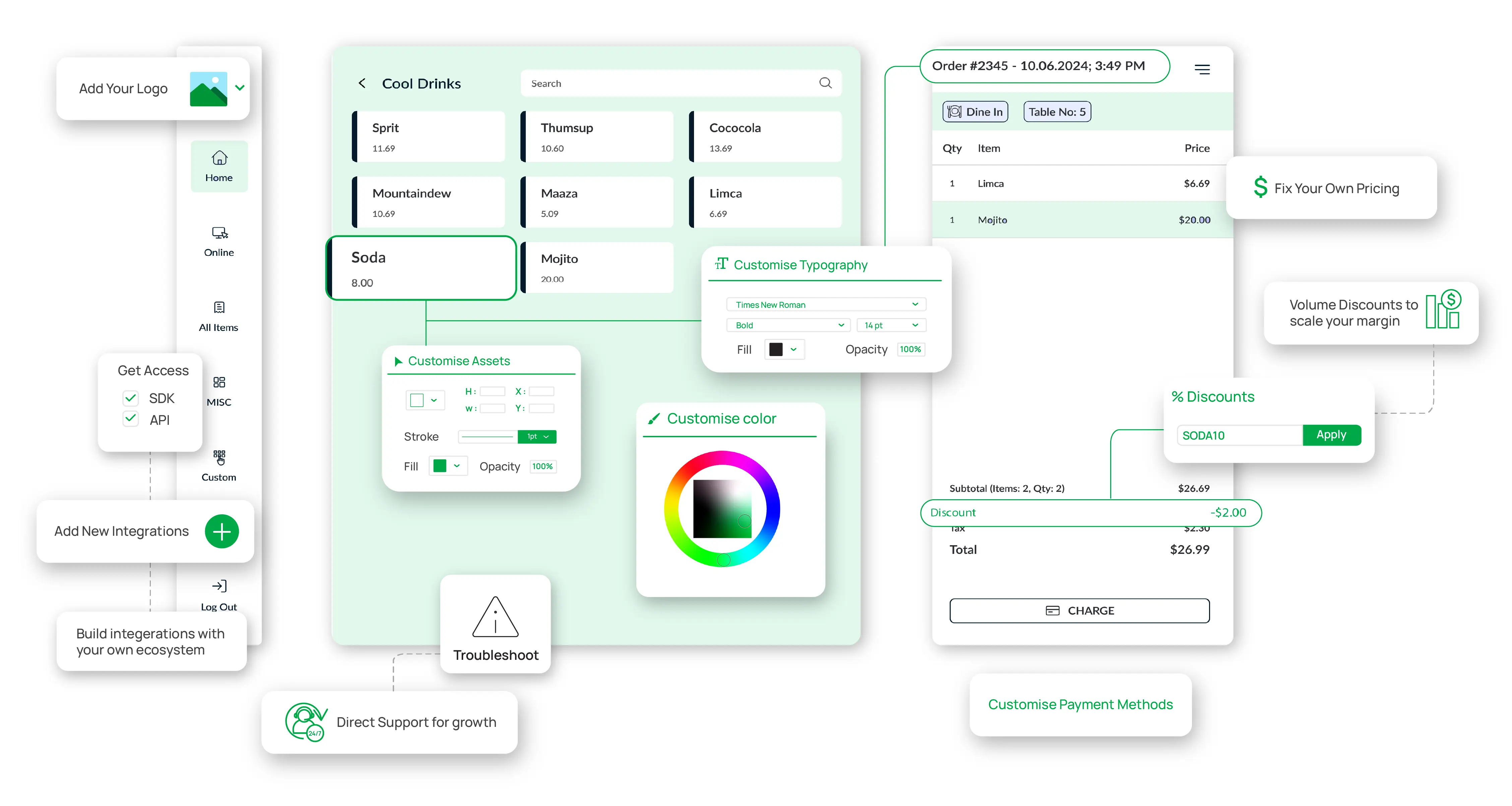
- Brand-first setup: Your logo, colors, and receipts — not the vendor’s.
- Processor-agnostic: Works with any payment processor, giving you the freedom to choose what’s best for your business.
- Industry-specific solutions: Add-on any module including Loyalty programs, kiosks, online ordering, inventory management, cash management and more.
- Quick onboarding: Effective and hands-on training so your staff can hit the ground running.
- Future-ready: A product roadmap that refines every day tasks, gives more time on your hand, and keeps your data tracked.
- 24/7 support: Always-on assistance to keep your business running smoothly, anytime you need it.
🚀 Ready to experience it yourself? Book a free demo with OneHubPOS and launch your own branded POS in just a few days.
%20(1).webp)

5 min read
Warm lights, the smell of freshly ground coffee beans, a quiet hum of indie music in the background, and a community of regulars who greet you by name every morning.
Isn’t this your dream of owning a café?
But if you’re seriously considering turning that dream into reality, you’re probably asking yourself a bunch of questions already:
- How much does it cost to open a café?
- Where should I open it?
- What kind of technology do I need to run it smoothly?
- And how do I make sure I don’t burn cash in the first 6 months?
… and more.
Truth is, launching a café today requires more than just a passion for coffee. It demands smart planning, budgeting, the right licenses, and some tech to make everything easier in the long run.
This blog covers opening a cafe checklist, cost and licensing breakdown, how to choose the best POS system for cafe businesses, and how OneHubPOS streamlines the entire process. Let’s begin!
What Should It Be Like to Open a Café in 2025?

If you're planning to open a café and want it to thrive in 2025, you’ll need to build it for today’s world, not yesterday’s coffee shop norms. So, what do you need?
Well…
- A cozy yet modern café with modular seating areas, some for casual catch-ups, others for deep-focus work sessions
- Free high-speed Wi-Fi and ample charging ports
- Subtle signage encouraging a “coworking-friendly” environment
- QR codes at the table to view the digital menu, place their order, and pay, all within seconds
You’ll also need a smart cafe POS system that not only manages billing but also:
- Tracks which pastries are selling fastest
- Alerts the team when it’s time to restock almond milk
- Sends a push notification to loyal customers when there’s a mid-week promo
- Seamlessly syncs with Uber Eats, DoorDash, and Grubhub to handle remote orders
Consequently, your staff focuses on genuine customer service because your tech stack takes care of the rest. And most importantly, you’re running lean. Smart systems = reduced waste, better insights, and smoother operations.
That’s what a modern café should look like today: agile, digital, and designed around real customer behaviors. It amplifies the soul of a café with convenience, comfort, and efficiency.
Aspect-by-Aspect Guide to Opening a Café
Every decision you make to open your café affects your budget. Let’s walk through each step and how it impacts your costs.
Your Vision and Business Plan

Before buying beans or picking tiles, get crystal clear on your concept.
Are you going for a rustic Italian espresso bar? A hipster brunch café? A productivity-first coffee workspace? Your theme affects:
- Interior design costs
- Furniture & lighting
- Menu ingredients
- Even the uniforms your staff wears
Coming to your target audience and USP. Are you catering to young professionals, digital nomads, college students, or families? Your audience decides your:
- Pricing strategy: If your crowd’s mostly students or budget coffee lovers, you probably can’t charge $7 for a latte. Know who you're serving.
- Portion sizes: Big eaters want filling meals. Busy office folks just want a quick sandwich. Your portion sizes should match their lifestyle.
- Seating arrangement: If you’re attracting laptop peeps and freelancers, they’ll need plug points and comfy solo spots, not just cute couple tables.
- Branding/marketing tone: Your tone depends on your people. Laid-back for Gen Z, clean and classic for professionals, earthy and mindful for the eco crowd.
Your USP? Maybe you’re offering the best cold brew in town, or a pet-friendly patio, might also require special setup, like dog bowls, leash hooks, tie-up stations, and shaded seating areas.
Then, where you set up shop impacts your rent.
- High foot traffic = higher rent but more potential customers
- Quiet neighborhoods = lower costs but slower traction
Also, do you plan to hire an agency for market research or handle it yourself? Even competitor analysis has a cost.
Legal & Licensing Requirements
Initial Setup and Recurring Monthly Expenses
Emergency Buffer & Breakeven Timeline
Business is unpredictable. Equipment breaks. Suppliers delay. Customers vanish. So, have some backup cash. At least 3–6 months of expenses. So if your café costs $10k/month to run, aim to keep $30k–$60k aside just in case.
Moreover, on average, cafés take 6–18 months to break even, while some might take 3–5 years to achieve reliable profitability. It all depends on rent, staff size, footfall, location, high-margin menu items, and aggressive marketing.
Choosing the Right POS System for Café

The best POS system for cafe helps you save time, reduce wastage, manage your staff, delight customers, and track your profit margins in real time.
- Inventory Tracking: It alerts you when stock is low, helping prevent over-ordering or running out of your bestseller coffee blend.
- Order Management: Handle dine-in, takeaway, and online orders in one place. It also keeps your team in sync. Eliminates the need to shout orders to the kitchen.
- Loyalty Programs & Customer Data: Track repeat customers, offer points or discounts, and personalize experiences.
- Delivery Platform Integration: You can directly sync your cafe POS system with platforms like DoorDash, Uber Eats, and Grubhub. No more manual copying of orders and no missed or messed-up deliveries.
On top of the above features, look for the following POS capabilities to future-proof your café:
- Cloud-based access to check sales reports from your phone, whether you're at the café or on vacation
- Mobile/tablet POS, as portable setups for flexible billing or tableside orders
- Real-time analytics to spot trends, understand peak hours, or know when your best-selling muffin sells out
- Mobile ordering & payment to let customers scan, order, and pay from their phones using a QR code
- Staff performance tracking to know who’s your fastest barista or who needs more training
Remember, do not commit a common POS mistake of choosing a bargain POS system, as it may lack features you’ll desperately need in 3 months. Also, make sure your baristas find the POS system simple to operate. Choose something intuitive and easy to train. Your staff should be trained on the key features and shortcuts to operate the POS efficiently.
Brew Your Dream Café With OneHubPOS
OneHubPOS is a café-focused, all-in-one system that helps you launch confidently, operate efficiently, and scale smoothly. Here’s how:
- From cozy corners with 10 seats to hybrid coworking cafés, OneHubPOS is built to match café needs. It supports dine-in, takeaway, and delivery. All from one dashboard.
- Get real-time visibility into your stock, best-selling menu items, and sales trends. No more guesswork. Just smart decisions backed by data.
- OneHubPOS integrates easily with Kitchen Display Systems, food delivery apps like Uber Eats, DoorDash, and Grubhub, and payment gateways and marketing tools.
- Get round-the-clock support and a sleek mobile interface that works great on tablets and phones.
You just need the right mix of planning, budgeting, tech, and heart. With OneHubPOS, you’re investing in simplified setup, smoother daily operations, compliance support, and a system that grows with your café. Book a free demo with OneHubPOS today and see how we help cafés like yours win from Day One.
Opening a Café Checklist
Vision & Planning
Market Research
Licensing & Legal Setup
Budgeting & Cost Planning
Technology Setup
Hiring & Training
Design & Setup
Marketing & Branding
Operations & Growth
.webp)

5 min read
Struggling with staff scheduling headaches? Tired of tracking employee hours manually? What if you could manage your entire team with just a few clicks?
Running a business comes with endless workforce responsibilities. You have to ensure shifts are covered, track employee hours, and manage payroll. And the list goes on and on.
The good news is that AI-powered scheduling, real-time staff performance management, and seamless payroll integration can boost productivity, reduce admin work, and keep your team happy.
This guide breaks down the best staff management tools that make running a business smoother. Let’s dive in!
7 Key Features to Look for in Restaurant Staff Management Tools
Managing staff effectively goes beyond scheduling shifts. The right tool should increase productivity, simplify daily tasks, and reduce administrative burdens. Here are the must-try features to look for:
1. Clock-in & Clock-out Systems
Manual attendance tracking is outdated. A digital system ensures accurate clock-ins, minimizes time theft, and simplifies payroll processing. Whether you run a coffee shop or a convenience store, tracking work hours should be seamless.
2. Time Tracking
Tracking employee work hours can help optimize schedules and reduce unnecessary labor costs. This is particularly useful for businesses like cloud kitchens and specialty stores that rely on efficiency.
3. Staff Absence Management
Last-minute scheduling conflicts can disrupt operations. A staff absence management tool that tracks vacation days, sick leave, and time-off requests in one place prevents gaps in staffing.
4. Performance Management
Employee development drives business success. A tool with goal-setting, feedback, and performance-tracking features helps managers recognise top talent and improve underperformance.
5. Role-Based Access
Not all employees need access to sensitive business data. A system that allows role-based permissions ensures security while giving employees access to what they need.
6. Scheduling Automation
Automating schedules saves time, prevents conflicts, and keeps shifts organized. It is essential for quick service restaurants, pizzerias, and food trucks where schedules change frequently.
7. Payroll & HR Integration
Seamless integration between staff management and payroll reduces manual errors and ensures timely payments.
5 Best Staff Management Tools for Businesses
Whether you run a small business or a large one, these staff management tools can simplify daily operations:
1. OneHubPOS: A Comprehensive Staff Management Solution

For small business owners looking for a powerful all-in-one solution, OneHubPOS stands out.
Clock-in & Clock-out System

Say goodbye to manual attendance sheets. Employees can clock in and out with a tap. This ensures accurate work-hour tracking. It is an ideal feature for restaurants, pizzerias, and cloud kitchens where shifts change frequently.
Time Tracking

Monitor employee productivity in real-time. For example, in a liquor store, managers can use a POS to track employees working late shifts or handling peak-hour rushes.
Tip Pool Management

Distribute tips fairly among staff members using tip pooling and sharing. This feature is perfect for restaurants, bistros, and food trucks. With this our POS, staff receive their fair share automatically, eliminating manual calculations.
Employee Profiles With Role-Based Access Control

Limit access to sensitive information based on roles with easy steps to set up roles and permissions. A restaurant manager can access payroll data. On the other hand, waitstaff can only view their schedules.
Best for
- Restaurants, pizzerias, bistros, and food trucks
- Retail and liquor stores with rotating staff
- Small businesses needing an easy-to-use system
2. BambooHR
If your business needs HR management with strong reporting and onboarding features, BambooHR is a top choice. Here are some of its key features:
- Employee Records – A centralized system to store and manage employee information
- Workflows & Approvals – Automates approvals for leave requests, promotions, and other HR processes
- Reporting & Analytics – Provides insights into staff performance management, turnover rates, and HR trends
- Mobile App – Allows employees to access schedules, submit requests, and check records on the go
- AI Assistant – A smart assistant to answer HR-related questions and speed up processes
- New-Hire Onboarding – Simplifies the hiring process with automated paperwork and welcome workflows
- Time Tracking & PTO Management – Ensures accurate work hour tracking and easy leave requests
- Payroll & Benefits Administration – Streamlines salary processing and benefits management
- Employee Satisfaction & Wellbeing Features – Includes tools to measure employee engagement and offer rewards
BambooHR is best for:
- Small and mid-sized businesses looking for a well-rounded HR and staff management solution
- Ideal for retail stores, restaurants, and convenience stores that want to automate HR tasks while focusing on business growth
3. Deputy
For businesses with shift-based employees, Deputy simplifies scheduling and compliance. Here are some of its key features:
- Employee Scheduling – Drag-and-drop shift planning to avoid conflicts and optimize staffing
- Time Tracking & Time Clock App – Employees can clock in and out with accuracy, reducing payroll errors
- Demand Forecasting – Uses data to predict staffing needs and decrease labor costs
- Fair Workweek & Labor Compliance – Helps businesses comply with labor laws and provide fair schedules
- Leave Management – Tracks vacations, sick leave, and unplanned absences
- New Hire Onboarding & Document Management – Ensures a smooth hiring process with digital document storage
Deputy is best for:
- Businesses with shift-based employees, such as quick service restaurants, food trucks, and ghost kitchens
- Particularly useful for businesses that must comply with labor regulations and need an efficient way to manage rotating shifts
4. When I Work
When I Work is an easy-to-use tool that makes scheduling effortless. Here are some of its key features:
- Employee Scheduling – A user-friendly interface that simplifies shift planning
- Time Clock – Tracks work hours and attendance without manual entry
- Team Messaging – Allows real-time communication between employees and managers
When I Work is best for:
- Ideal for small businesses with a few employees, such as bistros, specialty stores, and convenience stores, where scheduling and communication are top priorities.
5. Hubstaff
If you manage remote or field workers, Hubstaff offers advanced tracking features. Here are some of its key features:
- Online Payroll & Payments – Automates salary processing and ensures timely payments
- Time Tracking & Employee Timesheets – Keeps an accurate record of work hours, decreasing discrepancies
- GPS Time Tracking – Useful for businesses with delivery staff or field employees
- Workforce Analytics & Productivity Tracking – Provides insights into staff performance management and project costs
- Billing & Invoicing – Tracks billable hours and generates invoices for client-based work
Hubstaff is best for:
- Businesses with remote employees or field workers, such as small businesses with delivery services, liquor stores with mobile sales teams, or cloud kitchens that manage multiple locations
Manage Your Staff With OneHubPOS Easily
Staff management goes beyond tracking work hours; it ensures smooth operations, compliance with labor laws, and reduced administrative workload.
The right staff management tool helps with scheduling, tracking hours, managing time-off requests, and even handling payroll. You shouldn’t be stuck fixing errors or sorting through paperwork. The right system lets you focus on growing your business rather than dealing with employee management hassles.
If you need an all-in-one solution, OneHubPOS makes staff management effortless. With real-time attendance tracking, tip pool management, and role-based access, it’s designed to keep your operations running smoothly, without the extra hassle.
Want to make staff management easier? Book a demo with OneHubPOS today!


5 min read
As a small business owner, you might think you’ve found the perfect POS system to tackle your challenges. But if your team isn’t sure how to use it, you could be facing low productivity and plenty of order mistakes. Sound familiar?
Providing comprehensive training to your staff can empower them to use the POS system with ease and improve overall efficiency. We’ll break down the steps to help you train your staff on using the POS system effectively.
Understanding the Heart of Your Business – Your POS System
Consider this: It’s Monday morning and you have a long queue of commuters lining up for your famous breakfast pancakes. Now, if you don’t have a POS, they would be queued up for a long time. The processes would be manual and time-consuming and lines would move at a sluggish pace.
But if you have a POS, it’ll speed up the ordering process, ensuring every transaction is accurate and quick. It would also tell you exactly when to restock the ingredients. This means you would be able to service more customers in a short time, essentially boosting your revenue.

Your POS system can remember repeat customers and their favorite orders. And when you sell that last slice of lemon cake, your POS system updates your inventory in real time. This ensures you know which product and ingredient needs restocking, preventing shortages and overstock.
Sure, you know and agree that restaurant tech like POS systems makes their experience better. But it really only works if your staff knows how to use it!
Train Your Staff On These 8 Hacks for Optimizing POS System Usage
Training your staff with POS’s user-friendly features not only boosts their confidence but also makes daily operations smoother and efficient. To make the most of your training, use this handy checklist to ensure your team is ready to handle transactions, manage returns, and deliver top-notch customer service!
Getting Started with POS – Logging In
Training starts with the basics, and logging into your POS is the first step. Here’s how your team can get started:
- Turn on the POS terminal if it’s not already powered on.
- Locate the POS software icon on the desktop and open it.
- On the login screen, enter your username and password. Usernames are often case-sensitive, so pay attention to capitalization.
- Click on the login button and you’ll be taken to the main POS interface.
Starting a Sale
Initiating a sale accurately sets the foundation for the entire transaction — ensuring accurate order entry and efficient service. So, here’s how you can teach your staff to initiate sales:

- Learn and use keyboard shortcuts for common functions, for example creating a new order.
- Use the barcode scanner for packaged items when available.
- Creating and using combo buttons for packaged items when available.
Personalizing the Experience with Customer Lookup
Did you know that your POS system can help personalize your customer service? In fact, over 70% of customers expect that. Not just experience — when customers feel valued, they often spend more (reciprocity principle — the psychological urge to reciprocate generosity).
So, your staff needs to know how to personalize the experience for customers:
- Searching for a customer by their names, phone number or program number or loyalty membership name
- Looking up ‘Purchase History’ for a list of the customer’s previous orders.
- Paying attention to frequently ordered items, preferences, or special requests noted in past orders.
Boost Efficiency with Product Lookup
Product lookup is a process that allows your staff to retrieve product information based on a unique identifier—a barcode, product name, or other identifying characteristics. This ensures your staff can find and select items from your inventory quickly. It saves the time they could spend looking for a particular item or when dealing with specialty or seasonable items. Here are some best practices they can follow:
- Double-checking for spelling to find the correct item
- Using specific terms instead of generic words. For example, instead of searching ‘soda’, search for ‘Coca-Cola’.
- Always confirming the chosen product matches the customer’s request
- Using category filters to narrow down search results.
- Knowing the procedure for when a product can’t be found.
Process Returns Quickly
Processing returns can be a tricky part of retail operations, can’t it? Let’s look at how you can train your staff to handle returns smoothly:
- If the customer has a receipt or bill, use the barcode or transaction number to find the transaction details.
- Knowing what reasons to select the reasons for the return or choosing from a predefined list or entering additional notes.
- Printing or emailing the refund receipt
- Confirming the return in the system to update the inventory.
What if your customers don’t have the receipt, though? Use the customer's name or phone number to access their purchase history and look through the history to locate the transaction in question.
Easy Payment Processing
Efficient payment processing further speeds up your order processing and checkout, while giving a great experience to the customer. Here’s how to train your staff for payment processing:
- Asking the customer for their preferred payment method.
- Once the payment is made, verifying the payment has been processed successfully.
- Offer the customer a printed or soft copy of the receipt.
- Depending on the type of card, prompt the customer to insert, tab, or swipe card as directed by the POS.
- Stating the change amount due while handling cash payments

You would also need to train them to verify the authenticity of the cash, here’s how you can do that:
- Feeling the texture — genuine dollar bills have slightly raised ink.
- Looking for color-shifting
- Holding up the bill to the light to check for the watermark.
And for check-based payments:
- Verifying that the check is properly filled out (date, payee, amount, signature).
- Checking for any obvious alterations or inconsistencies.
- Using a check verification system if available.
Hassle-Free Receipt Management
A POS system automatically generates receipts after customers pay. However, your staff will want to make sure the printer is always ready to print at a moment’s notice during rush hours, without keeping your customer waiting.
- Removing any remaining paper roll or empty spool.
- Inserting new paper roll, ensuring it unrolls from the bottom.
- Testing the printer by printing a sample receipt.
Troubleshooting common issues:
- Paper Jam: Open the printer cover to remove the jammed paper, then reload the paper and test if it’s working.
- Faded print: Check if the paper is loaded correctly (that is, ensure the thermal side is facing the heating element).
- Printer not responding: Check all cable connections and restart the POS and printer.
Applying Promotions and Discounts
Over 70% of US consumers are loyal to brands that offer loyalty programs and restaurants can leverage this trend to drive more sales and improve brand loyalty.
Here’s how your staff should apply discounts at checkout:
- During the checkout process, look for the ‘Discounts/Promotions’ button on the POS interface.
- Selecting the correct discount type.
- Confirming the discount to ensure it’s reflected in the total.
- Completing the transaction using the customer’s preferred payment method.
Think about your current operations. How smoothly could things run with a fully trained team on your POS system?
Simple and Effective Training Techniques

Now that we’ve covered the essentials, we’ll get into how you can make POS training engaging and effective for your team:
- Hands-On Learning: Interactive training improves overall performance while allowing your staff to become comfortable with the system quickly. So, if you’re running a restaurant, let your new server practice entering orders and processing payments on actual POS machines.
- Peer Learning: Peer learning improves learning outcomes while providing opportunities for authentic practice. Pair your new employees with the older ones for role-playing exercises where they can practice using POS in different scenarios together.
- Gamify Training: Gamification makes training fun, which could boost your baristas’ and service staff’s performance by up to 67%. So you could implement a challenge, like the ‘Barista Badge Challenge’ where your employees could earn badges when they complete various POS training tasks.
Wrapping Up
Investing time in comprehensive POS system training benefits everyone—your business, your employees, and customers. By creating a structured learning environment, you empower your staff to use the system confidently and efficiently.
OneHubPOS’s user-friendly design means your team can navigate the system with ease, reducing training time and increasing productivity. It is a powerful point-of-sale system and operations software that helps streamline operation and manage front- and back-of-house.
Want to integrate OneHubPOS with delivery partners and third-party software? We make the integration quick and hassle-free! Not just that, but we manage your finances well to ensure you can focus on servicing the customers!
With a well-trained team and a reliable POS, your business will run more smoothly and effectively. Plus, OneHubPOS offers the lowest processing fee in the industry — just 2.3% + 10 cents/transaction — resulting in cost savings and increased productivity. And remember, OneHubPOS’s support team is always available to assist if you or your staff encounter any challenges.
So, are you ready to streamline your restaurant’s operations? Get started with OneHubPOS and see firsthand how it simplifies restaurant management!

5 min read
Running a busy restaurant comes with its fair share of challenges, from long queues and incorrect orders to payment issues and the complexity of splitting bills for large groups. But what if you could simplify all these processes with a powerful, intuitive point-of-sale (POS) solution? OneHubPOS is designed for ease so your staff manages orders, processes payments, and keeps customers satisfied.
In this guide, we’ll walk you through the essential steps of order management using OneHubPOS, highlighting how you can streamline operations from start to finish. Let’s dive in!
Order Management Made Easy In Six Simple Steps
Managing orders effectively is key to enhancing your restaurant’s efficiency. With OneHubPOS, you can take charge of order management in just a few clicks. Here’s how it works:
1. Download and Install the App
Start by downloading the OneHubPOS app on your devices. Once you’ve got it, installation is quick and easy.

2. Log in to the App
Before your staff can start taking orders, they’ll need to clock in. With OneHubPOS, the process is seamless:
- Click “Clock-in” to log shifts using the built-in time clock feature.
- Select Employee Name and enter the 4 digit passcode assigned by your admin.
- This quick login allows your team to jump right into taking orders.

3. Process the Order
Once logged in, your staff can efficiently navigate through the menu:
One screen to process and track orders: The left side of the screen displays essential sections like "Home," "Online," "All Items," and "Misc," making navigation a breeze. Here you can access online orders, saved orders, transaction history and more.
Under All Items: Product categories are preloaded and visible—like "Chicken Items," "Meal Deals," and "Fountain Soda"—your team can quickly add items to the order, customizing with modifiers and add ons.

4. Go to Payment Page
With the order ready, staff can seamlessly transition to the payment page. OneHubPOS supports a variety of payment methods for customer convenience:
- Customers can swipe, insert, or tap their card at the POS terminal. The system handles magnetic stripe cards, chip cards, and contactless (NFC) payments seamlessly.
- For digital wallet payments like Apple Pay, the system generates a QR code that the customer can scan to complete the transaction.
- Cash transactions are also supported. Simply enter the amount tendered, and the system will calculate the change.
OneHubPOS automatically applies tax and discounts based on your pre-set configurations, ensuring compliance with every transaction.

Note: The payment merchant gateway is integrated with your existing merchant service provider by the OneHubPOS team before the devices are shipped.
Manage Tips and Payments
With the POS system’s built-in features, managing tips and payment methods becomes effortless. After payment is processed, customers are prompted to leave a tip. Staff can offer set percentages (10%, 15%, or 20%) or allow customers to enter a custom amount.
5. Settle the Order (Card, Cash or Wallets)
OneHubPOS supports a variety of payment methods for customer convenience:
- Card Payments: Customers can swipe, insert, or tap their cards at the POS terminal.
- Cash Transactions: Simply enter the amount tendered, and the system calculates the change.
- Digital wallets: Payments like Apple Pay, the system generates a QR code that the customer can scan to complete the transaction.

6. End of Day Operations
Completing end-of-day operations is made simple with OneHubPOS. Your team can finalize daily transactions and prepare for the next day’s rush with ease. At the end of shift, staff can simply click “clock-out” to end their day.
Navigate to MISC > Click on “Shift End”.
OneHubPOS Offers Robust Order-to-Pay Features
- Order Processed: Each order is logged and accessible within the system.
- Order Saved: If needed, orders can be saved for later, making it easy to retrieve and finalize later.
- Refunds and Cancellations: Easily manage any refunds or cancellations right from the POS.

- Dual Pricing: Available for both restaurant and retail solutions, making it adaptable to your business needs.
- Bill Splitting: Bill splitting is made easy with OneHubPOS. The staff taps the “Split” option, and each customer can pay their share using different payment methods (e.g., cash + card).

OneTouch: Quick Sales Reports
OneHubPOS allows for quick sales reporting in real-time. Staff can generate concise reports to review sales performance and operational efficiency.
Navigate to MISC > OneTouch to access Product, Labour & Expense reports within seconds.

Miscellaneous Features You Must Know
Beyond order management, OneHubPOS offers additional functionalities to enhance your restaurant's efficiency:
- History Tracking: Access transaction history for insights into past sales and customer interactions with one click.
- Cash drop: Keep a record of the cash drop amount and which employee every time cash is taken out of the register to the safe.
- Pay in and Pay out: Record daily expenses on your POS.
- Manage petty cash: Track spending petty cash and such expenses in one place on your POS and tally bills at the end of the day, easily.
Managing orders and payments with OneHubPOS is not just efficient; it's transformative. No more long queues or confused customers. With just a few clicks, your staff can process orders, manage payments, and provide a seamless experience for diners.
Ready to elevate your restaurant’s operations with OneHubPOS? Talk to our POS experts today.


5 min read
Mobile ordering and payment have become must-haves for restaurants. After all, everyone’s looking for quick and convenient options, and the food delivery market is booming as a result. In fact, the US online food delivery market is likely to top $500 billion by 2028. That’s huge!
So, how does this relate to POS systems? Well, when you connect your mobile ordering system to your POS, orders come in smoothly, staff can handle them efficiently, and customers get a better experience. Let’s find out why getting this integration right is more important than ever.
Benefits of POS Integration for Mobile Ordering System for Restaurants
Integrating your restaurant mobile ordering system into your POS makes everything run more conveniently. Here’s how:
Enhanced Customer Experience
When your restaurant’s POS system connects with mobile ordering apps, customers can order right from their phones, get updates in real time, and pay quickly and securely. It makes everything faster. It also cuts down on manual entry mistakes.
Streamlined Operations
A mobile ordering system for restaurants connected to your POS helps you ditch manual data entry. So, you can avoid order mix-ups. Orders from the app go straight to the kitchen display system (KDS) through the POS, saving you time and cutting down on errors.
Plus, everything syncs in real time. As a result, your inventory updates automatically. If something’s out of stock, your menu updates right away.
Increased Revenue
POS integration makes it super easy to improve sales and streamline orders. You can run promotions and discounts right into the app. This tempts customers to spend a little more. For instance, if someone’s ordering a burger, you might offer a discount on a meal bundle or suggest a tasty dessert.
mPOS vs. Mobile Ordering System

mPOS systems vary significantly from mobile ordering systems. Here's a comparison table highlighting the key differences:

How POS Integration Works
POS integration links your mobile ordering app with your restaurant's POS system so they can work with each other smoothly. This usually happens through APIs (Application Programming Interfaces). Here’s the entire process:
- Your customer places an order through a mobile app.
- The order details are transmitted to your POS system via the API.
- The POS system processes the order.
- The system updates inventory levels.
- The system manages payment transactions.
The integration ensures that all systems are synchronized and that your restaurant's operations run smoothly.
Key Components of a Successful Integration
Here are the key components a POS integration requires:
API Integration
APIs ease communication between the POS system and mobile ordering platforms. This allows a perfect data flow between systems.
Real-Time Data Sync
The POS system and mobile ordering platform must synchronize data in real time. This ensures ensure accuracy and efficiency, including:
- order details
- inventory levels
- payment information
User-Friendly Interface

Both the POS system and mobile ordering platform should have intuitive interfaces. This will make it easy for staff and customers to use the systems effectively.
Security Measures
Strong security protocols help protect sensitive customer data and payment information from unauthorized access and fraud.
Implementing POS Integration in Your Restaurant
Here are the key initial steps to implement POS integration in your restaurant:
Assessing Your Current POS System
Take a good look at your current POS system to see how well it works with mobile ordering platforms and figure out if it needs any upgrades or tweaks. Also, check if it can handle real-time data syncing, support APIs, and connect smoothly with other apps.
Choosing the Right Mobile Online Ordering System for Restaurants

When installing a mobile ordering system for your restaurant, make sure it fits what you need and works smoothly with your POS system. So, look for features like customizable menus, real-time order tracking, and secure payment processing.
Integration Process and Best Practices
The integration process typically involves several steps:
1. API Configuration
Set up and configure APIs to enable communication between the POS system and mobile ordering platform. Plus, work with your POS provider and mobile ordering vendor to ensure proper integration.
2. Data Mapping
Map data fields between the POS system and mobile ordering platform. This helps ensure accurate data transfer. This step includes the following:
- mapping order details
- inventory levels
- payment information
3. Testing
Conduct thorough testing of the integrated systems to identify and resolve any issues. Also, try out different scenarios to make sure everything works smoothly and without hiccups, such as the following:
- order placement
- payment processing
- inventory updates
4. Training
Train your staff on how to use the integrated systems effectively on key aspects. Some of them are as follows:
- order management
- payment processing
- troubleshooting common issues

5. Monitoring and Maintenance
Keep an eye on how well your integrated systems are working and make sure to do regular check-ups. This way, you can fix any problems quickly and keep everything running smoothly.
Options and Alternatives for Mobile-ordering Apps
When it comes to mobile ordering and payment solutions, you’ve got a few options, each with its own set of pros and cons:
Join an Order-Ahead Aggregator
An order-ahead aggregator could be a great option to get started with mobile ordering. Platforms like Grubhub or UberEats can connect you with a huge pool of potential customers to boost your reach. They make it easy to manage orders. Also, they handle everything from payments to delivery, so you can focus on serving up great food.
Benefits
- Access to a broad customer base
- Increased visibility
- Integrated payment processing
Downsides
- Fees and commissions
- Less control over customer data
- Potential reliance on the aggregator's platform
Use Your POS Provider’s White-Label App
A lot of POS providers offer white-label mobile ordering apps that you can customize with your restaurant's logo and style. For instance, with OneHubPOS white-label offerings, you get a branded app that fits right in with your restaurant’s look and feel, without needing to build one from scratch.
Benefits
- Customizable branding
- Integration with the existing POS system
- Potentially lower fees compared to third-party aggregators
Downsides
- Usually, limited features compared to standalone apps.
Tip: OneHubPOS offers a plethora of features, which covers everything from menu management to payments, thereby overcoming this downside.
Design a Proprietary Mobile App
Making your own mobile app for your restaurant gives you total control. As a result, you can decide over how your brand looks, what features you include, and the customer experience. You get to tailor it exactly to your needs and make sure it reflects your style.
Benefits
- Complete control over app design and functionality
- Direct customer relationship
- Potential for greater loyalty and engagement
Downsides
- Higher development and maintenance costs
- The need to build and manage your own customer base

Online Ordering Systems For Restaurants: What To Look For
When choosing an online ordering system for your restaurant, consider the following key factors:
Cost
Evaluate the cost of the online ordering system. This should include the following aspects:
- setup fees
- subscription fees
- transaction costs
Moreover, choose a system that fits within your budget and provide good value for the features and capabilities offered.
Ease of Use
The mobile online ordering system for restaurants should be user-friendly for both customers and staff. For this reason, look for intuitive interfaces and straightforward navigation to ensure that the ordering experience is smooth.
Reliability
Make sure your online ordering system can handle the rush and keeps running smoothly even when things get busy. Check for uptime guarantees, which should be “three nines” or 99.9%. This is because it is currently considered an industry standard. Moreover, make sure you have support for peak periods to minimize disruptions.
Security
The system should have robust security measures to protect customer data and payment information. So, you should look for the following key features:
- encryption
- secure payment processing
- compliance with industry standards
Support
Choose a provider that offers reliable customer support and technical assistance. You should also ensure that support is available whenever needed to address any issues or concerns.
User-Friendly Interface
A user-friendly interface makes the experience for customers and staff better. So, you should look for systems with the following traits:
- clean designs
- easy navigation
- customizable features to meet your restaurant's needs
Multi-Channel Ordering
Consider whether your chosen restaurant mobile ordering system supports multi-channel ordering, including online, mobile, and in-store options, so that your customers can order however they like, whether it's through a mobile app, online, or in-person. This can make things super convenient for them.

Payment Processing
For a smooth transaction experience, you must have payment processing that's both secure and efficient. Also, ensure that the online ordering system supports various payment methods, including credit/debit cards, digital wallets, and other options.
Challenges and Solutions
Here's a brief table outlining common challenges faced during POS integration for mobile ordering and payment, along with strategies to overcome these challenges:

Future Trends in Mobile Ordering and POS Integration
The future of mobile ordering and payment solutions and POS integration is set for a major makeover. Thanks to new tech coming onto the scene.
1. Artificial Intelligence and Machine Learning
AI chatbots will handle customer questions and help with orders, while machine learning algorithms will dig into customer behavior to offer personalized recommendations and deals. This means better customer satisfaction and higher average order values, as it predicts what people like and suggests relevant upsells.
2. Voice Ordering
Voice-activated ordering systems are coming in hot! Now, customers can just use smart speakers or mobile apps to place orders with voice commands. It’s all hands-free, making ordering a breeze and perfect for those tech-savvy folks who love convenience.

3. Enhanced Analytics and Data Utilization
By digging into customer data with advanced analytics tools, restaurants can really understand what their customers are into, tweak their menu, and fine-tune their marketing. Predictive analytics will let you spot trends before they hit, so you can tweak your strategies ahead of time.
Elevate Your Restaurant Service with POS Integration
POS integration for mobile ordering and payment solutions smooths out operations, makes your customers happier, and can increase your revenue. If you want to keep your edge in the bustling restaurant scene, getting onto POS integration capabilities is a no-brainer.
OneHubPOS offers a flawless connection and a ton of amazing features that can seriously up your game. You’ll run things more efficiently, keep your customers smiling, and stay ahead in the market. Integrating mobile ordering and POS systems? Definitely a smart move for long-term success! Ready to transform your restaurant with powerful data insights? Book a call with OneHubPOS today.